
Prusaslicer - Scale Changes with Modifier
I set and lock the "Object" Scale.
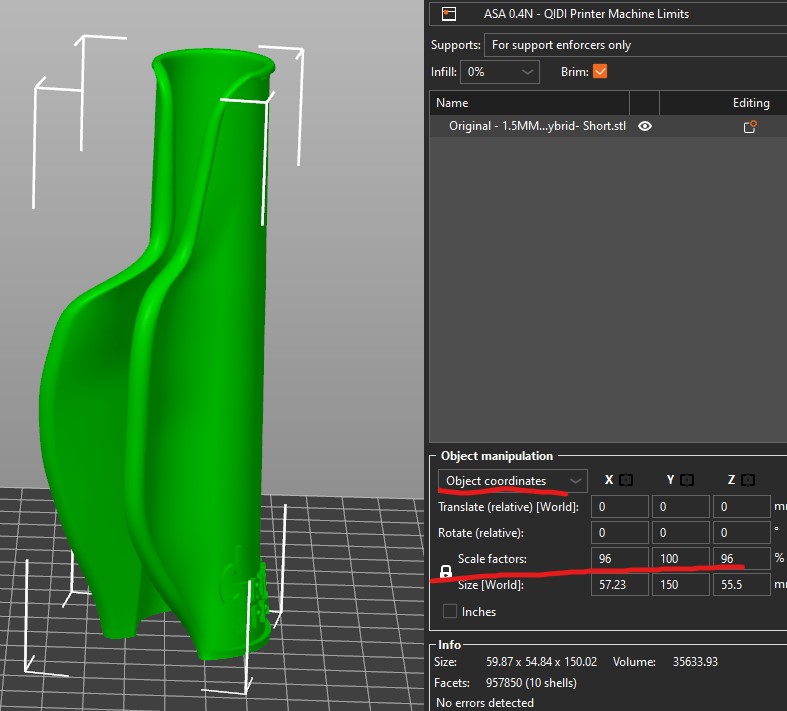
Upon adding a modifier the scale of the Object changes.
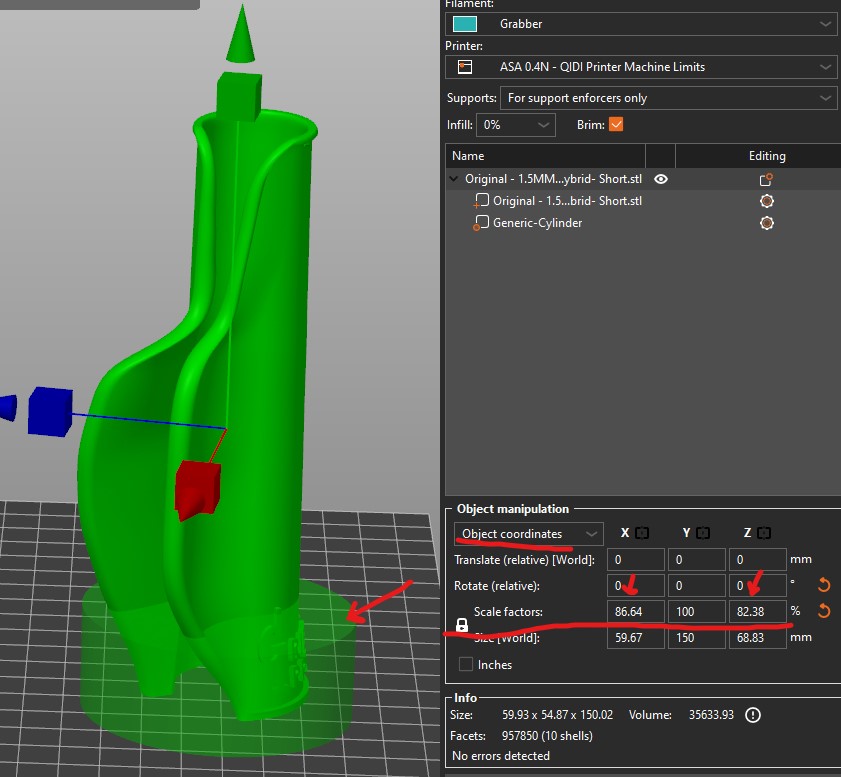
I have done everything I can think of and looked for a way to be able to see the scale of the object as set and locked.
What is driving me crazy is that I know it is possible because I have a project that does allow for this. I have tried for weeks to mimic whatever makes it possible. I started to write this post a couple weeks ago but decided I would just go with the project that shows the scale and modify it. But with new style models it is not practical.

What am I missing?!

RE: Prusaslicer - Scale Changes with Modifier
I wasn't able to replicate this when I tried. Maybe you can post your 3mf project file so folks here can take a look? Needs to be zip compressed before attaching it to a post.
Formerly known on this forum as @fuchsr -- https://foxrun3d.com/

RE: Prusaslicer - Scale Changes with Modifier
The "Lock" icon on the scale settings does not mean that the scale values are locked against future changes, but that they are "locked together" -- i.e. they will always change in proportion, preserving the aspect ratio of the object.
Nevertheless, the scale of an object should not change when you add a modifier to it. As @foxrun3d suggested, it might be helpful if you could upload the zipped .3mf file.
RE: Prusaslicer - Scale Changes with Modifier
I have discovered that it has something to do with rotation. X,Y axis changes do not effect the scale.
Any model that I rotate, the scale of the object is shown to change when a modifier is added.
I just confirmed that the modifiers MUST be added before rotation. ,,, BUT, I swear I tried this multiple times before with no success!!!
Try it guys.
Load any model. *
Rotate the model.
Set a scale. *(The scale can be set before rotation with same results.)
Add modifier.
See scale change.
Then Try...
Load Model
Set a Scale
Add modifier (no change in scale)
Rotate model (no change in scale)
I still do not think the displayed scale of the model should change for any other reason than someone changed it. Lightburn has this same sort of issue. Once you change the scale in Lightburn the display shows 100%. There is no way of knowing what the scale of the object is in reference to the original.
In the case of Prusaslicer, there is already a world coordinate. I see no reason why the object scale should change and if it is obsoletely impossible to make this right then there should be a way to ungroup the modifier.
On this point there should be a way to hide modifiers (I can't find a way) so that the modifiers are not obscuring vision of the model when trying to do things such as painting on fuzzy skin.
What do you say?

RE: Prusaslicer - Scale Changes with Modifier
This has been a problem forever with PS. Many github issues already around it.