Removing a single connector after splitting without redoing all cuts
I ran into an issue while splitting a model in PrusaSlicer where one of the connector holes I placed broke through the outer surface of the model.

The challenge was that I had already printed multiple parts (8 pieces) when I noticed the problem. I needed to remove the connector hole to restore the original surface contour, but redoing all the cuts wasn’t really an option since the connectors would no longer align.
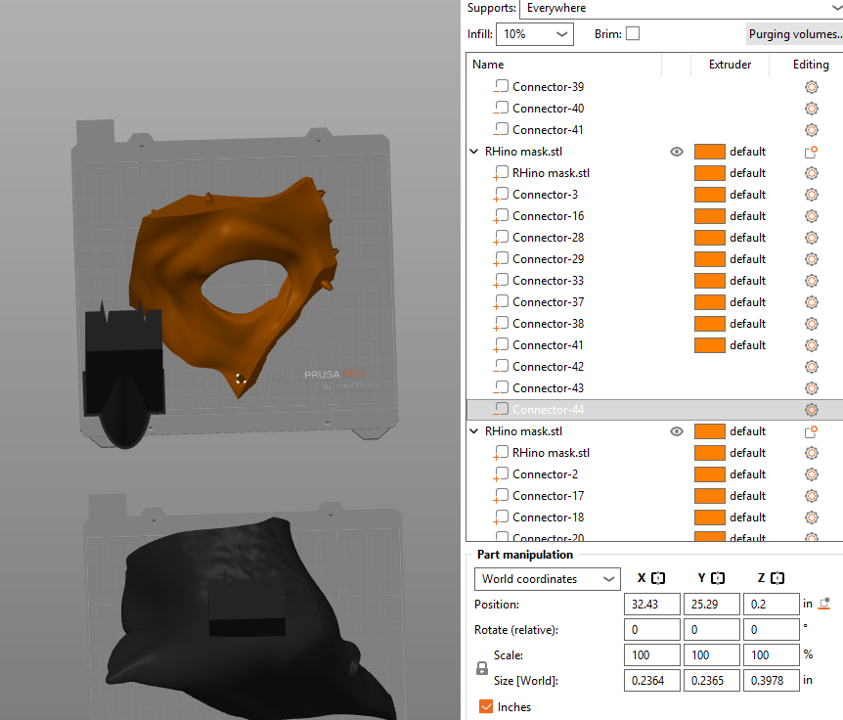
At first, it seemed like there was no way to edit or remove connectors after additional cuts had been made. The connectors showed up in the object list as a group, but I couldn’t modify them.
What worked for me:
- I duplicated the project to avoid breaking anything
- Then I deleted one of the later cut sections
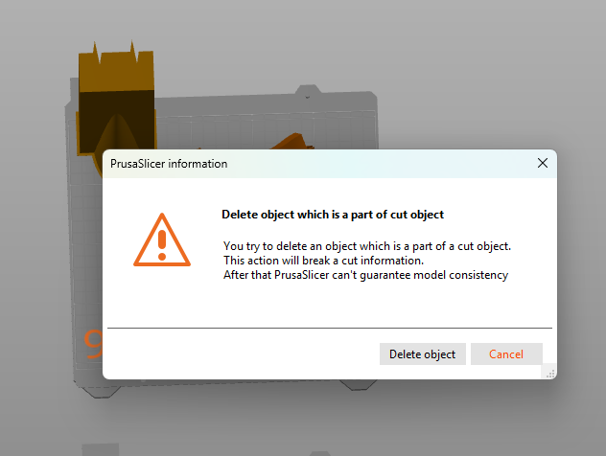
- I received a warning: “Delete object which is part of a cut object”, but proceeded anyway
- After deleting that section, the connectors from the cuts became accessible again in the right-hand panel
- I was then able to select and delete just the one connector that was causing the issue
This allowed me to remove the unwanted hole while keeping the rest of the connectors aligned with the parts I had already printed.
Hopefully this helps someone avoid having to redo an entire multi-part split.