
RE: Troubleshooting - looking for ideas
I believe the OP's file had a lot of extra gcode. What was that for?
Which g-code are you referring to? The only extra bit I see is for a nozzle wiper.

RE: Troubleshooting - looking for ideas
Ah, I'm confusing with another print. This just has the M572 code. Brings me to another OT question. I can reply to any post but can't post a new topic here myself. Buttons do nothing. So, is there a good G-code cheat sheet for the more commonly used functions, with usage examples?

I'm still using a lightly modified food dehydrator, cheap and (with my mods) capable of drying up to four spools.
Cheerio,
Prusa specific gcodes
https://help.prusa3d.com/article/prusa-firmware-specific-g-code-commands_112173
https://help.prusa3d.com/article/buddy-firmware-specific-g-code-commands_633112
Cheerio,

RE:
After my new filament dryer is now in use, the moisture is at a smooth 27%. And I can now say with relative certainty that too moist filament (once again) was the main problem. However, not the only one!
Here's a short interjection from above.
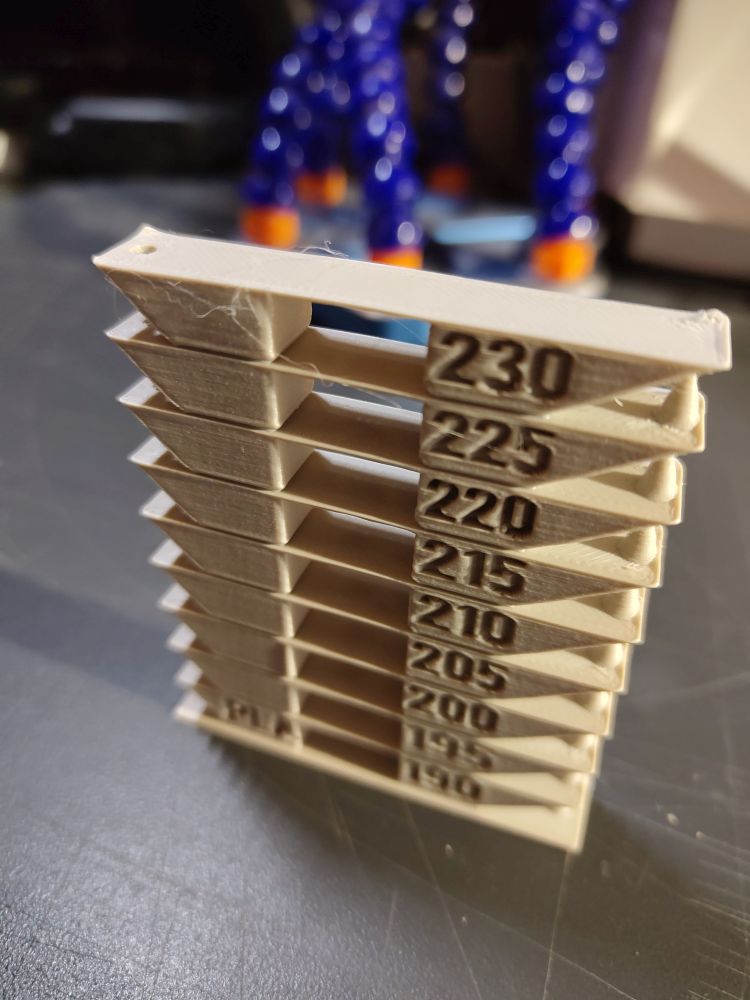
Even the temperature tower sides look bad. What does the string look like when you purge filament? It should be round and perfect and drop straight down.
You had asked about the purge line. This is what it looks like after drying. However, it has always looked like this. Even when the printer was still functioning normally. Therefore, I don't know if this says much.

Anyway, back to topic. Here's the temperature tower after drying

And here are the USB trims, which have also previously served as an example. They look much better now, although there is still very slight stringing. For this, I completely re-sliced the trims to get rid of possible errors in the old GCODE-files. So I pulled the original model into the slicer, added the endstop and brim, sliced it, and put it in the print queue.


Here's a Benchy in 0.1mm afterward. It is ok, not perfect but ok.


However! Sometimes there are these strange artifacts/lines/disturbances. I haven't had this before. This was printed with the old GCODE-files and the reason, why I re-sliced them. The errors did not come back afterwards.
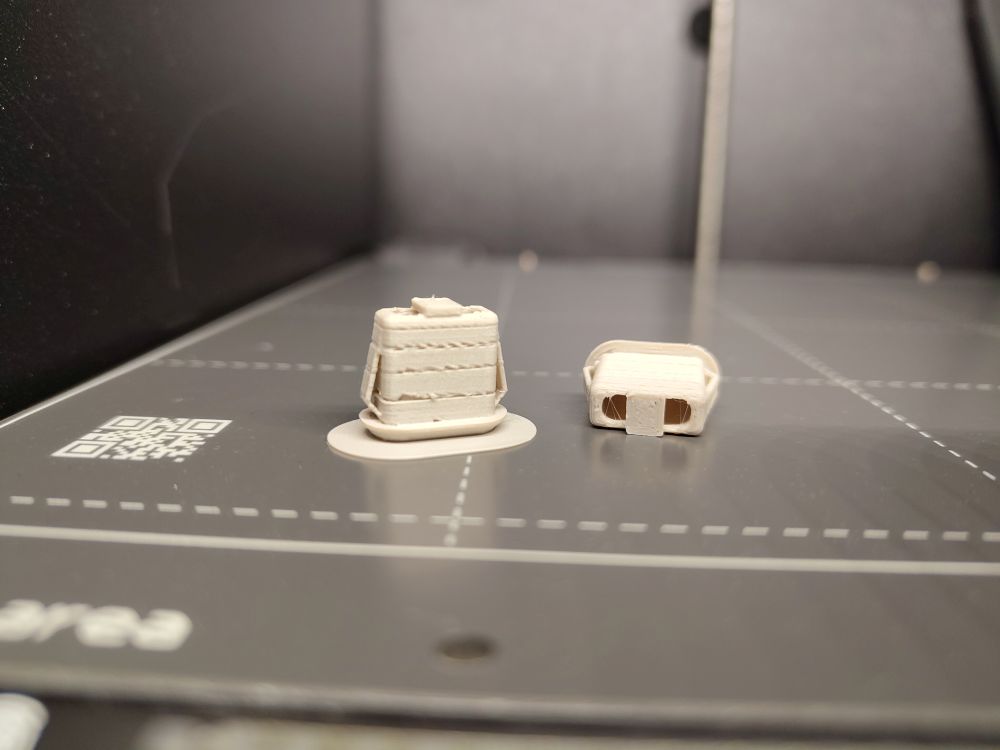

Sometimes you can also hear a "clicking" sound during certain movements. However, this doesn't always occur, and I haven't been able to localize it yet. I guess I'll need to look for loose screws or something similar. I would be grateful for further ideas on where to start my search. And no, it's not just a random tool sitting on top of my printer that I forgot. 😉
Here's a short video where you can hear the noise.

RE: Troubleshooting - looking for ideas
After my new filament dryer is now in use, the moisture is at a smooth 27%.
That's still not 'dry' buddy.
That clicking noise is the extruder, and looking at those last 2 pictures your nozzle is partially blocked.
RE: Troubleshooting - looking for ideas
I apologize if I expressed myself unclearly. I got the prints with the artifacts right after I first printed with the dried filament. Since then, the problem seems to have stopped occurring. So I guess, the blockage cleared itself?!
But thank you for the hint about the "clicking" noise. If the problem occurs again, I suppose I'll disassemble and examine the extruder.
But are you really sure about the not dry enought filament? Most of the other sources I found speak of a range between 40 and 20% humidity as optimal for PLA. Since mine is at about 28% I figured, I am in a safe territory.
--
Thanks again to everyone who contributed ideas. I will to mark this topic as solved for now, since most of my problems may not have been completely resolved, but have been reduced so much that I can live with them.
RE: Troubleshooting - looking for ideas
Is that filament "wood" or something similar? The purge still looks bad, all lumpy. It should be smooth and even.
RE:
It's a little bit matte but otherwise it is completely normal PLA. Next time I switch to regular shiny PLA I'll take a close look at that purge as well.