
Inconsistent extrusions / Skewed Z Gantry
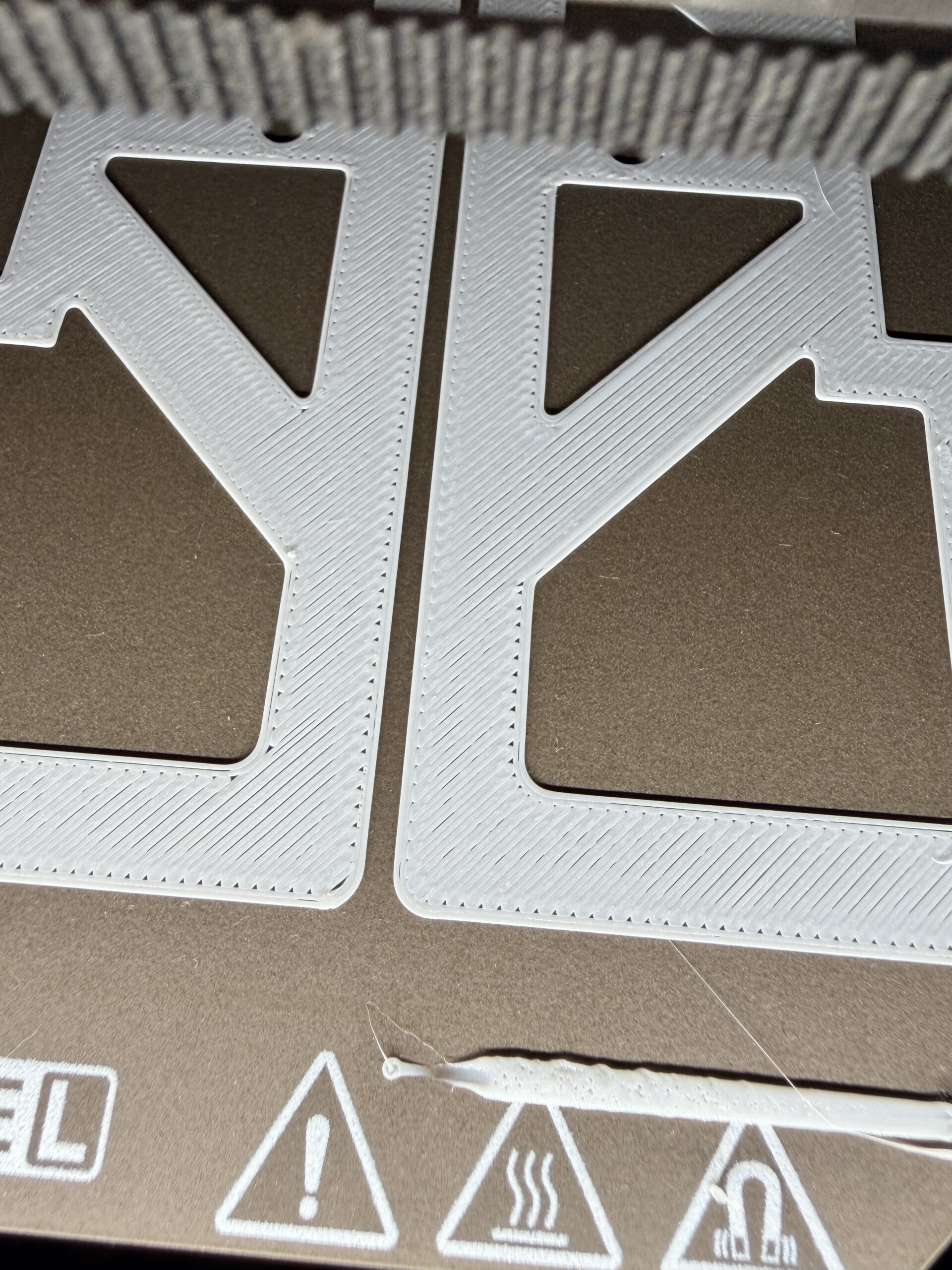
I've noticed my Core One L has inconsistent layers (Not just first), where the front of the printer is under extruded (Or not squished enough) and the back of the printer is over extruded. See below:
Front of the build plate:
Back of the build plate
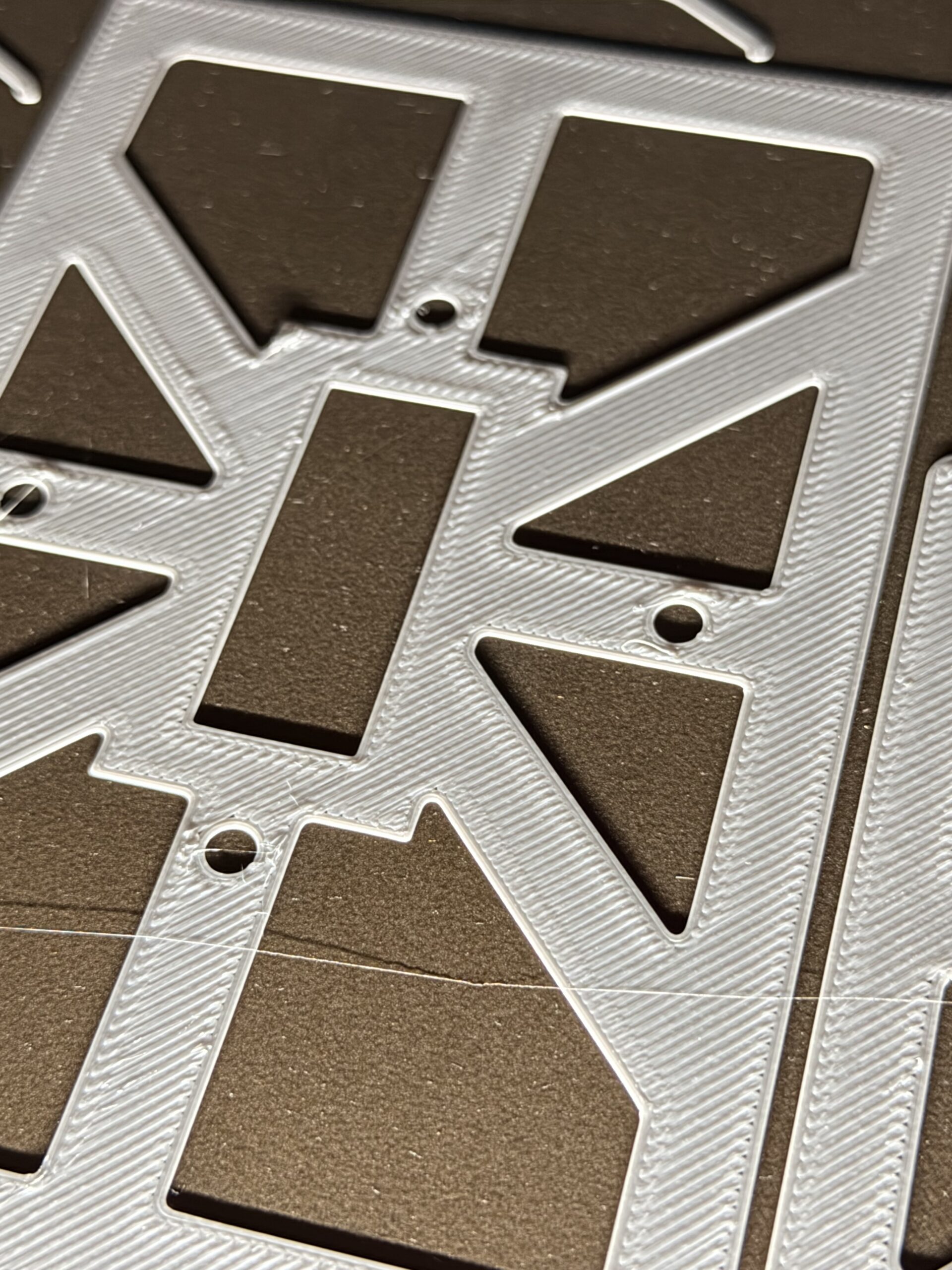
At first I thought it was just a miss aligned Z axis, so I ran the calibration to align the 3 screws, but the results are the same
Any ideas? Not contacted support yet.

RE: Inconsistent extrusions / Skewed Z Gantry
Adjust your filament's diameter and extrusion multiplier to get/verify the correct extrusion. Then do a proper 1st layer test. Also the default speeds are too fast for most filaments if you want quality.
Core One L MMU3, MK3S
RE:
How would I dial in a 'proper first layer' if I get varying results across the bed?
Apologies if it wasn't clear in my initial post, but those 2 pictures are from the same print. I have printed with this material for years on many printers (Including a regular Core One and MK4s with the same extruders and the Core One L). Also after the initial few layers the print quality is great with no signs of over or under extrusion. So to me, it must be the bed that isn't aligned properly (Or the XY gantry, which would be very bad).
Other things of note:
- The XY gantry is perfectly square to the frame
- The belts are properly tensioned
- I get the same results with default values for IS/PS and for tuned IS/PS
RE:
I always go back to basics, when things don't work right.
Lots of assumptions, no validations.
For all filaments, even just changing the nozzle on the same printer.
Calibrate extrusion for the filament profile.
- Measure diameter of the filament
- Multplier, by using hollow cube, measure the wall thickness, See Precise Method --> https://help.prusa3d.com/article/extrusion-multiplier-calibration_2257
- thingiverse.com/thing:1896289
1st layer test,
- Use a 1st layer model, vs trying to print a part. I have found the default speeds way too fast, took it down to 30mm/s to get an always perfect 1st layer with a calibrated extrusion.
- https://www.thingiverse.com/thing:2741800
Once you know your extrusion is correct, you can focus on the 1st layer, adjust speed and Z offset. If you still can't anything to improve, then look for a problem.
Core One L MMU3, MK3S
RE: Inconsistent extrusions / Skewed Z Gantry
Linked wrong cube, https://www.thingiverse.com/thing:271736
Print the Cube with 1 perimeter, 2 bottom, no top so you can measure wall thickness.
Core One L MMU3, MK3S

RE:
Double check if the spindle pitch on the lead screws is the same, see this thread for more https://forum.prusa3d.com/forum/prusa-core-one-hardware-firmware-and-software-help/skewed-xy-plane-z-rods-heatbed/
That can lead to uneven extrusion in the xyz plane.
See my GitHub and printables.com for some 3d stuff that you may like.

RE: Inconsistent extrusions / Skewed Z Gantry
Also check how easy the z lead screws turn. Recently had someone I know get lead screw nuts that were too tight causing the z steppers to miss steps, thus causing the bed to skew. Lubrication did not help. He had some spare lead screw nuts, swapped them out and all problems were solved. Now he's been fighting with Prusa to get them replaced, but they don't seem to believe him.
He discovered this because when turning the lead screw by hand they turned extremely hard. After swapping the nuts they turned freely.