
Am i to stupid to Print PETG?!!
Sadly, there isn't a German CORE ONE L forum, so I will try my best in English.
First of all, I’m not new to 3D printing. My MK3S worked so amazingly well that I might be a bit spoiled by it; I never had issues with PLA or PETG on that machine.
I had a rough start with the Core One L because I didn’t mount the 0.6mm nozzle perfectly, which caused a minor crash. Luckily, no permanent damage was done. After that, I printed a few Benchys and Cali-Flowers in PLA, and everything was fine and accurate.
The printer is supposed to run daily for parts and jigs in our woodshop. I bought the Core One specifically because I want to design in Fusion and print parts quickly. However, it seems my Core One isn't printing as well out of the box as I expected. I admit I’m a little frustrated; I don’t want to spend time "tinkering"—I want to work and provide my employees with the parts they need just-in-time.
After some issues with large ASA parts (which were mostly geometry-related), my PETG prints are now failing as well. I’m using Prusament PETG right out of the box to print feet for a steel table. Here is what I’ve tried:
1st Attempt: 0.6mm nozzle, 0.32mm Structural profile (255/85°C), 4 perimeters, 6 bottom/4 top layers, 20% infill. Result: Huge layer shift at the top. No Foto
2nd Attempt: 0.6mm nozzle, 0.32mm Balanced profile (255/85°C), 2 perimeters, 4 bottom/5 top layers, 100% infill. Result: Nope
3rd Attempt: 0.6mm nozzle, 0.4mm Structural profile (265/85°C), 2 perimeters, 100% infill, reduced volumetric flow (10). Result: Also poor, canceled
4th Attempt: 0.6mm nozzle, 0.3mm Structural profile (265/85°C), 2 perimeters, 100% infill, reduced volumetric flow (10). Nope
5th Attempt: 0.6mm nozzle, 0.3mm Structural profile (265/85°C), 9 perimeters, 15% infill, reduced volumetric flow (10). Ok, but not
6th Attempt: (Tried standard parameters with a 0.4mm nozzle to rule out user error): 0.2mm Structural profile (255/85°C), 2 perimeters, 15% infill. Result: Severe layer shifting, canceled
Should I contact support directly? I invested a lot of money into a Prusa specifically because I need a reliable workhorse for my business. Any help would be appreciated.
PS: Actually it prints a perfect PLA print....

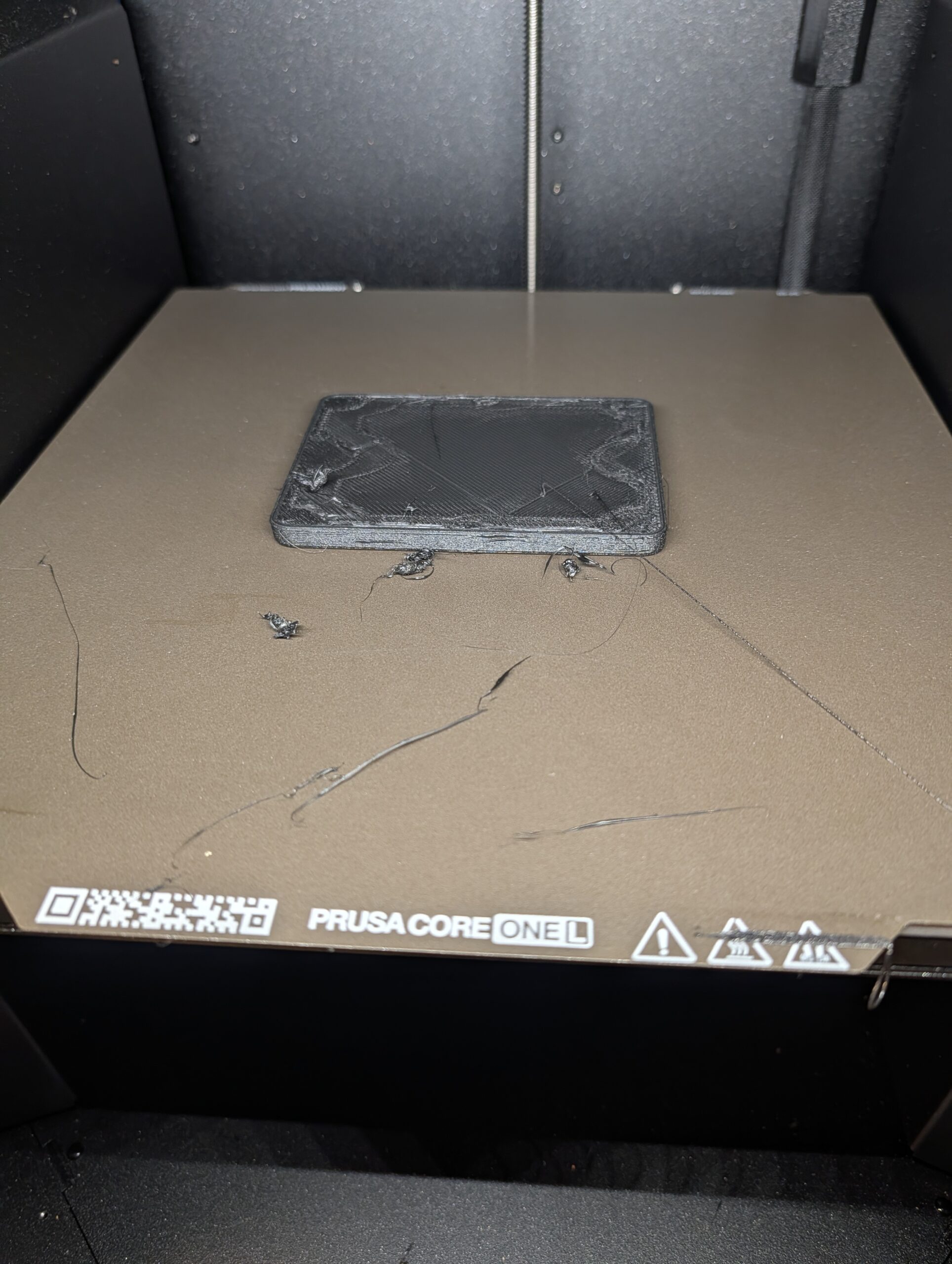

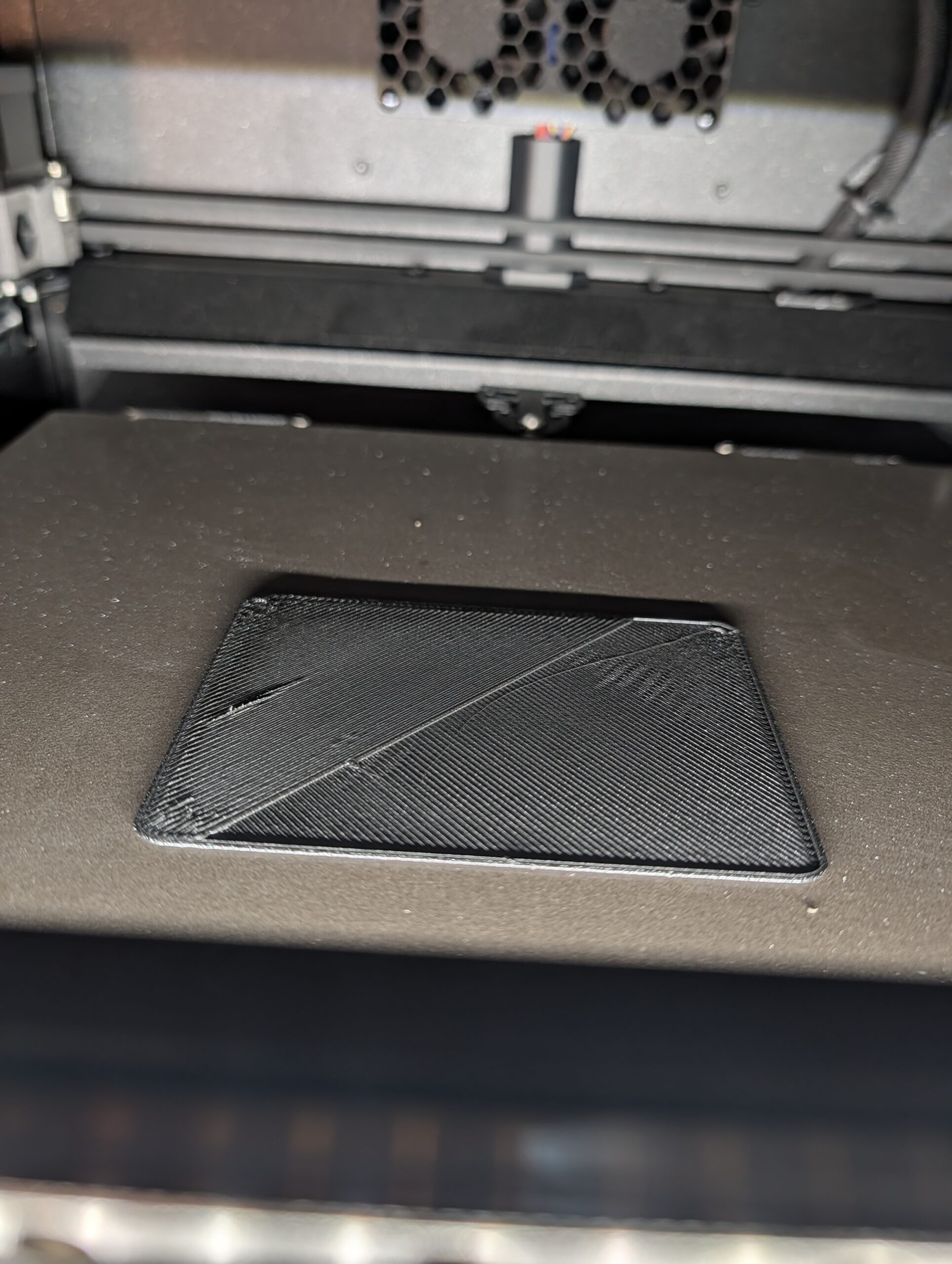

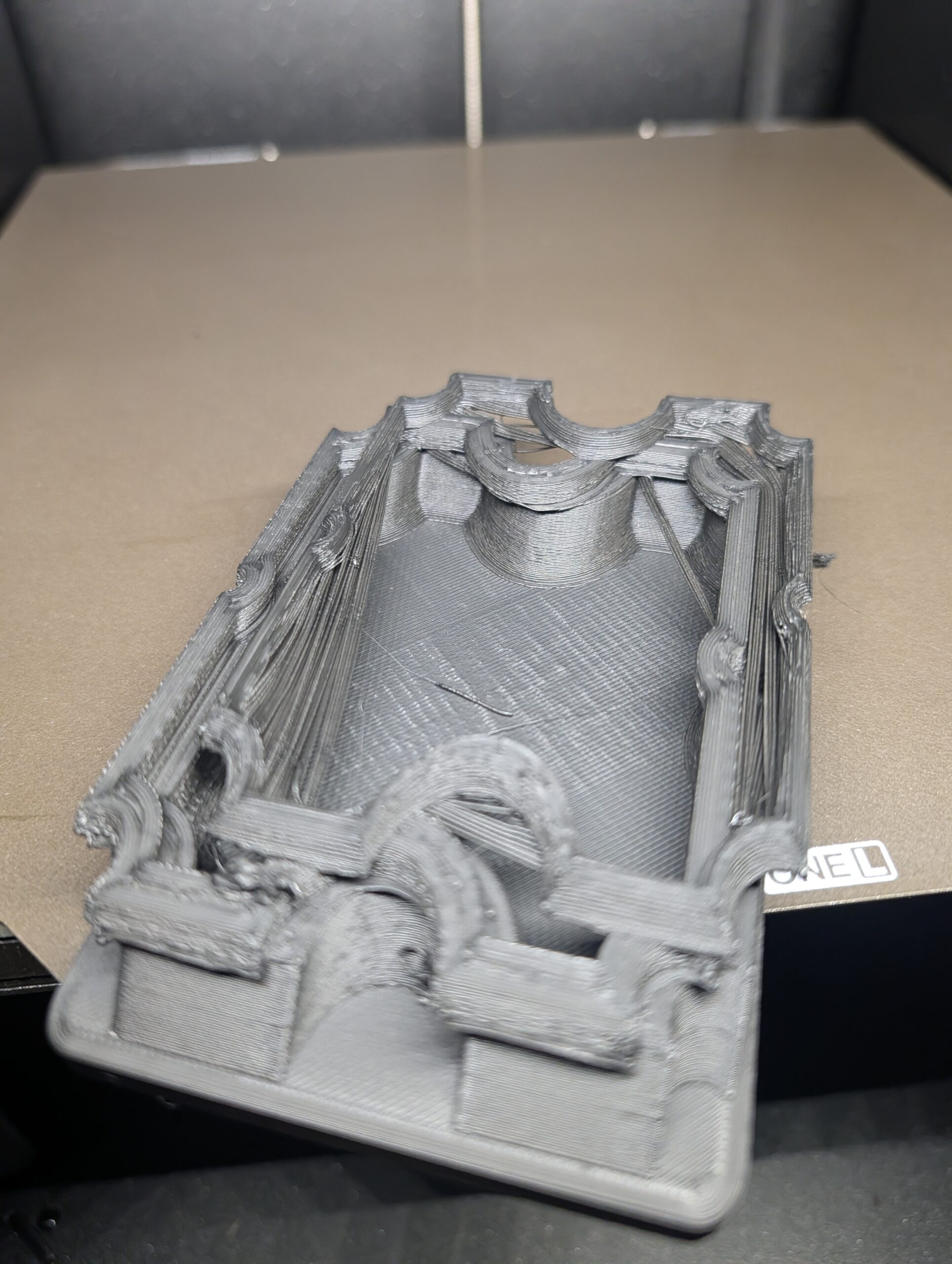
Best Answer by Ruebarb:
I also have a Mk3S that still prints flawlessly. The C1L, the print quality is better, but takes alot of tuning.
Z offset adjustment to ensure bed adhesion. -0.02. Peform a live z test, just like the Mk3
Do a temp tower
Disable chamber fans, warping, bed lifting. In filament set chamber nomial to 0. will stop the chamber fan from running.
Slower print speed, default profiles way too fast.
If you are using the HF, use a standard nozzle. I find the HF to be a gimmic. Quality vs speed. Your call.
Default PETG profile is crap.
Don't carry anything over from the Mk3S
See the PETG & Print Settings in the included zip

RE: Am i to stupid to Print PETG?!!
I also have a Mk3S that still prints flawlessly. The C1L, the print quality is better, but takes alot of tuning.
Z offset adjustment to ensure bed adhesion. -0.02. Peform a live z test, just like the Mk3
Do a temp tower
Disable chamber fans, warping, bed lifting. In filament set chamber nomial to 0. will stop the chamber fan from running.
Slower print speed, default profiles way too fast.
If you are using the HF, use a standard nozzle. I find the HF to be a gimmic. Quality vs speed. Your call.
Default PETG profile is crap.
Don't carry anything over from the Mk3S
See the PETG & Print Settings in the included zip

RE: Am i to stupid to Print PETG?!!
I’m using Prusament PETG right out of the box to print feet for a steel table
This actually might be your problem. Try drying the filament for 8hrs at 60° before printing. I never assume that filament is dry after removing it from even a factory vacuum sealed bag.
RE: Am i to stupid to Print PETG?!!
Problem solved! I have an amazing print quality with the same filament now.
Added your printer and your profile and it just works sooooo good. Now I have the quality that I've been expecting.
I'm glad it's a software problem. Prusa SHOULD replace their profile with yours!
I would really appreciate, if you can post a kind of a change log for your printer and filament settings so I don't need to compare and figure out...
Thank you mate, kinda love you 🤣

RE: Am i to stupid to Print PETG?!!
I'm glad it's a software problem. Prusa SHOULD replace their profile with yours!
As I've mentioned in other posts, the Prusa profiles are generic and are really only good for average prints of generic objects. They are just a starting point. If you want, clean functional prints then you need to calibrate your filament and, as @Ruebarb pointed out, stay away from HF nozzles for functional prints. I highly recommend the Diamondback nozzles.
RE:
Glad to help. It is dissapointing Prusa doesn't make anyone more successful. You would figure using thier own filament on thier own printer would be easy.
If you added the actual printer profile, I have some custom G code for a nozzle wipe and to open and close vent based on filament min temp. It will always close the vent at the end.
RE: Am i to stupid to Print PETG?!!
Glad to help. It is dissapointing Prusa doesn't make anyone more successful. You would figure using thier own filament on thier own printer would be easy.
It really isn't that easy though. For example the countless posts I saw here and on Reddit where users were blaming the printer for wet filament, a dirty build plate or using the wrong nozzle.
The Prusa profiles are a "best guess" and can never be anything more than that. Just changing the print sheet is enough to invalidate a Prusa profile for Prusament in some cases.

RE: Am i to stupid to Print PETG?!!
It would be interesting to find out what exactly is the root cause. You've rattled the box, the problem went away but it may come back.
With few exceptions, I print only budget material and found the "generic" stock presets are spot-on. A little bit of tweaking here and there to correct for actual shrinkage (XY and Z multiplier), extrusion multiplier for fine tuning, possibly raise temperature but nothing that should cause functional failure as in your pictures. It's not that sensitive - or if it is, this points to some deeper, underlying issue.
This statement holds for several 2nd-tier brands of ASA, ABS, PETG and unicorn-pink PLA which I only touch with rubber gloves.
RE:
same for me. i´ve been printing with my mk3s (with enclosure) a few spools of cheap pla and petg perfect with the generic profile.
i also printet really a LOT ASA, PLA and PETG with my mk3s almost without any issues. It was running for about 4 years until i bougth the COL.
i have never needed to change some fillament seetings, except first layer temp or something like this. so there was just no need to get any deeper in into this.
now with the new printer i should make a calibration for every original prusament? c´mon. this was far away from a little tuning. the prints went from worse to good wit your petg profile..
if you @ruebarb could tell us the changes you made in the filamet it will save me or us some study. i want to understand what was wrong...

RE:
you can compare it on your own in the PrusaSlicer - enable expert mode and then on each tab click Compare (the first on the right)

Looking at it I see there aren't that many differences, maybe the original profiles were corrupted?
See my GitHub and printables.com for some 3d stuff that you may like.
RE:
The Print Settings, those adjustments are just my own, some from previous experience with the MK3S. I started with the Structual and then adjusted from there. Speed is not your friend for quality prints.
The Filament settings, I had a decent profile of my own based on the default PETG , but was still not happy. Since Prusa makes parts out of their own PETG for thier printers, knew it could be done, but the default profile wasn't it. I grabbed one of the Prusa Mk3 files from thier Core one + printable parts files and looked it, found a bunch of changes that are not in the included default Prusa profile. Lots of testing after that, problem solving for bed adhesion, warping issue, chamber fans.......
It is just a combination of all things, print settings, extruder tuning, z offset, filament settings, temp tower, bridge test, stringing test, elephant foots test, chamber fans, print sheet. Get it all right and you get a good repeatable result.
Each time I start a new filament, I go through all the steps again. The better base profiles I build, the quicker it becomes to add more of that type. I may spend an entire day + just testing a filamanet, sometimes much longer, like the PETG.
same for me. i´ve been printing with my mk3s (with enclosure) a few spools of cheap pla and petg perfect with the generic profile.
i also printet really a LOT ASA, PLA and PETG with my mk3s almost without any issues. It was running for about 4 years until i bougth the COL.
i have never needed to change some fillament seetings, except first layer temp or something like this. so there was just no need to get any deeper in into this.
now with the new printer i should make a calibration for every original prusament? c´mon. this was far away from a little tuning. the prints went from worse to good wit your petg profile..
if you @ruebarb could tell us the changes you made in the filamet it will save me or us some study. i want to understand what was wrong...

RE: Am i to stupid to Print PETG?!!
Throwing in my experience printing with PCTG:
- Core One L
- textured sheet
- Prusa ObXidian 0.4 nozzle
- PCTG from nobufil
- Creality SpacePi X4 dryer and I am printing out of the dryer and it is switched on during the print - drying modus or "Auto"-modus with 20% threshold
- starting preset was the "Spectrum PCTG" preset in Prusa Slicer
- final tuned nozzle temperature: 256 °C
- final bed temperature: 90 °C (from the beginning)
- fan speed changed to nobufil settings - 30% up to 50%
- print mostly with "0,15 layer Balanced" (one of the presets in easyprint)
- larger parts "0,15 layer Structured (for a perfect surface and better layer bonding)
- first print was the Benchy from Prusa on Printables (the Benchy on the USB stick ist heavely optimized for PLA with factory out Standard HF nozzle)
- observed the result when the first layer was printed
- adjusted nozzle temperature
- print finished flawless
- never touched "z-axis" settings
- never printed a calibration model
My conlusions/recommendations:
- start with a preset or the closest preset when not using the preset filament
- observe the first layer(s)
- tune settings during print
- dry, dry, dry, dry your filament or keep it dry at least
(- printing policy when using a filament the first time: First print is the Benchy for tuning 🙂 )
Core One L