
“Use surface” on text edit distorts text on round objects
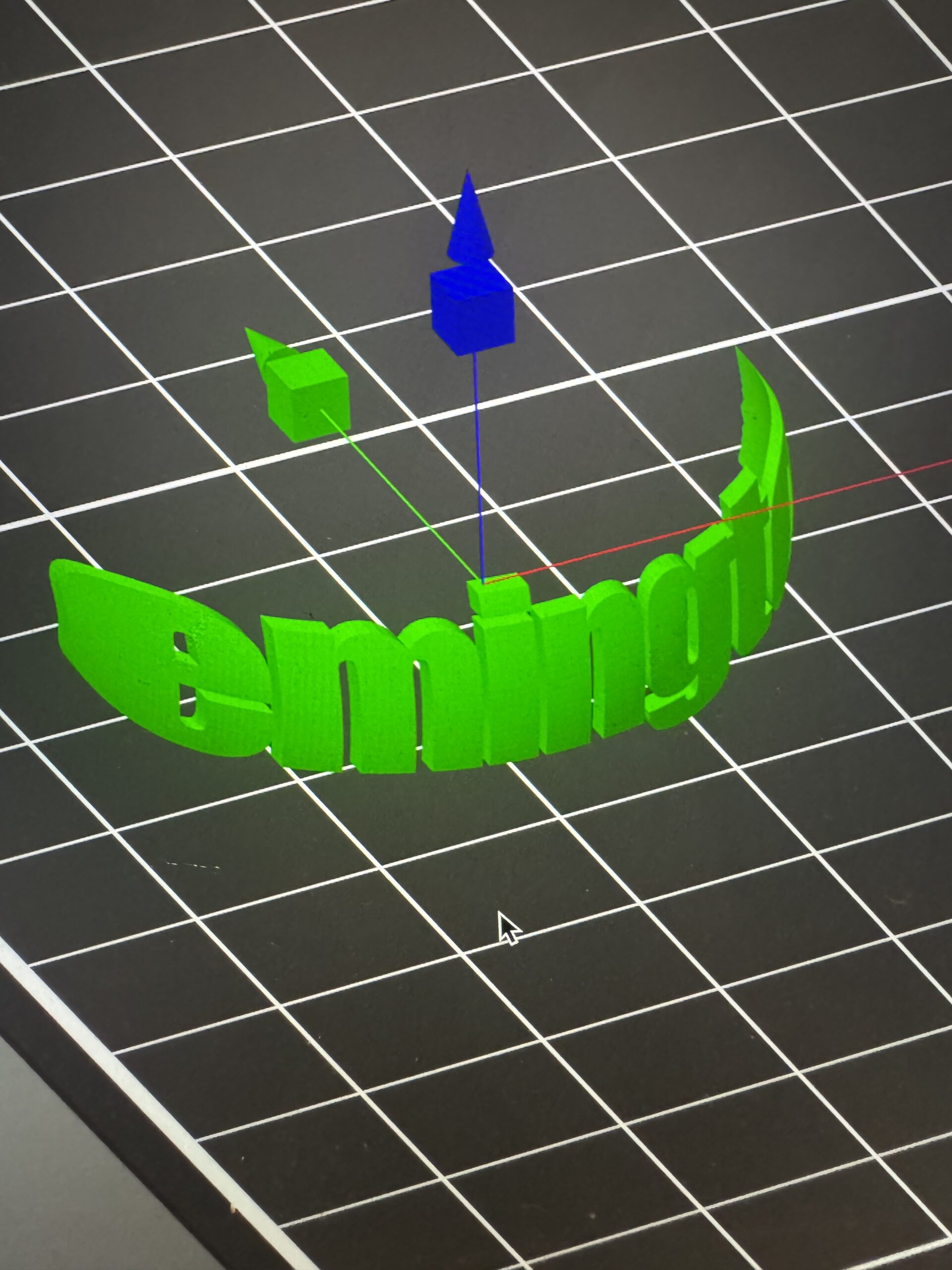 I’ve been trying to find a work around but no luck. Trying to place text on a round object but letters become distorted and stretched out instead of place neatly on object. Any help? Thanks!

RE: “Use surface” on text edit distorts text on round objects
I suspect you also want to turn on the "Per Glyph" setting. See these two screenshots of an example that I just threw together to test this. Click each screenshot to see the full uncropped image.
This is with just "Use Surface" turn on. Note how the letters get smeared on the sides of the cylinder (similar to your experience):

This is with both "Use Surface" and "Per Glyph" turned on. Notice how the text is readable now:

I did turn the "Use Surface" off, leaving "Per Glyph" turned on and the wide characters (for example the lower case "m") lifted from the curve of the cylinder on the character's left and right. (I didn't bother to screenshot this example.)
See my (limited) designs on:
Printables - https://www.printables.com/@Sembazuru
Thingiverse - https://www.thingiverse.com/Sembazuru/designs