
PrusaSlicer doesn't see PrusaLink info
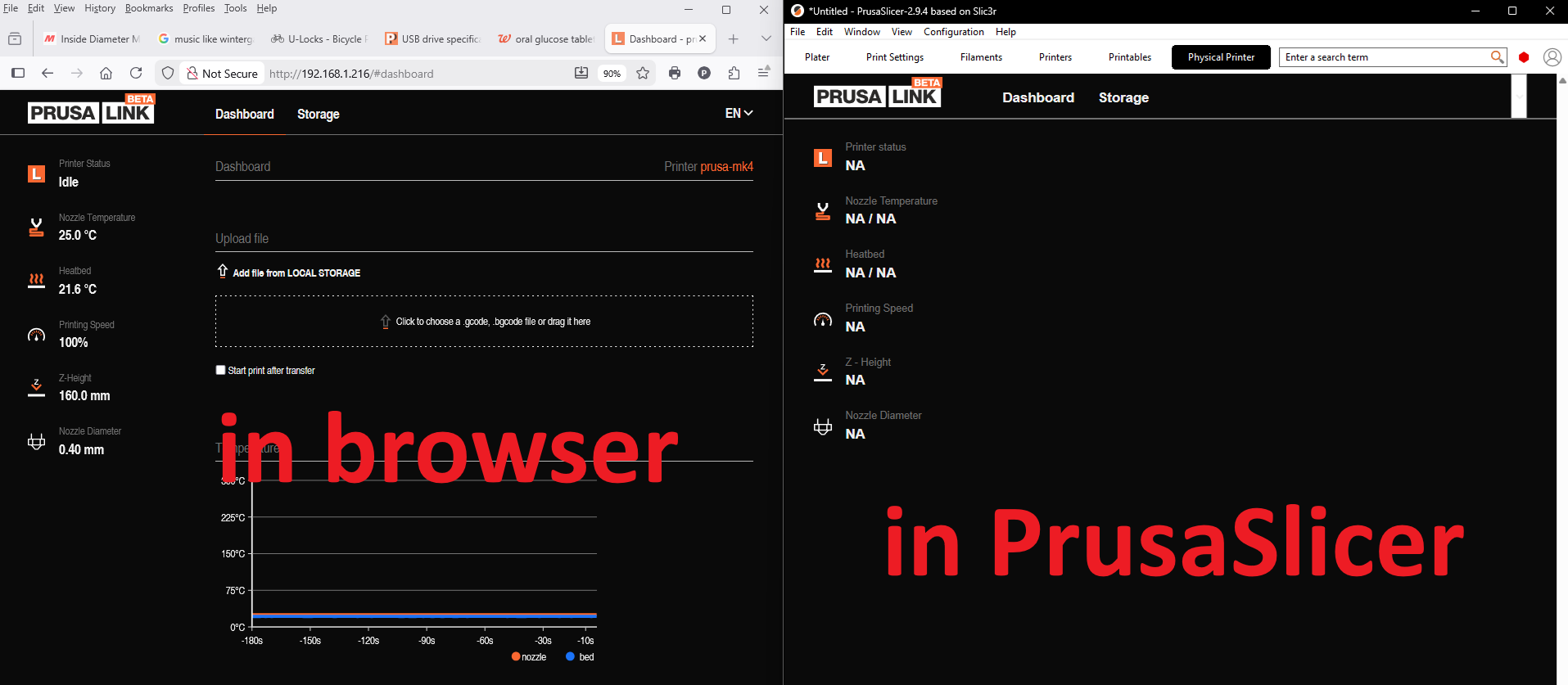
Since updating to PrusaSlicer 2.9.4, they PrusaLink pages in the application (both "Dashboard" and "Storage") don't show anything. But when I access the printer via PrusaLink from my web browser, everything is fine:

- I am connected via physical Ethernet
- All data and controls work correctly in the browser
- "Test" in the Physical Printer configuration dialog works correctly
- "Send G-Code to Printer Host" control in the Plater works correctly
It appears that PrusaLink itself is working, but the associated pages in the PrusaSlicer app are not.
PrusaLink type: ??????
PrusaLink version: ?????
Printer type: Prusa MK4
Printer UUID: 192.168.1.216
Printer firmware version: +.4.0+11974
PrusaSlicer version: 2.9.4
EDIT: I apologize for the cropped image. The "Add media" function only grabbed the middle part of the picture, and imgur doesn't want to link just to the picture anymore.