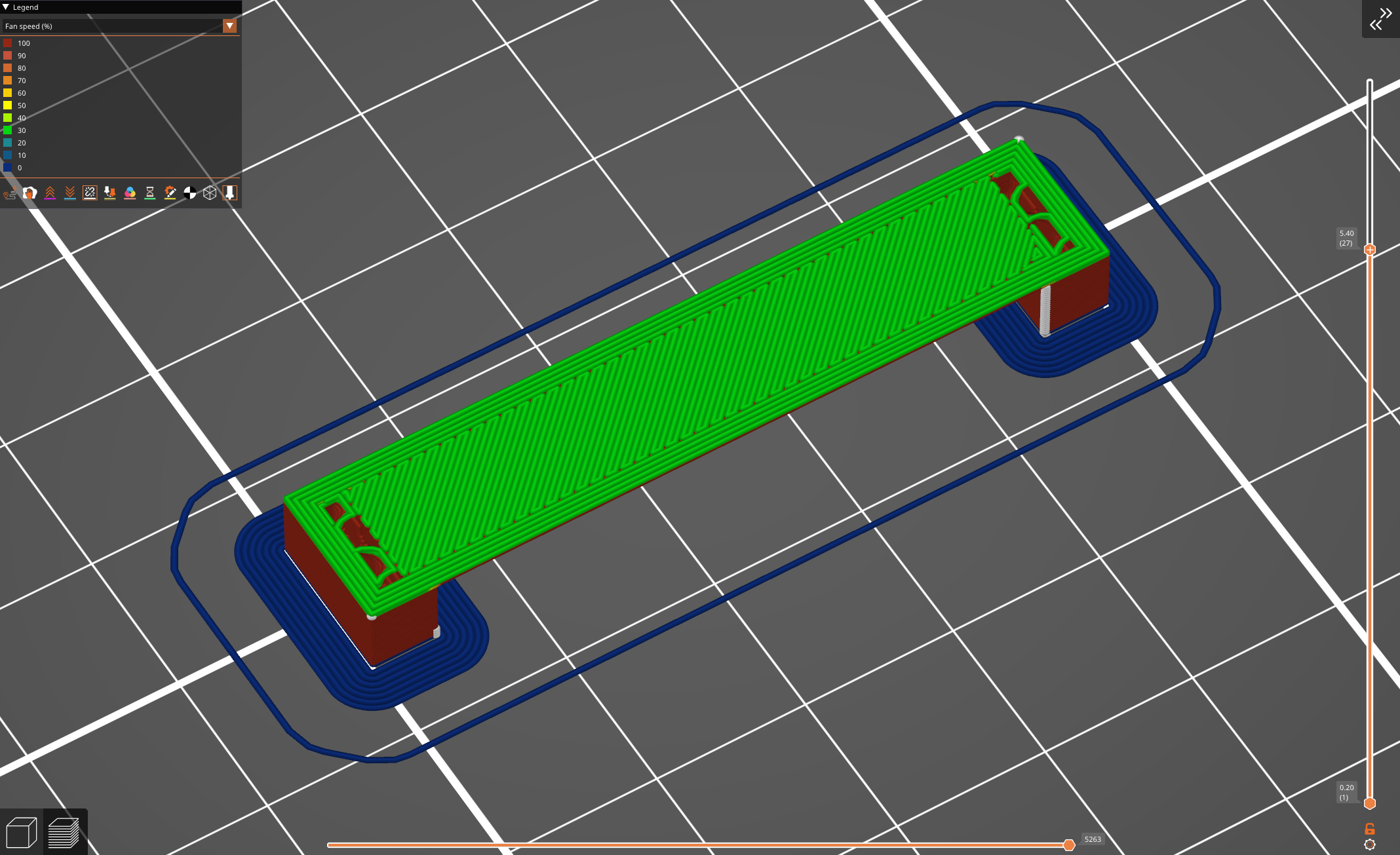
"Over Bridge" Fan speed parameter request
I'm tuning up some filament that bridges well, but I'm finding the need to manually increase fan speed in gcode via post processing to add an "Over Bridge" fan speed control, but I can't differentiate between purely over bridge for infill/perimeters vs the entire layer. I would like to request a parameter addition to Prusaslicer. It would be rather convenient to have as a standard parameter in the slicer, as at the moment the generated gcode doesn't label "over bridge" printing moves, despite having a dedicated print speed parameter already.

RE:
In the cooling page of the filament settings is something you may have overlooked. You need to be in Expert mode to see the settings. It is a section of settings called "Dynamic fan speeds". Here are the default settings for Prusament PC Blend for the C1 to show you how it can be done:

Interestingly, for the same filament profile if I change printer to the MK4, dynamic cooling is turned off.
This gives you control not only for extra fan on bridges, but for different amounts of overlap (kind the opposite of overhang). FWIW, I see this setting in 2.9.4, I don't recall which version they added this.
See my (limited) designs on:
Printables - https://www.printables.com/@Sembazuru
Thingiverse - https://www.thingiverse.com/Sembazuru/designs
RE: "Over Bridge" Fan speed parameter request
Thank, but I'm aware of that feature already. I am talking about the layer after the bridge, an area with 100% overlap, so your suggestion is correct, just not what I'm looking for.
Here's an example, a bridging layer of a test part, serves zero function other than testing bridging.
Then the following layer printed over the layer with the bridge. I have the bridged layer tuned so I have a smooth layer, and no drooping, with a ton of part cooling as well.
My issue is that the layer after bridging is causing significant sagging once printed, however by manually adjusting fan pwm during the print on the new layer I get good solid part as a result, problem solved, except that I can't have the slicer differentiate between the area over the bridge for fan speed, and the entire rest of the layer.