
What causes this bump on a calibration cube?
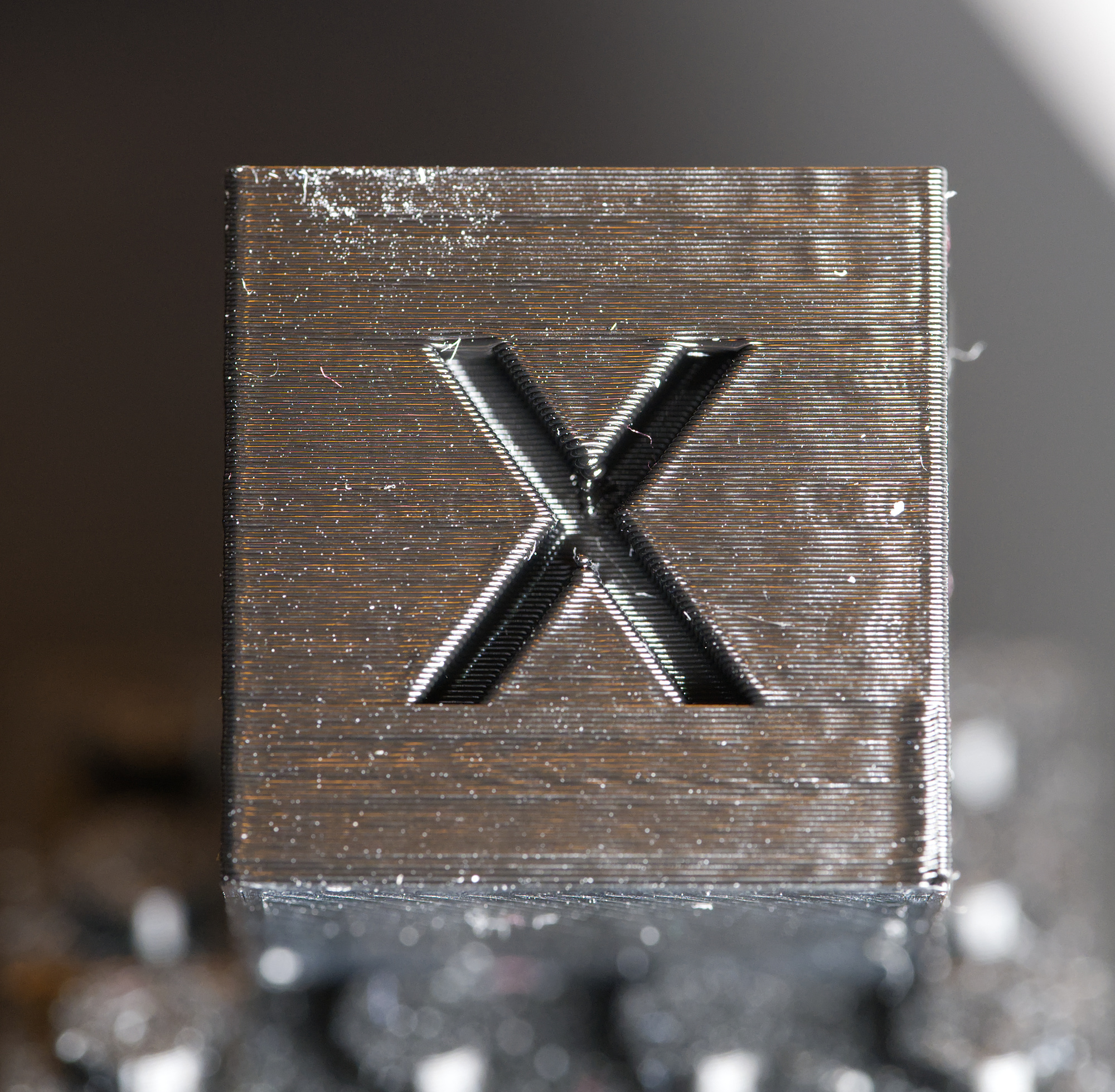
This 20 mm cube always has a bump above or below the letter, typically lower right on the X surface and upper right on the Y surface. It did it with old firmware and does it with the new. It did it before I got the accelerometer and it does it after calibration. It does not do it on the faces with no letters. Buddy3D black PLA. Zipped 3mf attached. This also looks worse than most of my prints, not sure why. How can I make it prettier?
Best Answer by hyiger:
On the lower right, that's the seam. You can move it to the rear or paint it where ever you like it to be.


RE: What causes this bump on a calibration cube?
On the lower right, that's the seam. You can move it to the rear or paint it where ever you like it to be.
RE: What causes this bump on a calibration cube?
Ha! That never even occurred to me, thanks. I rarely think about seams except for round parts, figuring they'll just default to the back and stay in a line or blend into an angle and stay out of sight.