
How to get rid of VFAs?
Hi,
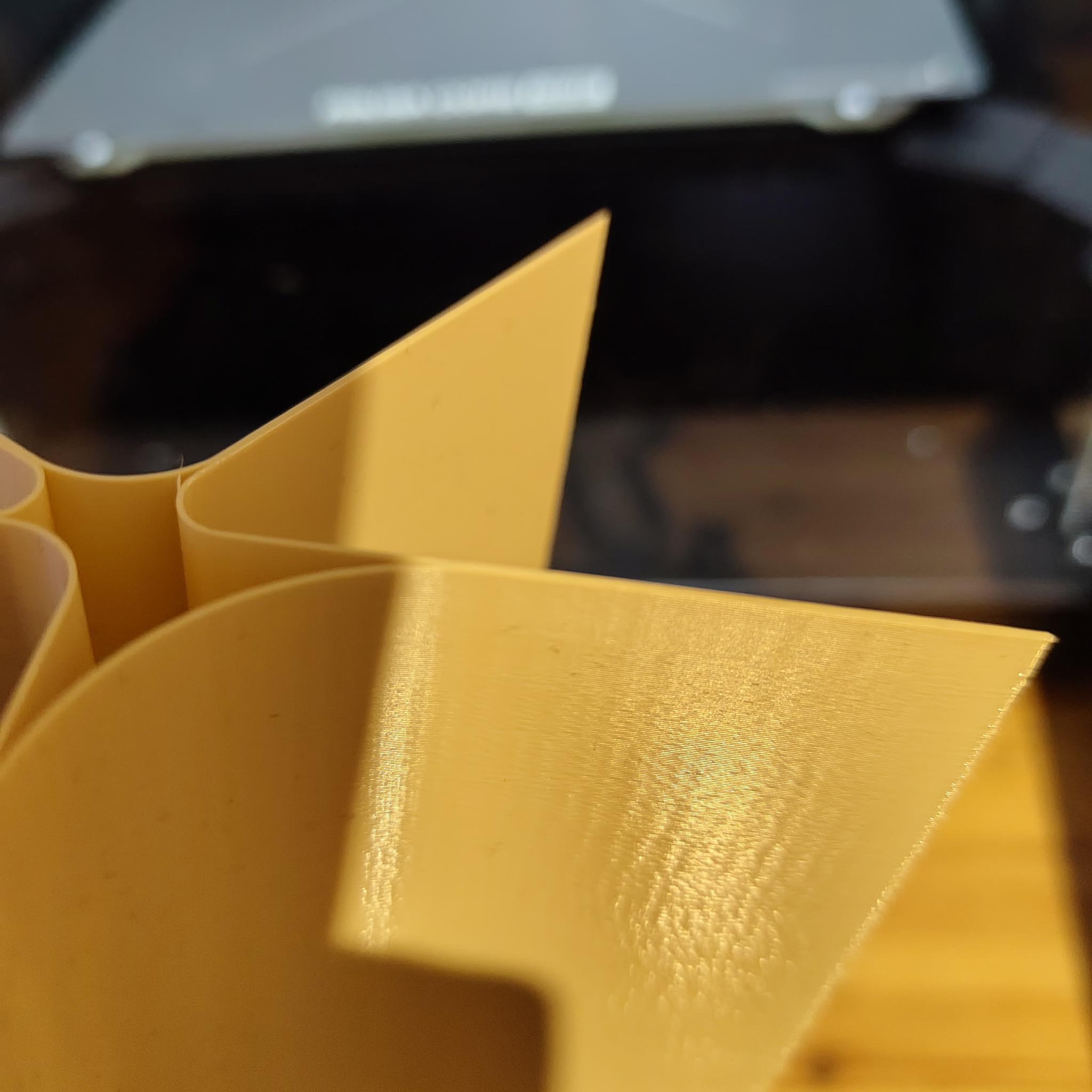
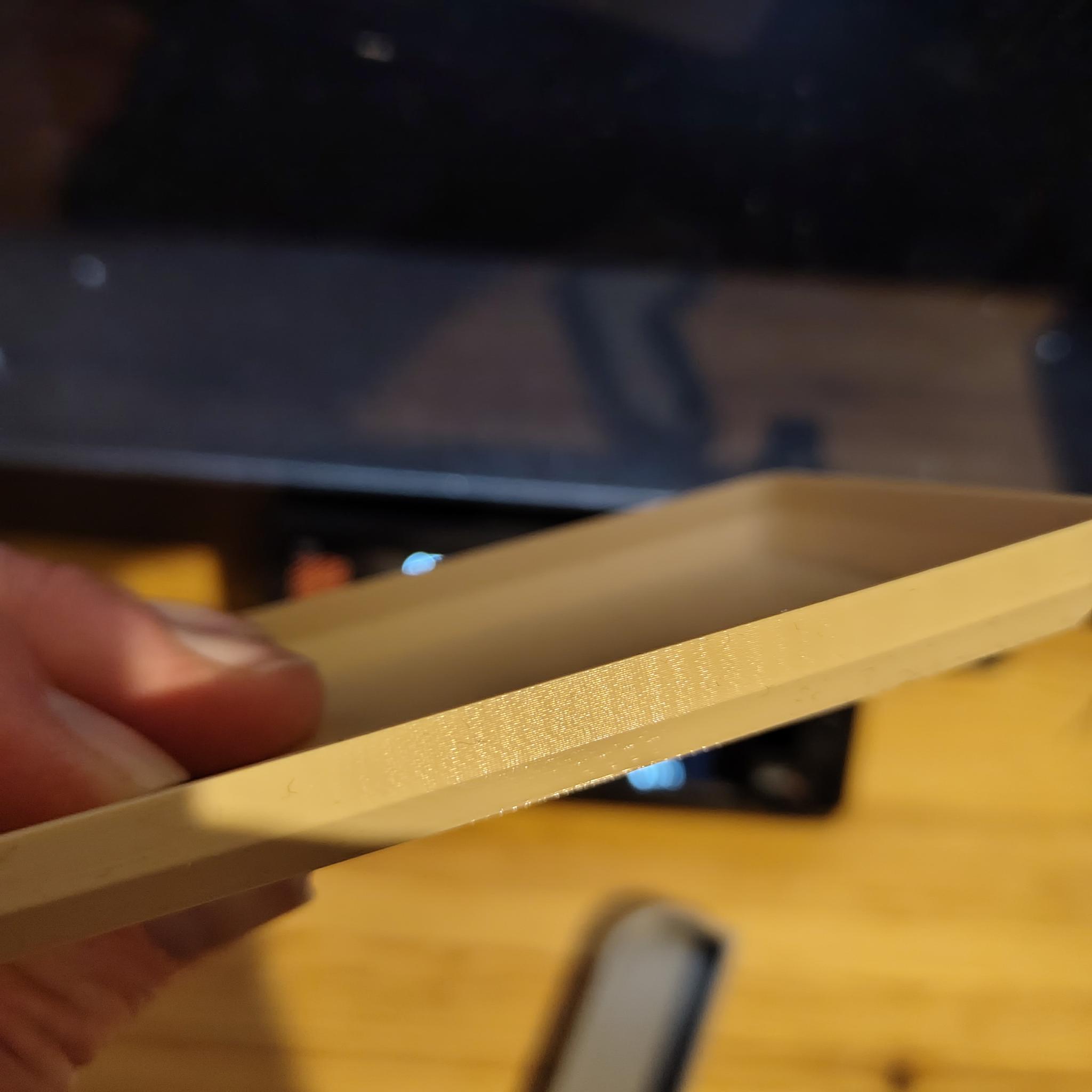
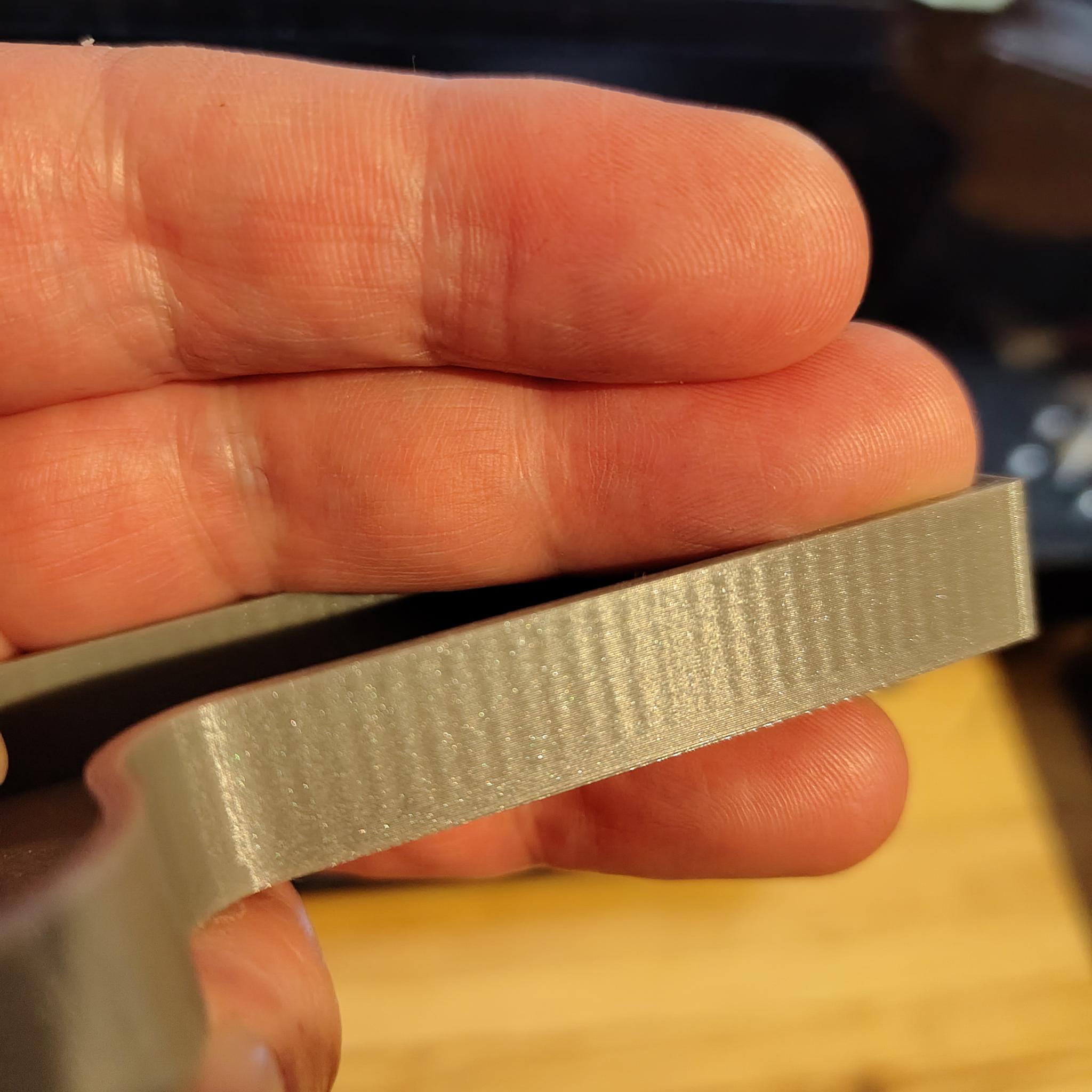
I finished building my Core One+ a few weeks ago and in general it seems to work quite well. But on my models, I get these ripples on vertical walls, which I believe are VFAs.
What I've done so far:
- Built Core One+ from the kit
- Calibrated the belts, frequencies are within the suggested ranges (measured with both the app and the stroboscope feature), there is no gap on either side of the XY
- Phase stepping and input shaping calibration with the accelerometer
I printed this test object from Printables: https://www.printables.com/model/1189256-vfa-test-prusa-core-one and the top two sections of the print (190 and 200mm/s?) look ok (see photo below). So I think there is nothing fundamentally wrong with my printer. However, my own models have these obvious artifacts. Both shown below were printed with PLA with the 0.15mm balanced profile. As I understand it, the balanced profile uses 200mm/s for the outer walls so I would have thought the result is similar to the top sections of the test model from Printables.
I appreciate any help on this.
Mirko

RE: How to get rid of VFAs?
The spacing you see is the tooth pitch of the pulleys.
I'm going to install 1.5GT pulleys. The tooth density is slightly higher.
That's my next project as soon as the parts arrive. The G-code will need to be adjusted.

RE:
The spacing you see is the tooth pitch of the pulleys.
I'm going to install 1.5GT pulleys. The tooth density is slightly higher.
That's my next project as soon as the parts arrive. The G-code will need to be adjusted.
Just be aware Prusa have stated that the pitch of vfa’s does not match the tooth pitch of the belt or pulleys, which ties in with peoples results after swapping the belts with results being varied at best…some have reported no improvement whatsoever.
It seems a lot of work for what is basically anecdotal evidence.

RE: How to get rid of VFAs?
Agree with this. Have seen no concrete evidence that VFA are fixed by either toothed pulleys, switching to 1.5mm belts or both. From my understand the current workable fix is adjusting belt tension and print speed. Or switch to matte filaments.
Pretty much every CoreXY printer has VFA's to some extent.
RE: How to get rid of VFAs?
Should I try to increase belt tension above the recommended range?
Mirko

RE: How to get rid of VFAs?
possibly stating the obvious, but check the slow end of your calibration print. Most likely, the VFAS disappear so slowing down perimeters is one option to improve looks.

RE: How to get rid of VFAs?
Hi,
I finished building my Core One+ a few weeks ago and in general it seems to work quite well. But on my models, I get these ripples on vertical walls, which I believe are VFAs.
[..]
Just to understand your point of view and by this a very controversial question (I know):
Why does such surface bothers you? A FDM printer ist not a SLA printer neither a injection mold machine (where you also sometimes can see the surface of the tooling).
I mean, shouldn‘t the functionality of the parts you print be a higher priority as the look? When you need a „superb“ or a surface you need/like you always can post-process the parts.
Look around and see all the posts here and at other online places where people post photos of much, much worse „printing experience“ as you posted.
Core One L
RE: How to get rid of VFAs?
Built Core One+ from the kit
Follow-up question: If you had a conversion kit, you must have already had some experience with the MK4S beforehand. Did you have this issue with the MK4S as well, or did it only arise after the conversion?
RE: How to get rid of VFAs?
Just to understand your point of view and by this a very controversial question (I know)
Sure, this may be purely cosmetic. The reason I am asking for advice here is that I still think these can be improved. From what I've read, VFAs used to be a controversial topic months ago (before I even decided to get a Core One) that seems to have been solved by new belt tensioning guides and profiles.
As mentioned, the test model from Printables does not show these ripples at 200mm/s speed so I am mostly trying to find out why my own test models show this compared to that test. Also, I've just noticed that the bottom two millimeters of the silver part look good, that is exactly the height of the floor inside the part.
My point of view is that of someone who has had a cheaper FMD printer that didn't have this particular problem. And one of my uses is to print cases for electronic projects and other things, which I do prefer to have a nice surface. I'm coming from a Creality CR-6 SE, which has served me ok for the last few years. The Core One is already a great improvement in terms of speed and reliability (I have had literally zero failed prints yet) and I also just printed PETG for the first time, without any problems. It's really a great machine.
Follow-up question: If you had a conversion kit, you must have already had some experience with the MK4S beforehand. Did you have this issue with the MK4S as well, or did it only arise after the conversion?
No, this was a full Core One+ kit. I don't have any prior experience with Prusa printers.
Mirko

RE: How to get rid of VFAs?
“The reasonable man adapts himself to the world: the unreasonable one persists in trying to adapt the world to himself. Therefore all progress depends on the unreasonable man.”― George Bernard Shaw, Man and Superman
I refuse to accept that FDM printing has poor surface quality. Maybe that makes me unreasonable, but so be it. After much tuning and buying the accelerometer, my Core One + usually has little sign of VFAs. It's not always predictable, depending on model, profiles and materials.

RE: How to get rid of VFAs?
Thanks for bringing this up, I was wondering the same thing. My Core One+ is my first experience with 3D printing so I have nothing really to compare it against but I was wondering what all these ripples are.
I have noticed that if I print multiple vertical objects then the head moves very rapidly between them, and as a result one end of the vertical object has more pronounced ripples than the other.
This made me think that it could be vibration causing the ripples, given that they are worse after a sharp fast head movement, however the ripples are always the same width, the vibration only seems to affect their amplitude. You'd think vibrations would affect the frequency and thus the width of the ripples but this doesn't seem to be the case, unless it's some kind of resonance.
I tried printing at different speeds, and at 300% there was a lot more vibration and the ripples were very uneven between layers, they didn't line up across each layer like they did when printing slowly. But then I got a homing error so I retensioned the belts, and then the next print had ripples with half the amplitude of before, so maybe it's not vibration but rather something isn't perfectly round and gives a slight Y offset as the X axis moves? Makes me wonder whether it's something you could compensate for in software (which seems plausible based on @Conrad's comment of being able to tune them out).