
Gaps in multicolor prints
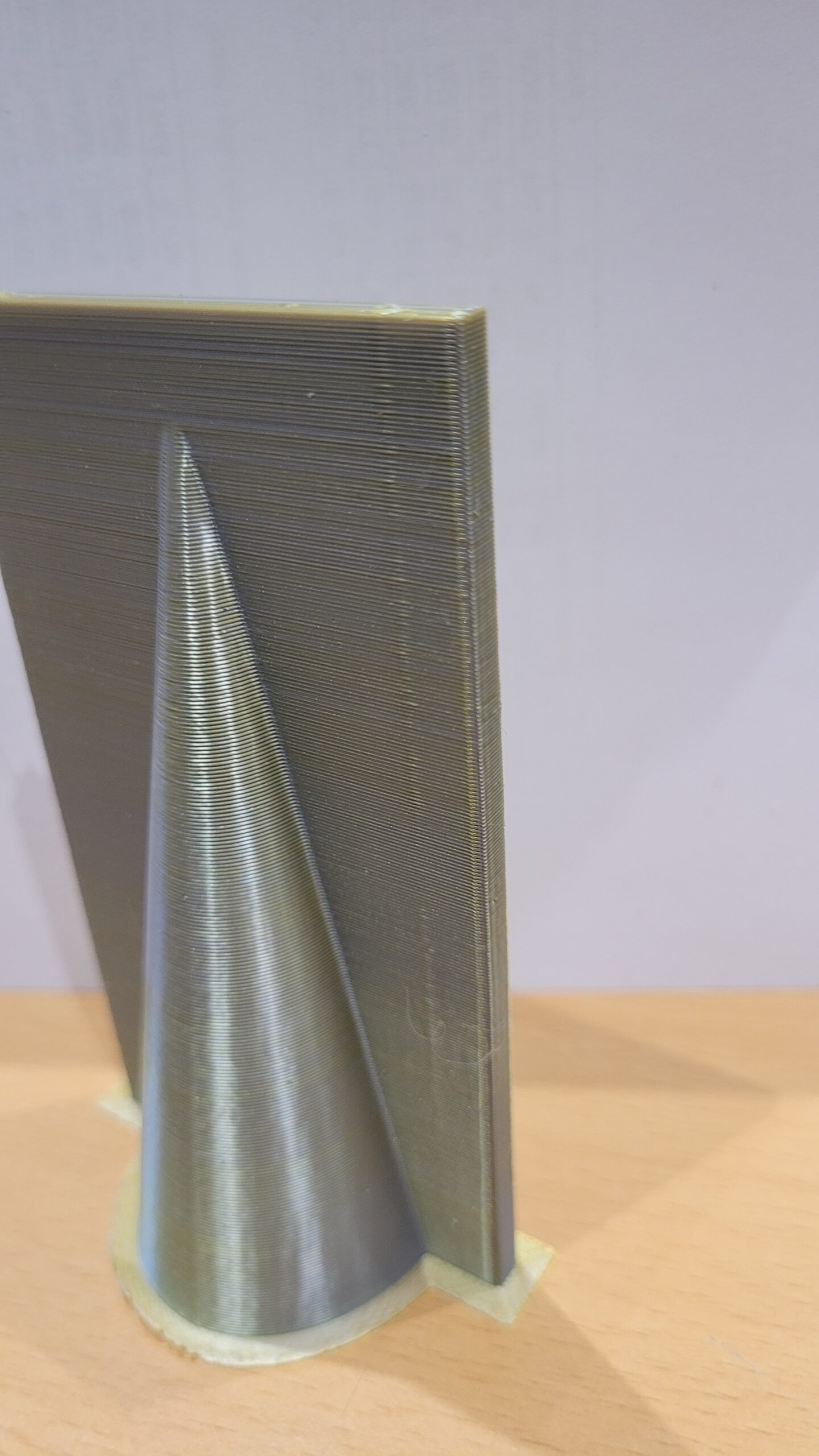
I have ugly gaps on one side of the model.
They are just on one side of the model. The other side seems fine, the purge tower is also clean. See photos below. I ran the tool head calibration before.
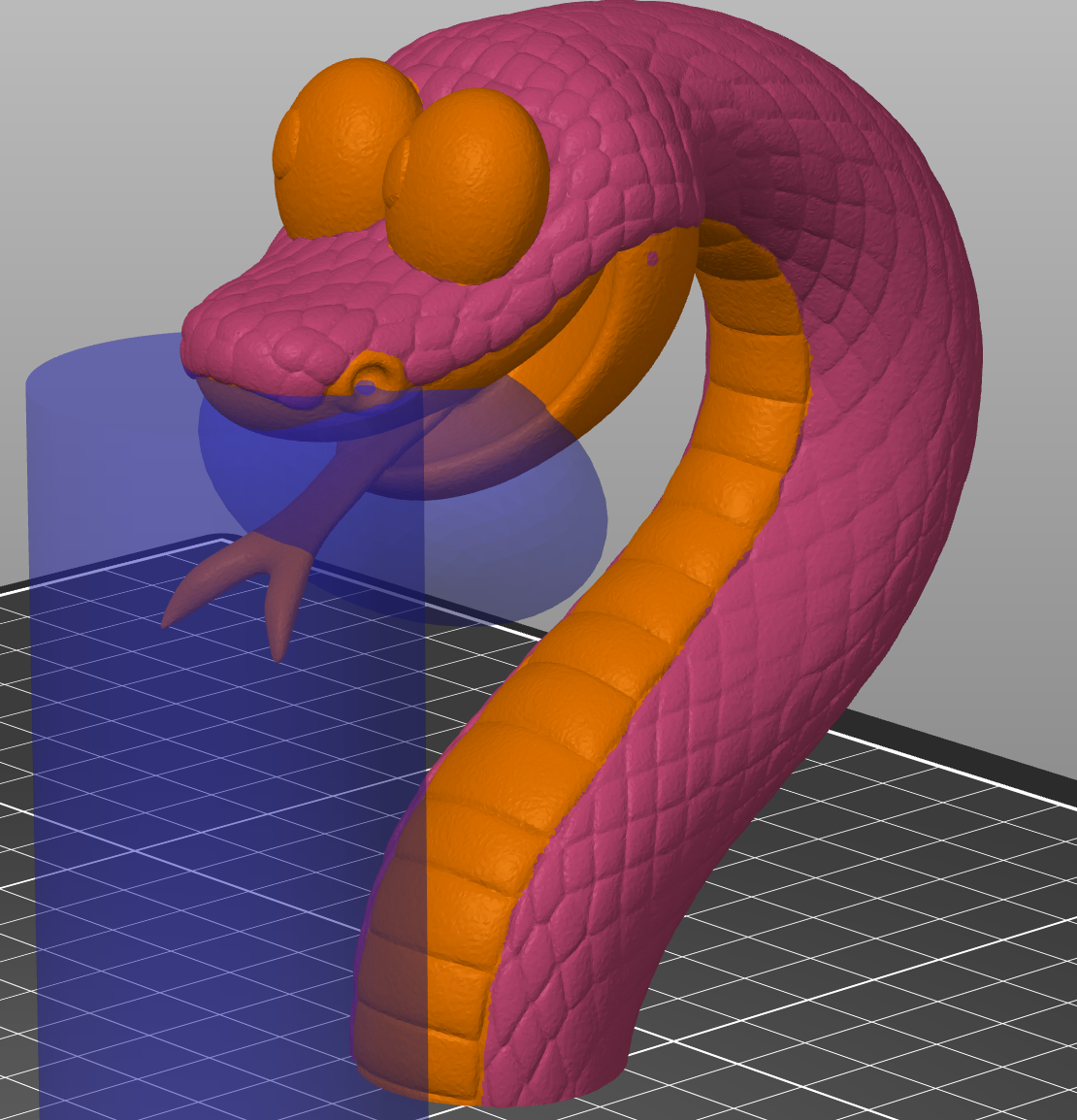
Should i change settings for the colored print? It is a single model with "painted colors".


RE: Gaps in multicolor prints
Started an additional calibration run. My test cube with paint shows the same problem.
The tower seems fine ...


What is the filament?
Cheerio,
RE:
Hi Diem,
It is PLA. Both colors from the same manufacturer.
what i also noticed :
On the x axis is a bump left, a 'crack' on the right side. As if the nozzle is not centered in one direction. Also why i re-calibrated the tool head. But purge (same direction) looks good.
I will provide images tomorrow
RE:


RE: Gaps in multicolor prints
That Looks Like nozzle Offset.
First Check mechnical issue.
Debris on nozzle? Nozzle lose? Port screws tight? Recalibrate nozzle Offset.
If this doesnt do anything try Manual calibration.
https://help.prusa3d.com/article/multi-tool-manual-calibration-xl_470560
What Firmware are you using?
Last stable is 6.2.6
RE:
A new nozzle and i made sure to have it clean before the nozzle calibration directly before the print.
But i will try a manual calibration as described https://help.prusa3d.com/de/article/multitool-manuell-kalibrieren-xl_470560
And big thanks to all helping hands so far
RE: Gaps in multicolor prints
I Hope it will Help.
Those wobble lines (z) Look Like Firmware 6.4.0 or lose belts
Before you do the manual calibration re-run the tool offset calibration
https://help.prusa3d.com/de/guide/4-erster-start_468832#469252
Cheerio,
RE:
Toolhead-Calibration has been run before print.
FW Version is 6.4 - should I downgrade to Firmware 6.2.6 (06.01.2026)
Belt tension is good, but I had to tune DOWN since they were too tight (thought they would have been to loose ...)
Will run manual calibration this evening.


RE:
Try to Install 6.2.6 before any time Consuming Tests. Its bugged (640)
Normally you have to press the knob twice during startup
https://help.prusa3d.com/article/how-to-downgrade-firmware-core-one-mk4-s-mk3-9-s-mk3-5-s-xl_725930
RE: Gaps in multicolor prints
@Diem, @Pe3d
thanks for your help.
I downgraded the FW, set the belt tension perfectly and finally made a manual calibration. After only a few minutes the toolheads were aligned perfectly and my next cube was waaaaaay better than my starting point. I guess I have to adjust maybe some bit, but it is waaay better.
Tomorrow, I will print the original part instead of my testpart to see if the lines look better. Fingers crossed.
RE: Gaps in multicolor prints
It would be really nice If you Post a picture of the improved dice to See the difference.
Good luck Printing! (It isnt luck) 🙂
RE:
Yes of course.
I posted the manual calibration before (Test1, x-axis) and after (Test2, x-axis).
Below that two pictures of my "Paint-Cube" (left one better) and at the bottom the final result (blue one is the newer version).


RE: Gaps in multicolor prints
Okay. After round about 40 hours of print the issue is back again. Visible layer lines for one color and again the gaps.
Is this a usual duration between prints to (manually) calibrate the toolheads? And it basically emerged between two prints started on the same day.
Even if I re-calibrate after each print - why does this occur without any "incident"?
RE: Gaps in multicolor prints
Thats a little bit of a first day issue.
You May Check:
Docking ports sitting tight (recalibrate)
Belt tension (i know you did already)
Activate raise nozzle before obstacles in slicer and/or z-hop
Slow down Speed (travel speed 350 mm/s) and acceleration ( i reduced acceleration by 10-20%, working much Cleaner)
Mostly that should reduce obstacles hitting your nozzle