
What is this tearing a symptom of?
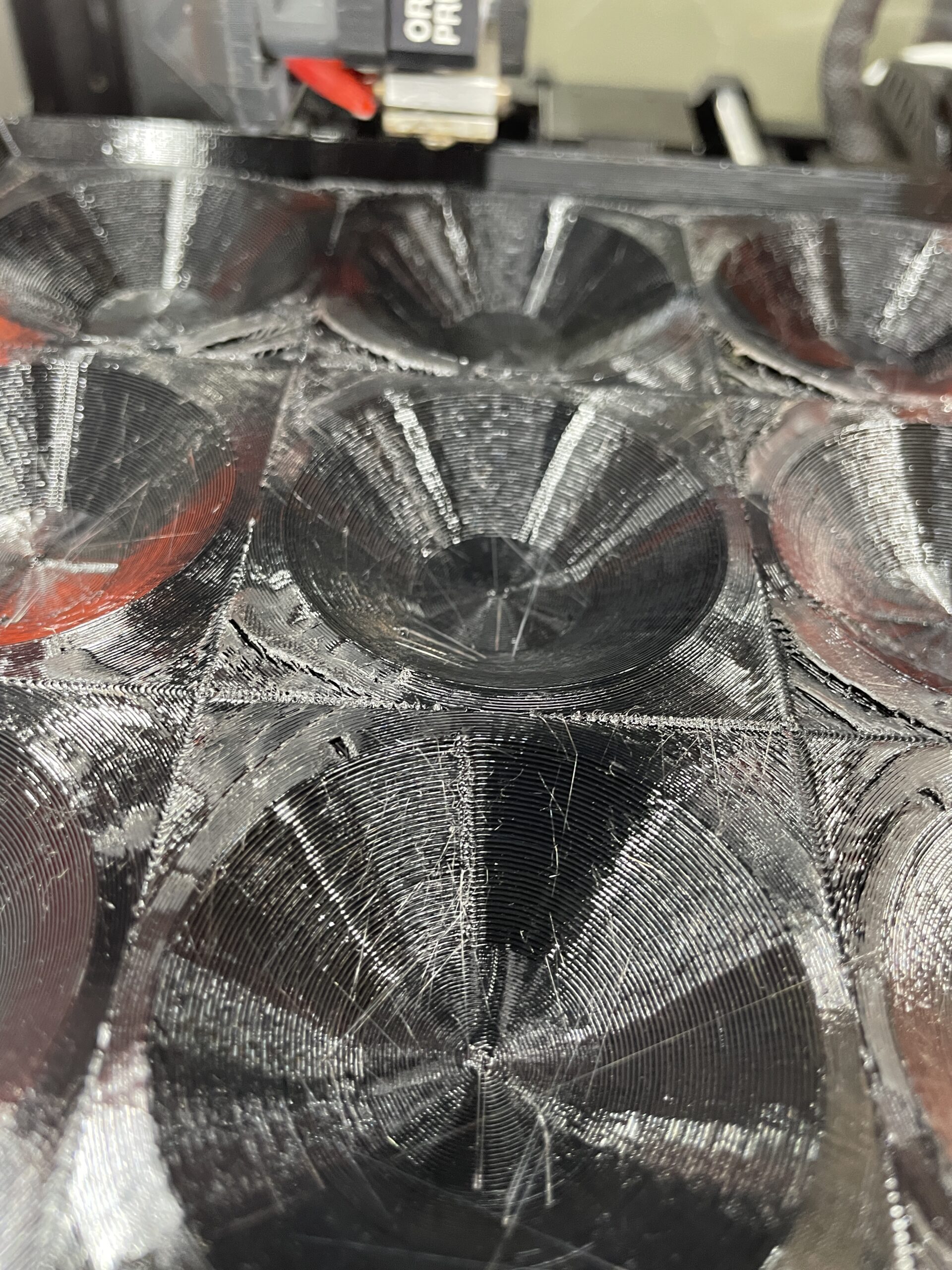
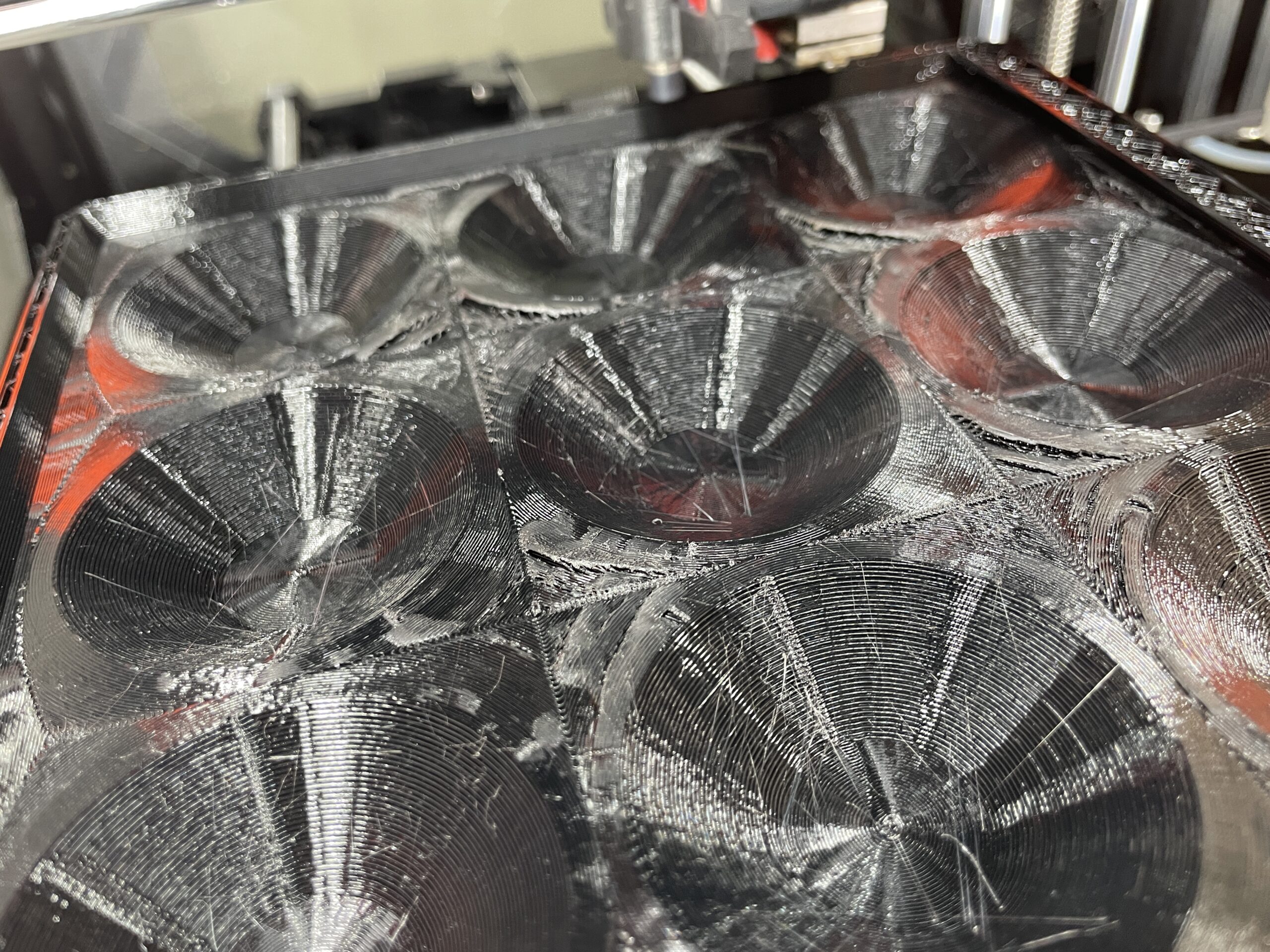
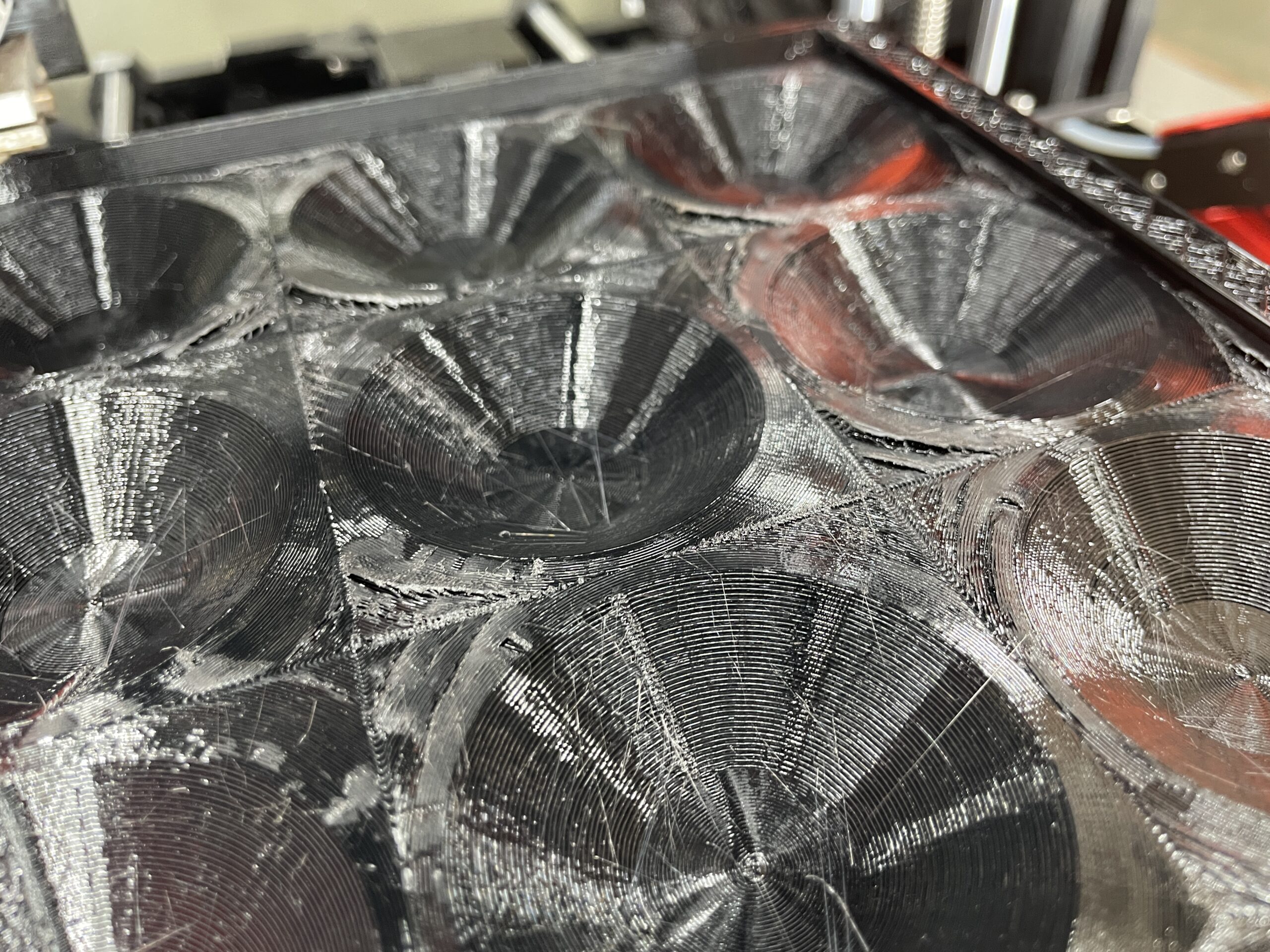
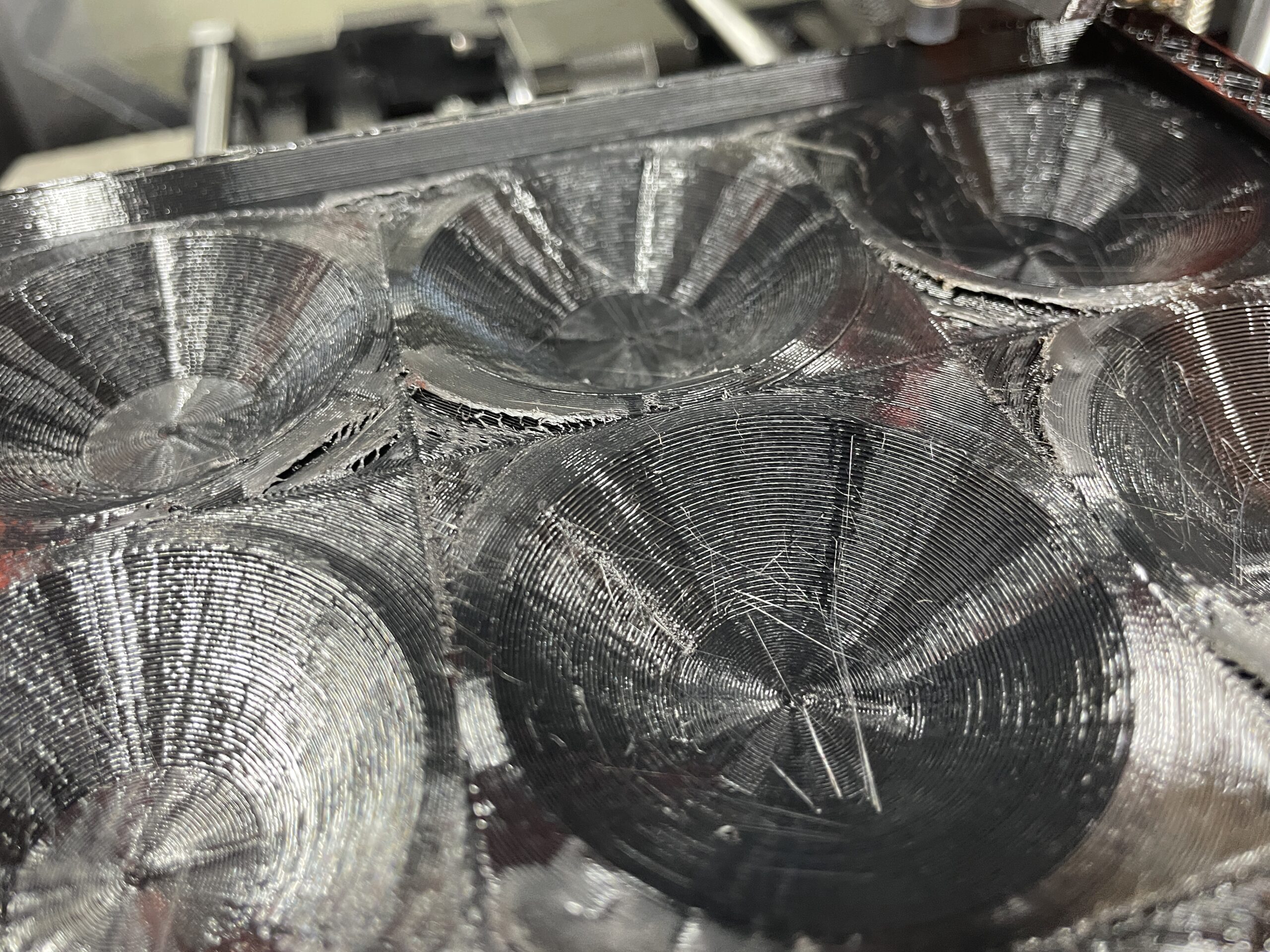
So my print isn't even finished and i can see tearing, but i'm not sure why or how to fix it.
I was printing this, with the following recommended print settings, but PETG instead of PLA: https://cults3d.com/en/3d-model/game/catoku-cat-sudoku
"Printed in PLA on Prusa Mk3s
Housing (190.5 x 190.5 x 25.4mm)- Layer Height: 0.3- Infill: 8%- Infill Pattern: Rectilinear- Top Fill Pattern: Concentric
Piece (61.74 x 61.74 x 12.7mm) (x8)- Layer Height: 0.2- Infill: 8%- Infill Pattern: Gyroid- Seam Position: Rear- Top Fill Pattern: Concentric"
I have a Prusa MINI+ that is only a few months old, haven't used it much, fully original. I've had troubles with the printer like anyone else, but have never seen tearing like this. I suspect it has something to do with the top fill pattern, but not sure and not sure what to do about it.
I've tried to search the forum and the website for problems relating to tearing, but couldn't find much. Any help would be greatly appreciated.

RE:
The strings / web threads? That's usually a not well dried filament, this is especially visible with PETG.
The separated parts on the top are probably caused by too kow infill, manu times I had iasues with infill under 10%, so I suggest seting it to at least to 25%.
Make sure to have 4 or more top layers, it improves the final result.
See my GitHub and printables.com for some 3d stuff that you may like.
RE: What is this tearing a symptom of?
Hello and thank you so much for your answer and your time!
I'm well aware of the stringing and why that happens, but there's just not much i can do about it right now. I was referring to the tearing/seperation of the top layer.
I tried 20% infill and setting the "solid layers" under "horizontal shells" to 7 instead of 5, was that the specific setting you meant by "Make sure you have 4 or more top layers" because i couldn't find anything else about that?
When/if you answer i will try 25% or 30% infill and hope that it'll be better.


RE: What is this tearing a symptom of?
Non-dried PETG will cause issues with uneven extrusion and this will lead to various print issues. Drying PETG is especially important in general.
Infill - I personally use Rectilinear with an infill so that the holes between the infill are under 3mm, otherwise it gets too uneven and can cause issues like ripples.
About layers - I was suggesting Print Settings > Layer and perimeters > Horizontal Shells [ Solid Layers Top 5 ].
Seems like the layers are delaminating, maybe increase minimal cooling speed to 80% and/or decrease the print temperature by 10 degrees or slow down the print speed?
See my GitHub and printables.com for some 3d stuff that you may like.