
Intermittent overlapping brim generation for mouse ears
Looking for suggestion on how to resolve this in case I'm doing something wrong here, before I raise a bug report for PrusaSlicer on GitHub.
I've been trying out the mouse ears as described in this video:
I've started seeing some of the brims generated by the mouse ears ignoring the object that I'm trying to attach them too, and generating brim underneath the object.
I try rotating some of the "mouse ear" objects and sometimes it generates brim properly (around the object but not under it), and other times it generates brim under the object overlapping the first layer. PS warns of a conflict sometimes, but not always.
Photos to show what I mean:
Slab test object, created in PS (originally this is happening with a model exported as either STEP or STL from Fusion360).
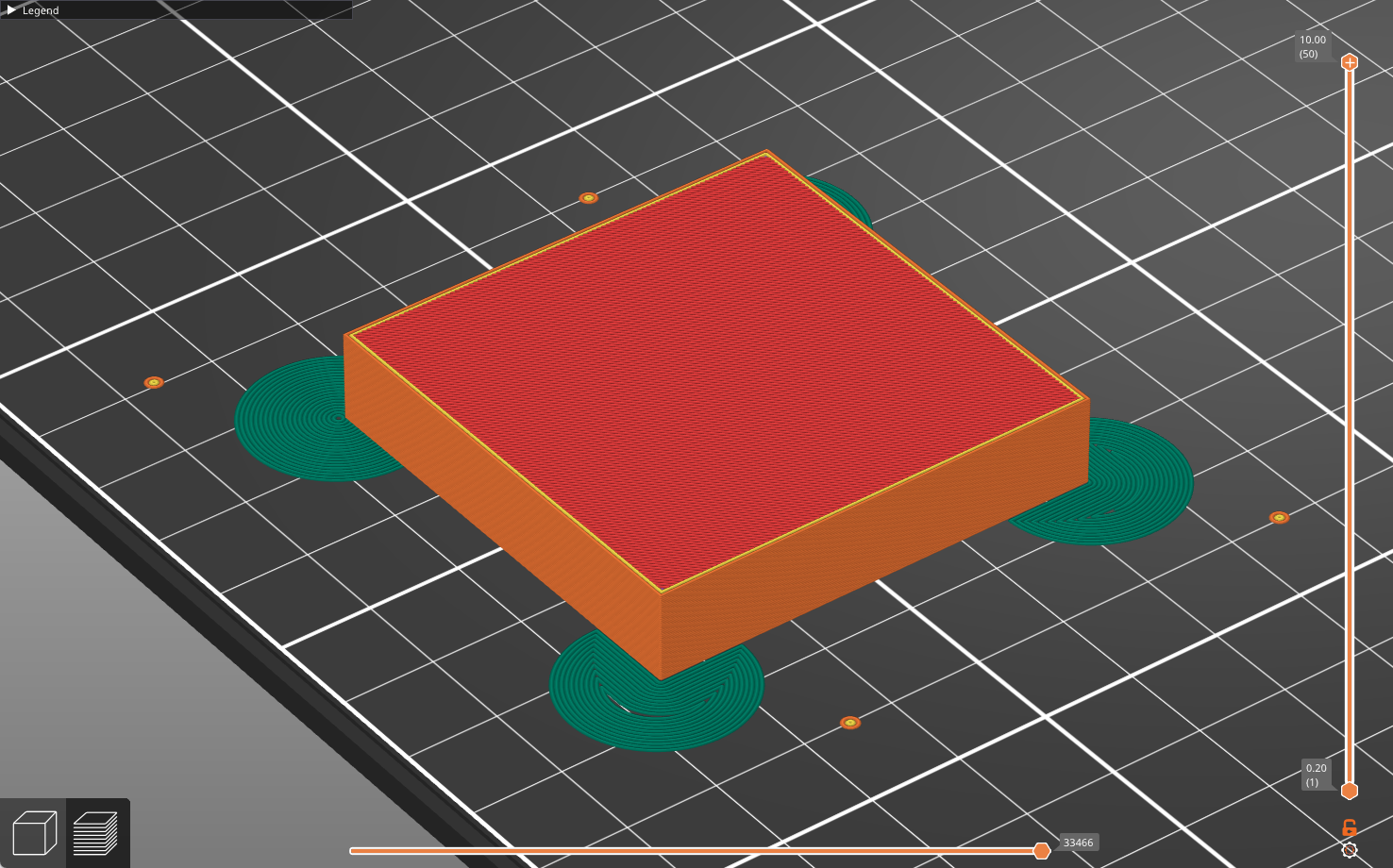
The underside - zoom in on the mouse ears, and note that some of them are overlapping the slab object.
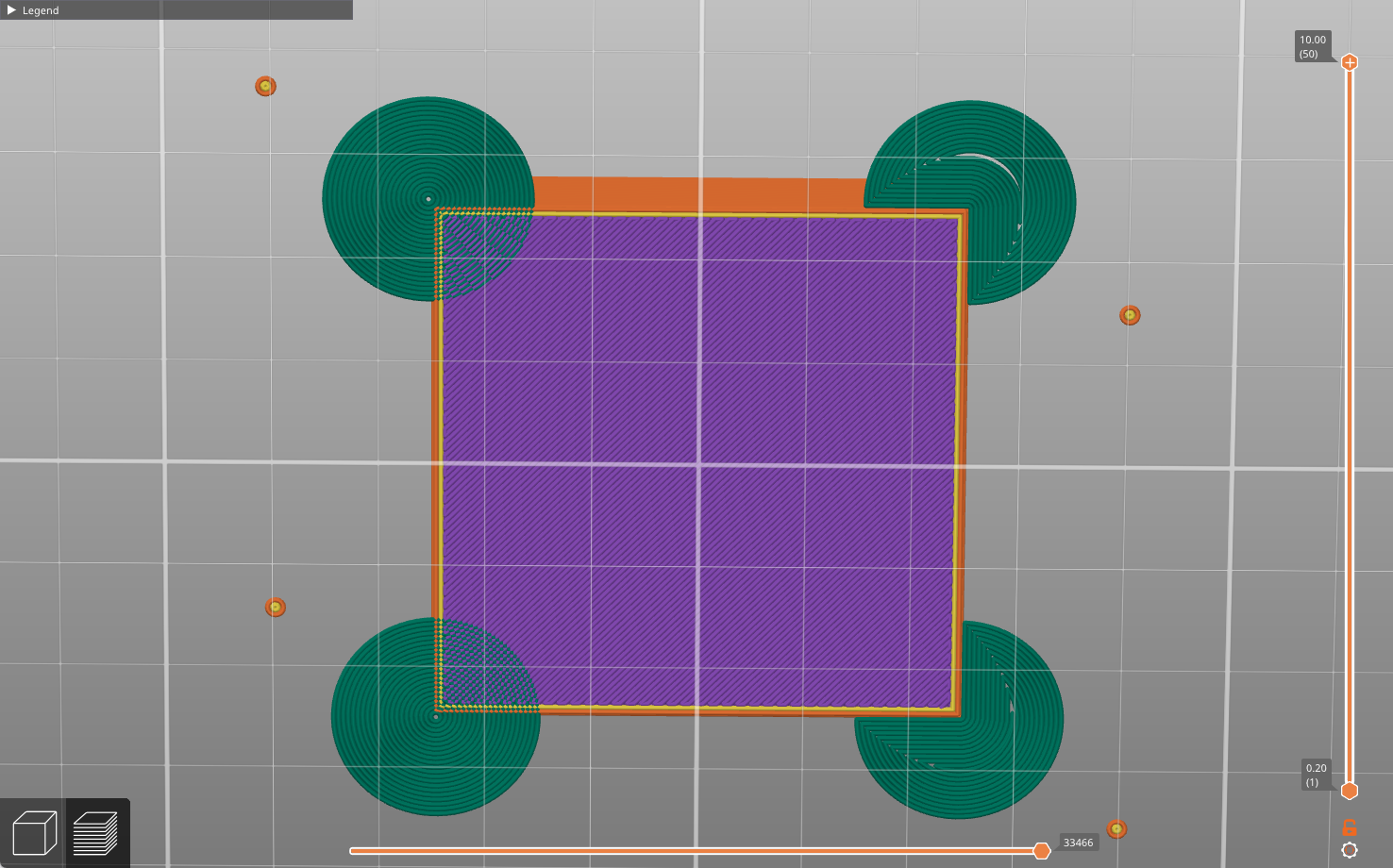
I rotated and recreated one of them and the pattern changed
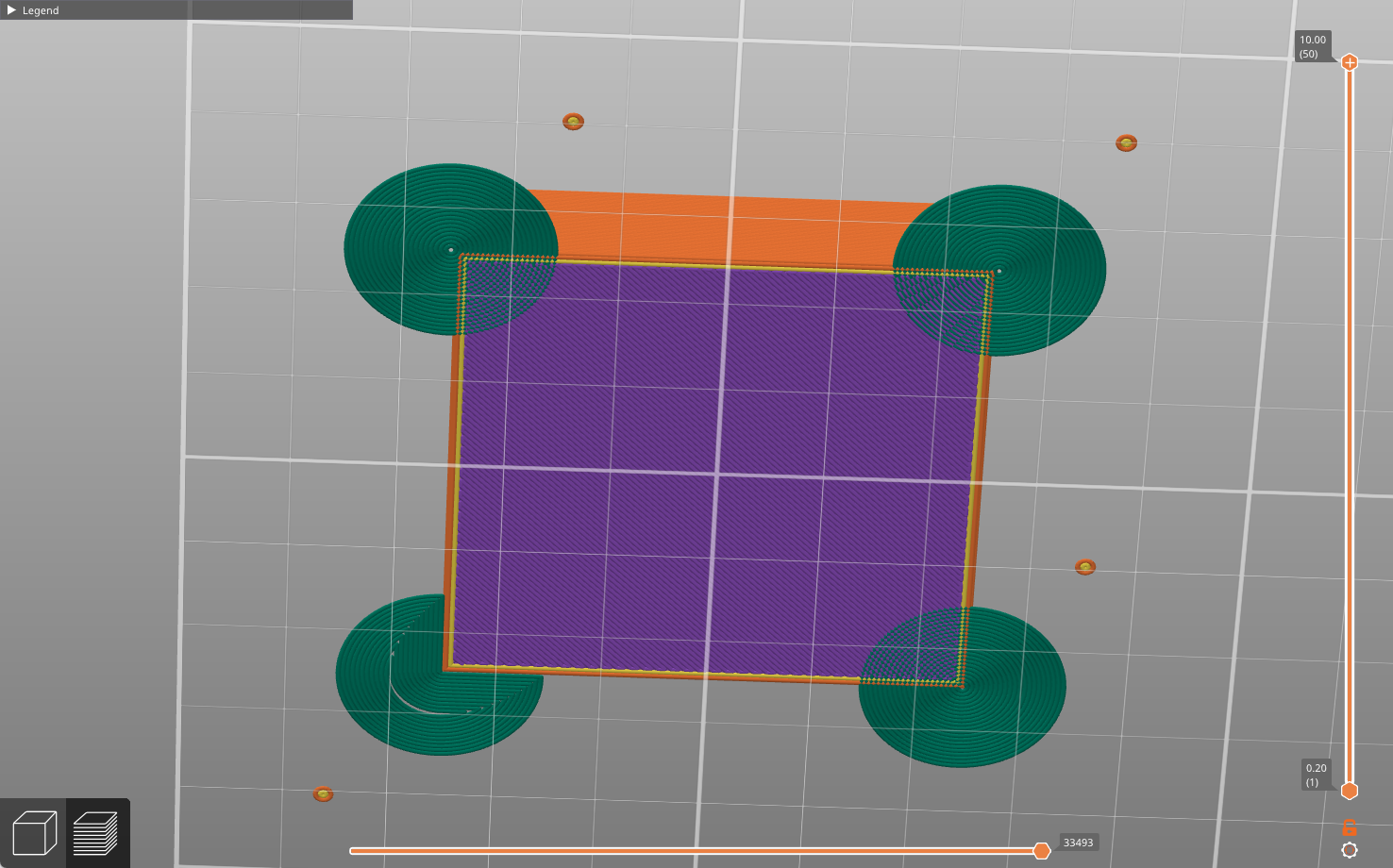
zipped .3mf file showing this attached. I have generated this example on both PC and Mac, PS v 2.9.4 on both.
Best Answer by Snuffleupagus:
This is quit simple, and is explained in the last portion of the video you posted, Simply rotate the last instance. Not sure how you missed this, if you took the time to watch the entire video, it was very clearly explained.
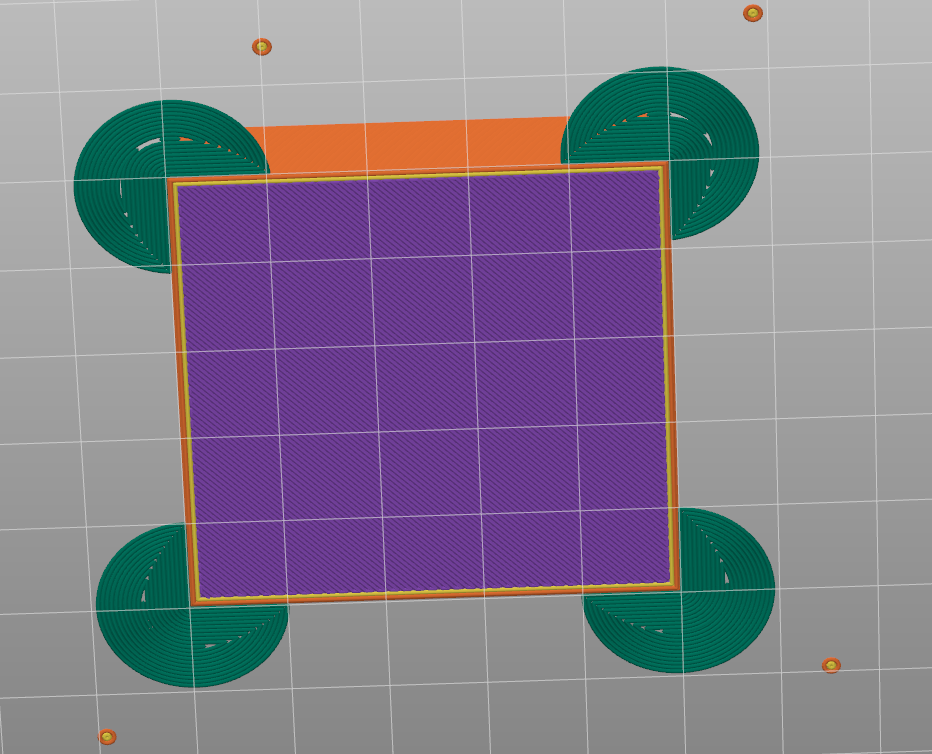
It is a bug with regard to instances, However don't expect Prusa to support it.
Regards
Prusa MK4 since Jan 2024, MK4S/MMU3 since Jan 2025, Printables: @MikeB_1505898

RE: Intermittent overlapping brim generation for mouse ears
This is quit simple, and is explained in the last portion of the video you posted, Simply rotate the last instance. Not sure how you missed this, if you took the time to watch the entire video, it was very clearly explained.
It is a bug with regard to instances, However don't expect Prusa to support it.
Regards
RE: Intermittent overlapping brim generation for mouse ears
Thank you @snuffleupagus - you are absolutely spot on, I didn't watch to the end (not this time anyway). I am chagrined to have wasted your time, but thank you for helping me out!
Prusa MK4 since Jan 2024, MK4S/MMU3 since Jan 2025, Printables: @MikeB_1505898
RE:
@mike-b-3
You didn't waste my time, and your very welcome.