
Stringing and Print Defects With Prusament PETG
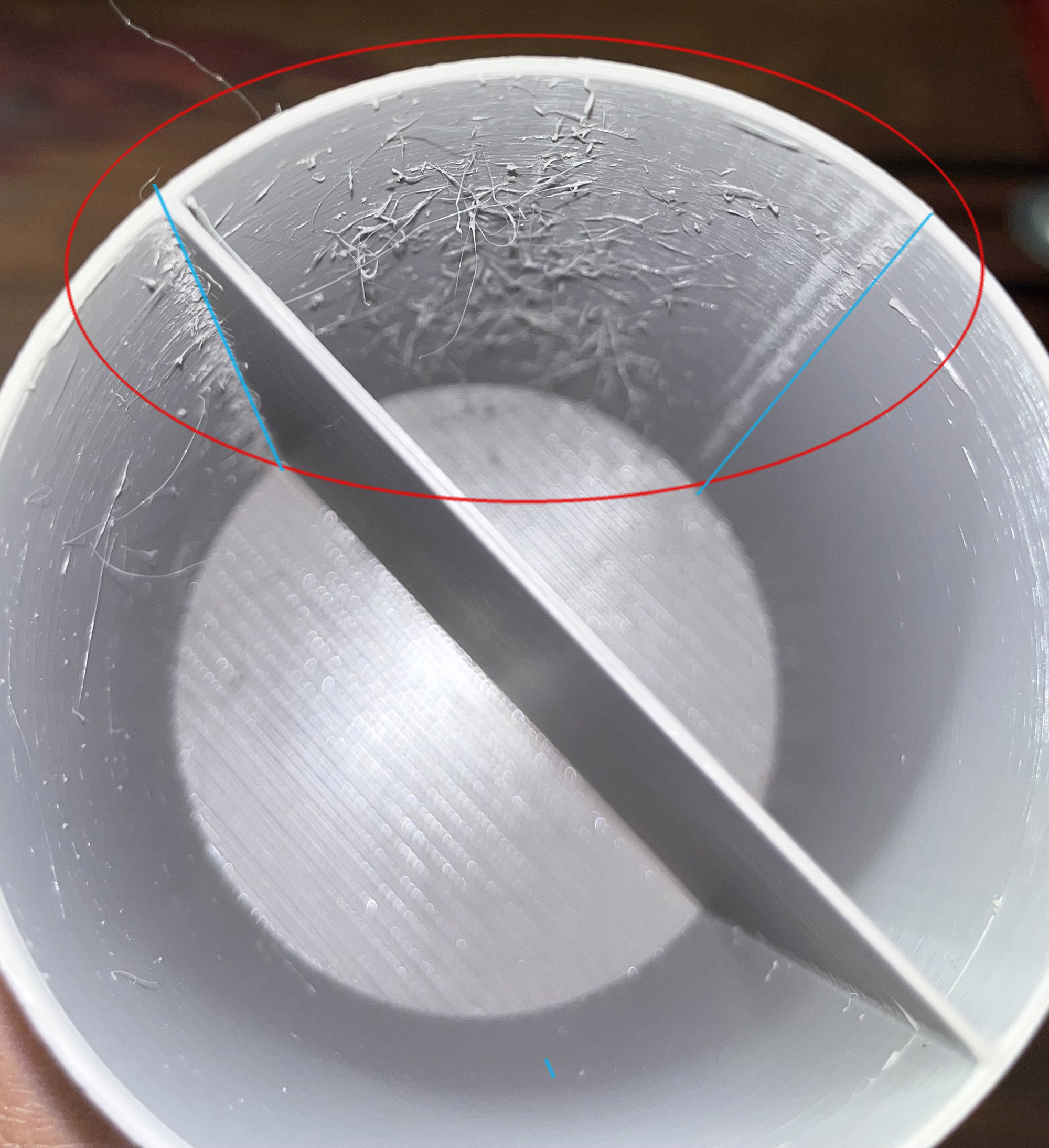
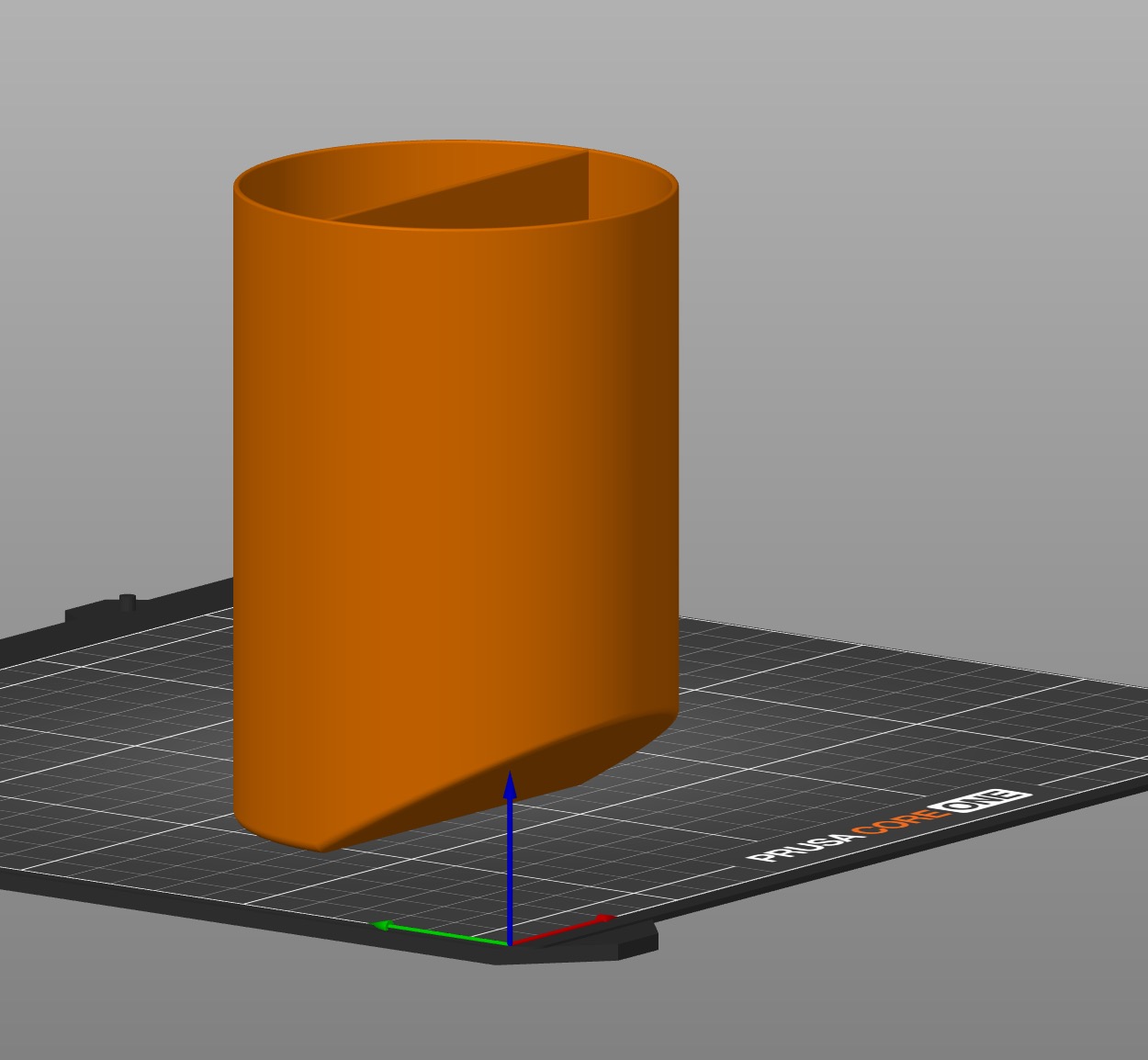
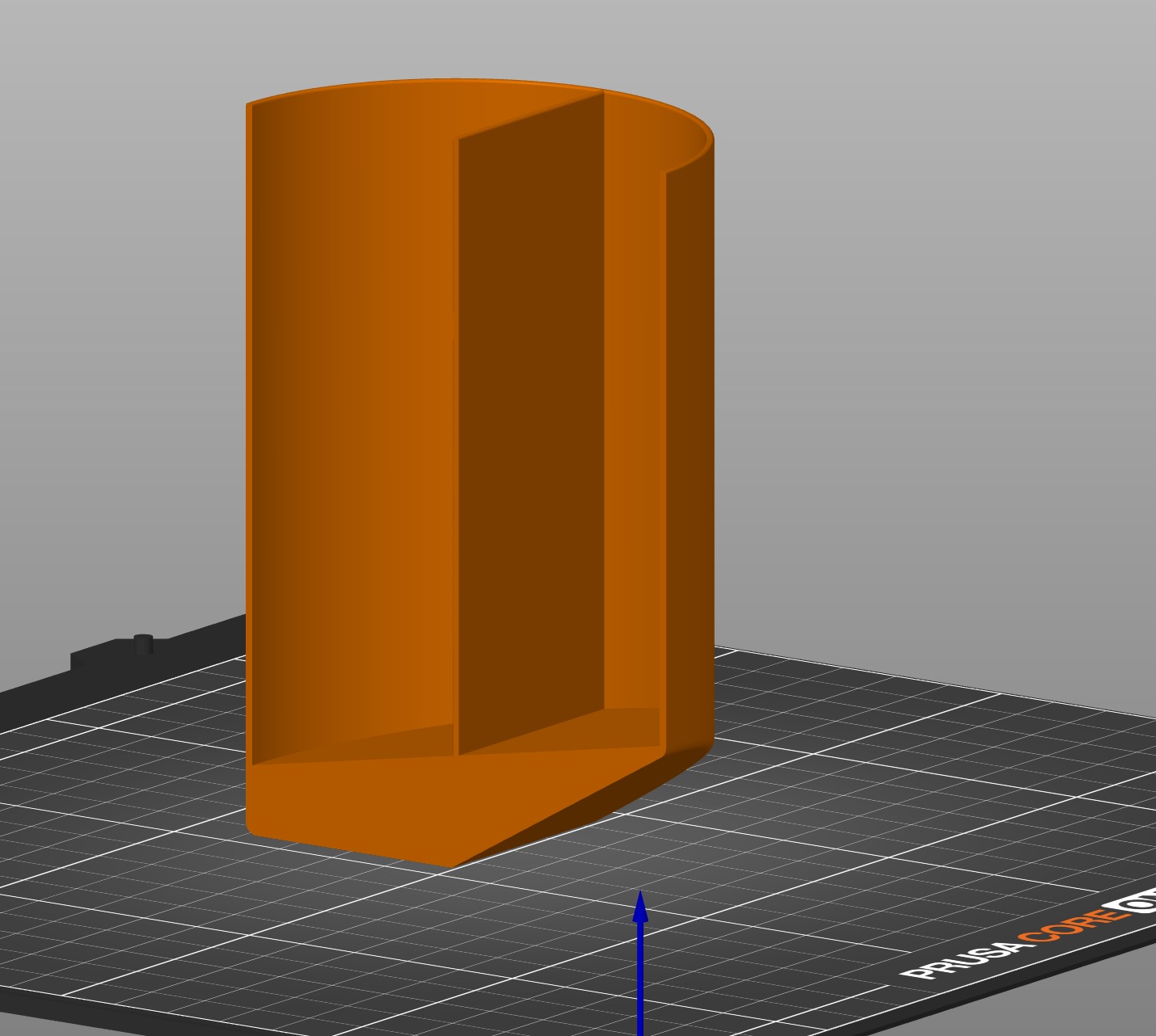
Having a hard time printing a cylinder with a slanted base with Prusament PETG. Stringing has appeared between two seams (blue straight lines in photo). The line on the right is where I painted a custom seam.
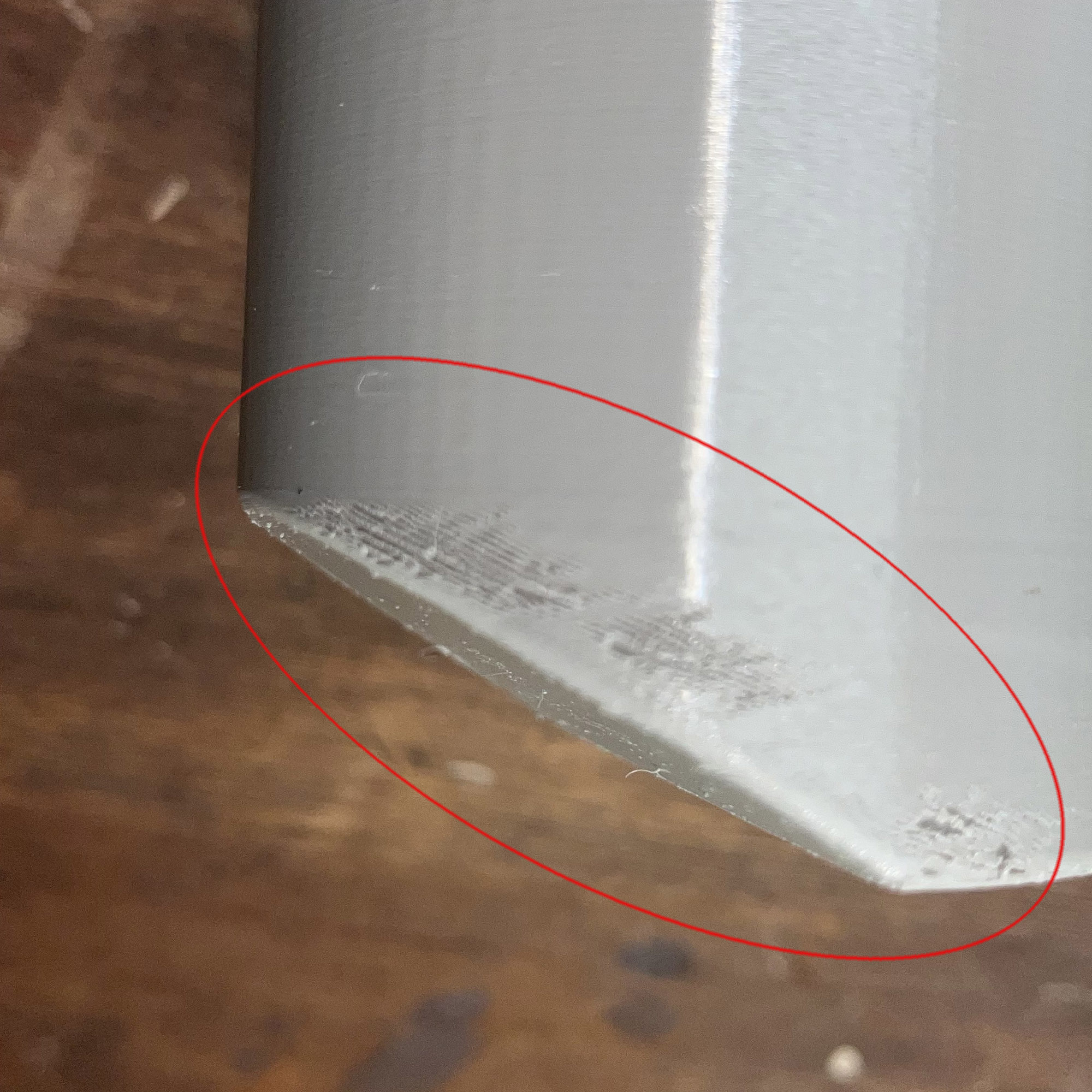
Also other printing defects on the outside (red ellipse).
What is causing these defects? Could they be related to excessive nozzle temperature or retraction values? The object prints just fine with PLA.
Any help or clues appreciated.
 SECTION

RE: Stringing and Print Defects With Prusament PETG
What is causing these defects? Could they be related to excessive nozzle temperature or retraction values? The object prints just fine with PLA.
Any help or clues appreciated.
Dry your filament. Do you have a filament dryer?
RE: Stringing and Print Defects With Prusament PETG
Yes, I have (and use while printing ) a filament dryer that keeps moisture at 15%. I really don't think that's the problem. I get great results with PLA, good results with Prusament Galaxy Black PETG, but terrible results with Prusament PETG Urban Grey. I am starting to wonder if I got a bad PETG Urban Grey spool. Prusa sent it for free when I bought the printer...

RE: Stringing and Print Defects With Prusament PETG
When you mention "dryer", is that an actively heated unit or just a sealed box with desiccant? The desiccant boxes are good at keeping dry filament dry, but they cannot extract humidity from a spool that has already absorbed it. Surrounding damp filament with dry air is not enough; it also needs to be warmed up to release the absorbed water molecules. Hence, the 15% humidity reading in the air does not automatically imply that there is not water inside the filament.
Maybe the filament on the Gray PETG spool was shipped damp -- it happens, unfortunately.
RE:
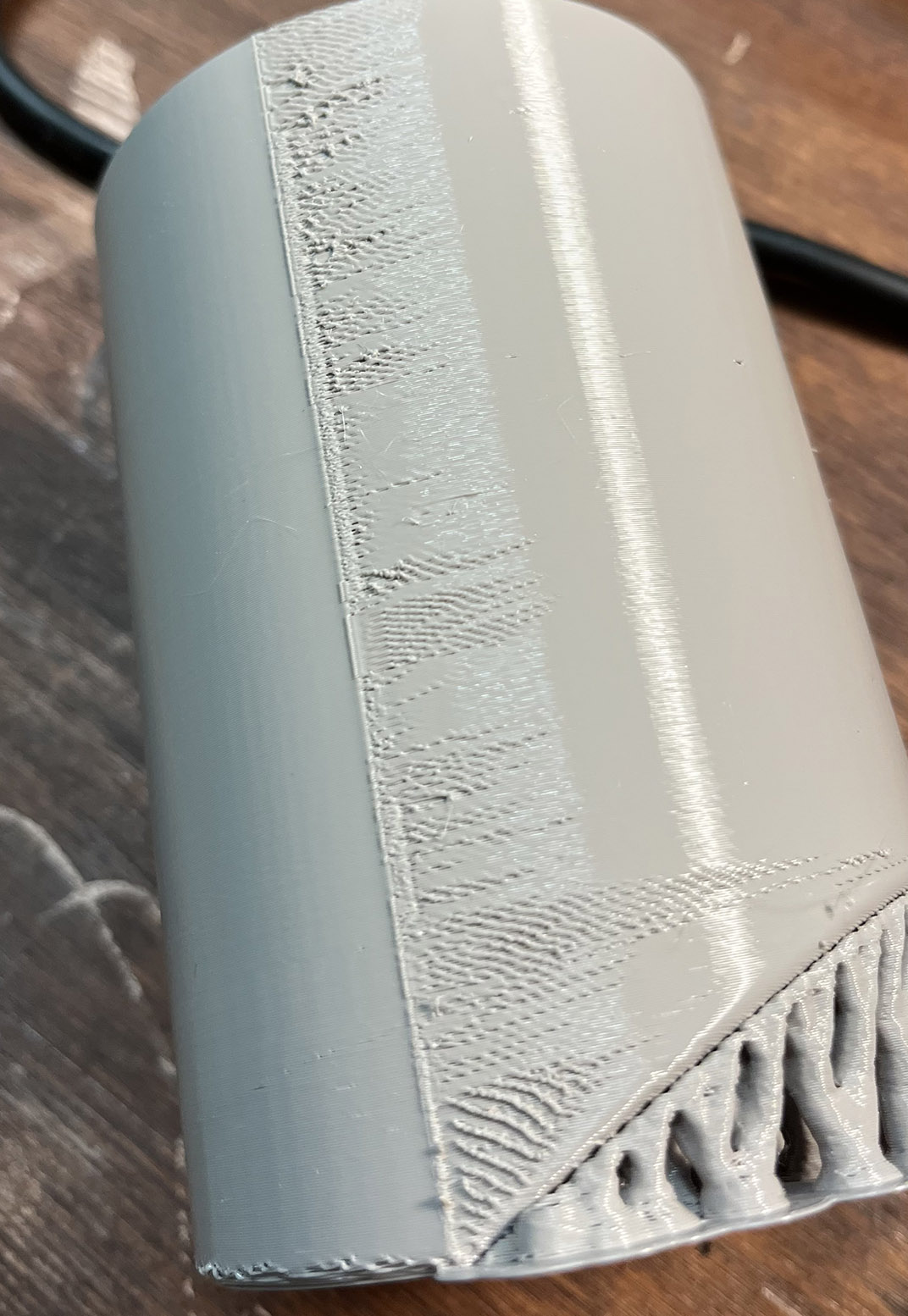
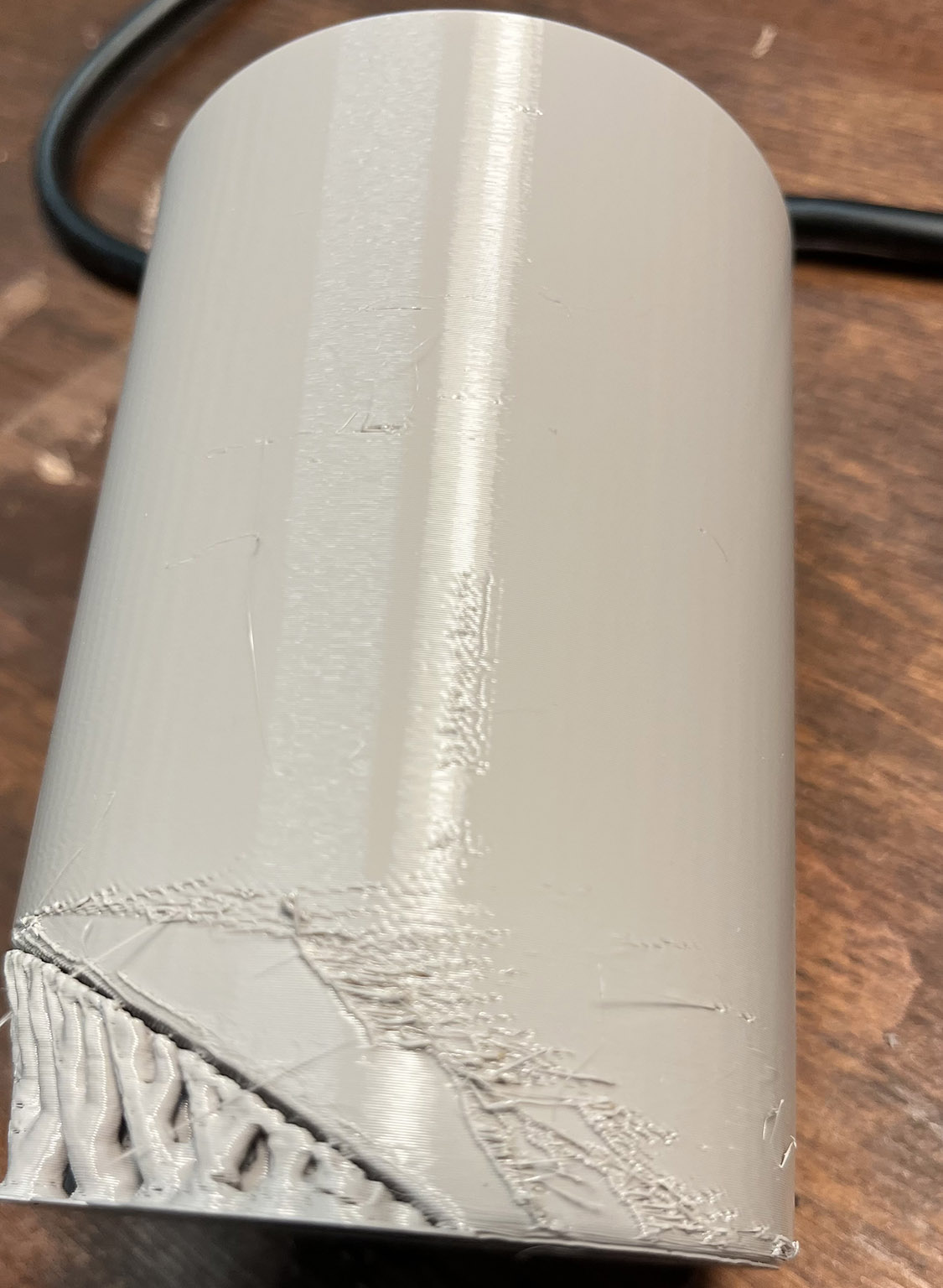
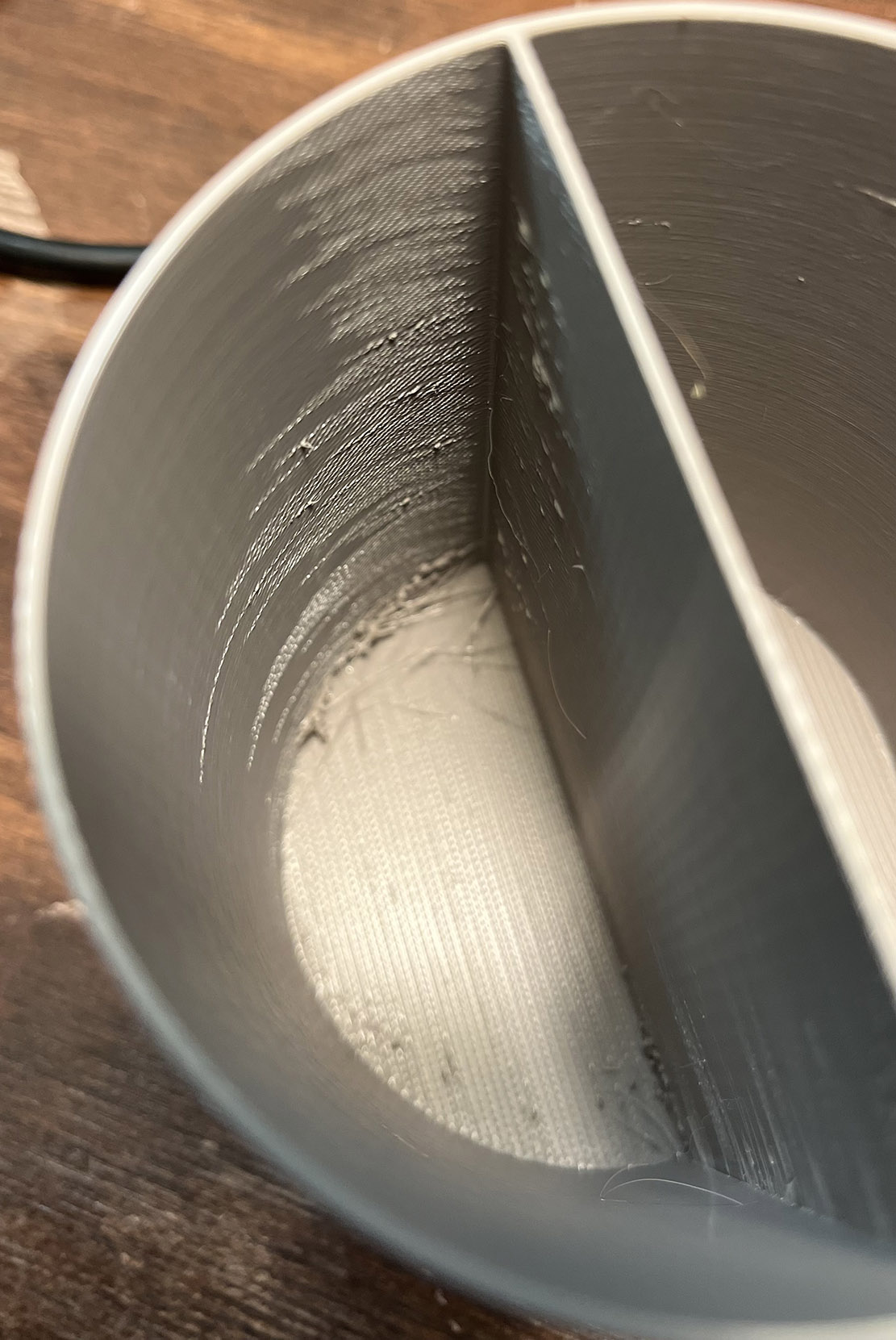
It's an active dryer. I use a Creality Space Pi Filament Dryer Plus when printing. I tried printing again, this time I removed the custom seam. Results are quite bad again as you can judge by the photos attached. I don't understand why this is happening. I'm printing something else right now in Galaxy Black Prusament PLA (photo also attached) and it's printing just fine. I was trying to avoid printing the grey object with the exact same settings in Black PETG but I guess I'll just have to do it and see if the same issues happen. I don't really where to begin... I've tried different speeds, I've tried changing the retraction... not using custom seams... nothing seems to improve printing with this PETG.

RE: Stringing and Print Defects With Prusament PETG
Hmm... How long has the filament been drying, and at what temperature?
RE: Stringing and Print Defects With Prusament PETG
I usually store it in a vacuum-sealed bag with a couple of silica desicant bags when not in use. Then when I print with it I use the dryer while printing for about 2 or 3 hours at 45º - 50º. The dryer shows the humidity level at about 13% - 15%. This seems to work just fine with other PLA and PETG from Prusa, as well as with PLA from Elegoo.
RE: Stringing and Print Defects With Prusament PETG
I usually store it in a vacuum-sealed bag with a couple of silica desicant bags when not in use. Then when I print with it I use the dryer while printing for about 2 or 3 hours at 45º - 50º. The dryer shows the humidity level at about 13% - 15%. This seems to work just fine with other PLA and PETG from Prusa, as well as with PLA from Elegoo.
As mentioned before: If the filament has been really damp (maybe came that way from the factory), neither the storage with desiccant nor the relatively short and low-temperature stay in the dryer may get it properly dried. The fact that the air around it is dry does not really tell you that the filament itself is dry; it only tells you that it is not releasing any water.
I would suggest drying the offending Gray PETG for 6 hours at 60°C, which I believe is the default temperature of the Creality Space Pi for PETG. (At least it is in my 2-spool variant.)
RE:
I will give your suggestion a try.
I am rather new to 3D printing and I thought that as long as the dryer box showed the humidity to be at a low level there would be no need to dry it for so long. So I usually only actively dry it during the time that I am using it for printing.
What I find strange is that these printing defects seems to be related (visually) to the seam position and the infill position on the bottom of the cylinder. I would think that if it was a humidity problem it would show up anywhere on the print.
I also have the 2-spool variant of the Creality drybox but I think he default PETG temperature on mine is 50°C. Not 100% sure on that though.

RE: Stringing and Print Defects With Prusament PETG
I use the Urban Grey for many things and have never seen anything like that. It usually prints beautifully. IMO, it's either still wet or a bad batch.
RE: Stringing and Print Defects With Prusament PETG
What I find strange is that these printing defects seems to be related (visually) to the seam position and the infill position on the bottom of the cylinder. I would think that if it was a humidity problem it would show up anywhere on the print.
Yes, it's a bit unexpected that the print looks quite clean elsewhere. Maybe the problems occur where the filament flows more slowly and hence gets more thoroughly cooked, so vapor bubbles only form in those areas? -- It might be something else after all, but I think thorough drying is worth a try.

RE: Stringing and Print Defects With Prusament PETG
I have the same dryer. It's a poorly designed dryer, since it requires the user to leave the door slightly open to let the humid air out. Otherwise, what you're doing is you're just raising the temperature which lowers the relative humidity, but it doesn't actually remove any moisture.
I use this mod on my dryer to let moist air out. https://www.printables.com/model/812162-creality-space-pi-air-vent-gap-spacer
Check out this video for an explanation.
PETG is significantly more difficult to print cleanly than PLA, and even different colors of PETG from the same manufacturer can behave differently. I still think that the main issue here is wet filament, but if it's not then it could be a good idea to tune the printing profiles for that type of PETG. I just did the same with my own PETG, and it went from printing horribly to printing perfectly. The three main changes I did was slightly increase z-offset in the printer settings (increased by 0.035 mm), I slightly lowered extrusion multiplier from 1.00 to 0.98, and I lowered print speeds.
(But like I said, I think the main problem is wet filament, not printing profiles)
RE: Stringing and Print Defects With Prusament PETG
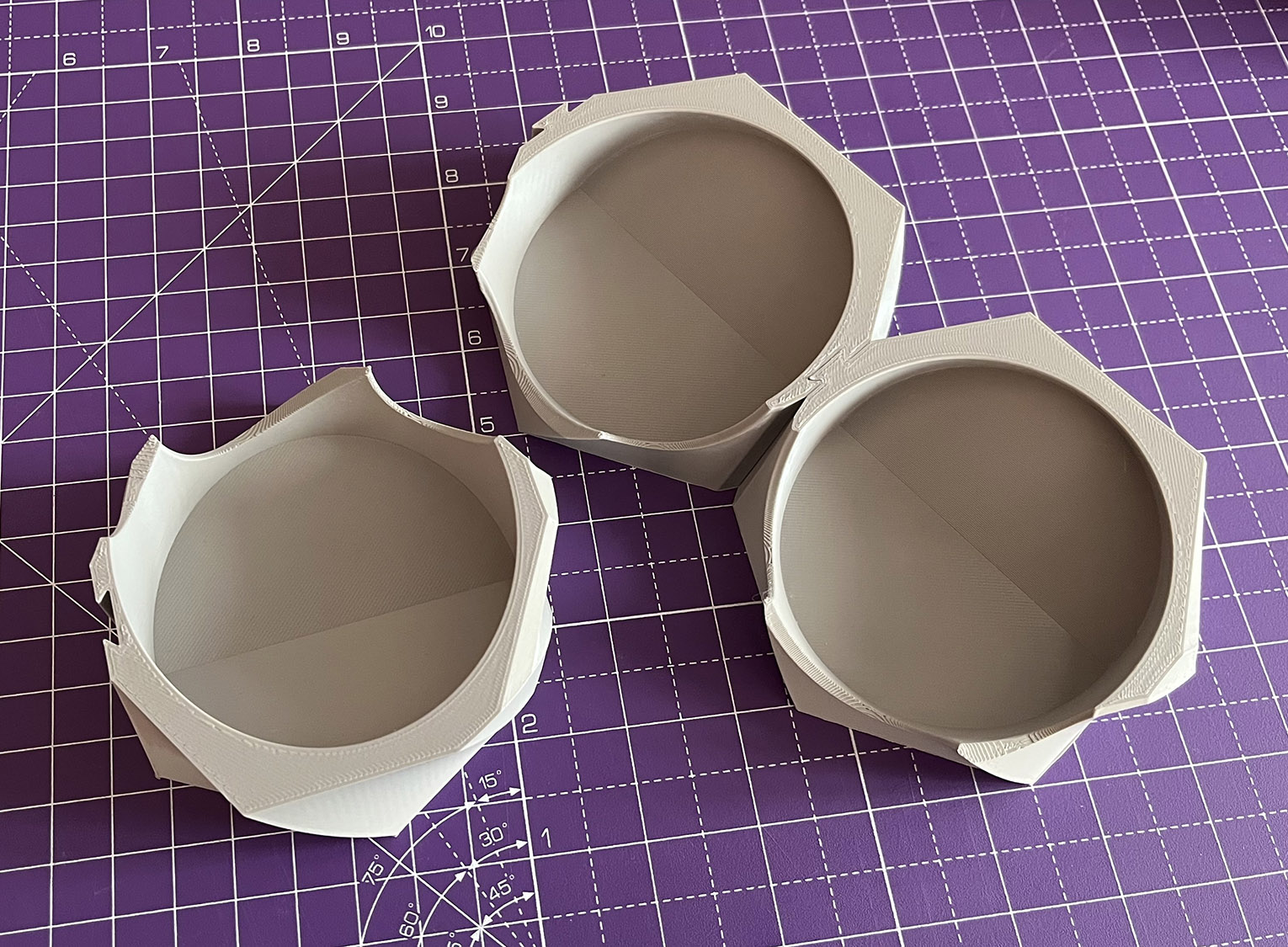
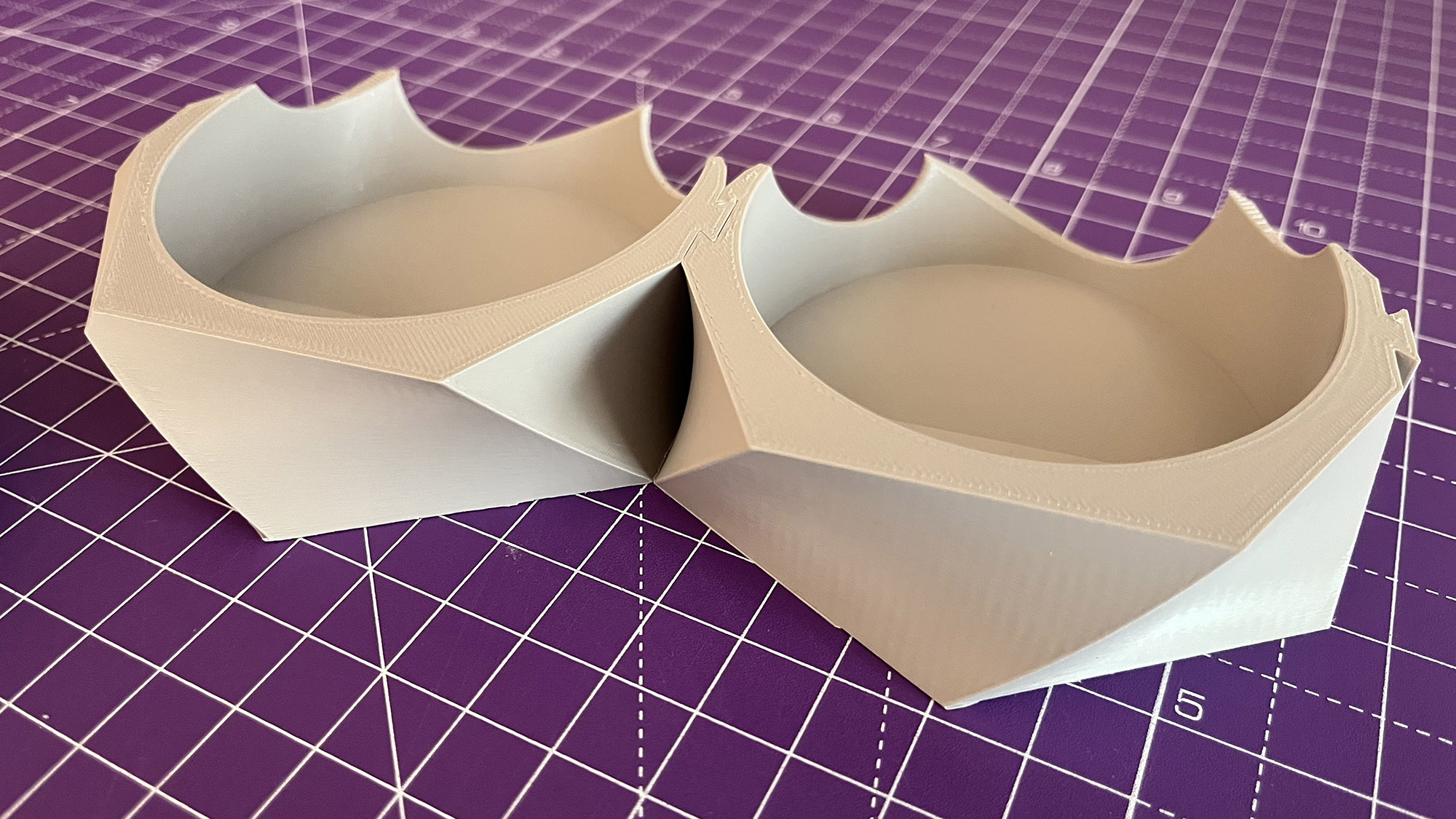
Thanks for all the tips. I will look into it and try your suggestions. What I don't understand is this: if the problem is wet filament, then why have these other pieces (see photos) print without issue? They were printed around the same time. I did have some issues with layer shifts but a draft shield and a brim sorted that out. Just like the "cylinders of contention", I also modeled these in Fusion and used PrusaSlicer for slicing.
RE: Stringing and Print Defects With Prusament PETG
Another possibility is where the seam is being positioned and tool movement. In the slicer preview you can scrub down to that layer and see how the tool is moving across the part.
RE: Stringing and Print Defects With Prusament PETG
What I don't understand is this: if the problem is wet filament, then why have these other pieces (see photos) print without issue?
That is actually a good question. The problem of course doesn't have to be wet filament, but it really looked like it from your first pictures (and it's a very common reason). Your problem could be something else!
RE: Stringing and Print Defects With Prusament PETG
What I don't understand is this: if the problem is wet filament, then why have these other pieces (see photos) print without issue? They were printed around the same time.
You had not mentioned those before, had you? Maybe it's unrelated to damp filament then. Have you tried with thoroughly dried filament in the meantime? Since it's an easy test to perform, I would still do that.
RE:
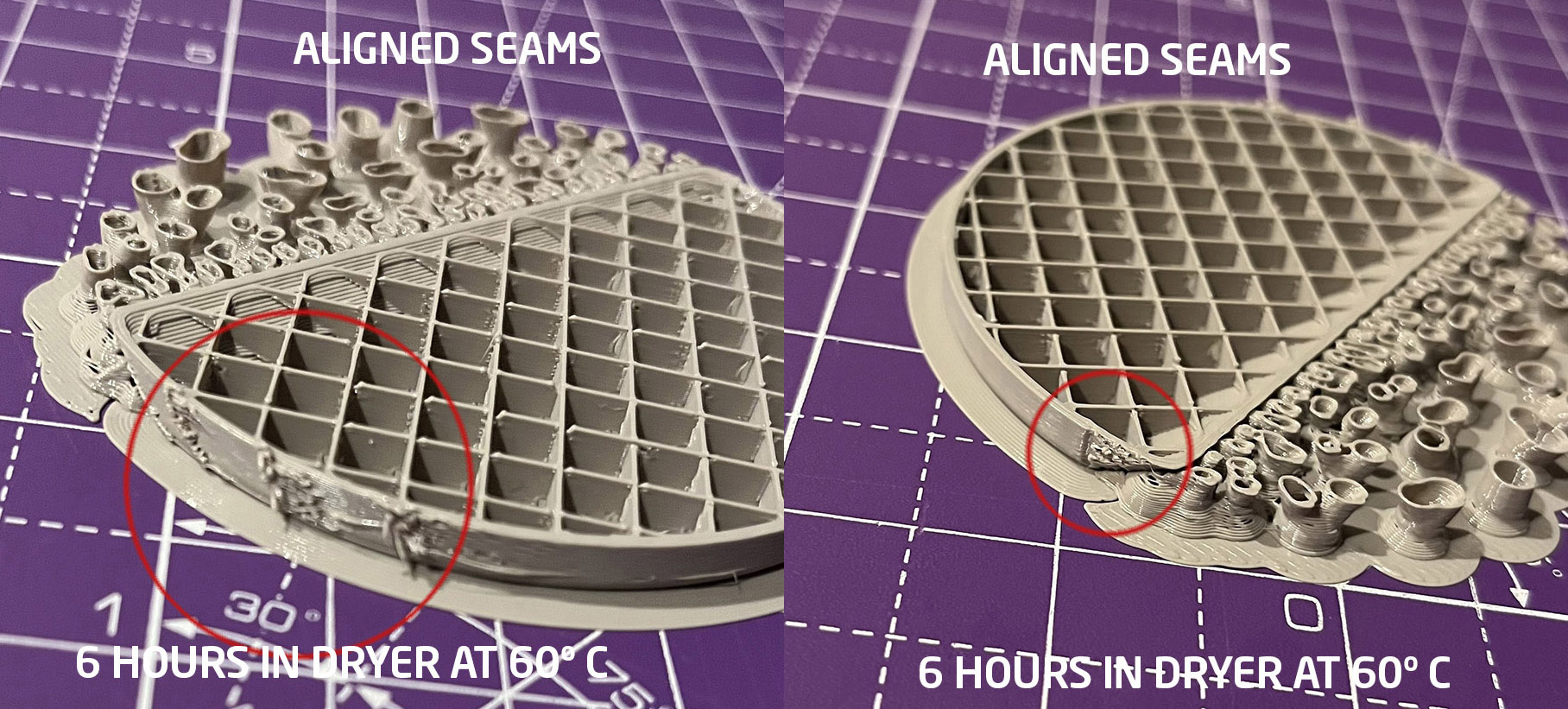
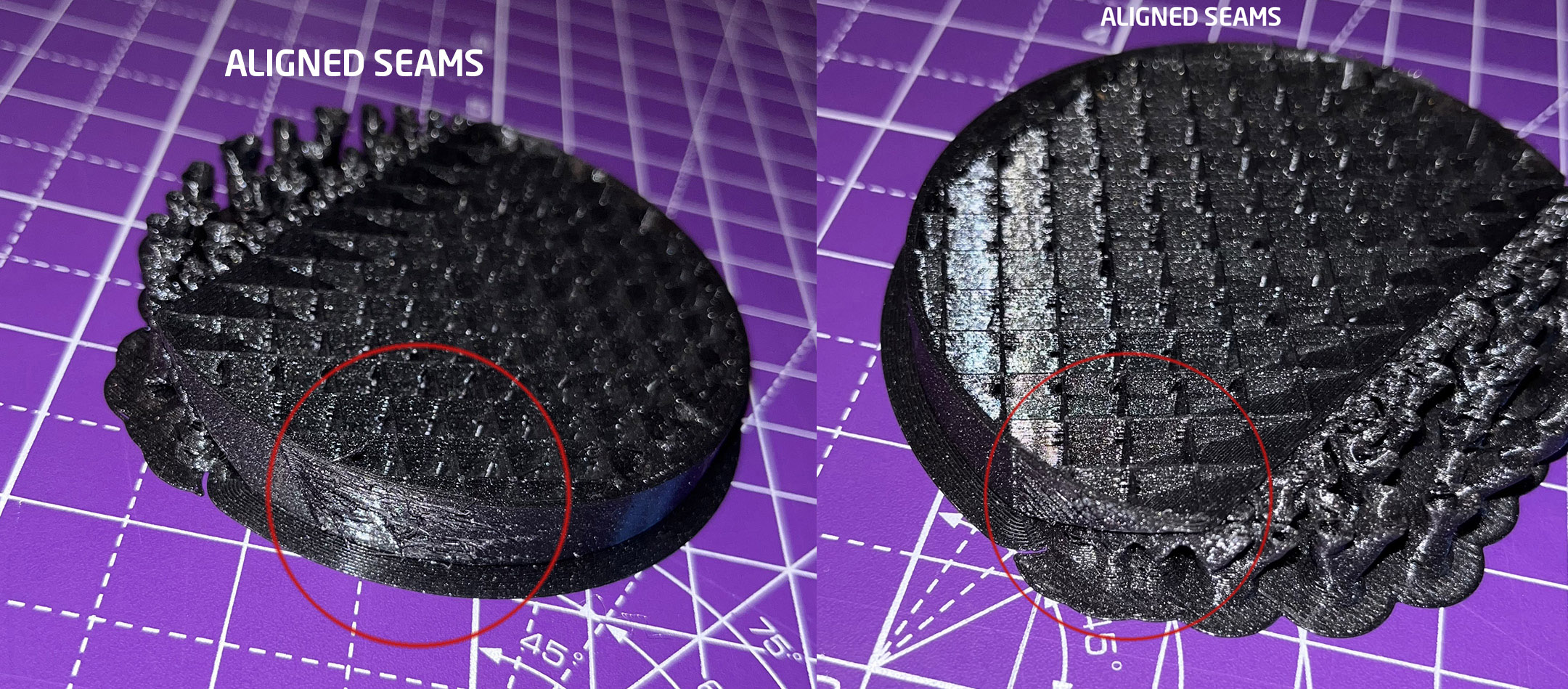
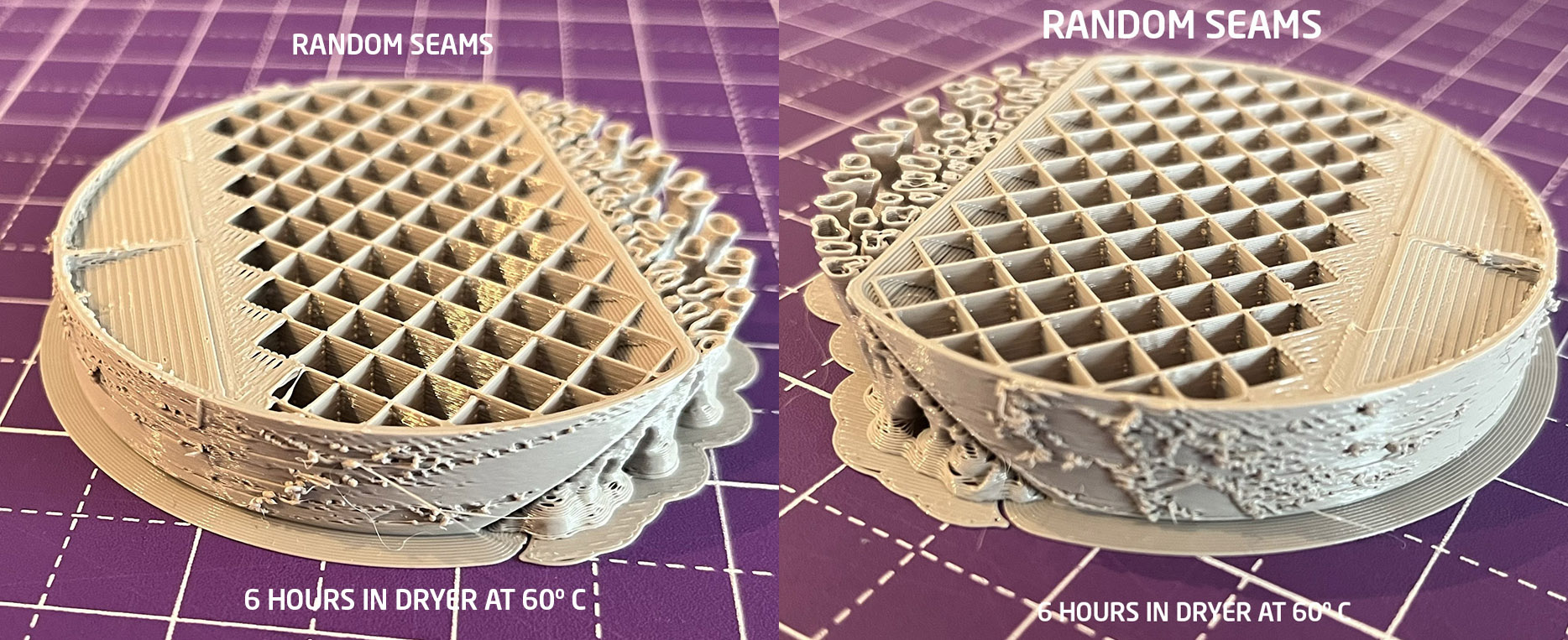
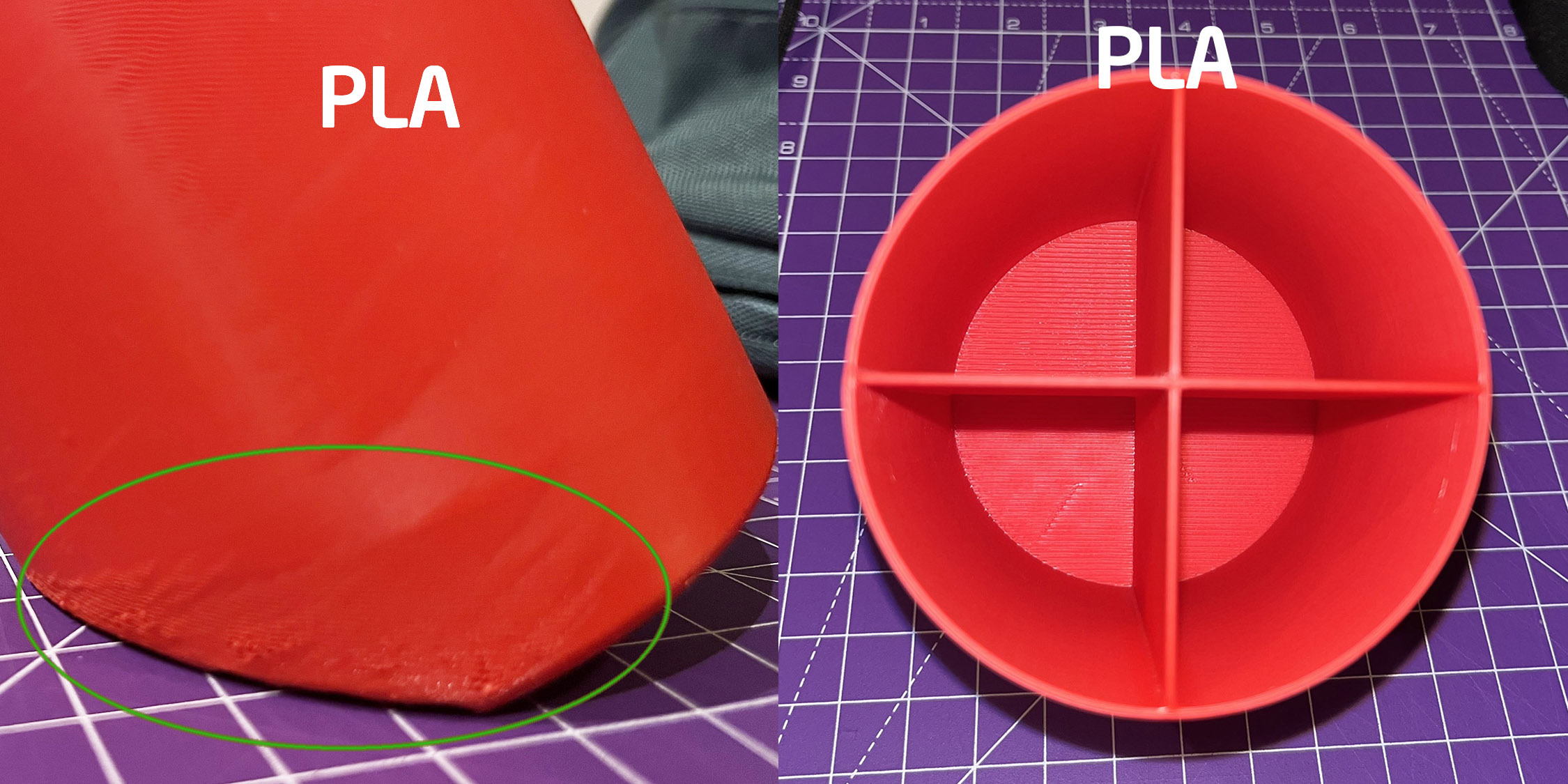
I have done several tests after drying the PETG filament for 6 hours at 60º C. As you can judge by the photos this has barely made a difference. It seemed that the errors may be related to the position of the seams. So I changed from aligned to random seams. This shifted the errors to other places but didn't solve the issue entirely. Printing with PLA made a big difference. But also didn't completely solve it. On top of that, for some reson, the red filament that has printed before with a sort of "satin" appearance is now coming out completely matte. I've printed flawless prints before, similar cylindrical shapes with both aligned and random seams. But something has happened to the printer and I have no clue as to what it is. Could the axis have become misaligned? The printer is in a rather humid place, could that explain it? A partially clogged nozzle or wet filament doesn't seem to explain everything as the errors are mostly related to the the seams, I think. Although I suppose there could be several factors at play. But I haven't been printing for long so my knowledge is not extensive.
RE: Stringing and Print Defects With Prusament PETG
I'm far from an expert on this sort of thing, but isn't the finish going matte an indicator of low temperature? That's what I see in my temperature towers and it's more noticeable with PETG. I'd try increasing the temperature by 15 degrees or so, maybe even a bit more. Everybody assumes the thermistors are accurate always and forever, but they can fail or drift.

Check your dryer is working properly and nothing is preventing it venting moist air. That filament is wet.
Cheerio,
RE: Stringing and Print Defects With Prusament PETG
I will try. Thanks for the tip.