
stair stepping effect?
I'd like to print this https://www.printables.com/model/1187356-magnetic-print-sheet-holder-prusa-core-one
I don't understand the printing instructions. What is stair stepping effect?
"Add a height range modifier to set 0.1mm layer height after 12mm to reduce stair stepping effectTo do this, right click on the STL in the slicer and click on Height range modifierOn the right side set the start height to 12mm and the end height to 20mm with a 0.1mm layer height"
Prusa Core One

RE: stair stepping effect?
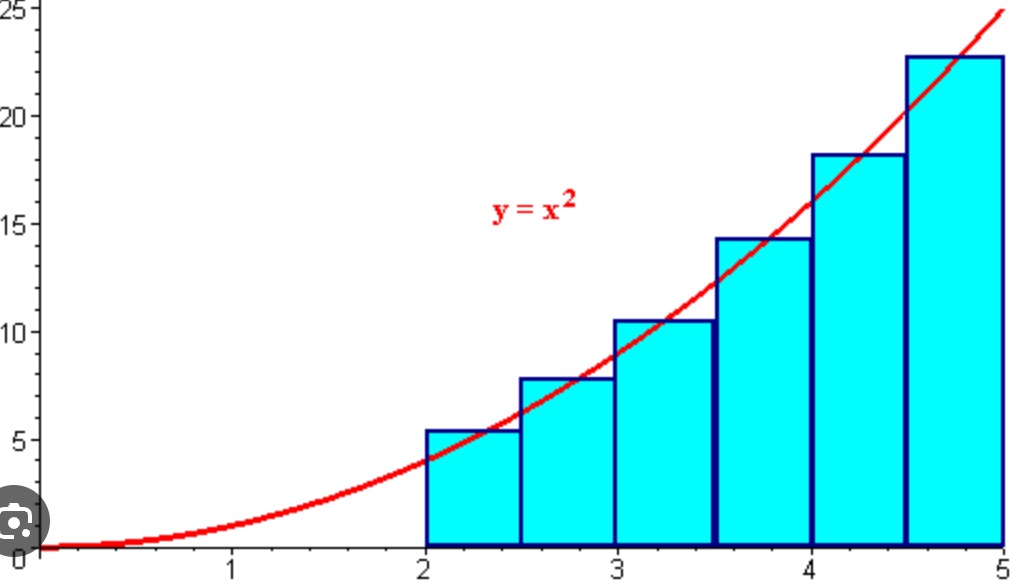
You are printing in layers. So when printing curved or sloped surfaces you are approximating that shape. By changing the layer height you get a better approximation and less of a stair step effect
This is a math example (integration) but it's the same thing
RE: stair stepping effect?
Ah. It’s like a ADC in music. Converting analog to digital. Thanks
Prusa Core One

RE: stair stepping effect?
A lazy way to achieve the same is to use the "variable layer height" feature. It's in the "Plater" toolbar in Prusa slicer at the top of the screen, 3rd icon from the right (after redo/undo). The UI is a little wacky but once it's understood, the feature is extremely useful if you need fast -and- accurate results (possibly with a degradation on the appearance of vertical walls, the layer height does necessarily show at the edge).
For some reason I've never managed a simple, hard change in layer height at a given Z. If that is possible, it would be useful also (variable layer height has its issues with multiple objects in the same print and MMU).
RE: stair stepping effect?
Thanks guys. The part printed beautifully.
Prusa Core One