Prusament PETG partial filament jams, despite correct temperatures.
Hi everyone,
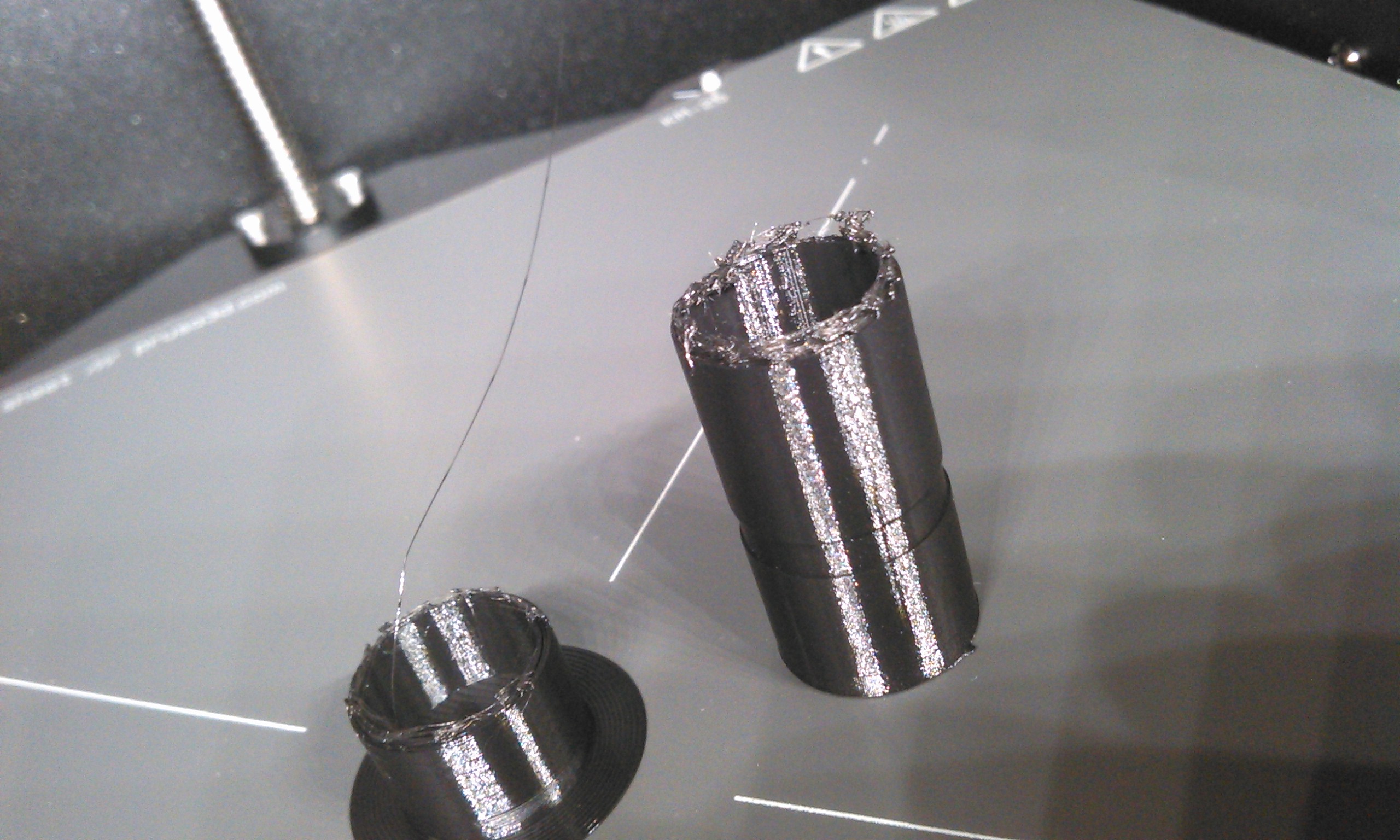
3D printing newbie here I'm just experimenting with my first 3D printer (Prusa Core One+). So far I've successfully printed two models from printables with the printer, however I'm running into issues with my first own design. For some reason the print starts nicely and after some time the filament seems to randomly jam, i.e. the extruder starts knocking and fails to continue to print properly. I find this weird because the model is mostly a uniformly shaped cylinder. The picture below shows two attempts. The first one was created using the Prusament PETG preset from the PrusaSlicer which was set to 230°C for the first layer and 225°C for the rest. After looking around in the troubleshooting section for the Core One, I found that one cause for the jamming could be the nozzle temperature creeping up to high during print. According to the label on the JetBlack PETG Prusament the optimum print temperature is between 205°C and 225°C. So I lowered the setting to 225°C for the first layer and 215°C for the rest. However the 2nd result with the lower temperature (left on the picture) failed even earlier.
I'm wondering if there is an issue with the model, maybe a rookie mistake? However if that was the case I'd expect to see the print to fail much earlier, the model is mostly a uniformly shaped, hollow cylinder. So at the point the printer fails it is basically doing the same thing it has done for many minutes flawlessly.
- Both the printer (factory assembled) and filament are brand new from Prusa so moisture won't be an issue.
- The lower part that is printed properly looks good and is structurally stable.
- I created the model with Blender and exported an STL file
- I imported the STL file and sliced it with Prusa Slicer using the PLA presets mentioned above.
Does anyone have an idea what could cause the issue shown on the picture? For reference I also added the G-Code I sent to the printer (drill_bit_holder_round_120x17_5mm_0.4n_0.15mm_PLA_COREONE_1h43m.bgcode)