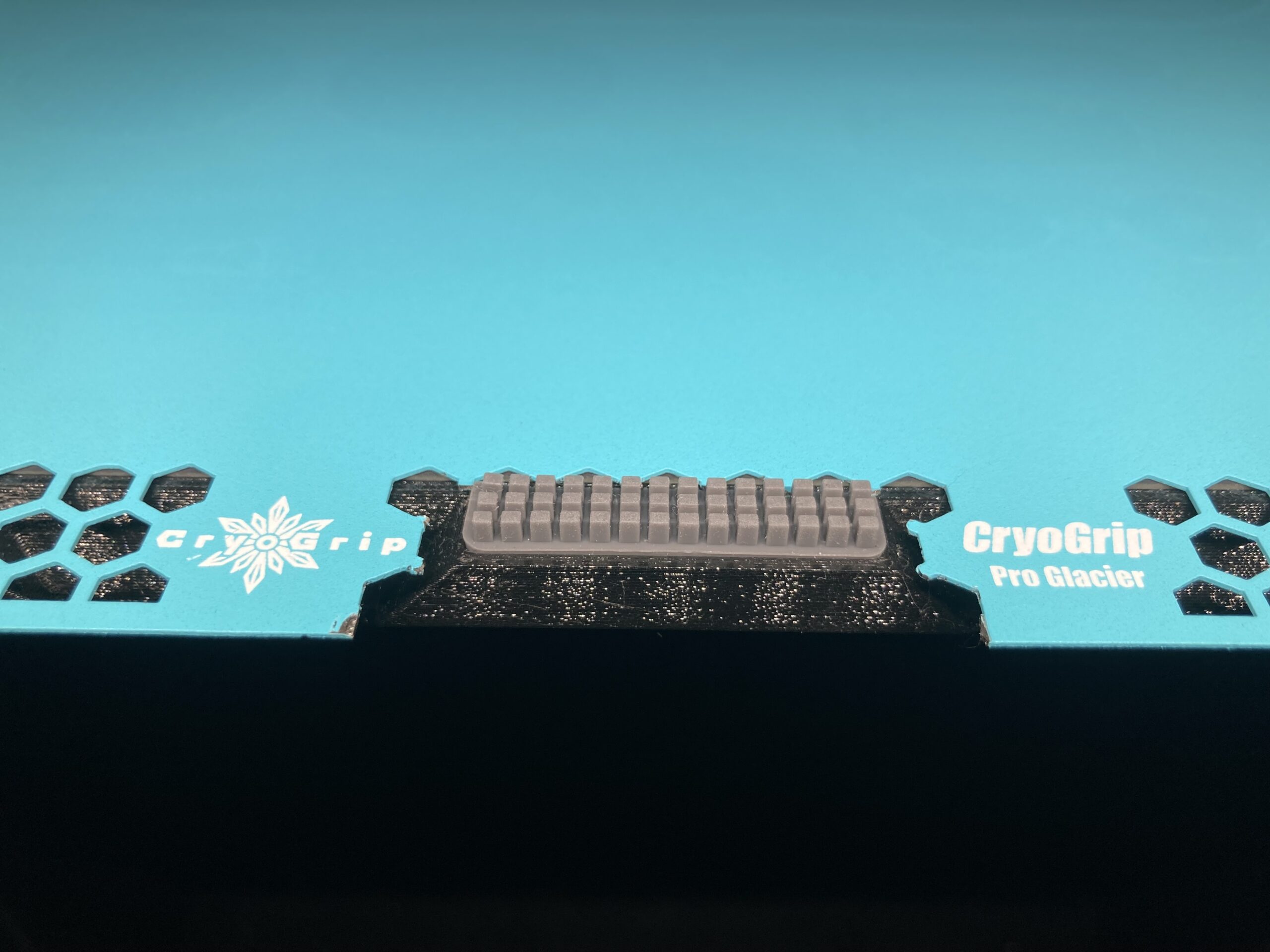
Trying to remove nozzle for the first time.
First off, this is what my original nozzle looks like. Looks like there is a lot of gunk around it. Is this normal? How do I clean it up?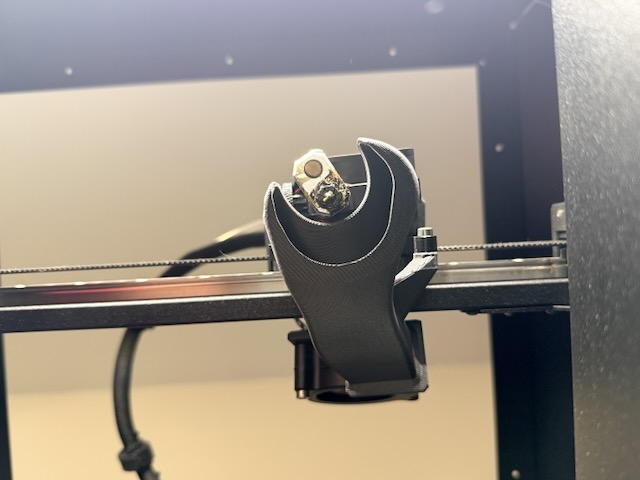
Prusa Core One

RE: Trying to remove nozzle for the first time.
Heat the nozzle to 290C and clean it with a brass brush.

RE:
If you are not using a silicone cover, this is quite normal. You can heat the block and try to clean it with a brass brush. Place the nozzle replacement tool on the on the cooled block (if you don't have one, look for it on printables) to fix the block, loosen both side screws on the Nextruder cooler and use a 7mm wrench to loosen and unscrew the nozzle. Or you can disconnect the relevant cables on the love board, and after loosening the side screws on the cooler, remove the nozzle and the heating block.
RE: Trying to remove nozzle for the first time.
To add to @miroslav.h4 comment, I strongly recommend using a silcon sock. It's cleaner. If you do, remember to configure it (turn it on) in the print head settings.
RE: Trying to remove nozzle for the first time.
@miroslav.h4 and @ hyiger - I was using a silicone sock. I took it off after my 7mm socket wasn't engaging the nozzle to get a better look at the nozzle. I will try the heating and brass brush method @hyiger recommends. See what happens.
Anyone know how this buildup happens? I used it only with a silicone sock and also cleaned it between prints with a brass brush. (I bought the Prusa brass brush, too).
Prusa Core One
RE: Trying to remove nozzle for the first time.
Also, is there any chance I broken anything?
Can brushing with too much force knock anything out of alignment? Not that I used too much force. But I don't know much about printers.
Prusa Core One
RE: Trying to remove nozzle for the first time.
Also, is there any chance I broken anything?
Can brushing with too much force knock anything out of alignment? Not that I used too much force. But I don't know much about printers.
No. Just always check that the thumbscrews are tight before a print. Every so often, I remove the sock, heat the nozzle to 290 and brush it like I'm brushing teeth. Also, you may want to consider added a nozzle wiper mod. This will help keep the nozzle clean between prints.
RE: Trying to remove nozzle for the first time.
Some filament residue always gets caught on the nozzle and slowly creeps up and under the silicone. There's nothing you can do about it except clean it. And if you use the nozzle replacement tool, always remove the silicone and use the correct version of the tool. Without silicone, the heating block holds better in the tool. And if you brush it with reasonable force, you can't damage anything.
RE: Trying to remove nozzle for the first time.
Thanks for the advice.
I got the new nozzle installed. I only finger tightened using a 7mm socket. Is this tight enough?
Also, when I loaded filament it made a creaking noise, almost grinding noise when it loaded, and then again when the purge began. Is this normal? I loaded Prusament PETG, if that is important.
I installed a Prusa Nozzle ObXidian - 0.4 mm nozzle. In Prusa Slicer, I just changed the Printer preset to "Prusa Core One 0.4 nozzle" I don't need to change any other settings. Correct? The previous nozzle was the Prusa HF 0.4mm brass nozzle that ships with the Core One.
Sorry for being a bit of a worrier about this but I've never done it before and don't want to mess up my printer. Thanks for all the help. (As always)
Prusa Core One
RE: Trying to remove nozzle for the first time.
Also, how often should I be replacing the silicone sock. I didn't see any tears in mine, but there is some plastic gunk that has accumulated on the outside.
Prusa Core One
RE: Trying to remove nozzle for the first time.
which nozzle wiper mod do you recommend? There are many and IDK which one is a good one. Thanks
Also, is there any chance I broken anything?
Can brushing with too much force knock anything out of alignment? Not that I used too much force. But I don't know much about printers.No. Just always check that the thumbscrews are tight before a print. Every so often, I remove the sock, heat the nozzle to 290 and brush it like I'm brushing teeth. Also, you may want to consider added a nozzle wiper mod. This will help keep the nozzle clean between prints.
Prusa Core One
RE:
which nozzle wiper mod do you recommend? There are many and IDK which one is a good one. Thanks
Depends on what build plates you use. If you use the ones from BIQU then you need one that is compatible with the sheet. If you only use the Prusa sheets then pick anyone you like. This is what I use: https://www.printables.com/model/1416818-core-one-universal-nozzle-wiper-left-or-right-side (which happens to be designed by me)
RE: Trying to remove nozzle for the first time.
If the silicone isn't too torn, don't worry about it. So you could change it after every print, but that wouldn't cost you a replacement. You shouldn't be so scared. The printer likes a lot of things. That is, unless you hit it with a 3kg hammer.
RE: Trying to remove nozzle for the first time.
If the silicone isn't too torn, don't worry about it. So you could change it after every print, but that wouldn't cost you a replacement. You shouldn't be so scared. The printer likes a lot of things. That is, unless you hit it with a 3kg hammer.
The nice thing about the Core One is it can take a lot of abuse. It's really hard to damage it. Once piece of advice is to pick up a roll of Prusament PC-CF and print replacement parts. Especially the fan shroud. Or if you want to save money, order the spares from Prusa.

RE: Trying to remove nozzle for the first time.
which nozzle wiper mod do you recommend? There are many and IDK which one is a good one. Thanks
Depends on what build plates you use. If you use the ones from BIQU then you need one that is compatible with the sheet. If you only use the Prusa sheets then pick anyone you like. This is what I use: https://www.printables.com/model/1416818-core-one-universal-nozzle-wiper-left-or-right-side (which happens to be designed by me)
And if you're using https://www.printables.com/model/1452284-core-one-stealthbrush-for-the-inner-monk-of-clean you can still use it with the BIQU. You just have to take wire cutters to it: