
Top slices offset - seam on side of print
Hi, I'm new to printing and recently setup a Core One+. Everything seems to work correctly. Went through all the calibration steps and set tension on belts to 98 and 92. First two trial runs - key fob and pan flute were fine.
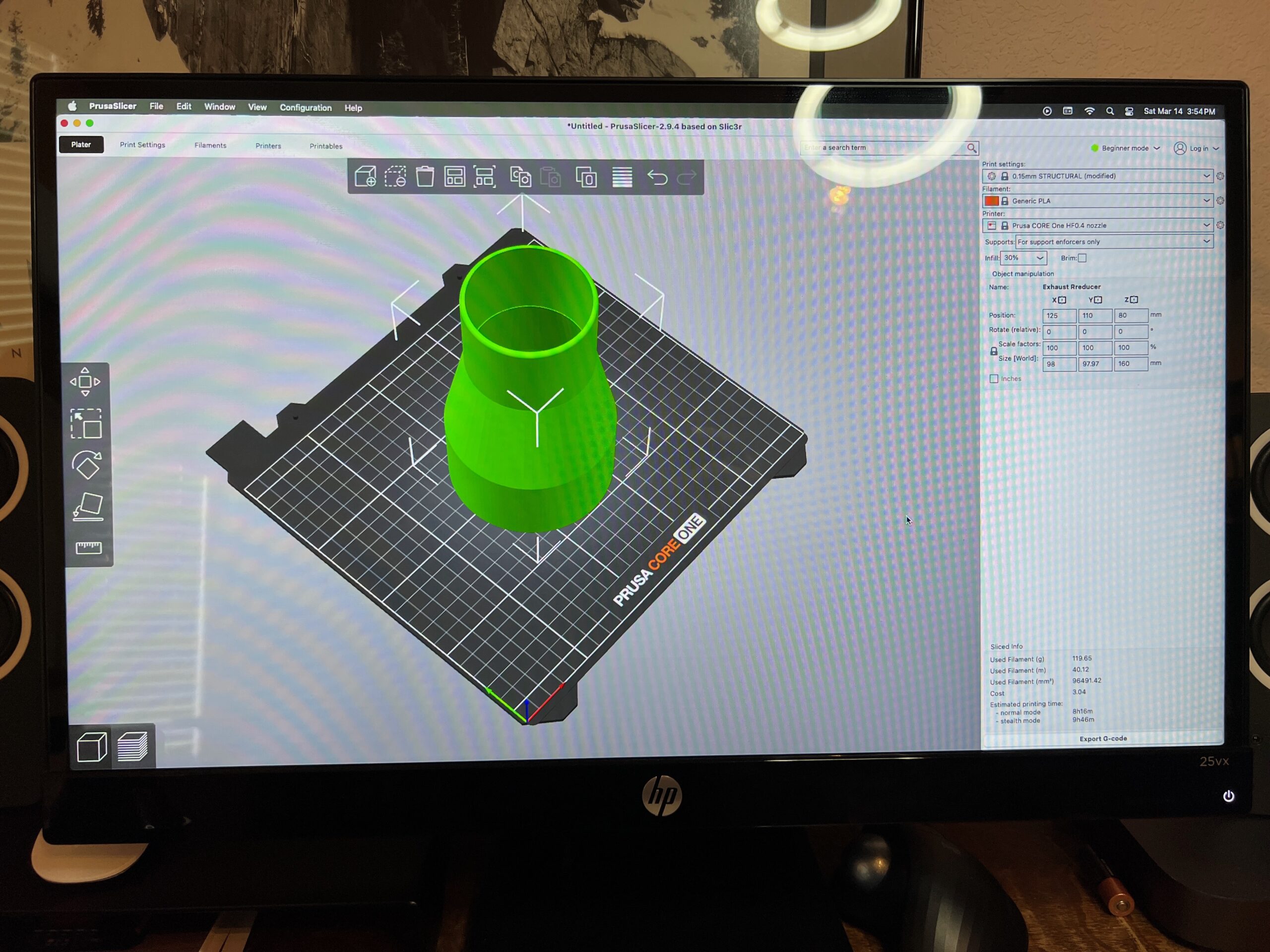
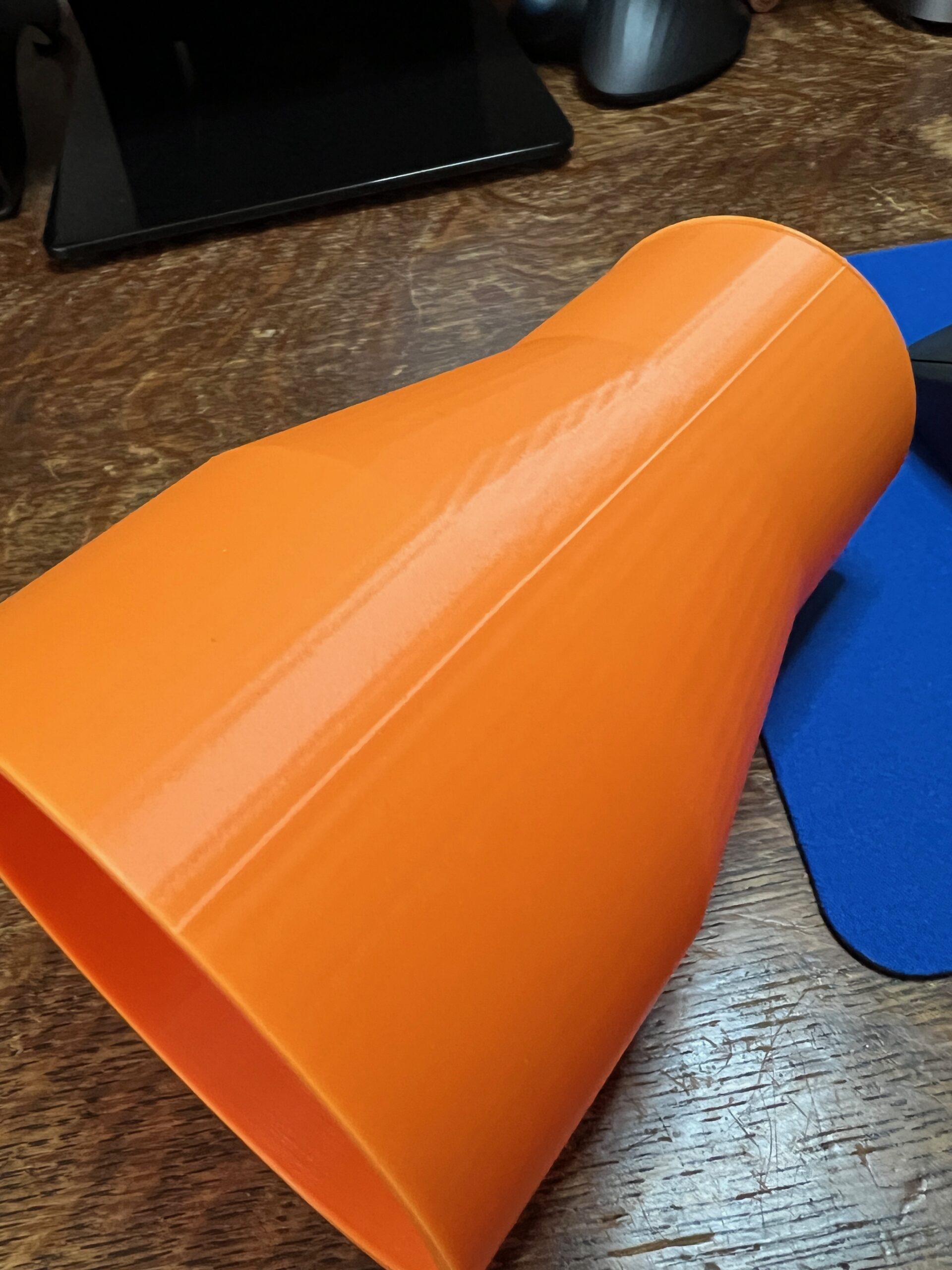
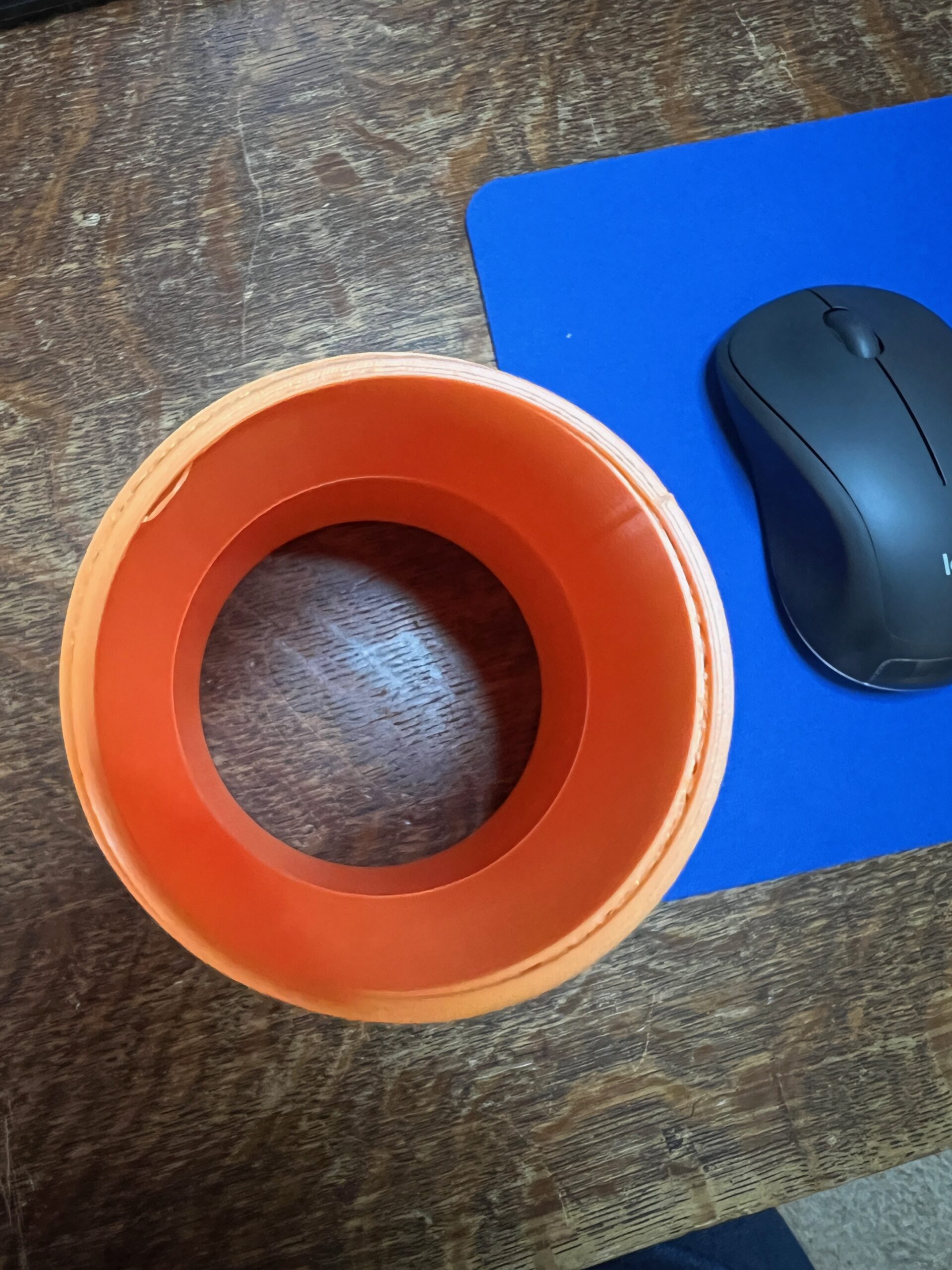
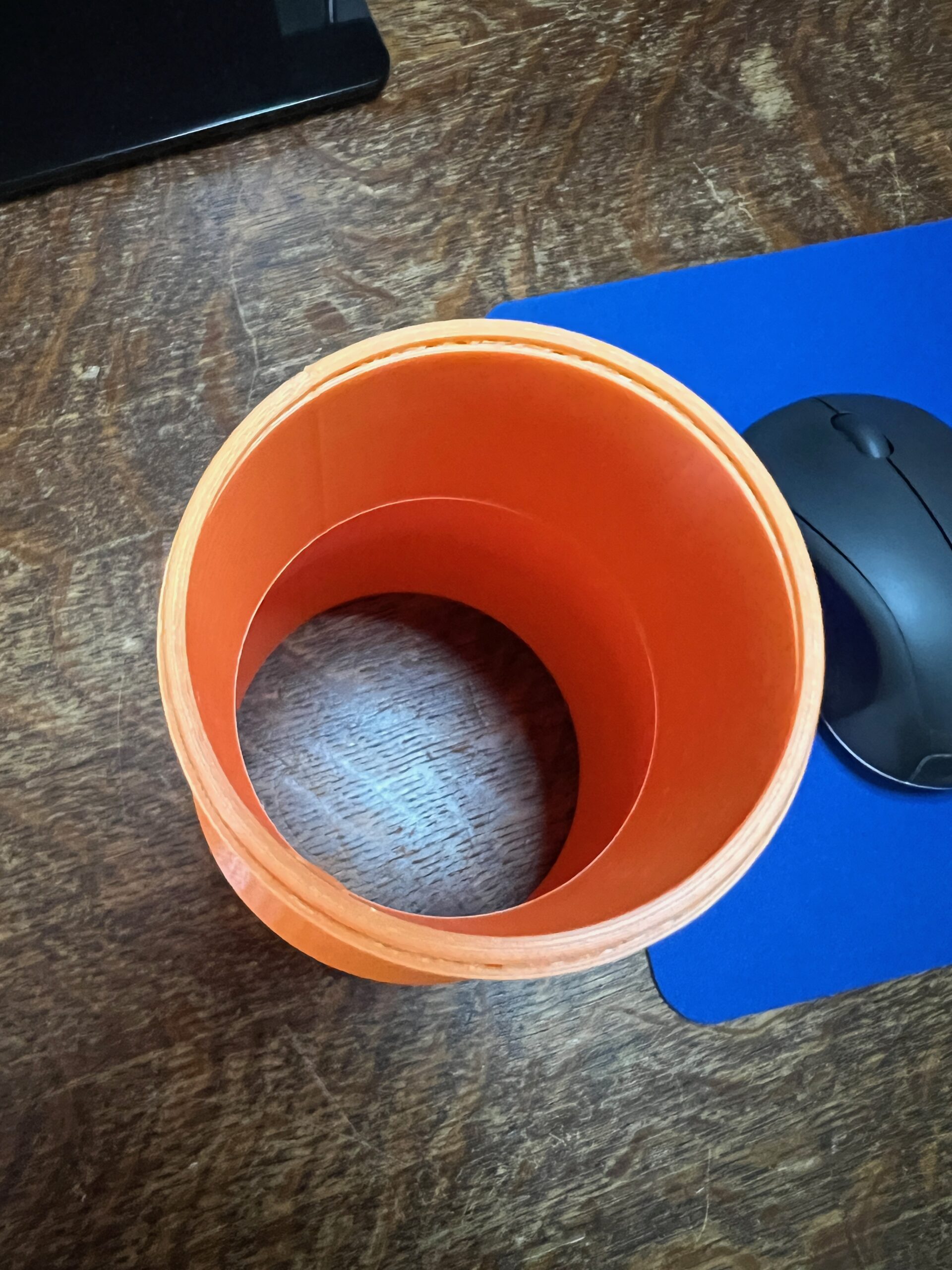
This is my third print, and my first design using FreeCAD: it's a dust collector reducer. The first pic is the design in Prusa Slicer, which all seemed normal to me. The second pic shows a seam which printed on the right side. I could see the print head so a little "glitch" step when hitting this point on the collector. Not sure how this showed up in the print. Third and fourth pics show the top of the collector where the slices were printed offset from the design. You can see the fill peeking past the top layers.
Any suggestions are welcome!
Randy Williams

RE: Top slices offset - seam on side of print
The first photo shows the seam that appears on round prints where the individual layers connect. Getting rid of it is not easy, and there have been many posts about this problem. The next two photos show the shifting of layers during printing. This seam could also be removed by careful sanding, but given the intended use, I would leave it alone. Layer shifting is worse, it can occur at any time. It may not show up on other prints. Again, it could be removed by careful sanding where it bothers when applying to other parts, otherwise what I wrote about the seam above applies.