
Perimeter has strange pattern
Hello
Two parts printed from one gcode. The first one had normal surface few first mm. Than I've got a really strange pattern. Looks like a PG pattern, would I say...
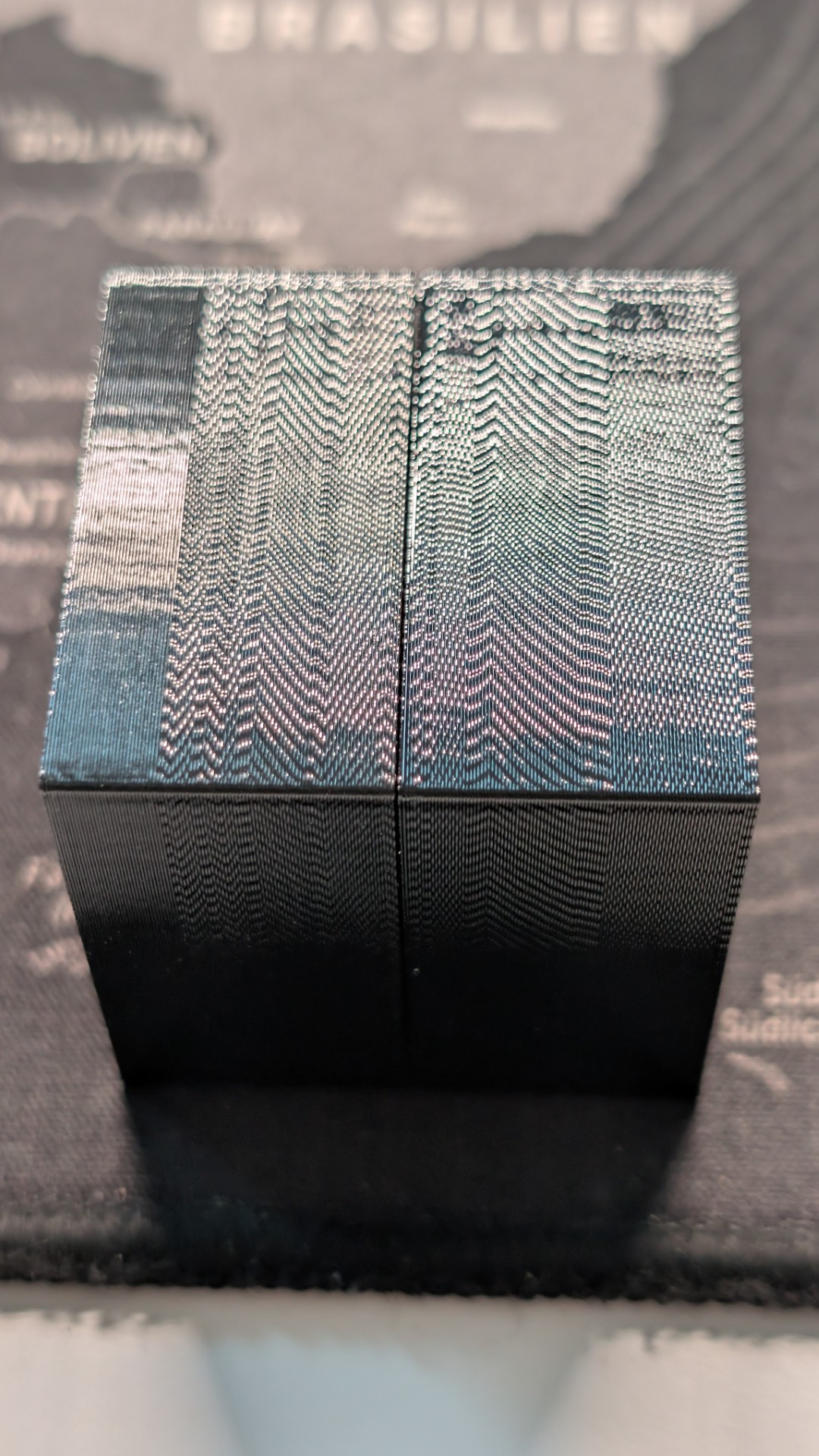
All other tries after this one looks similar. Changed nozzle and profiles, reduced volumetric speed - always look similar. Belt tensions is okay
What could be the problem ?

RE:
There was a similar thread a month ago or so, but I can't find it now and am not sure I remember the root cause that was identified. Was it a clogged or damaged nozzle, leading to uneven flow? Anyone with a better memory than me, or with a link in their bookmarks?
Edit: Oh, hang on -- this is the one I was thinking of. Worn-out nozzle indeed:
https://forum.prusa3d.com/forum/prusa-core-one-assembly-and-first-prints-troubleshooting/diagonal-wavy-arifacts/

RE: Perimeter has strange pattern
Yup, there were 2 threads. One was a worn out nozzle and the other was a worn out Nextruder motor. Both exhibited similar patterns. Since it's not the entire print, I'm leaning toward motor.

RE: Perimeter has strange pattern
If I understood correctly the first print was OK for a few mm then suddenly it started that weird pattern. Nozzles don't wear that fast. Besides, the OP said that he replaced the nozzle. Defective motor ?. Possible but a bit odd. Usually if a coil fails or there's a broken wire somewhere, the motor either stutters or won't spin at all.

RE:
You can look for "sad benchie" for the thread.
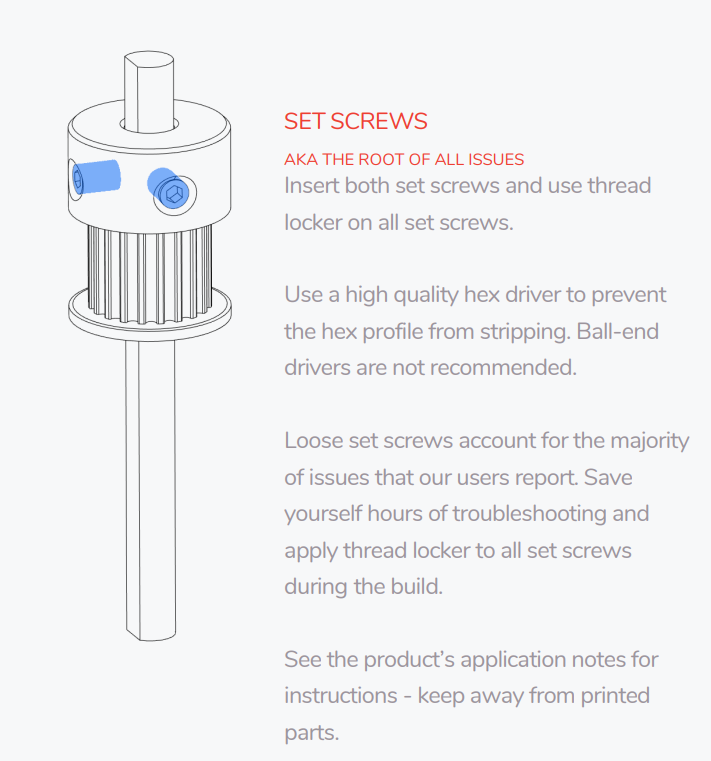
A slipping drive pulley wheel on XY might look like this. Food for thought (from an unrelated kit) below.
But note the text that gets clipped unless clicking on the picture: Keep away from printed parts
RE: Perimeter has strange pattern
I've changed the nozzles (have obxidian, normal and high flow - all 0.4), changed the hotend thermistor, changed the heater block with platted copper one (bought a spare one).
Made a lot of additional prints and found really smth strange - the PLA samples are almost always are ok. But not always. And PETG only sometimes, usually 5-6 mm from the beginning are ok - after could start, than start getting this pattern. I've tested different PLAs and PETGs - the original from Prusa and some others, with different flow (also tried to increase flow, decrease a speed in the menu during the print). I've dried the PETG to make sure, that water isn't the problem. I've testet different positions of the idler screws. Checked (released and tighted again) the both X/Y pulleys.
I'm started to think, that smth wrong is with extrudr motor or PG or heatbreak - it looks like, smth is overheating after sometime. Because of the thermal expansion this could lead to some jamming.
Pause of the printing for few minutes and than starting again (with intermediate releasing of the idler) sometime leads to 1-2-3 mm of the normal perimeter, than it prints with such pattern.
P.s: Both thermistors (hotend and heatbed) are died one after another in the short period of time. With hotend thermistor it was easy, but the one from the headbed had a thermal runaway and was not precise any more, so the print could have stopped in the middle with red screen of death. So, this could be the issue with lifespan of the prusa parts?
RE: Perimeter has strange pattern
If it were a problem with the heat break, example the heat sink fan, then PLA should have jammed up the nozzle. It's interesting that both thermistors failed. Hold old is the Nextruder? Was your printer assembled or is it a kit? If kit, did it descend from a MK4?
Have you run the heater test recently?
RE:
Seems, I found the real reason for that - somehow, when advanced filtration fan speed is over 60-65%, the printer produces such uneven walls. This explains why the PLA prints has no such problem, if printing only PLA. The chamber temperature isn't so high, so fan speed is slower.
Changing of the fan speed during printing produced different kind of surfaces:
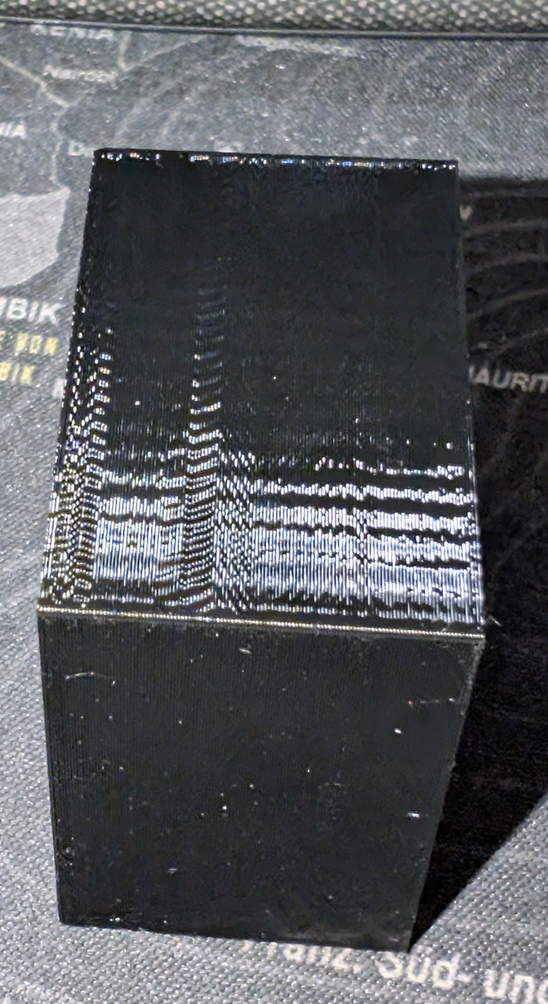
Now is the question - what is wrong? Power supply? Cable management (signal for the filtration fan disturbs the signal to the extruder motor)? Defect fan, producing a noise in a circuit ?
I'll try tomorrow to contact the Prusa support. May be, they now smth about this....