
First Time Calibration - Z Level Error
Hi,
I just finished the Build of my Core One. Unfortunately I am not able to finish the initial calibration. The printer only makes weird noise and the bed won‘t move. I attached a shortened video. The whole process goes on for about 4 minutes before the printer stops and throws an Error.
I tried to loosen the trapezoide nuts and lubed the rods. The nuts move freely when Not attached.
I hope anybody has an idea ☺️
Markus
Best Answer by Jürgen:
It seems weird that only the front right motor moves up a bit (at the beginning and in the middle of the filmed process). The motors are all wired in parallel, hence they should all move back in sync, then get driven into the end stops again.
Either the other two axes are mechanically stuck, or they are not connected properly. Have you seen all three lead screws move under motor control at all? Can they move up, at least a bit, when let the firmware you to an automatic homing? If they have never moved, start by double-checking your connections on the little distribution board (below the base plate of the printer, in the front).
If we are dealing with a mechanical blockage, I would start by loosening the two M3 screws which hold each of the three black nuts (loosen them all at once), such that the nuts can find a comfortable lateral position without mechanical strain. Then tighten the screws and try the calibration again.

RE: First Time Calibration - Z Level Error
Did you install the nuts with the correct orientation? That is, they are not upside down?
RE: First Time Calibration - Z Level Error
I installed them with the narrow part on the downside.
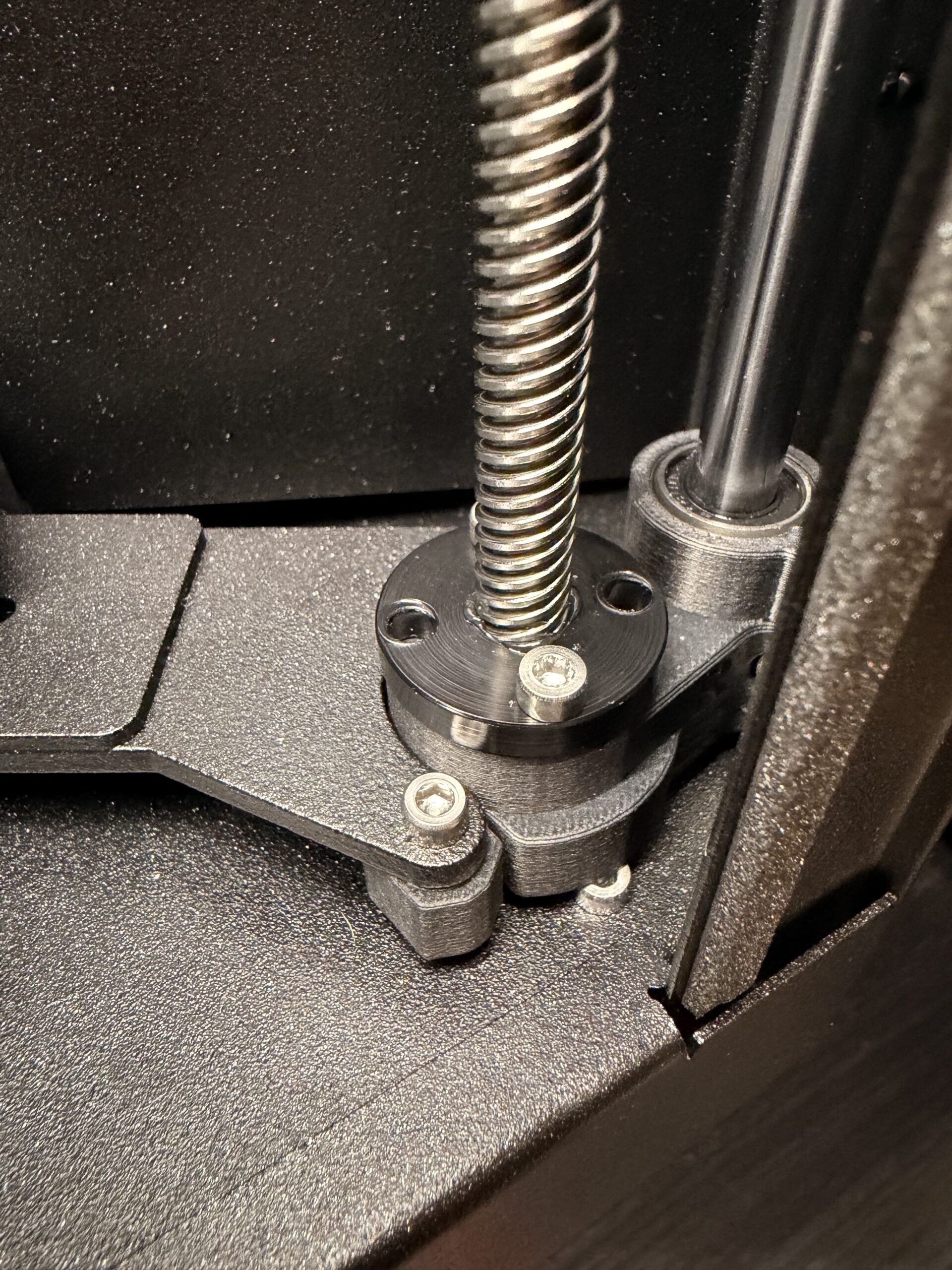

RE:
It seems weird that only the front right motor moves up a bit (at the beginning and in the middle of the filmed process). The motors are all wired in parallel, hence they should all move back in sync, then get driven into the end stops again.
Either the other two axes are mechanically stuck, or they are not connected properly. Have you seen all three lead screws move under motor control at all? Can they move up, at least a bit, when let the firmware you to an automatic homing? If they have never moved, start by double-checking your connections on the little distribution board (below the base plate of the printer, in the front).
If we are dealing with a mechanical blockage, I would start by loosening the two M3 screws which hold each of the three black nuts (loosen them all at once), such that the nuts can find a comfortable lateral position without mechanical strain. Then tighten the screws and try the calibration again.
RE: First Time Calibration - Z Level Error
[Sorry about the editing accident in my middle paragraph above, which I can no longer fix now. "Can they move up, at least a bit, when you let the firmware do an automatic homing?" was what I meant to write, I think...]
RE: First Time Calibration - Z Level Error
That seemed to have worked ☺️ I loosened all screws at did homing. After that I tightened them again and now everything seems to be Fine.
Thank You!!
RE: First Time Calibration - Z Level Error
That seemed to have worked ☺️ I loosened all screws at did homing. After that I tightened them again and now everything seems to be Fine.
Thank You!!
Great news -- thank you for the update!
It is best to tighten the screws while the bed is in the lowermost position. At higher heatbed positions, the lead screws can compensate a bit for misaligned positions of the trapezoidal, by tilting sideways. (That's why the stepper motors are mounted to the base via those plastic flex mounts.) But at the bottom bed position, the trapezoidal nuts must match the lateral bed position, as defined by the smooth rods, without much tolerance.
As a side note: Unless Prusa have changed them in the meantime, the assembly instructions get this backwards and create the problem you experienced. They have you mount the lead screws and nuts first, at "arbitrary" lateral positions within a pretty large tolerance range due to the nuts' oversized mounting holes. At a later step you get to jam in the straight rods. They force the heatbed into a lateral position, potentially putting a lot of lateral strain on the nuts.