
Can't get a good print on this part
I have an MK3S factory assembled. I have always had some trouble printing clean parts with this printer. Recently I decided to start from scratch, so upgraded to firmware 3.14.1, factory reset (all data), and successfully passed the selftest. Did a first layer calibration (-2.200mm final offset) with good lines in the test pattern. Upgraded the Prusa slicer to latest 2.9.4 and reset all of my custom settings so using factory settings for Prusament PETG Matte Black (250/80 deg). Using FreeCAD with .3mf output to the slicer.
I've uploaded a few shots of this part - with all of these settings, I get about 30 minutes into the part (.2mm Quality sliced) and the machine starts crashing and basically keeps crashing every 5 minutes or so. Can anyone help me debug this thanks!


RE: Can't get a good print on this part
Here are some more print attempts. The second one was at 80% print speed (using dial during print)
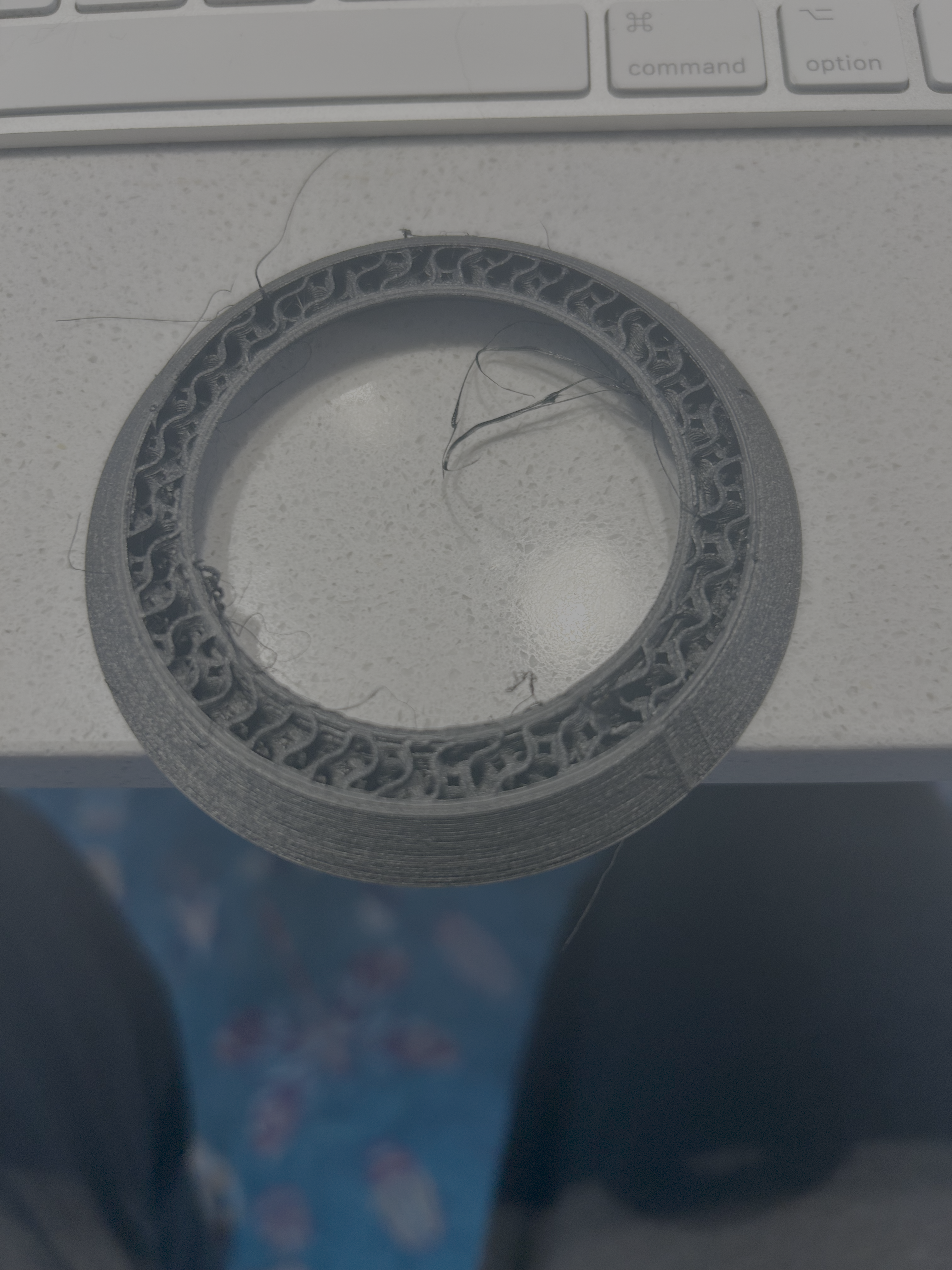


RE: Can't get a good print on this part
Are you sure this filament is dry ?.. PETG doesn’t likes moisture at all and there’s no guarantee that a new spool is really dry, because we don’t know how much time and in what conditions that filament has been stored before arriving to the customer.
Nevertheless, I’ve no experience with this particular color, but IMHO Prusament PETG isn’t a very friendly filament. I’ve trouble printing PETG Terracotta, in spite of having dried it well. Prusament Neon green was better, but in general I prefer other brands of PETG ( Polymaker, Geeetech ). If you have some spools of PLA, try the same model and see if the crashes disappear.
On the other hand, maybe this isn’t related to your problems (you say first layers are good ) but -2.200mm of Z offset seems too low (meaning too negative ). The PINDA sensor doesn’t works well below -2.0mm. Maybe you need to lower a bit the PINDA from the support. Ideally, Z offset should range from -0.800 to -1.200 mm.
RE: Can't get a good print on this part
Here's the same part using Overture SuperPLA+. some crashes but all in all a much better run.
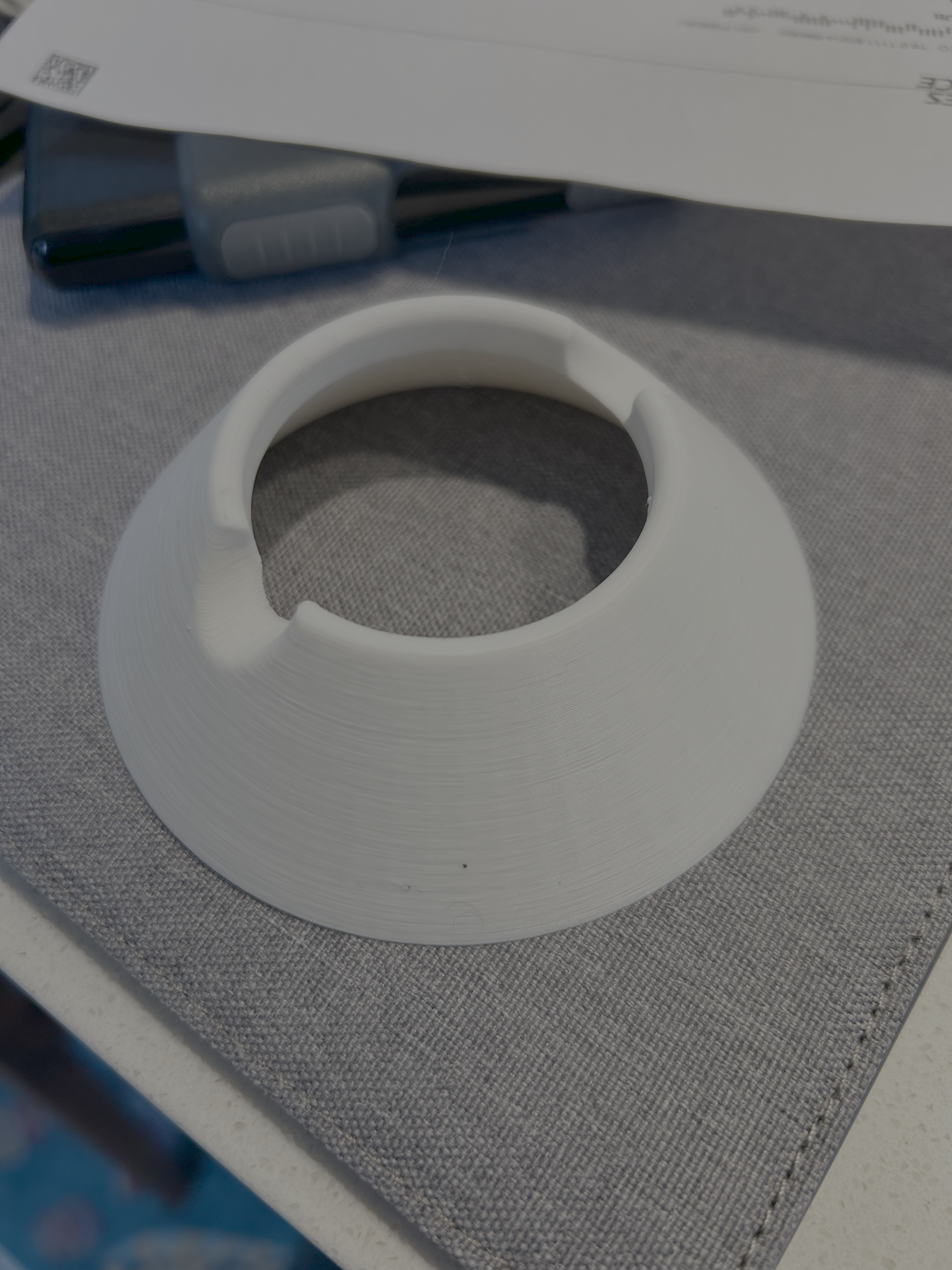
I agree, that filament looks damp but I wonder if the geometry of the part is the biggest issue.
Is that a hollow cone? If so the inner curve has layers barely supported from below and as the tension in the extrusion has a vector towards the centre there is a tendency for the inner extrusions to detach. The simplest fix might just be to invert the part and print upside-down.
Cheerio,

RE: Can't get a good print on this part
How does your printer continue printing after it crashes?