PrusaSlic3r: How to compare printer profiles?
In PrusaSlic3r, I started with the stock MK3 profile. Eventually, I customized that a bit and saved it as my own profile. Yesterday, I finished the MK3S upgrade, and just changed PrusaSlic3r to use the MK3S profile. Is there any easy way to see the differences that my MK3-Custom profile has from the stock MK3 and so that I can apply those to the stock MK3S profile?
Or, if I could just diff my MK3-Custom vs the MK3S stock, I could decide which things to port over.

RE: PrusaSlic3r: How to compare printer profiles?
Save the default profile with a new name, then export a config bundle. Open it in a text editor and you can isolate each profile. A good code editor will let you compare relatively easily. I'm not aware of any better method at present.

RE: PrusaSlic3r: How to compare printer profiles?
"A good code editor"
I would prefer notepad++ with the compare plugin.
Statt zu klagen, dass wir nicht alles haben, was wir wollen, sollten wir lieber dankbar sein, dass wir nicht alles bekommen, was wir verdienen.
RE: PrusaSlic3r: How to compare printer profiles?
Cool, thanks. I'm partial to SublimeText, so I'll use that with a diff plugin.
RE: PrusaSlic3r: How to compare printer profiles?
Cool, thanks. I'm partial to SublimeText, so I'll use that with a diff plugin.
I'm using Sublime Text myself. It works quite well.

RE: PrusaSlic3r: How to compare printer profiles?
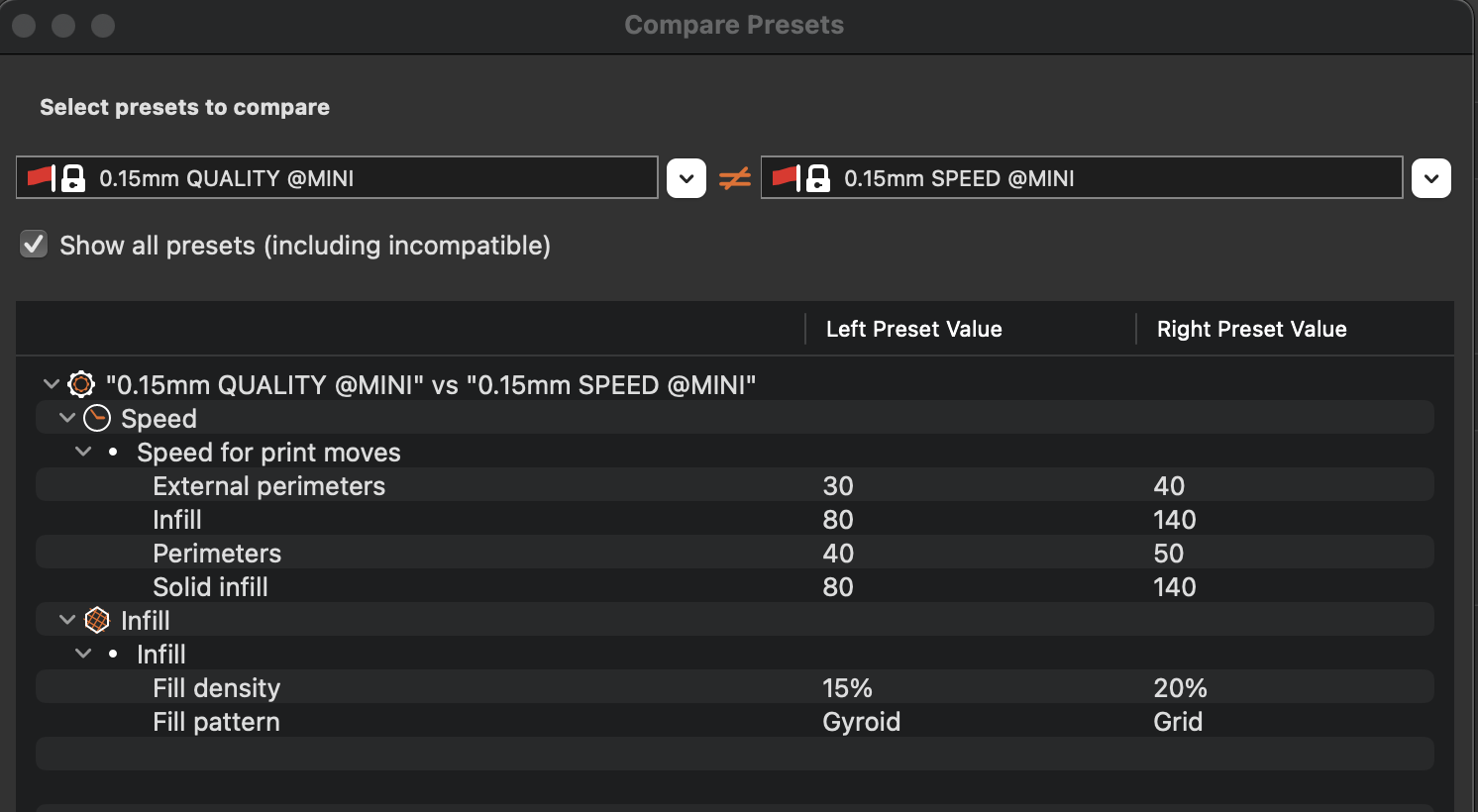
I suppose the dev team added this feature since this thread was last active. While Print Settings is active, click the right most icon in the bar. You can then select two profiles to compare.