
MK4S first layer failure
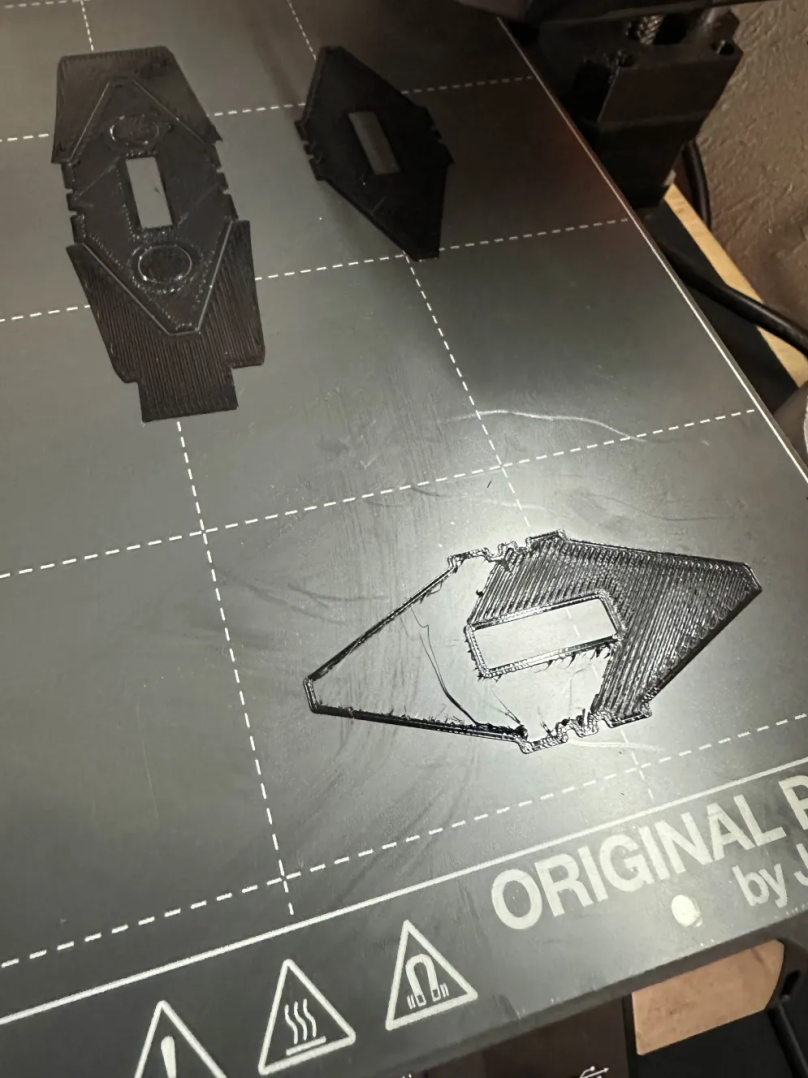
I've had this issue ongoing for the last 3 days now, and I'm not sure what I'm missing here.
Notes posted here:
Day 1:
Set it to stealth mode, adjusted tension screws on idler, unloaded/purged filament. Its a brand new Prusa, factory built, probably happened after I removed the idler screws when I was trying to clear the nozzle/extruder. Just tried purging and unclogging from the bottom for a good 5 minutes, still nothing to get past the first layer.
Day 2:
Attempted cold pull, cold pull didn't fix my issue. I successfully printed out a Benchy, but after attempted to print out the same file I've been trying to print it started failing again.
Day 3:
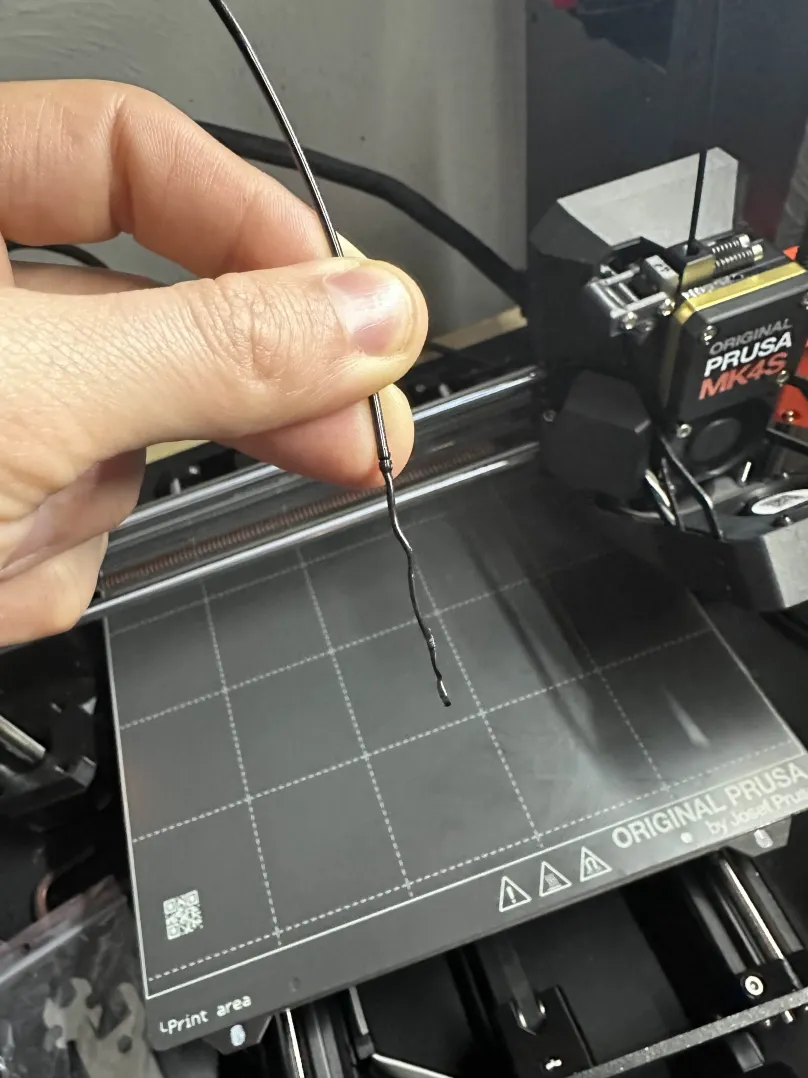
Still having the same issue. I got far into the first layer after heating up the nozzle and using a unclogging needle. Worth noting, nothing got pushed out, I did however pull some messed up filament out. Swapped from Prusa Jet Black PLA to Overture Red PLA. Did a cold pull, check tension on X axis.
Immediately after I got the same results, but I got a little farther into the first layer. Noticed a clicking noise coming from the extruder. Tried a cold pull, filament is currently stuck in the extruder.
I'm leaning towards it possibly being the tension on the idler screws, but I tried tightening it as shown on some of the example pictures which didn't solve my case.IMG_9755 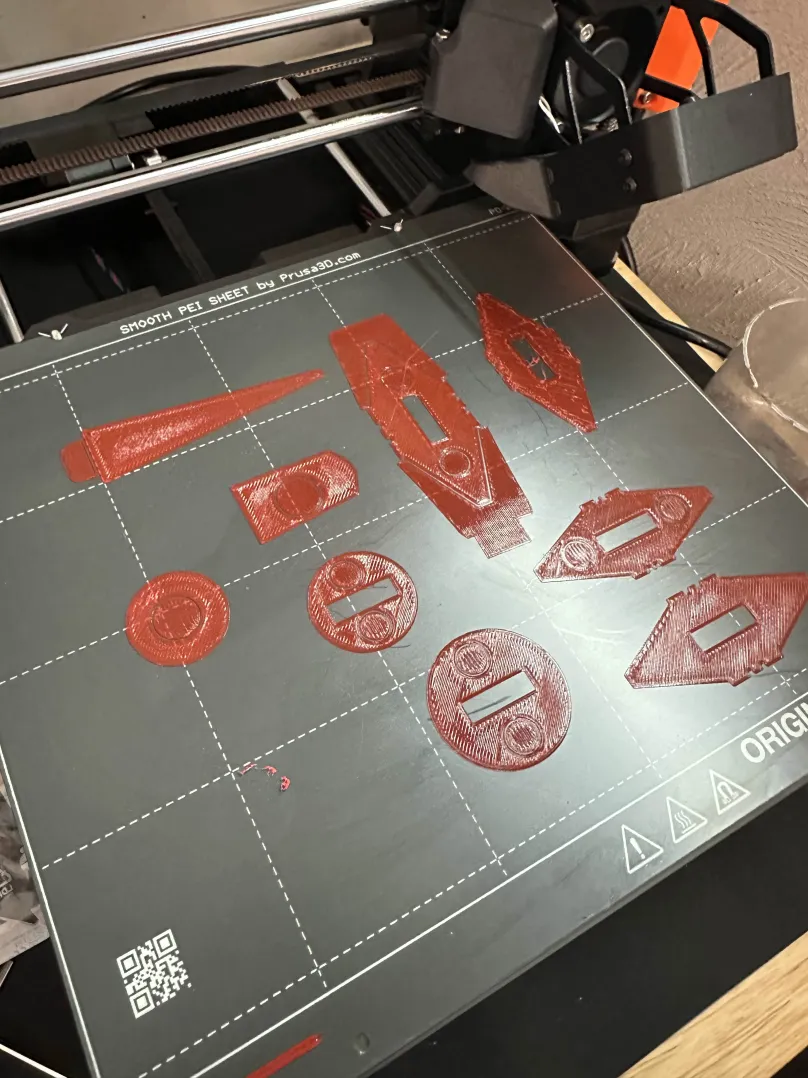

RE: MK4S first layer failure
You can check that the idler level positioning screws are not overtightened.
You can also check that the PG ring is correctly positioned.
https://help.prusa3d.com/article/idler-screw-tension_177367
MK4S / MMU3Elegoo Mars 4 ultra