
Blobs on wipe tower
Iam trying to fix a problem iam having with multi material slicing
iam using a MMU2 modified to run on my custom printer using a duet 2 controller and hemera extruder hotend. i have the tool change macro working pretty good. but iam having problems with blobs on the wipe tower.
it seems to me that it creates the blob when it does the ramming move to shape the tip of the filament
the picture i have attached is when i paused the printer just after the very first tool change before it started printing with the new filament. and you can see the blob it have created
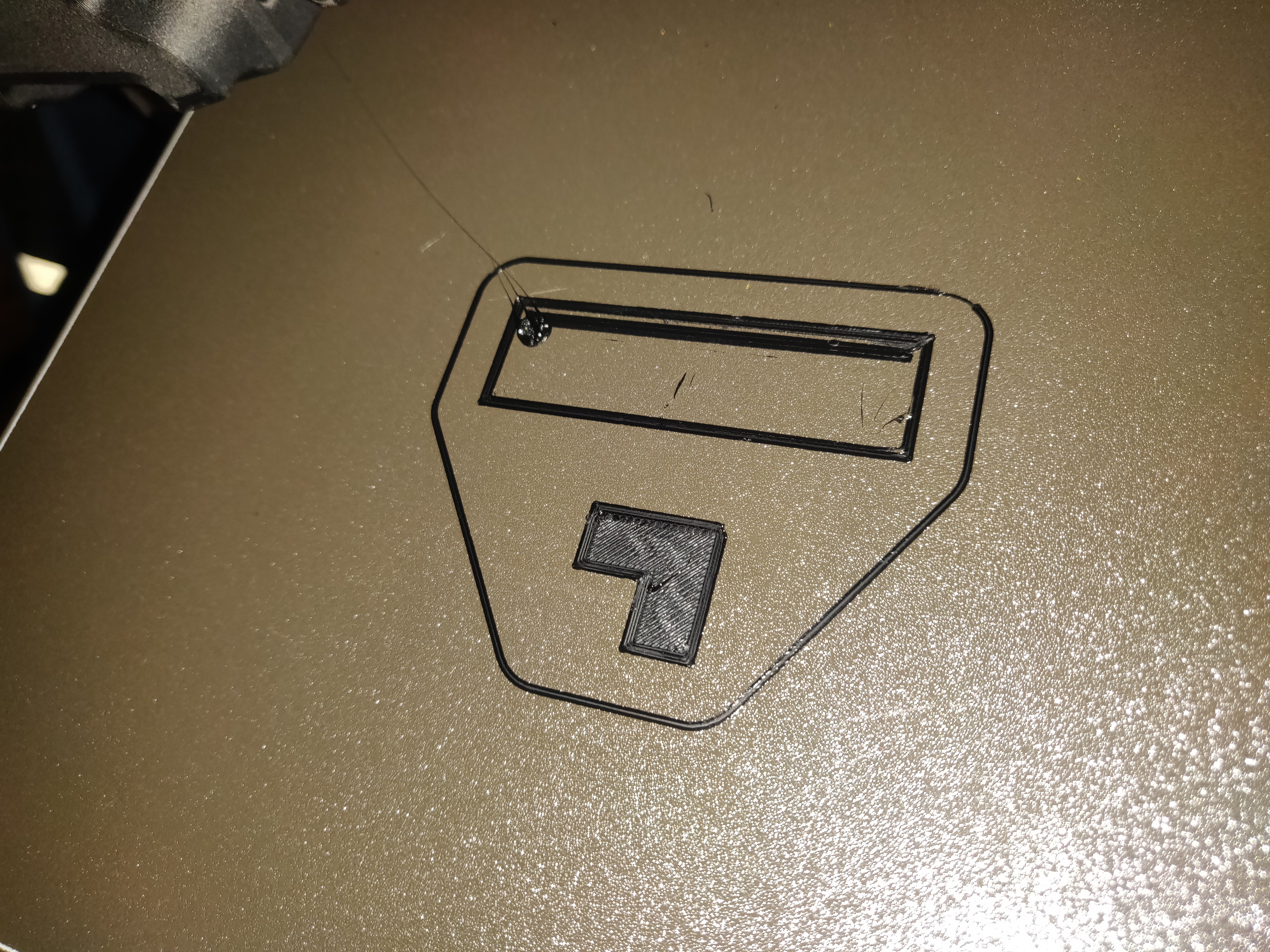
then at somepoint during the print the hotend or fan duct will catch on the blob and knocking the wipe tower of the bed
iam using prusament PETG and the default prusament PETG @MMU2 profile
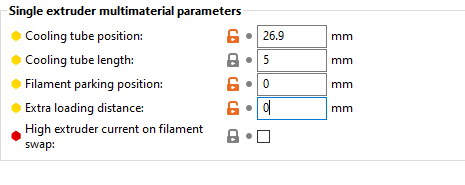
and my single extruder mm setup page looks like this

RE: Blobs on wipe tower
Is that the first layer? it looks a bit rubbish,
possibly too high a negative number...
I would start by sorting that first...
regards Joan
I try to make safe suggestions,You should understand the context and ensure you are happy that they are safe before attempting to apply my suggestions, what you do, is YOUR responsibility.Location Halifax UK

RE: Blobs on wipe tower
Good morning
I have the same problem with a bondtech BMG dragon hotend pheatus mmu2s
does anyone have an idea I can't find anything on google
it only happens on the purge tower
THANKS

RE: Blobs on wipe tower
Any updates on this issue? Blobs on the wipe tower have become a nightmare.

RE: Blobs on wipe tower
I've got the blob too!! Trying to get the hang of inlays and got the blob after a filament change. There is no wipe tower in this print; whereas, I am using a single extruder MM. My skirt height is two layers so I am catching the blob on the skirt instead of a tower. This is my minimal workaround for 2 layer 2 color prints like the one in the picture, but I will need more color changes in the future.
Trying to use a wipe tower on multiple changes, the blob kept coming and would build on the previous blob, eventually causing a crash.
How do we kill the BLOB!!!


RE: Blobs on wipe tower
Two things were causing the blobs for me:
1. On filament change, the nozzle pauses on the surface of the tower.
I added the following tool change g-code to fix it:
G1 Z{layer_z+5} F720 ; Lift Z to avoid formation of blob on tower.
2. The extra loading distance was too high.
After setting it to -60.2 my problems went away. I calculated this by setting it to a really low value (-80), then measuring the distance (in mm) between the start of travel after load and the start of extrusion onto the wipe tower. I multiplied this distance by the rough cross-sectional area (CSA) of the extruded line (line width*layer height) to get the extra volume needed, then divided the volume by the CSA of the filament ((pi*1.75^2)/4) to get the extra length needed. Adding this extra length to the low value (-80) gave me the right setting.
