
Huge Layer Shift (?) Problems With PETG On Prusa Core One +
Hi,
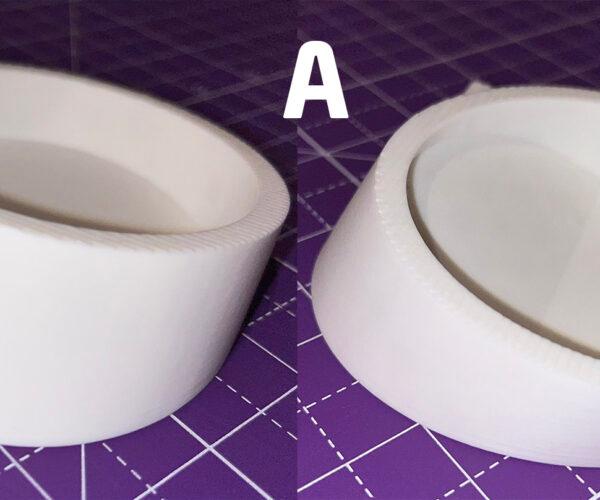
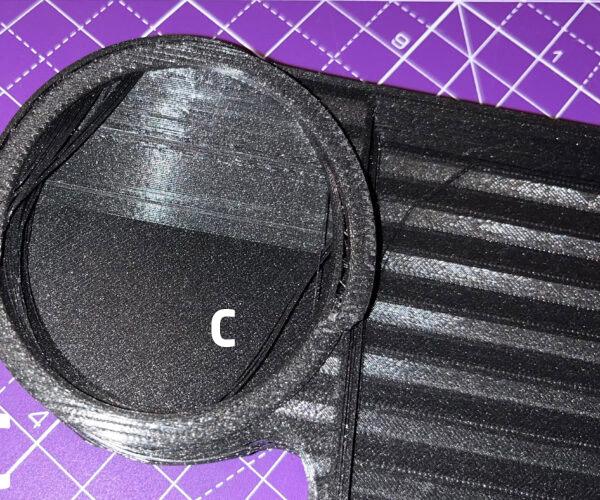
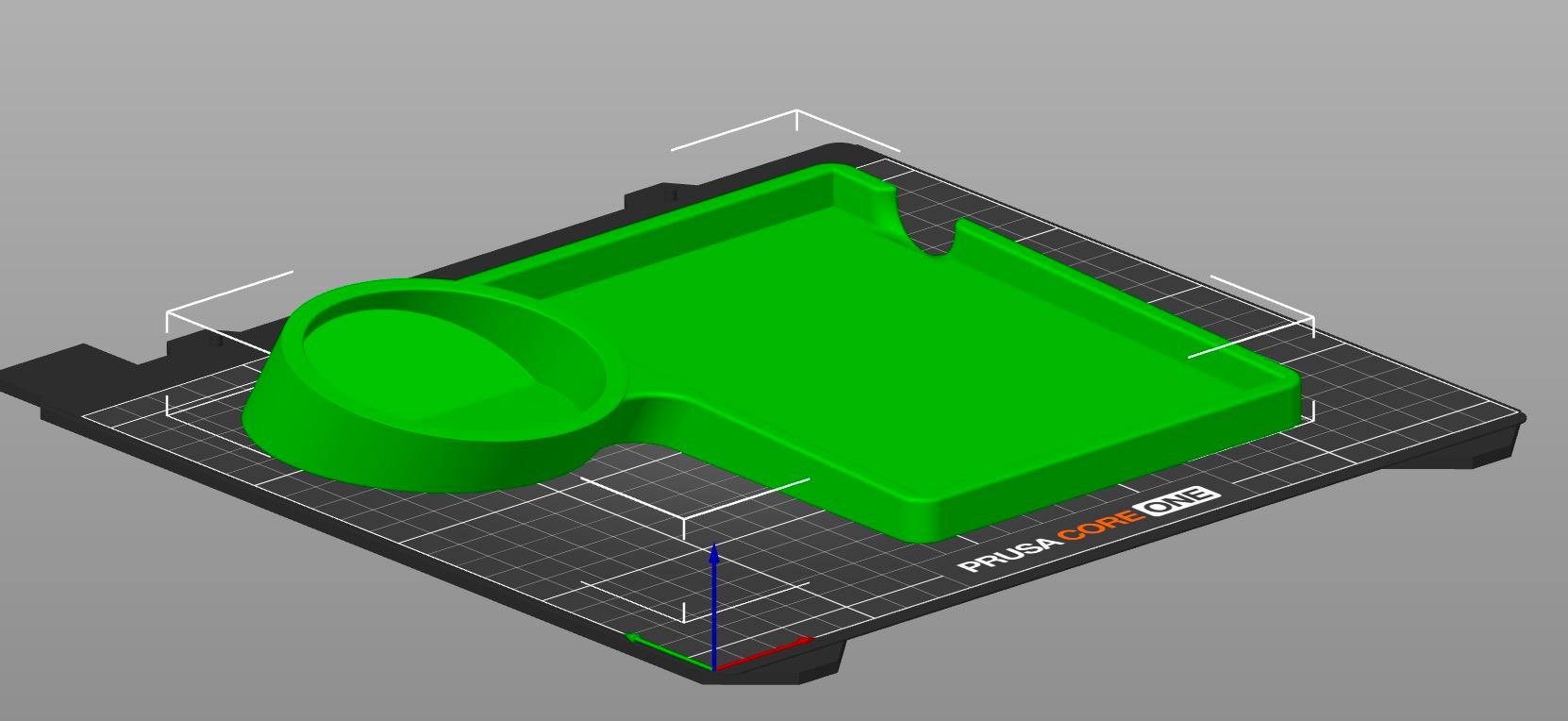
I modeled the attached object using Fusion, exported as STEP file, and sliced in Prusaslicer. Partially printing the object in Elegoo PLA presented no issues (A). Printing the whole object (B) using Prusament PETG, tilted by a couple of degrees to try minimizing staircase effect, and using supports led to huge layer shifts and stringing. Printing again with Prusament PETG but with the whole base flat on the bed using no supports (C) led to exactly the same problems. Shifted layers appear to always be parallel to bed. I have printed other objects, even taller cylindrical ones and had no issues. What am I doing wrong? There were no issues with test print (A) so I am clueless, specially since this is my first printer. Could this be a Fusion or a Prusaslicer issue? What am I doing wrong? Please help.



[FOLLOW-UP] : Huge Layer Shift (?) Problems With PETG On Prusa Core One +
Forgot to mention: (B+C) objects were printed with 0.4 HF nozzle at about 85% print speed, 12% gyroid infill

RE:
- Do your belts have proper tension?
- Manually move the print head to the back right corner. Is the main cable and PTFE getting caught between the printhead and the x-motor?
- Also, for very large parts it is possible it warped off the bed, the print head collided with the print and shifted
- The part came loose from the bed due to a collision, shifted slightly, then reattached.
RE:
1. Not sure. Printer arrived assembled. Not many hours of use until now... perhaps about 50 - 60 hours. But if that were the case shouldn't I be having problems with other models as well? Particularly taller ones?
2. No issues.
3/4. There are no signs on the base of this having happened, particularly no marks on the sheet. Distance to skirt is the same all over the model's perimeter.
I just printed two small sections again, but this time with Prusament PLA, one of the sections at the full height of the model (the cylindrical part). Sections printed perfectly. I am currently printing the whole model again but with PLA. I will post the results once the print is finished.
Forgot to mention initially that filament spools are inside a heated Creality Space Pi Filament Dryer with humidity showing at about 13%.
[UPDATE WITH PLA] RE: Huge Layer Shift (?) Problems With PETG On Prusa Core One +
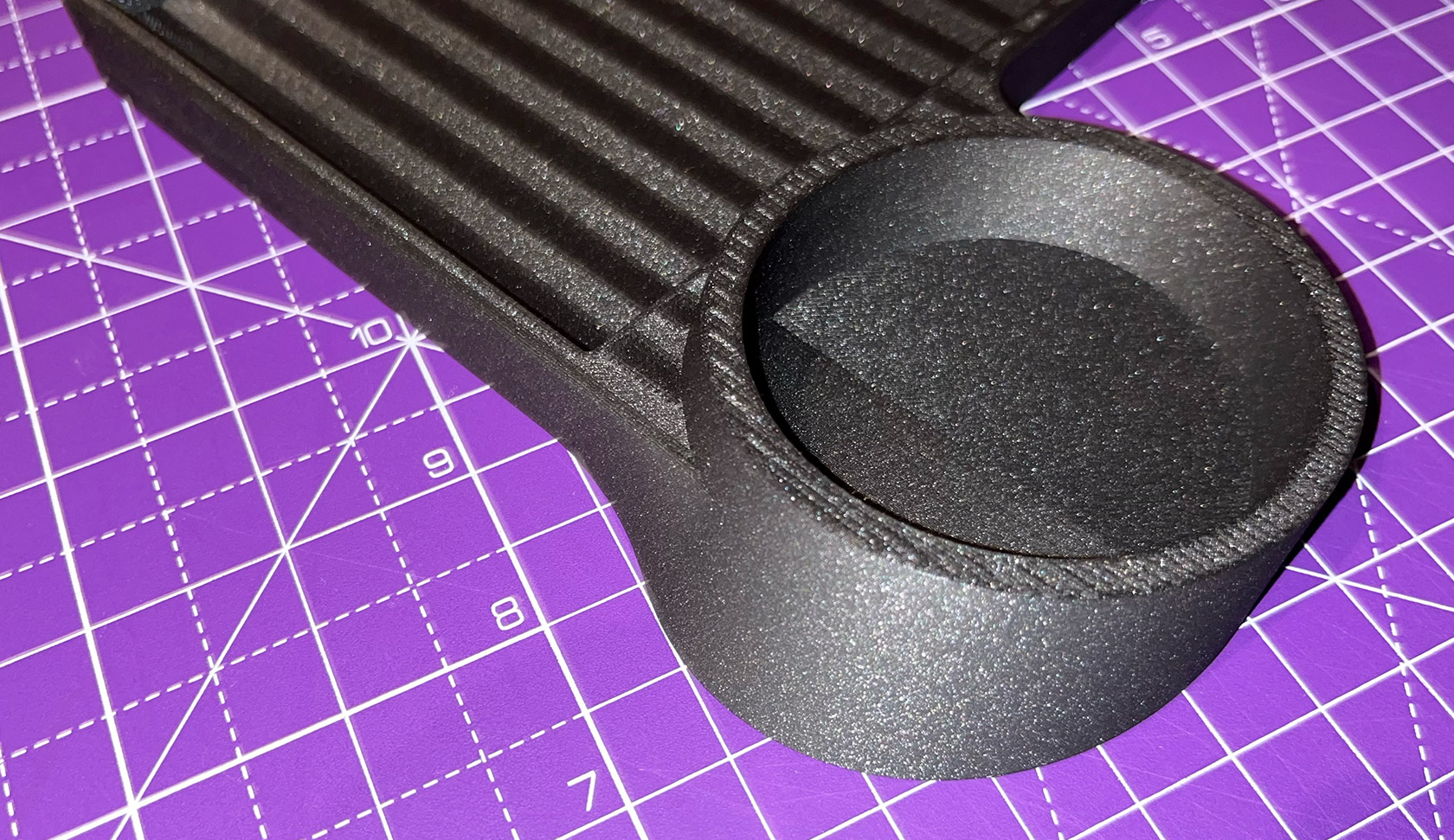
So I was able to print with Prusament PLA and the layer shift and stringing problems disappeared. There was warping on 3 corners though. I guess I should have used the Core One PEI Sheet instead of the Satin one (?). Probably should have printed with a Brim as well (?) and maybe lowered the printing speed to even lower than 85%. Sheet was cleaned with isopropyl alcohol though.
Still don't understand why I am unable to print this model with PETG. Two failures in a row seems more than just a coincidence. Any thoughts that can help me understand what the issue is?

RE: Huge Layer Shift (?) Problems With PETG On Prusa Core One +
Forgot to mention initially that filament spools are inside a heated Creality Space Pi Filament Dryer with humidity showing at about 13%.
You don't need to be so strict about drying PLA. It's not that hydroscopic. Once the spool is dry it will stay dry for a long time.
RE: Huge Layer Shift (?) Problems With PETG On Prusa Core One +
Got used to using it for both PLA and PETG which are the only filaments I have printed with. Since I noticed a big decrease in stringing I just kept using the dryer anyway. Thanks for the tip though.
RE: Huge Layer Shift (?) Problems With PETG On Prusa Core One +
PETG if it's stored in a dry box can last many months before you need to dry it again. I don't even bother putting PLA in a dry box, leave it sitting out and it prints just fine. I don't live in a very humid environment so there is that.

RE: Huge Layer Shift (?) Problems With PETG On Prusa Core One +
If the layer shift occurs always at the same point in the print, it might be a software issue. In your Print settings in PrusaSlicer, do you have Layers and perimeters > Quality > Avoid crossing perimeters enabled by any chance? That option appears to be buggy in recent PrusaSlicer versions. It can generate Gcode with impossible moves -- very rapid accelerations and movement speeds which the print head cannot physically execute, leading to step loss.
RE: Huge Layer Shift (?) Problems With PETG On Prusa Core One +
Hi,
Yes, I actually did have "Avoid crossing perimeters" enabled. I had used it before but in simpler objects. When I changed to PLA, which did have some warping but no longer had the same layer shifts as PETG, I disabled the "Avoid crossing perimeters". I will avoid using this option for now and see what happens. Thanks.

RE: Huge Layer Shift (?) Problems With PETG On Prusa Core One +
Also, for very large parts it is possible it warped off the bed, the print head collided with the print and shifted
Every occurance of layer shifting I’ve suffered (about 4/5 times) has been because of this.