
RE: Core One crash/restart
I'm feeling confident that Prusa did no real world testing with the C1L, only in house. All of their reviewers are still receiving the printer. I'm finding dumb stuff that should have been noticed. Like the cable/ptfe support arm is held by a post with a tension cap on both ends, didn't take long for the arm to drop, allowing the ptfe tube, which was installed wrong to hit the top of the fan housing, as the arm moved. I fixed the tube and then the wire harness was hitting, replacing the post with a real M3 and lock nut solved the issue, keeping the arm in alignment.

RE: Core One crash/restart
Juste to give a fast feed-back, since I fix the ground problem of both motors, I never had the reboot! it was the problem. Every onw must do the modification!

RE: Core One crash/restart
Had today morning the same problem, got mine 2 weeks ago. The first "larger" print, had 4 reboots, luckily found this thread and measured the resistance from the X-Motor, which was not good. So this afternoon i brought serrated washers (Fächerscheibe in german) installed them and now the resistance seems good. Will see it when i print the same file from today morning again.
But thanks for the people that found this problem 😀 👍

RE: Core One crash/restart
Have been struggling with this issue for months. This fixed worked for me. Thank you for all who worked through this and did the troubleshooting. Yall are legends

RE: Core One crash/restart
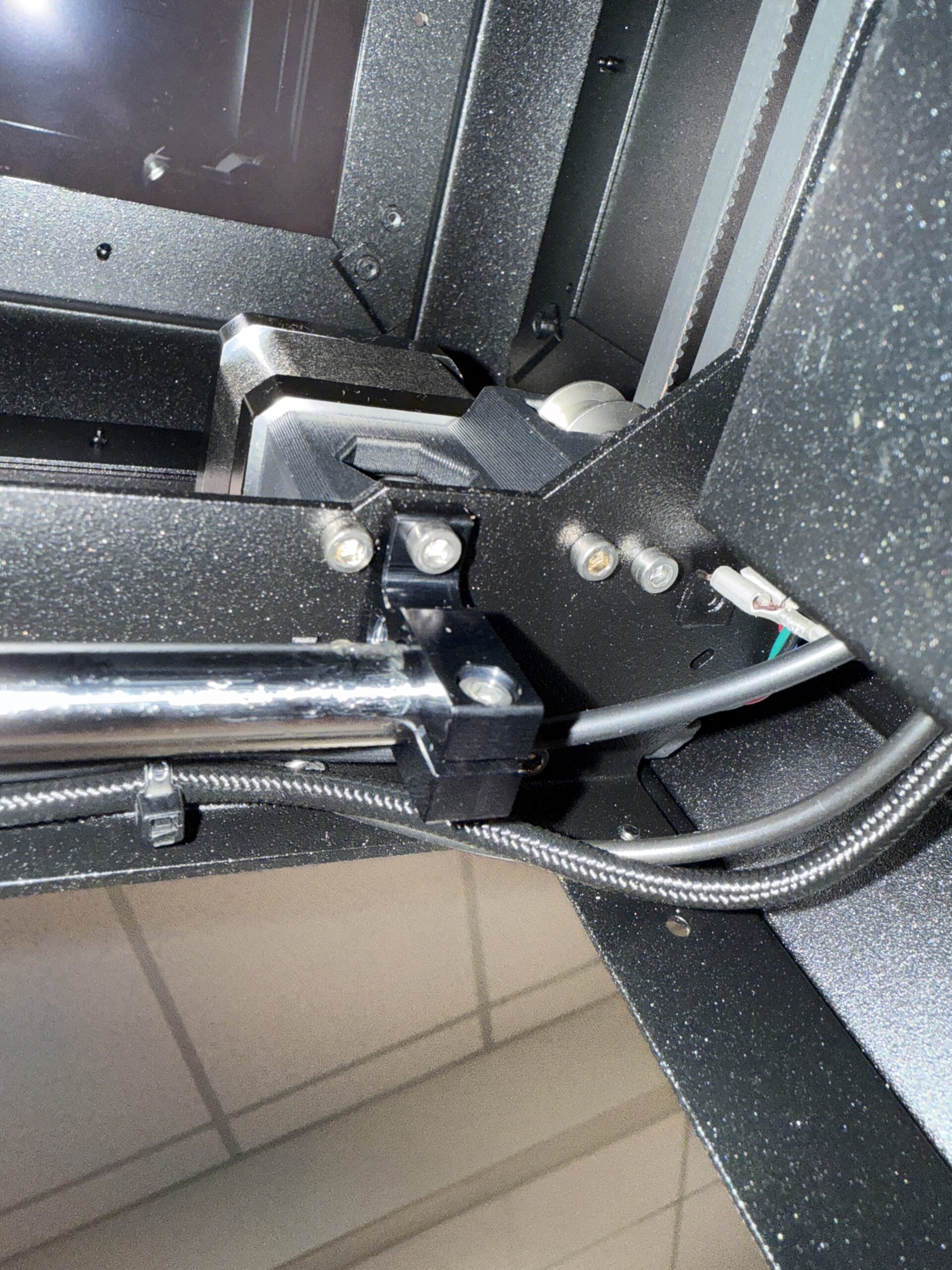
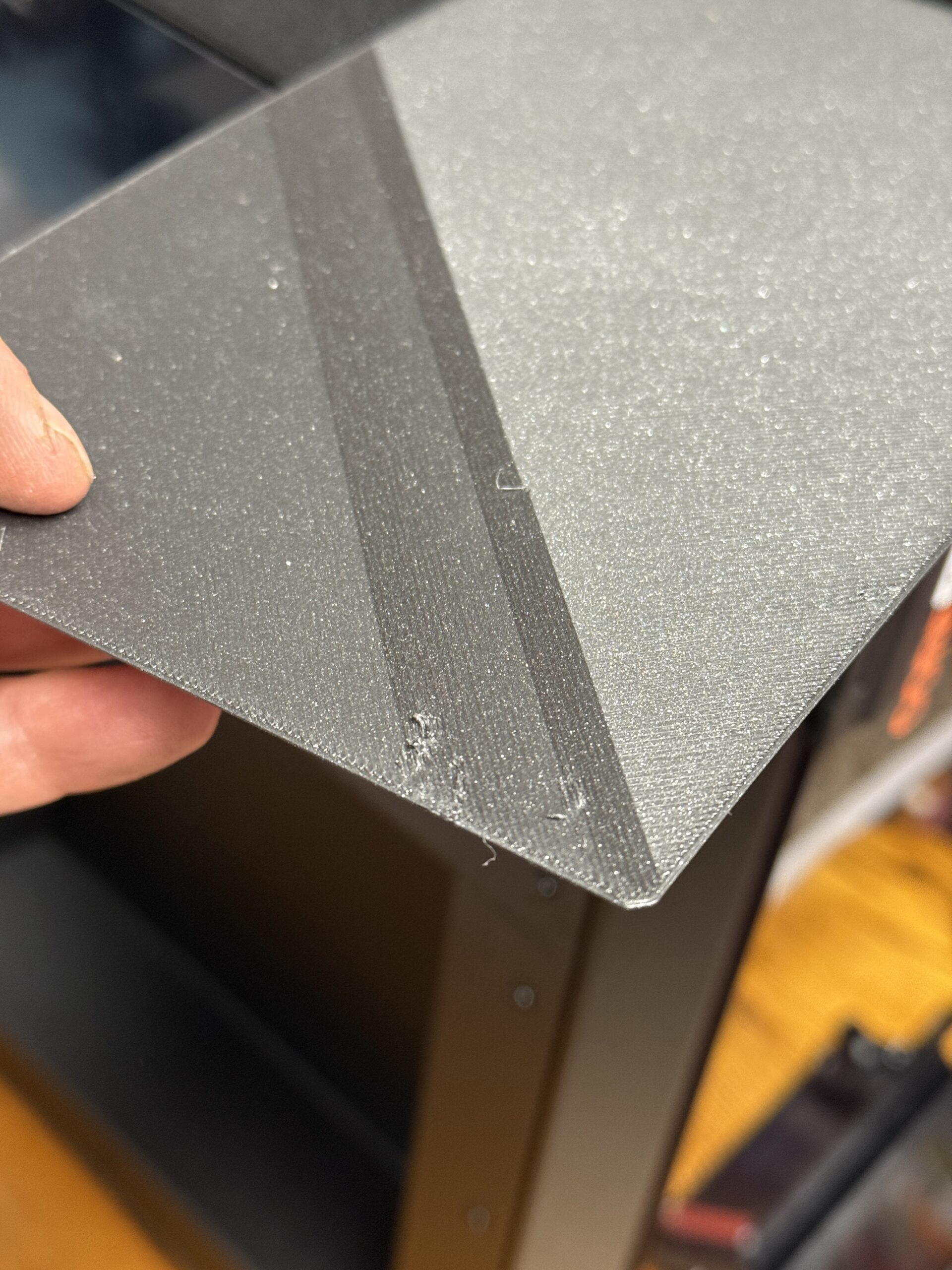 Picked up an assembled Core One the week of Christmas and it had been running perfectly (other than having to pay extra for a camera and hardened nozzle). The first large surface area print (9.75 hours) failed 3 times in the first 20 minutes. Thankfully I was near but had planned to leave the printer running over night…. I took off the left panel tonight and can confirm the left motor was not grounded at all.
The issue is this a longer shoulder bolt, so it nearly passes through the frame and threads into the motor. So the flat under the head is the easiest and more straight forward way to ground. Used a flat drill bit for a couple revolutions to clear the coating and confirmed it was grounded. Hoping this fixes the issues and will report back.
This is a design miss and I was so pumped because my printer is in a finished (carpeted) basement and I’ve been having to ground myself before I touch my MK3 for 3 years. So fingers crossed the Core One is back in action tomorrow.
Picture after modification, can’t even tell… other than with a multimeter. And picture of the print that was causing the rebooting.
RE: Core One crash/restart
Reran the same g code and it printed flawlessly. Ran a few other large files without issue. It appears that grounding was the issue. Solved thanks to the folks here.

RE:
I have had a Core1 since late November 2025. For the most part been very satisfied, although a few challenges with the MMU3 to get the hang of it vs running without the MMU3. My Core1 was factory assembled , and I had to build the MMU3 from the Prusa kit of parts which was a bit of fun but time consuming to do it properly and carefully.
Initial prints were fast and super satisfying.
In the past 2 weeks I noticed my prints degrading with resonance symptoms wavy lines, and also very regular crash reboots (with 10 beeps)
I discovered the resonance lines were due to the entire print head being loose on the gantry linear rail carriage , this must have worked loose. I tightened the cap screws to fix it to the carriage properly and then did the belt resonance tightening and gantry alignment.
The reboots continued and I did a number of actions incl connecting to aa better wifi network in our building, checking all connectors I could within the printer, fw was already up to date. No better.
Although the room humidity is reading about 55% I did take the warnings about static seriously. I reduced my print speeds but that didn't help.
Today I removed a stepper motor screw off each motor and removed the power coat back to bare metal as recommended.
Voila! Printer seems stable at this stage , fingers crossed this issue is sorted.
Thank you to the clever folk who troubleshooted and recommended this adjustment. I am a little bit disappointed that Prusa let this sort of issue slip through on a relatively pricey , albeit "Prosumer grade" machine.
Have any other folks had problems with factory assembled machines and loose gantry carriage screws ? Or other issues ?
Thanks, Richard
RE: Core One crash/restart
Thanks all,
I was having an issue with a print, Core1 kept rebooting, this was after a few months in. I upgraded firmware and replaced the nozzle, but the grounding appears to have solved the issue. (Just running another print now, fingers crossed!). Before the firmware upgrade I was getting actual error messages, including stuff about Puppy's. After the upgrade it just rebooted.
I've not gone through the whole history of the thread though to see how you all worked out how to solve it.
The only extra thing I wanted to add was that before failure / shutdown, I was getting communication errors to the camera and printer. Printer was sporadically appearing offline.

RE: Core One crash/restart
My brand new Core One seems to suffer from this issue.
Have been printing for a couple of weeks with no issues but suddenly the restarts happens. Its great that the printer continues when it comes back though.
So, today im going to try what have been suggested here. Bad thing is that We live in an old apartment with grounded outlets only in the kitchen and bathroom, so need a long grounded extension to the kitchen also.
My old MK3S have never ”complained” using an ungrounded outlet.
Cold regrads from Sweden.
---
Gert
RE: Core One crash/restart
My old house haven't ground, neutral and ground are together in many outlet and it works.
I think it's more important to have motors relied to the rest of the chassis of your core one
RE: Core One crash/restart
Very good. Thanks for this info.
Ill try without the extension cord first then.
---
Gert

RE: Core One crash/restart
Bad thing is that We live in an old apartment with grounded outlets only in the kitchen and bathroom, so need a long grounded extension to the kitchen also.
Note, the "long grounded extension" can potentially kill people.
I'm not familiar with Swedish post-war building code but I suspect the underlying logic is the same: In a room where an earth connection is present - water pipes - grounded wall sockets are mandatory. In other rooms the protective ground was omitted because touching a live wire alone does nothing. That is, an electric fault - say in a lamp - wouldn't be noticed even if the lamp case carries mains voltage.
The situation changes dramatically with the "long grounded extension".
A few years ago there was a case in the news where "new ground" came into an old building in the form of a modern central heating. The owner of the lamp found out the hard way, didn't live to tell the story.
So better think this through...
RE: Core One crash/restart
In not sure I understand your reply fully.
What could be the danger to use a grounded prolonging cord from a grounded outlet and connect the printer powercord to that?
Its just as connecting the printer cable directly to that outlet. Or….?
Maybe my bad english led you thinking that I would pull only a ground cable from the kitchen outlet to the printer.
This is not the case, a bought grounded 220vac prolonging cable.
---
Gert
RE: Core One crash/restart
Hi,
>> We live in an old apartment with grounded outlets only in the kitchen and bathroom
If any electrical applicance is faulty, e.g. a lamp exposing the live wire to the case, you may not even notice that you touch the live wire (as there is no ground). This was deemed "safe enough" in post-war years.
If you bring the Core one into the same room with a grounded cable, then touch lamp and core one simultaneously (as fate usually has it, one hand on either with the heart in-between) you have a potentially lethal situation.

RE: Core One crash/restart
My old house haven't ground, neutral and ground are together in many outlet and it works.
I think it's more important to have motors relied to the rest of the chassis of your core one
Note: Please do not purposefully connect your neutral and ground within an outlet. This is exceedingly dangerous. Ground and Neutral should only be bonded (at least in the US) at the main service panel.
If you have a need for a grounded outlet somewhere that a ground isn't available, a GFCI outlet can be used for this purpose (along with an appropriate sticker saying "No Equipment Ground".
If this doesn't make sense, hire an electrician.
That said, I don't believe this issue is related to grounding to outlet so much as providing a path for static buildup to discharge to the chassis instead of through the buddyboard/controller.

RE: Core One crash/restart
That said, I don't believe this issue is related to grounding to outlet so much as providing a path for static buildup to discharge to the chassis instead of through the buddyboard/controller.
That is precisely why this thread was started. It has to do with static discharge from the belts making back to the buddy board via (maybe) the door switch.
RE: Core One crash/restart
That said, I don't believe this issue is related to grounding to outlet so much as providing a path for static buildup to discharge to the chassis instead of through the buddyboard/controller.
That is precisely why this thread was started. It has to do with static discharge from the belts making back to the buddy board via (maybe) the door switch.
RE:
Note: Please do not purposefully connect your neutral and ground within an outlet.
It's OT, this used to be legal in my corner of the woods but not anymore.
When it works as expected, it's electrically near-indistinguishable from three-wire protective earth.
The real catch is that if a single cable in the installation breaks, we have a 50 % chance of exposing live voltage to an appliance's protective ground cover (through the applicance's resistance but that's almost a short circuit, as far as "human light bulbs" are concerned ...)

RE:
Hello, can static electricity build up if the belt rubs against a cable tie? In my case, the upper belt rubs against the cable tie that's attached to the fan bracket of the chamber ventilation system to hold the cable of the chamber temperature thermistor. It's directly above the center Z-axis. The core one is factory build.
RE:
... can static electricity build up if the belt rubs against a cable tie?
Yes ("Van-de-Graaf generator"). Most of the time, nothing happens. And it's not even easy to build one of those on purpose (humidity is a strong factor). But if voltage starts to builds up, the sky is the limit. Unless grounded.
Even loose fibers from the edge of the belt can be problematic, acting as brushes.