
RE: Core One crash/restart
Also can confirm I had this issue when printing a specific model. My printer had no continunity between either X or Y motors and ground. Removed some of the powder coating under one of the screws for each motor. They are now grounded and the issue has gone away. Very thankful I found this post. Thanks!

RE: Core One crash/restart
My gut says the arc happens from the belts to the front door switch cabling via the left front pulley screw. My reasoning? The motor control electronics are designed to handle lightning bolts, so a simple arc from the belt to a motor winding is "probably harmless" in the reboot sense. On the other hand the logic input to an IO port is generally not that well protected. If someone were really interested in finding the root cause, a scope looking at the door switch would be easy to do (I was too lazy to drag out my scope to look).

RE: Core One crash/restart
whatever the path the dischage takes, the engineers at Prusa -if they ever get this kind of feedback- should simply put a few grounding points in the next hw revision... or at the very least, update the assembly instructions. It would be interesting to know if this has been fixed in the Core One L...

RE: Core One crash/restart
First of all, thank you so much to everyone who took the time to identify the problem and find a solution.
The solution may not meet the technical support requirements, but the proposed solution is neat and easy to implement and it really works.
I hope Prusa is aware of this thread and fixes the problem in future hardware revisions.
Let me add a possible 3rd one: if the OP was walking on a surface that loaded him with static and he touched the printer when installing the plate... zzap! Same effect as the motor one build with the charge coming in from outside. I managed to do this once on my mk4s ... after that, especially on dry winter days, touching some grounded object before the printer became routine...
Btw, this has happened to me a few times. I've been using that same routine for a while now.

RE: Core One crash/restart
Just found this thread. Very interesting discussions!
Waiting for my first prusa, a Core One L, so naturally wonder the same. Unless someone with an actual machine can jump in and answer already I will try to come back as soon as I get it.
whatever the path the dischage takes, the engineers at Prusa -if they ever get this kind of feedback- should simply put a few grounding points in the next hw revision... or at the very least, update the assembly instructions. It would be interesting to know if this has been fixed in the Core One L...

RE: Core One crash/restart
I checked the ground in the back left corner of my printer against the bottom of my motors where they meet the printed part and both had ground. is this sufficient?

RE: Core One crash/restart
I checked the ground in the back left corner of my printer against the bottom of my motors where they meet the printed part and both had ground. is this sufficient?
Yes, that should prevent this issue from occurring. I assume your printer is pre-assembled? Out of curiosity, when did you get it?
RE: Core One crash/restart
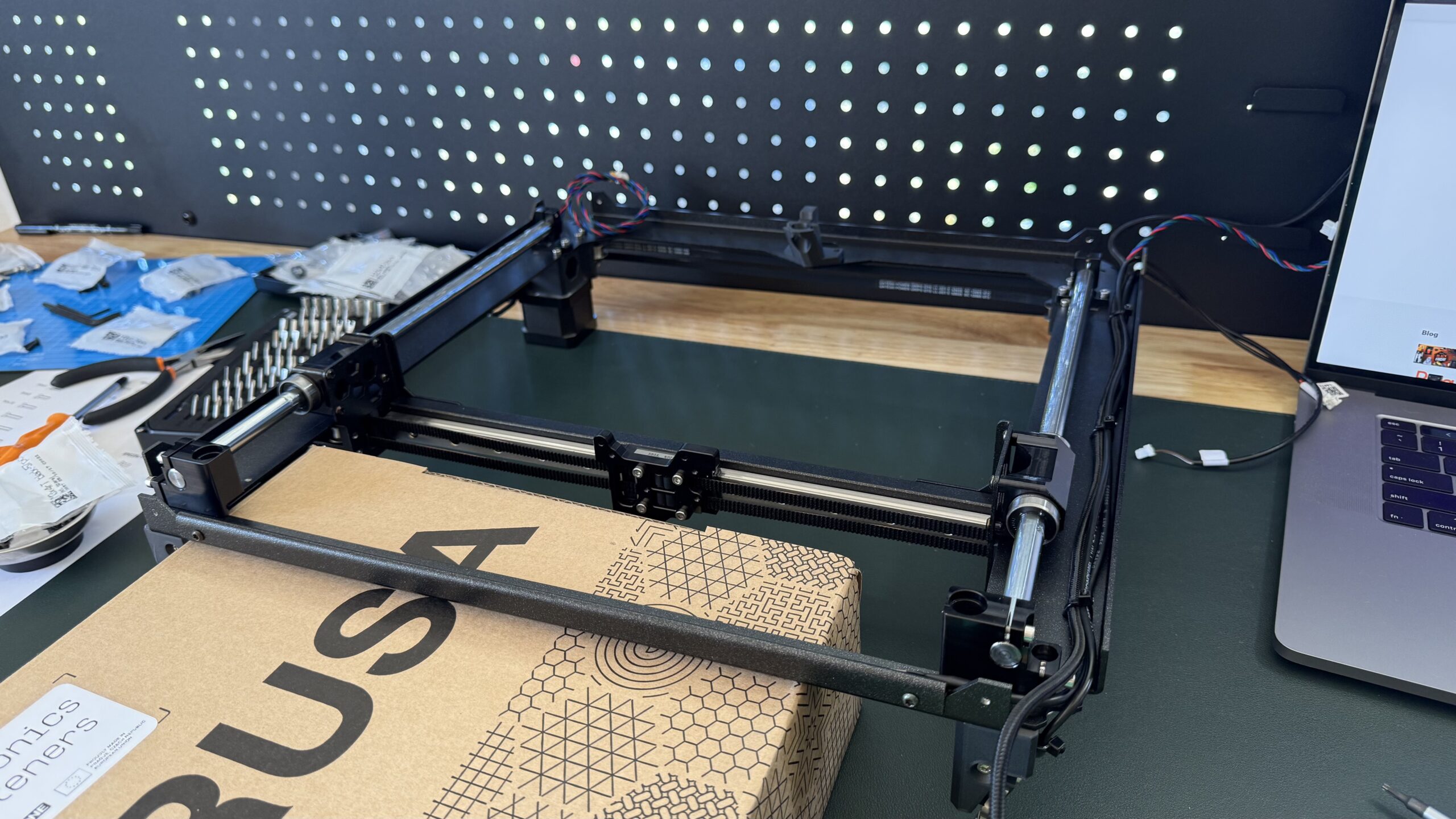
no I assembled it from a kit. it was shipped to me on 10/30 and it took a bit to assemble to completion as I had to wait on a bunk trapezoidal nut to be shipped that got lost for a bit.
here was quick pic I took during core x/y assembly. I believe this is the only one I have of it where it's out of the printer.

RE: Core One crash/restart
I checked the ground in the back left corner of my printer against the bottom of my motors where they meet the printed part and both had ground. is this sufficient?
I may have misunderstood -- but to have the motor grounded, it must be screwed to the CoreXY frame, through the mounting blocks. In that state, how did you measure at the bottom face of the motor, which is resting against the printed mounting block?
RE: Core One crash/restart
there is an extremely small unpainted lip there that I just held up against directly where the parts meet.
RE: Core One crash/restart
there is an extremely small unpainted lip there that I just held up against directly where the parts meet.
Ah, ok, that makes sense. It is also fine to measure at one of the screw heads which hold the motor against the CoreXY frame, which might be more easily/reliably reachable. The four screws all make solid contact with the motor chassis, but may be isolated from the CoreXY frame by its paint layer.