
Continued layer shift issues
Despite doing all the fixes found in forums I’m still having layer shift problems.
but only in very specific situations. Otherwise this printer produces the best prints I’ve ever done.
Layer shifts are only in circular or curved objects. (print same objects but converted to flat sides - perfect print.
Only occur when doing multiples of the object - print same objects one at a time -perfect prints
( but if do a single object with two towers - shifts in the towers but never in the single object part of the body of the object )
Background:
kit assembled, only about three weeks old latest software etc
mmu3 now attached and works great in normal situation - but layer shifts occurred in both with and without ( pre and post adding the mmu3 and also if I print multi or single colour or disable the mmu3.
belt tension appears correct using to tensioning app,
gantry frame absolutely square ( I went to measures to square it at time of build and then again when trying to fix layer shifts)
Avoid crossing perimeters disabled,
shifts are in the x axis occurs with any filament.
when shifts occur - shifts always in same direction and usually about a half or third of the diameter of the object and usually multiple steps. Doesn’t ever jump back toward original object position.
originally seemed to be at any layer but last few times seems to be near end of print.
given that it’s only in specific situations and others are absolutely perfect prints I get the feeling ( maybe I’m wrong here) that the mechanical situation is ok and that its software related to the specific object shapes.

RE:
Most likely it's the print head getting stuck somewhere.
- Does it correlate with using the back left corner of the print bed? => umbilical getting jammed between head and X-axis motor. See "chopstick mod" or other similar threads on the web.
- Head getting stuck on the wipe tower but you said it fails also in single-color prints
- Overextrusion
Are you sure shifts are "X axis" only, not diagonal? That would mean both motors skip the same number of steps. Which seems unlikely, unless running into a "precise", hard obstacle like the end stops.
RE: Continued layer shift issues
thanks for the response
the situation is that it’s only if the object is circular or at least curved outer skin. I printed other rectangular objects and printed them in the same spot on the print plate. No problem. So the print head was in the exact same places and prints perfectly.
it’s only when circular objects that it layer shifts.
I have to say that now I’m not so sure about pure x axis or if there was a partial component of x and y. I’ll print some more to be sure. There is definitely predominantly x axis shift toward the left side of the print plate.
RE: Continued layer shift issues
Sure - if it turns out to be a software issue, that's it, can't fix it in the hardware. And the "diagonal" vs "principal axis" layer shift is on the border between science and astrology - don't read too much into the oracle 🙂

RE:
I have a very similar problem. I finished my kit assembly last week. The first prints looked great. Until I printed a lampshade (round) in vase mode. At a height of about 5 cm, the circle kept shifting.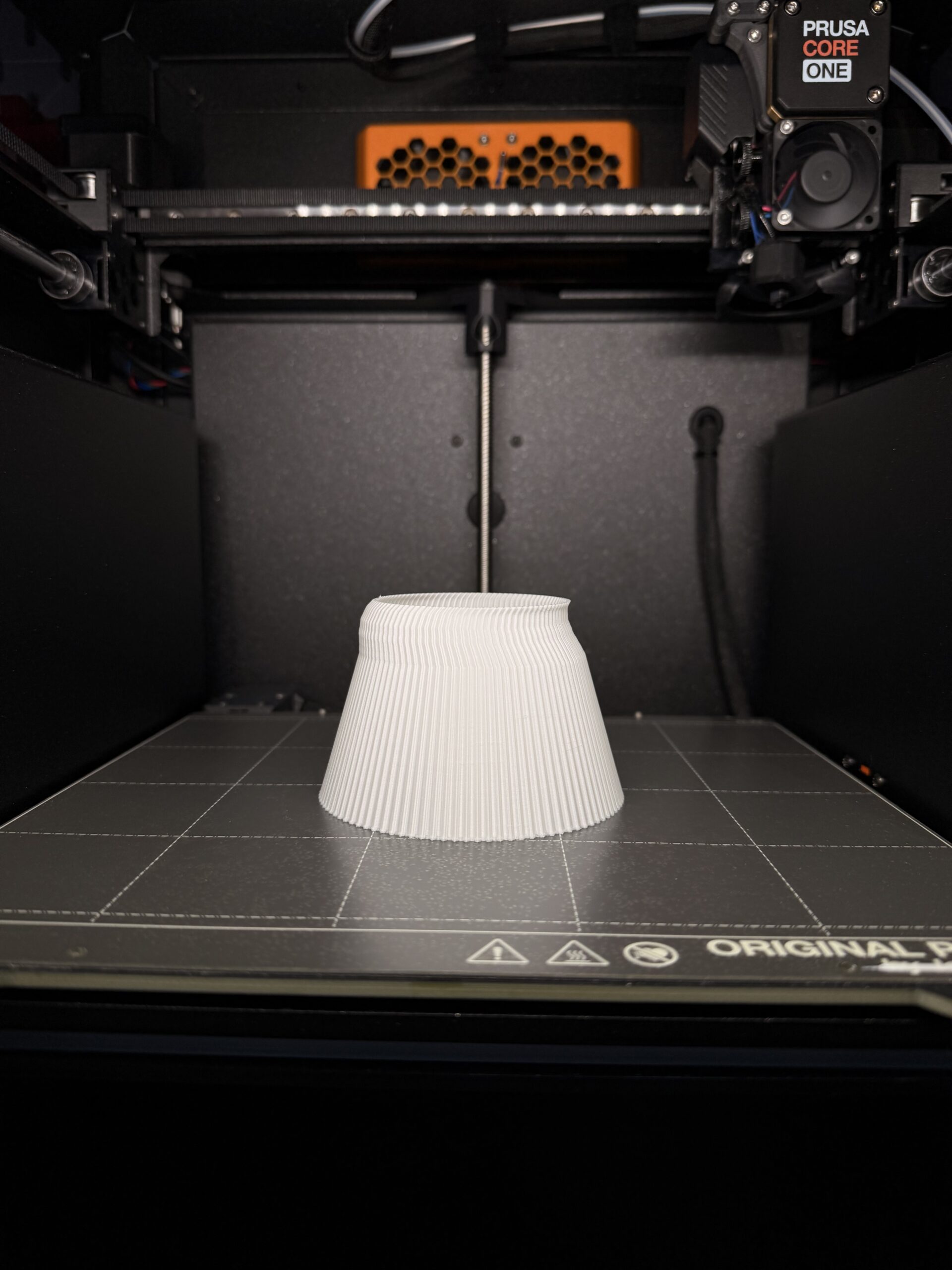

I then printed a square, more than 20 cm high, and the print was perfect. The next morning, I adjusted the belt tension again, and the values were perfect. I then printed another square column in vase mode, and again it was great. Then I tried the lampshade again – same problem. I made the lampshade smaller – same problem. Today I printed a large filament box, almost 8 cm high, and again it was very good (for a fast print).
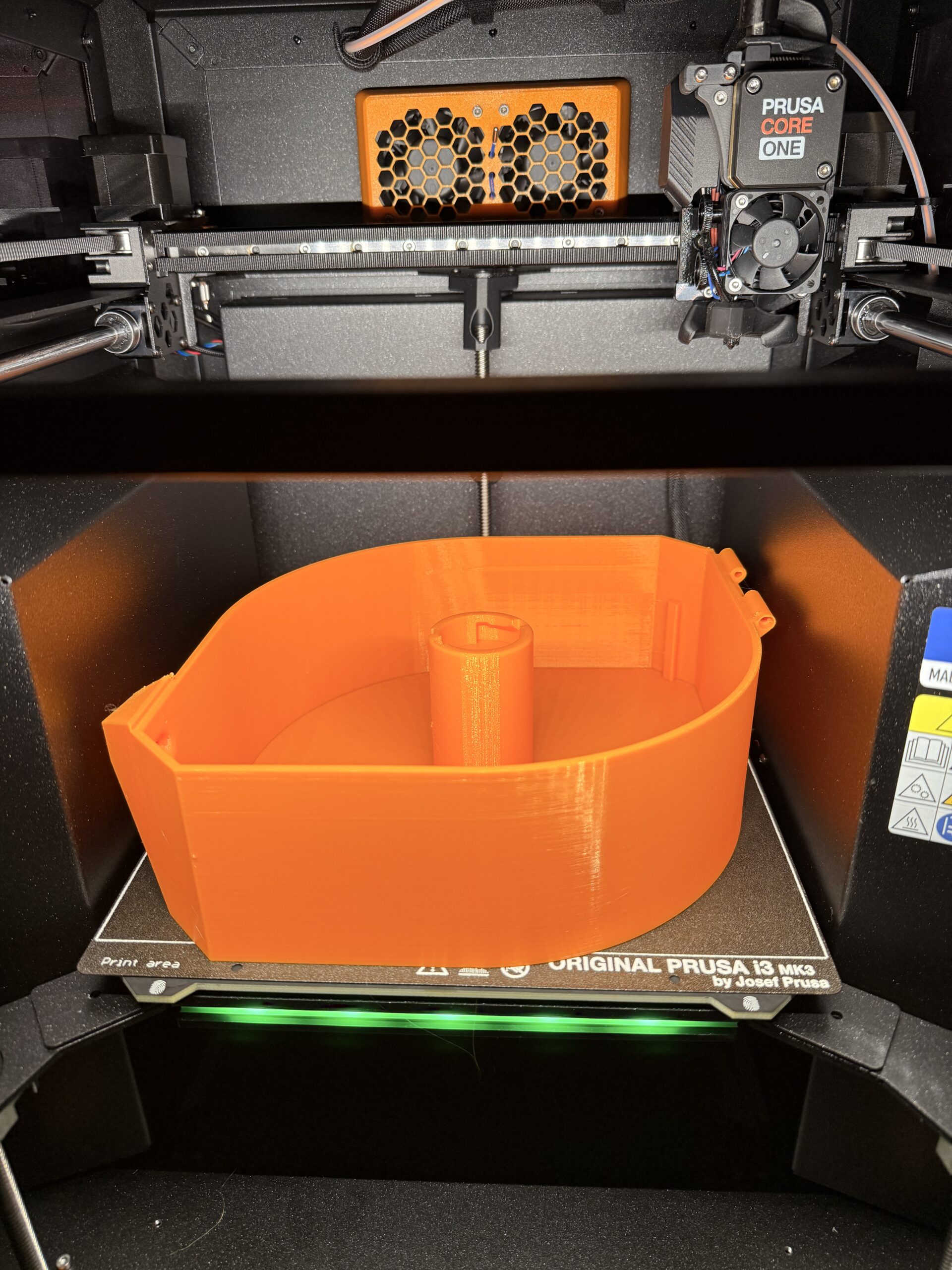
I have no idea what the problem is. The Core One is my third self-assembled printer after the MK3, MK4, and MK4S upgrade. I've never had a problem like this before. I'm pretty frustrated.

RE: Continued layer shift issues
Try running both X and Y calibration. If Y calibration fails, check if the gantry is still square.
RE:
Yes, the X and Y calibrations always pass the test.
Initially, I had an issue with the belt tension, as the deviation between the upper and lower belts was consistently too high. Then, repeatedly, auto homing took a very long time before printing. The prints still looked OK, though. Until I printed the lampshade...
After carefully following the instructions for adjusting the belt tension, I realized that my gantry was not square! After correcting this, the belt tensions at the top and bottom were in the optimal green range (as measured by the Prusa app). However, the lampshade in the photo was printed after the gantry correction (but failed again as before the correction). Finally I printed the large filament box yesterday evening.
This morning I checked the tension again and found that both belts were a little too loose: 94Hz at the top and 86Hz at the bottom. The difference between the two belts still seems OK though. I can readjust this after work today. I'll do another test later today with a round column in vase mode (it took far too long with the lampshade).
RE: Continued layer shift issues
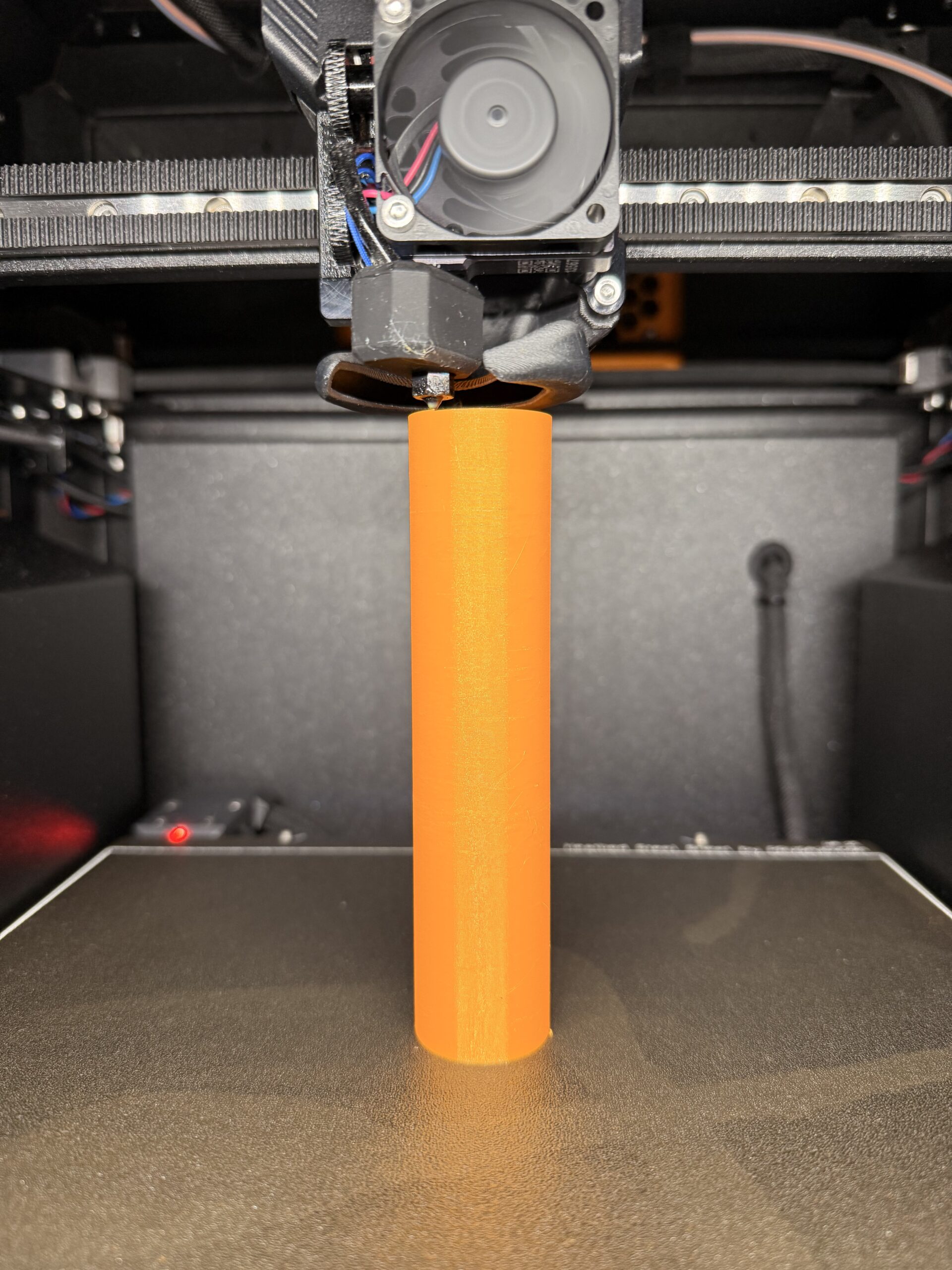
After readjusting the belt tension to 96/92Hz, I printed a column in vase mode. It looked good so far:
Then I sliced and printed the lampshade again using the same slicer settings:
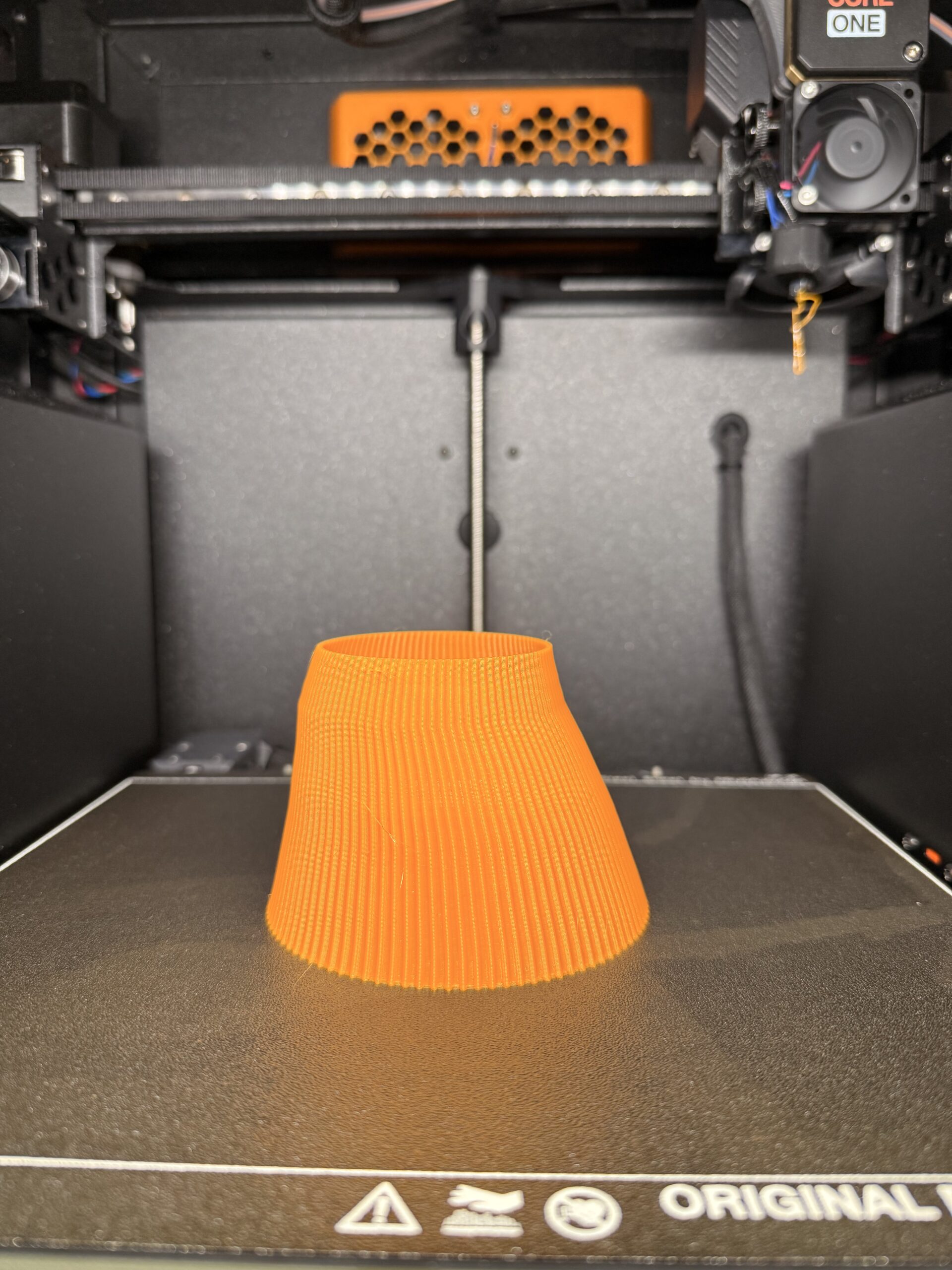
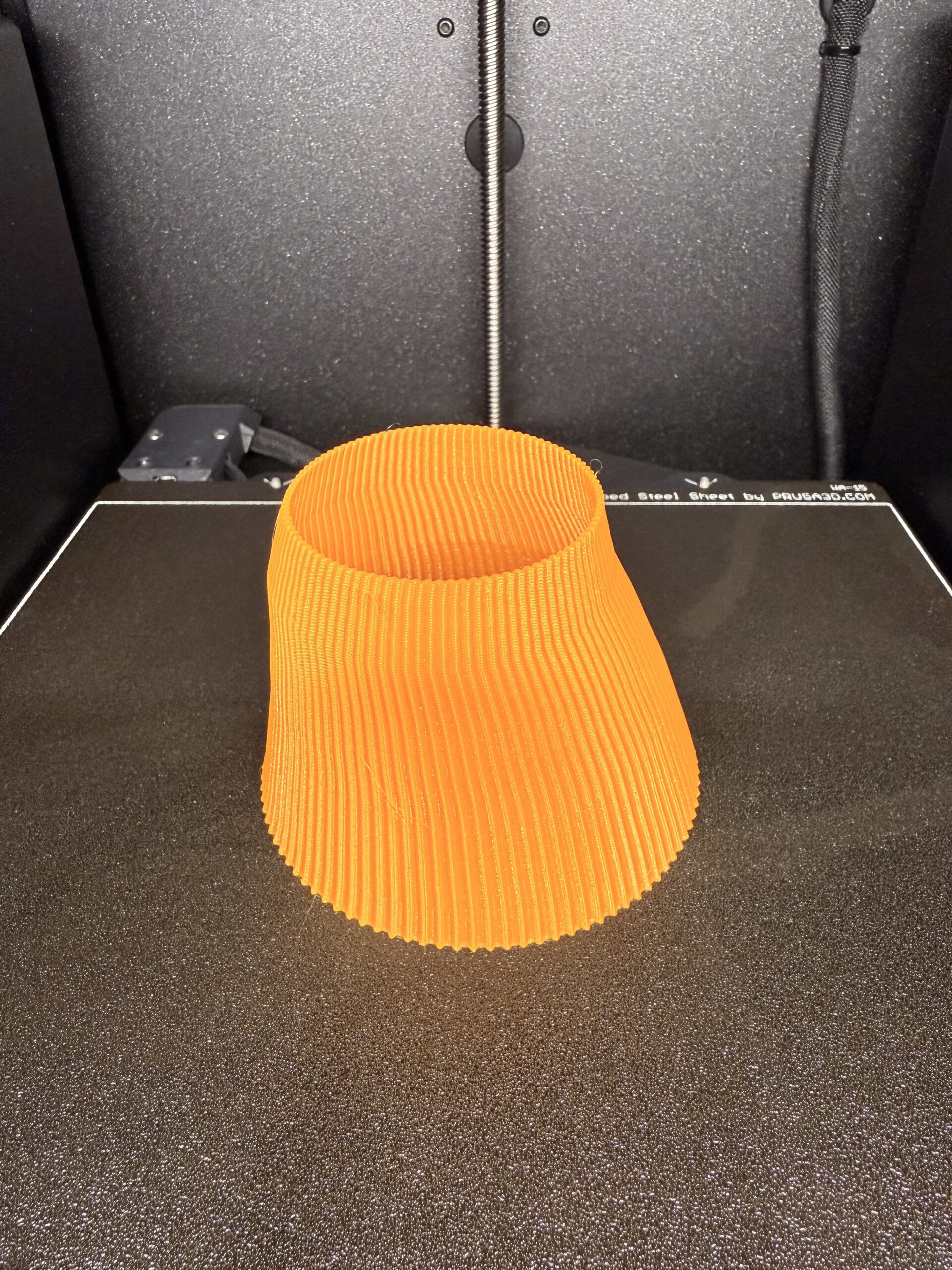

This time it looks even worse... I'm going to contact support now.
RE:
Yes, the X and Y calibrations always pass the test.
Initially, I had an issue with the belt tension, as the deviation between the upper and lower belts was consistently too high. Then, repeatedly, auto homing took a very long time before printing. The prints still looked OK, though. Until I printed the lampshade...
After carefully following the instructions for adjusting the belt tension, I realized that my gantry was not square! After correcting this, the belt tensions at the top and bottom were in the optimal green range (as measured by the Prusa app). However, the lampshade in the photo was printed after the gantry correction (but failed again as before the correction). Finally I printed the large filament box yesterday evening.
This morning I checked the tension again and found that both belts were a little too loose: 94Hz at the top and 86Hz at the bottom. The difference between the two belts still seems OK though. I can readjust this after work today. I'll do another test later today with a round column in vase mode (it took far too long with the lampshade).
You need to be very careful adjusting the belt tension. Both screws must be turned in equal amounts. Never adjust the screws independently in order to re-square the gantry or get the correct belt tensions. I would start again by completely loosing the belts, check for gantry squareness. If it is not square with the belts loose then bend the gantry by hand until it is square. Next tighten the screws one after the other by the exact same amount. So left 1 turn, right 1 turn, left 1 turn, right 1 turn etc until the belts start to get tight. Then only do 1/4 turn left, 1/4 turn right. Then when in range only 1/8 turn left, 1/8 right. If you go past the range, then loosen 1/8 turn left, 1/8 turn right. Once you have the correct tension then check if the gantry is still square. Don't try to get exactly 98/92hz just get both belts green (as the app is reporting).
RE: Continued layer shift issues
You need to be very careful adjusting the belt tension. Both screws must be turned in equal amounts. Never adjust the screws independently in order to re-square the gantry or get the correct belt tensions. I would start again by completely loosing the belts, check for gantry squareness. If it is not square with the belts loose then bend the gantry by hand until it is square. Next tighten the screws one after the other by the exact same amount. So left 1 turn, right 1 turn, left 1 turn, right 1 turn etc until the belts start to get tight. Then only do 1/4 turn left, 1/4 turn right. Then when in range only 1/8 turn left, 1/8 right. If you go past the range, then loosen 1/8 turn left, 1/8 turn right. Once you have the correct tension then check if the gantry is still square. Don't try to get exactly 98/92hz just get both belts green (as the app is reporting).
Thanks for your help. I loosened the belts again. The gantry was square, I didn't have to bend anything. As described, I adjusted the belt tension once more. I have now printed a similar vase in vase mode, with a similar movement pattern, and the print was perfect. Maybe I'll print the other lampshade again tomorrow.

RE: Continued layer shift issues
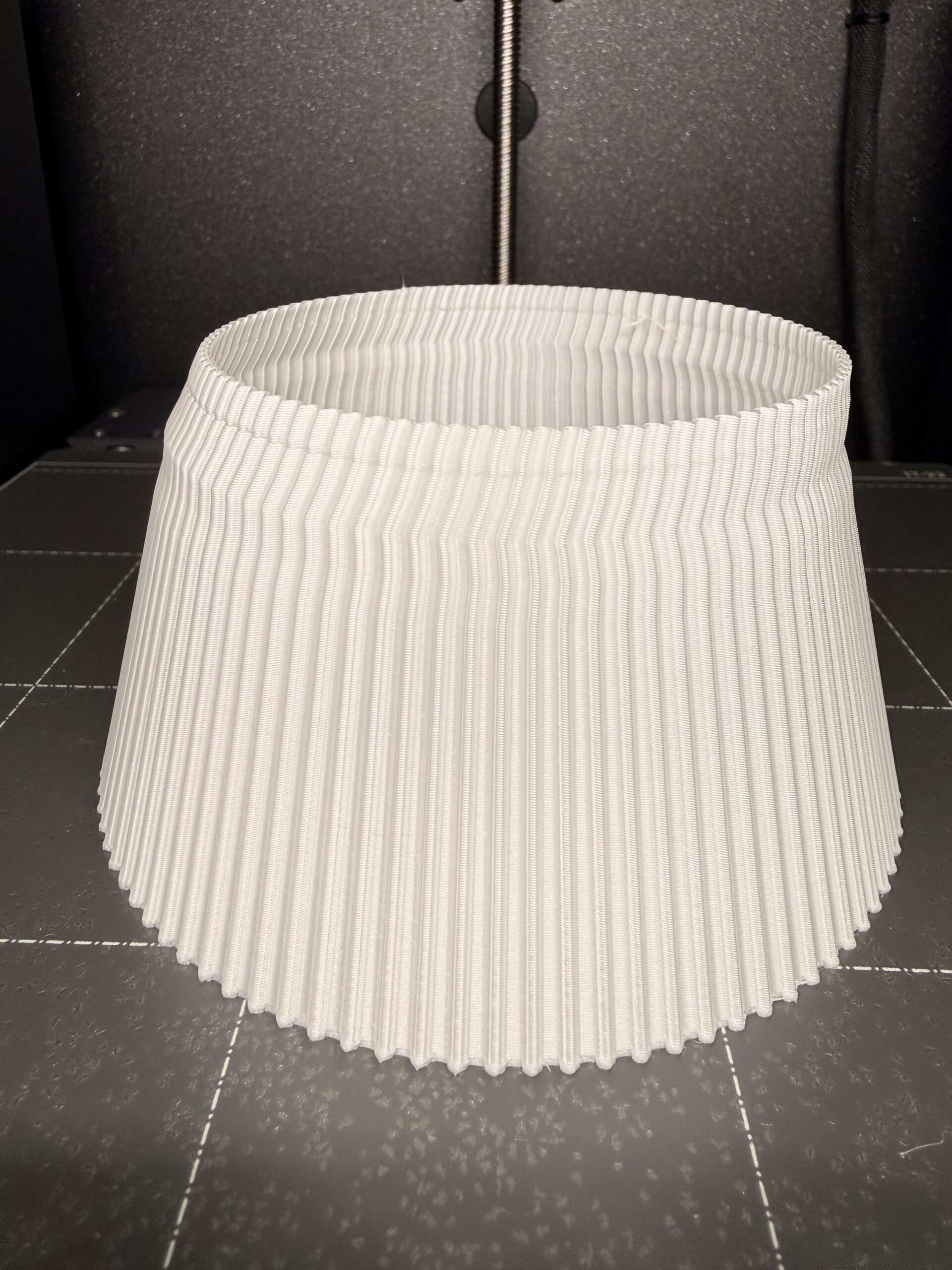
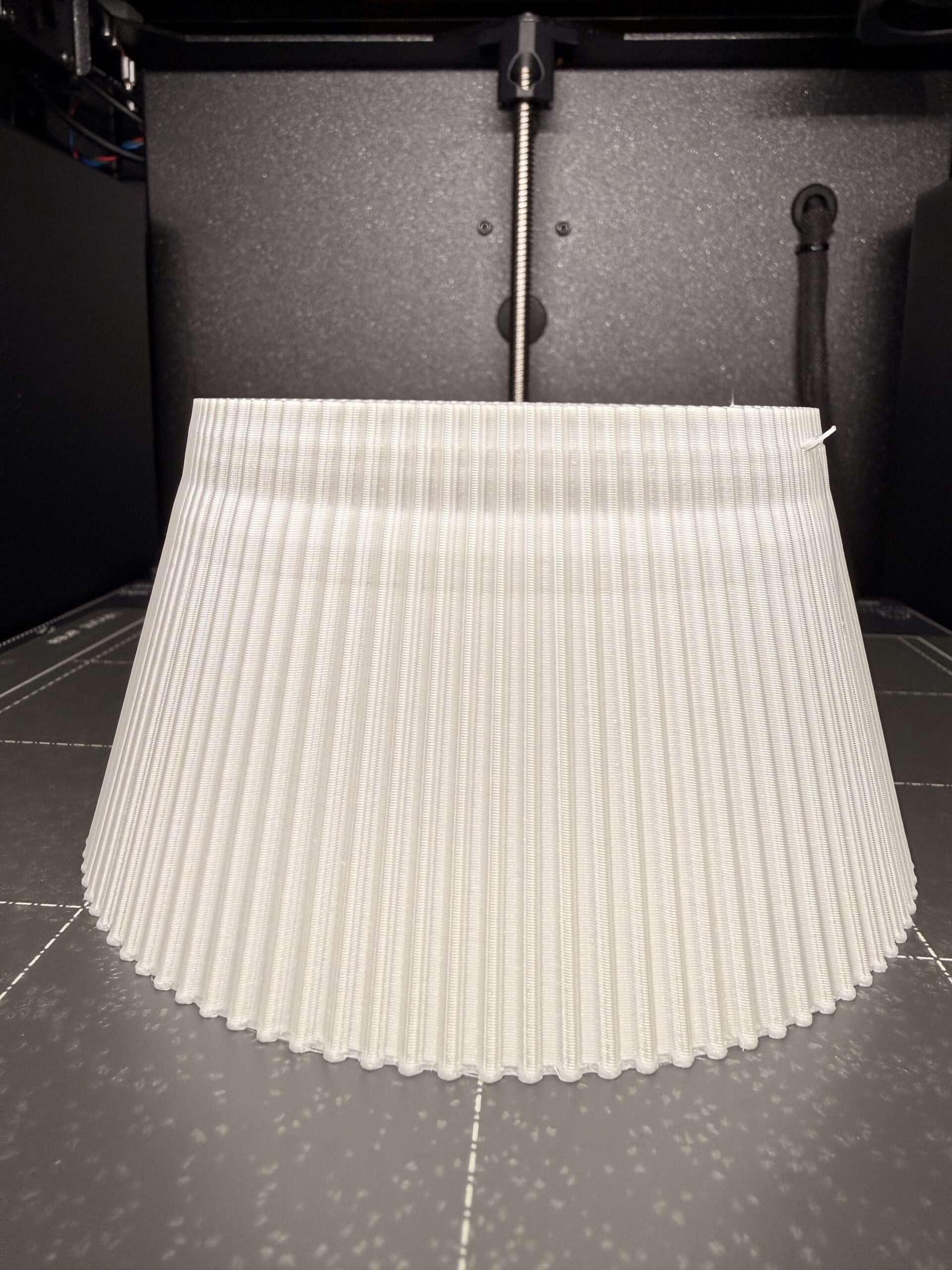
I printed the lampshade again today. It didn't work again. Basically, it always looked similar.Regardless of my settings for belt tension and gantry.
The problem starts at about 4,5cm (except yesterday with PETG, where the problem occurred much earlier). Can you even call it a layer shift? The shifts only seem to occur on the X axis. When I look at the lampshade from the side, the lines run straight up.

RE: Continued layer shift issues
Lifting from the bed causing a collision with the nozzle?
That part doesnt look to have hardly any area actually holding the print to the print bed, so that’s where I’d look first.
RE: Continued layer shift issues
Lifting from the bed causing a collision with the nozzle?
That part doesnt look to have hardly any area actually holding the print to the print bed, so that’s where I’d look first.
Makes sense. Seems like maybe a print bed adhesion or perhaps a warping issue causing the print head to collide with the print?
@j-martin, could you attach a link to this lampshade you are attempting to print?
RE: Continued layer shift issues
Here is a link to the lamp:
https://www.printables.com/model/1198955-lucent-lamp
I reduced the size bei 50%. Printing in vase mode.
The adhesion seems always good until the end of the print or until I stopped it. But of course there really isn't much connection to the bed.
RE: Continued layer shift issues
OK, I think now it might be a bed adhesion issue. Can you try printing with a brim?
RE: Continued layer shift issues
Yes, I'll do that tomorrow. But I'm already afraid seeing those mistakes again after an hour 😉
If that's the reason, that would be great! Thanks for your support!

RE: Continued layer shift issues
Any chance it could be correlated to the fan speed?
With PLA a change of fan speed occurs at approx 42mm:

For PETG it's much earlier:

RE: Continued layer shift issues
It's not a big difference but it's an interesting observation. Perhaps lower the maximum fan speed and try that as well.

RE:
Honestly, some of those images above look to be a cooling issue. Are they being printed VASE mode? If yes, then slow down your print speed and/or increase the part cooling fan; might even want to print with the door open.

RE: Continued layer shift issues
Please attach your 3mf that causes the faulty prints. Otherwise we'll continue guessing until 2026..