
C+ New Build Layer Shift?
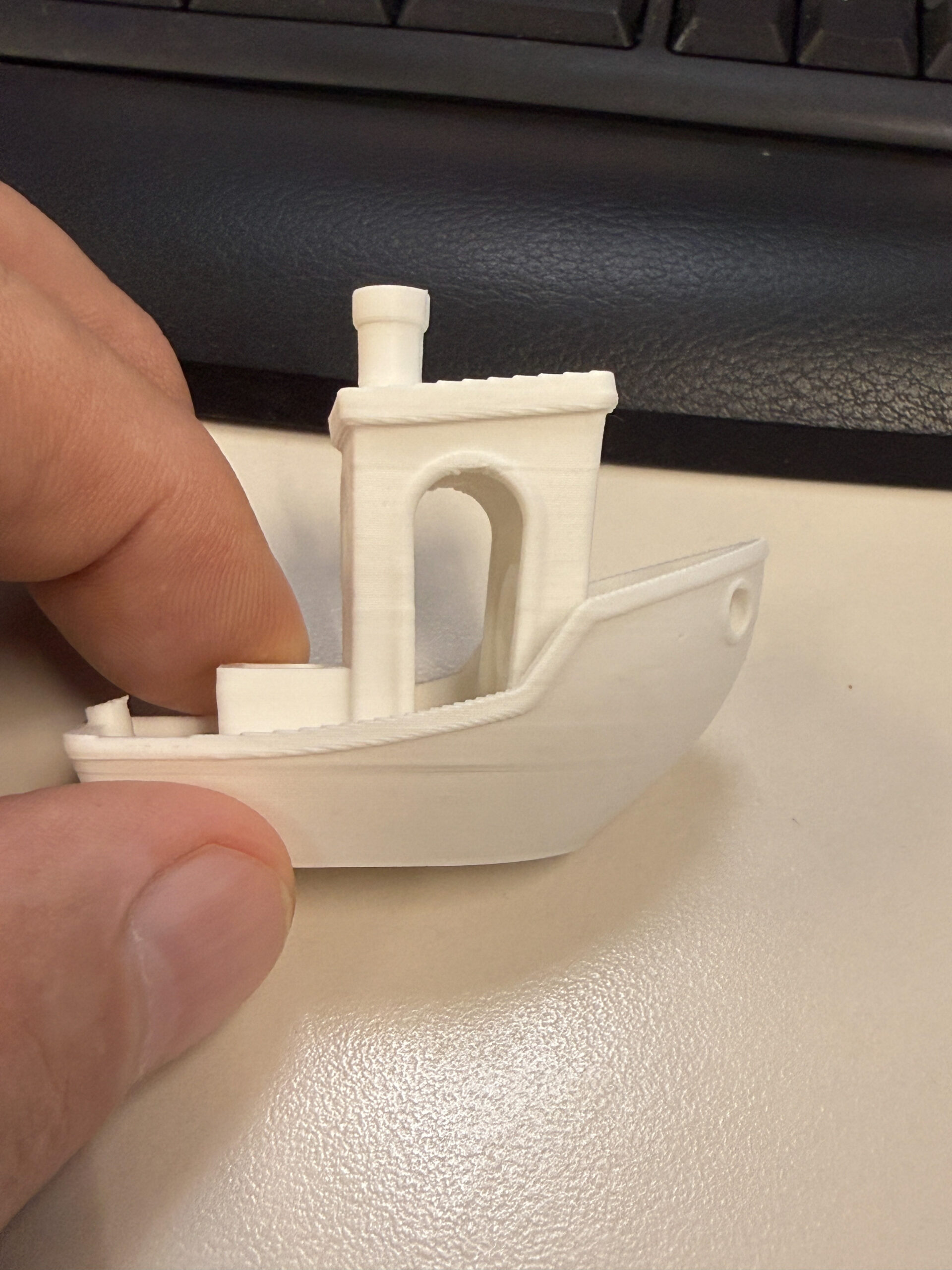
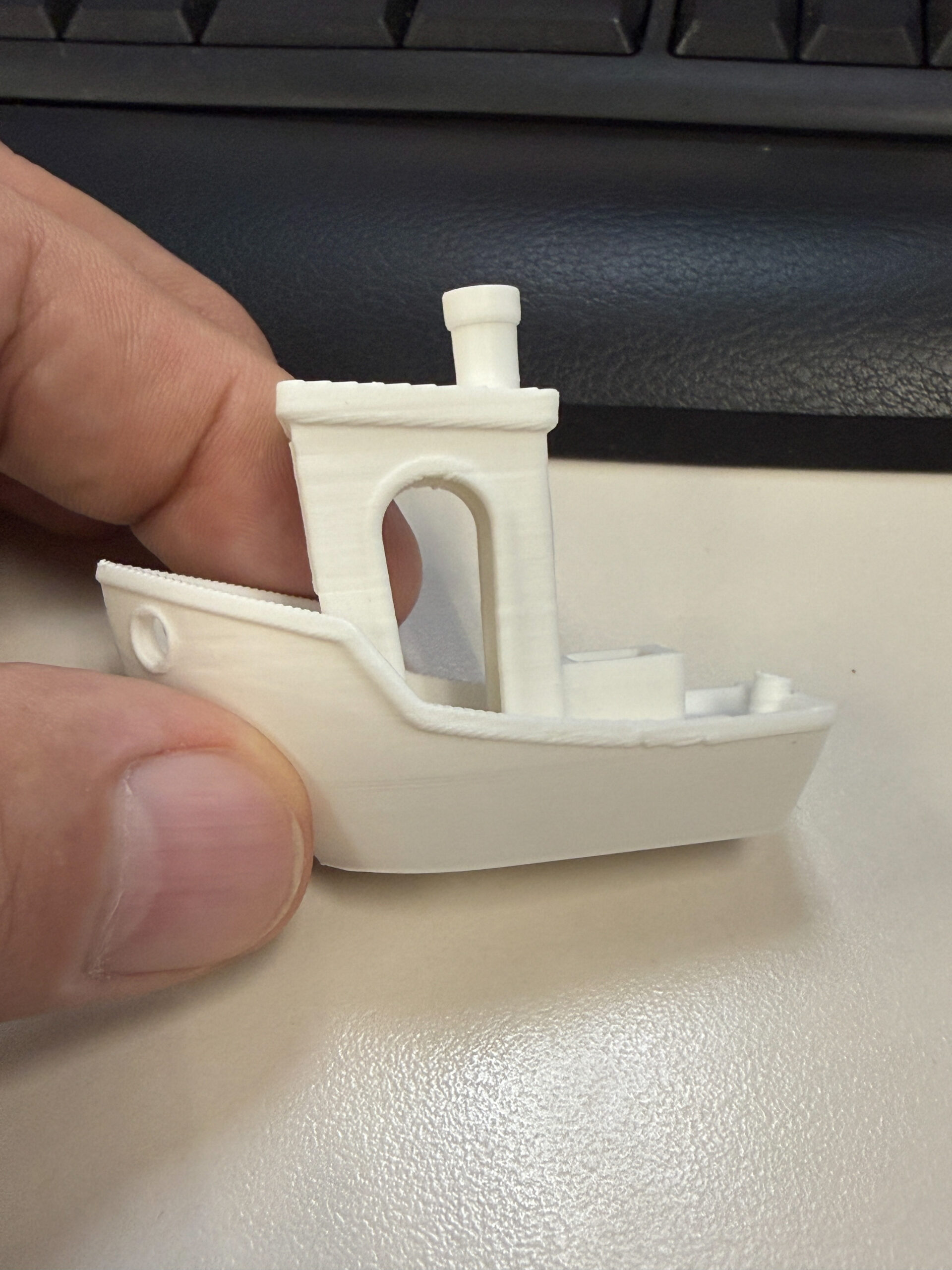
Well I'm tweaking my machine and setup. This was my 3rd try at Benchy first 2 tipped over. I'm using "Inland Filament PLA" from Microcenter in Cincy OH. But I seem to have what a friend calls a layer shift on the right side only! Looking for possible solutions. Belts at one point were to tight set at 117hz dialed them back to 98hz. Not sure why the left looks ok but the right is not any help would be much appreciated. Built my first unit and brand new to this new world, so I'm going through the growing pains so please be patient with me thank you.
Mike

RE: C+ New Build Layer Shift?
That's not a layer shift. Google "Benchy hull line"
RE:
Why is it only on one side? It sticks out about 1/16th of an inch on the right side and everything is flush on the left side. A friend of mine that has been printing for a few years called it that. I'm very new to this and trying to learn. Thanks
Mike
RE:
Why is it only on one side? It sticks out about 1/16th of an inch on the right side and everything is flush on the left side. A friend of mine that has been printing for a few years called it that. I'm very new to this and trying to learn. Thanks
Mike
Could be a cooling imbalance based on how it's oriented relative to the part cooling fan. It's for sure not a layer shift. If it were it would be symmetrical across the entire layer. This is the classic hull line problem and there are really no simple ways to fix this. This article gives a good explanation: The Benchy hull line
As for the asymmetry, try rotating it 90°
RE: C+ New Build Layer Shift?
Read the article and downloaded the g-code file will try that and if it don't fix it I will try spinning it 90 degrees like you suggested thank you.
Mike
RE: C+ New Build Layer Shift?
Why is it only on one side? It sticks out about 1/16th of an inch on the right side and everything is flush on the left side. A friend of mine that has been printing for a few years called it that. I'm very new to this and trying to learn. Thanks
Mike
Could be a cooling imbalance based on how it's oriented relative to the part cooling fan. It's for sure not a layer shift. If it were it would be symmetrical across the entire layer. This is the classic hull line problem and there are really no simple ways to fix this. This article gives a good explanation: The Benchy hull line
As for the asymmetry, try rotating it 90°
Well I downloaded that reworked benchy file and turned it 90 degrees and its flawless now 🙂 Thanks for your help!!!!