
Core One MMU3 installation issue – filament detected unexpectedly
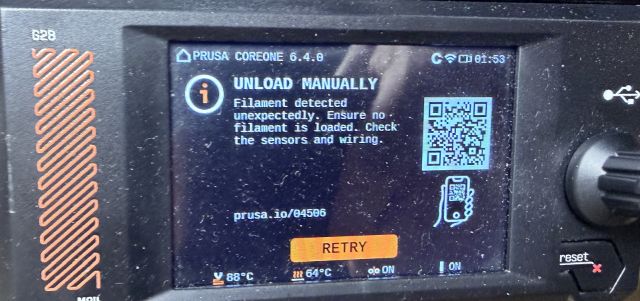
Hi everyone,
I’m trying to install and run an MMU3 on my Prusa Core One, but I keep getting the following error on the screen:
“Unload Manually – Filament detected unexpectedly. Ensure no filament is loaded. Check the sensors and wiring.”
At the same time, the MMU3 unit does not move at all when the printer starts the procedure.
Things I already checked:
There is no filament loaded in the extruder.
I verified the sensor alignment, and it looks correct.
I checked the FINDA / filament sensor area to make sure nothing is blocking it.
Sensor position seems correct and not triggering mechanically.
Wiring for the MMU3 appears properly connected.
I tried Retry and also restarting the printer.
Printer info:
Prusa Core One
MMU3 installed
Despite this, the printer still thinks filament is present, and the MMU3 does not move or initialize.
Has anyone experienced this with the Core One + MMU3 setup? Is there something specific about sensor calibration, FINDA position, or MMU3 initialization I might be missing?
Any suggestions would be greatly appreciated.
Thanks!