
MMU3 for MK3S
Hi all. I have a MK3S and I am interested in upgrade it with MMU3 unit. I stll have discovered it is not available for my printer.
Is it possible to buy MMU3 for MK4 version and buy from replacement part what is not included yet?
Thank you everybody

RE: MMU3 for MK3S
I have the mk3s+ with the MMU3 and it doesn't work well/consistently. From what I've read, I'm not alone in hating this combo. I did the MK3S to MK3S+ upgrade for the MMU3. While I haven't seen this published anywhere official, I bet that the reason that they're not selling MMU3 for MK3S+ is that it didn't work well.
To upgrade to the MK3.9S + MMU3 is $898 (539+359) and about 12 hours.
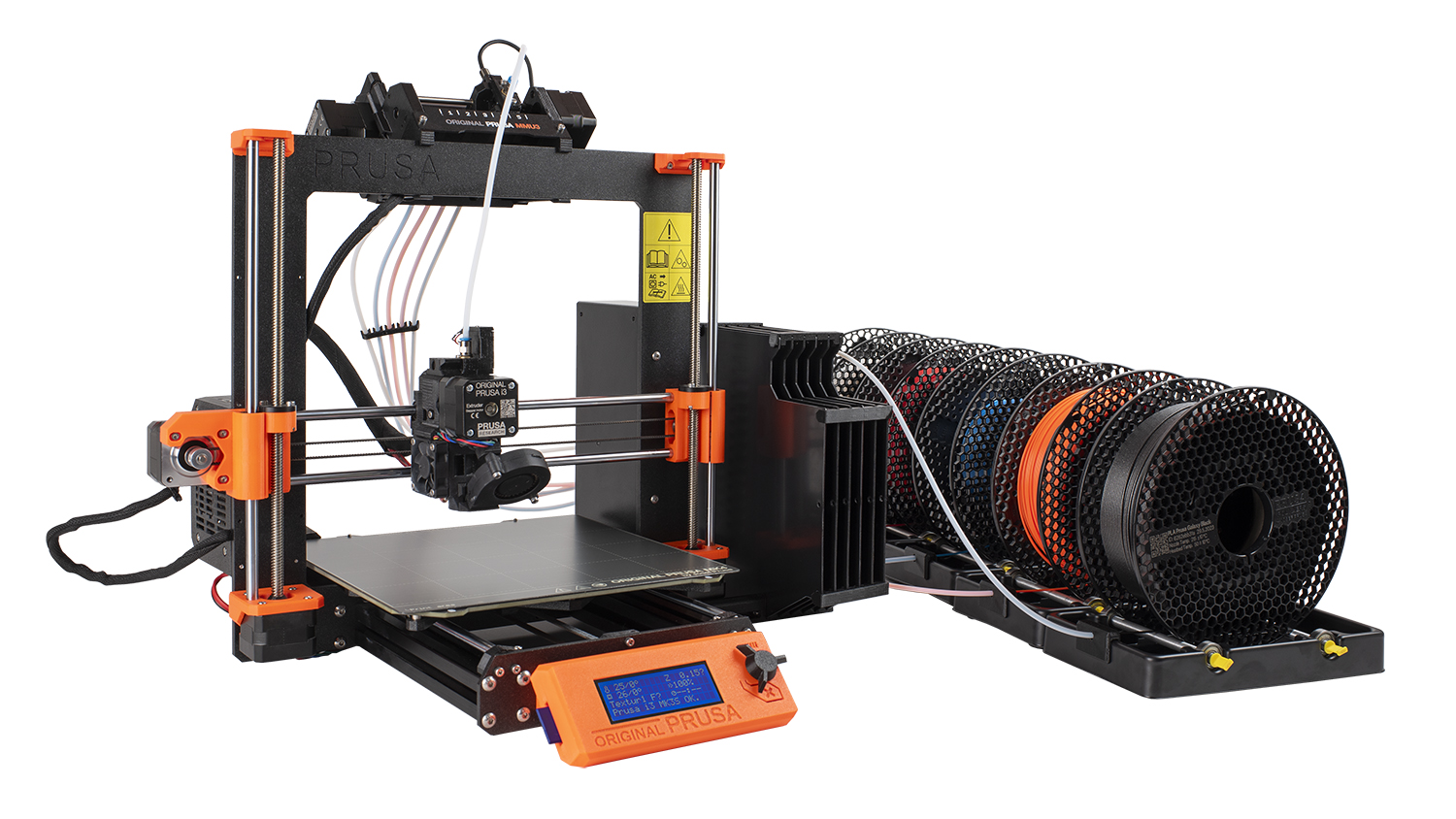
I have a 549.00 bambu P1s with AMS (automatic material switcher) and strongly prefer it for it's reliability and design. The thing that I didn't realize about the MMU3 before I bought is is just how much dang table space they expect. This photo gives a good idea.
=
619
$269.99

RE: MMU3 for MK3S
the biggest single Issue that I had, was setting up the Filament sensor tower...
In a rush at the moment
I will try and follow up, on that after my appointment
regards Joan
I try to make safe suggestions,You should understand the context and ensure you are happy that they are safe before attempting to apply my suggestions, what you do, is YOUR responsibility.Location Halifax UK
RE: MMU3 for MK3S
WHen the MMU3 loads filament, the Selector moves to the filament position, the Idler rotates to engage the required filament with the relevant pulley, this causes the filament to move quickly into the PTFE, heading to the Extruder, as it passes the Finda sensor in the selector, the Finda Sensor, triggers, and the MMU begins tracking the distance that the filament should have travelled.
I Believe the default Bowden tube length is 360mm (this can be revised with G Codes. if required)
as the filament approaches 360 mm, the MMU Pulley motor slows down and the extruder motor starts to rotate.
As soon as the filament engages with the extruder bondtech gears, the lever arm on the extruder idler door, is supposed to trigger the filament sensor, causing the MMU Idler to disengage, and allow the extruder, to take over control of the filament.
It is extremely important that you have the correct Filament Sensor tower, and extruder idler door... and that the filament sensor tower is correctly adjusted
These adjustments are discussed in
https://help.prusa3d.com/manual/mmu3-assembly-mk3s-mk3-5-mk3-9-s-mk4-s-core_1757/mmu3
Part 10B, sctions 24 and 25, of the MMU3 assembly guide
I found this quite difficult, especially switching to the sensor status LCD Window display... SO I Modified the sensor

by adding a 5 volt LED to the sensor
soldering it directly between the +5volt pin and the OUT Pin like in the image above
with this modification, the LED gives an immediate indication of when the sensor is triggered, or not...
this feature is incredibly useful later, when you are wondering why the Printer is not loading properly
the filament SHOULD trigger the filament sensor and the sensor should remain triggered until the filament is removed for the next filament change
if the filament enters the extruder triggers the filament sensor, and then moments later the filament sensor un triggers, unexpectedly, this can be an indication that the filament has been damaged by a mis feed, and there is a narrower section where the filament has been worn away (usually by the MMU Pulley, spinning
while the filament is stationary for some reason. (this is very difficult to see, with the sensor status display, because you are rarely looking at it. but it is very easy to see with the LED. )
TPU can give false filament sensor indications if the extruder idler tension screw is too tight. again these are difficult to see on the sensor status display.
adjusting the filament sensor, successfully, makes the MMU3 setup work much more convincingly
Last week, a friend was tearing her hair out, trying to get the Mk3S/MMU3 setup, to load
everything, seemed to be ok... but it was not successfully loading...
Turns out, she had a Revo extruder, and the filament had got stuck, so she tugged the filament out of the extruder and tried to re start the print this was before I got involved...
anyway, when the filament loads into the extruder the extruder feeds the filament into the hotzone, puls it out, sna then slowly feeds it into the hotzone, as it starts purging for the purge block,
BUT the revo nozzle assembly was blocked, right to the top of the cold side tube...
As the extruder did the initial feed, it would bump the filament into the blockage, and slip the extruder bondtech gears, reducing the amount of filament initially fed, consequently when the extruder back fed the filament, preparatory for purging, the shorter than expected filament, caused the filament sensor to indicate filament failure, and unexpectedly, and this caused the MMU to unload the filament and try again, repeatedly, until the firmware gave up trying...
again, without the LED, this would have been difficult to diagnose...
yes, even with the suggested modified sensor, the MMU can give occasional errors, however I have completed many long prints successfully with my MMU3 on Mk3S and Mk3.9 printers
regards Joan
I try to make safe suggestions,You should understand the context and ensure you are happy that they are safe before attempting to apply my suggestions, what you do, is YOUR responsibility.Location Halifax UK
RE: MMU3 for MK3S
Thanks for the insightful reply, Joan! I also have a Revo extruder, which added to the complications. I still hate loading filament into the MMU3 but I'm beginning to think that the printer may be working ok for now. I've finally printed some single color prints with the MMU attached without issue. Also, a tiny multicolor print. The MMU was disconnected for about a year because it was causing even single-color prints to fail more often but now I have hope.
That being said, if the choice was simply "what's the most cost-effective and reliable way to print color" I'd say I'd still choose my Bambu P1s + AMS over my MK3s+ with MMU3. But if you're into tinkering, it could be ok.

RE: MMU3 for MK3S
>> I still hate loading filament into the MMU3
This works OK for me at least with stiff filaments if the five PTFE tubes to the spools go straight into the MMU. There are a few printable mods for this, or just hold it at the correct angle with the left hand (pushing filament with the right).
BTW, I believe there are multiple revisions for the MMU filament sensor aka "FINDA". The recent one I got two months ago includes a LED inside the sensor barrel, which is indeed essential for troubleshooting (with the sensor blocked by debris, the MMU will play dead on power-up as it sees filament loaded and refuses to calibrate as slider movement would shear it off or cause jamming).

RE: MMU3 for MK3S
Thanks Joan for the LED tip. I have been struggling with TPU loads for the last couple of days (have used TPU hundreds of times on the machine prior no problems). Turned out that the filament sensor adjustment had drifted to a critical point for TPU even with backing off the idler screw. Not sure why the adjustment drift occurred, could be high ambient temps (Southern Hemisphere Summer !!) or just wear on the idler door hinge point. I do have a MMU3 as well which has the occasional wobbly when I preload the TPU to nozzle (I have to open the MMU door and hand feed the TPU to the Finda, the MMU preload will not handle the TPU).
Anyway, I will do your LED modification, but I may put a dropping resistor (180 ohms) to not overdrive the LED (or is there already a voltage dropper in the sensor board ??)
cheers Barry
Mk3.5 /MMU3