
New to 3d printing having a lot of trouble with shifting and stringing
We’ve had our xl for almost a week. To learn the basics we’ve just been using files off printables. So far it’s been very inconsistent it may print a model fine then the next three it will shift very bad the first few layers then just cover the whole table in string. It must think it’s working fine because I’ll check on it with prusa connect and everything looks fine but when I go to see it in person it’s made a big mess.
prusa tech support seems to know less than I do.
Any advice would be greatly appreciated, we bought the xl because we needed the size to make obsolete parts. 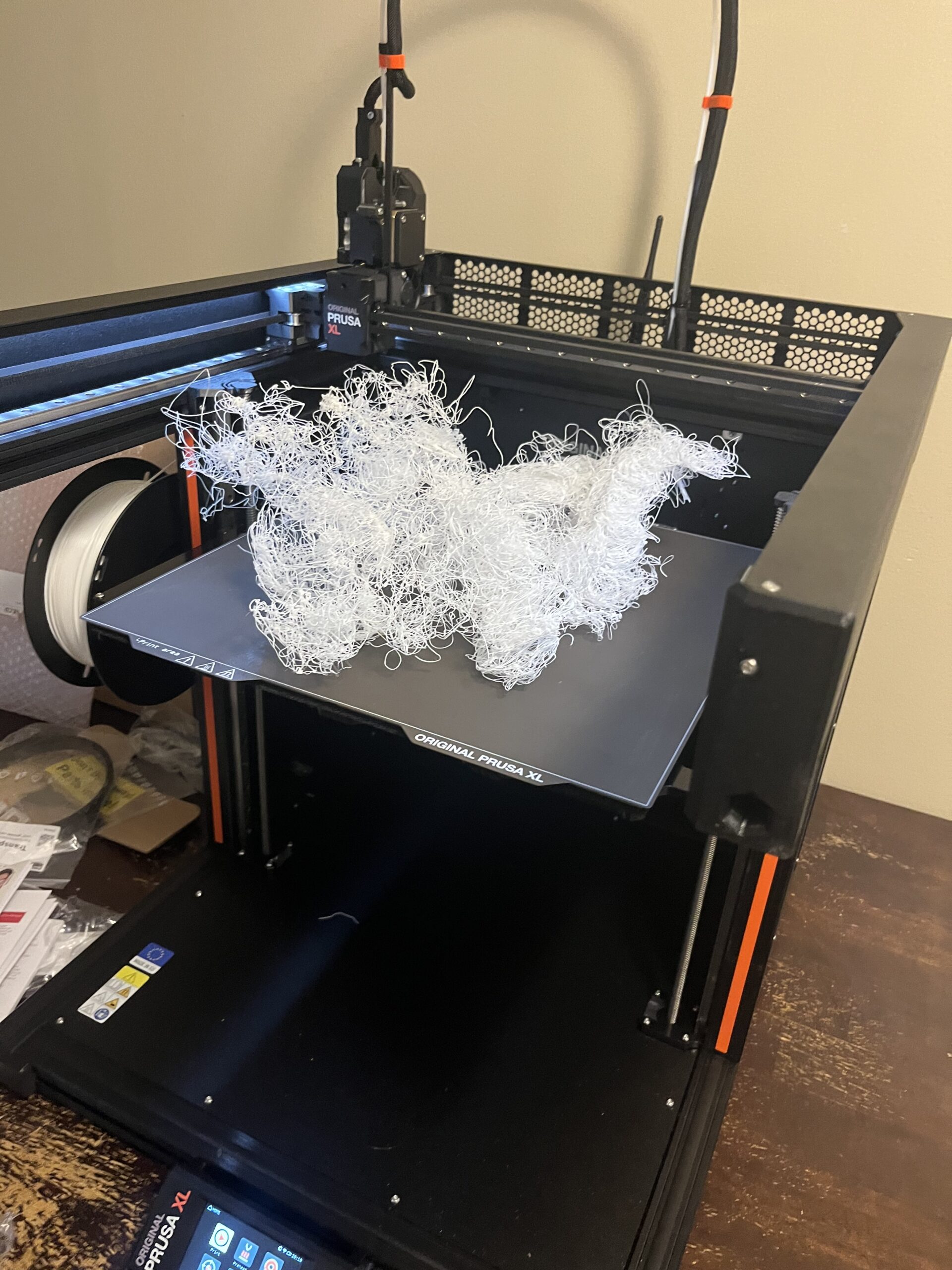
RE: New to 3d printing having a lot of trouble with shifting and stringing
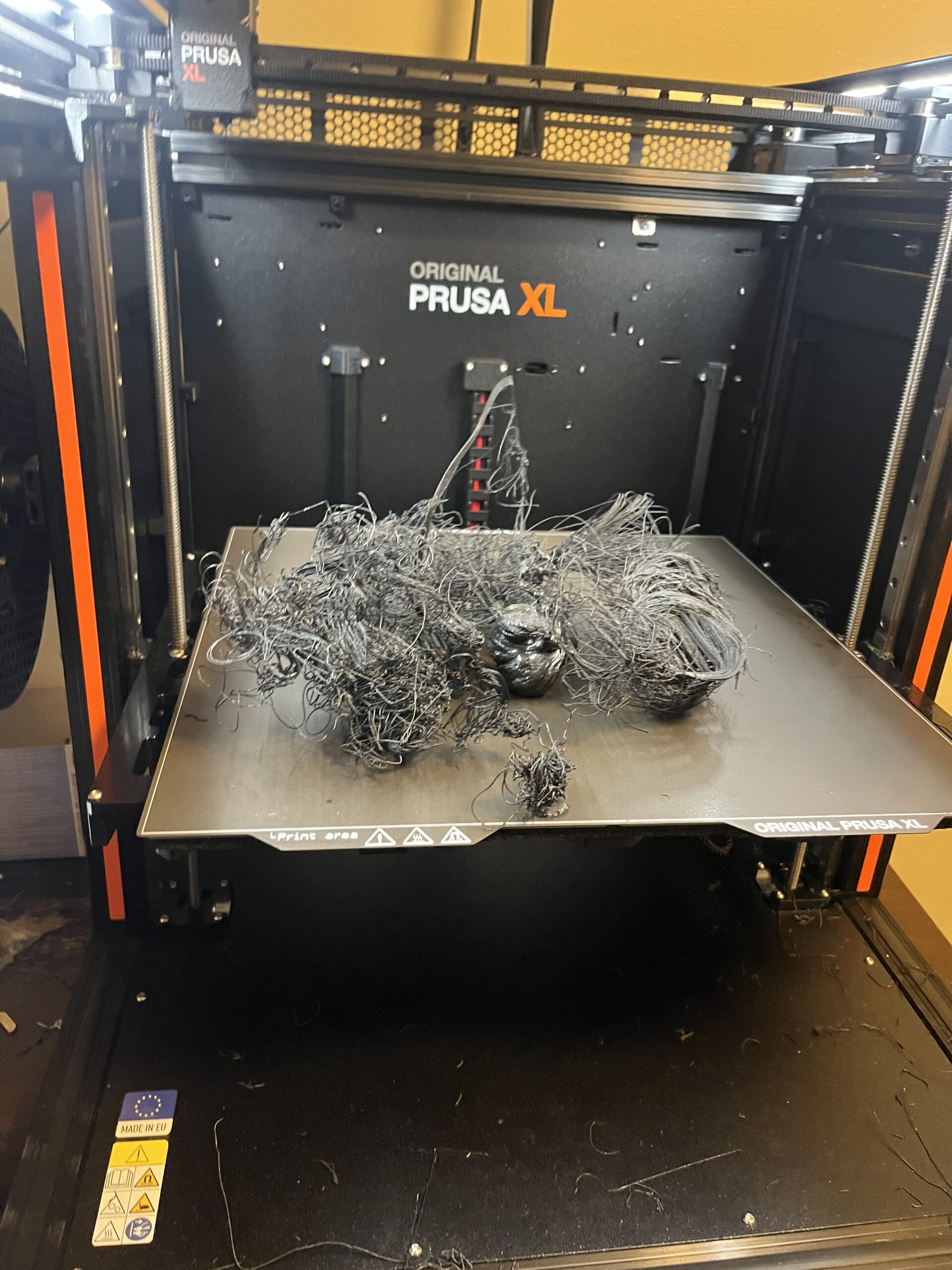

We can't tell much from a pile of spaghetti but if any of the initial part survives a picture of the underside can be useful.
Keeping the build sheet absolutely clean is fundamental to successful printing. Look up the many threads about cleaning.
Unfortunately there are many difficult or, frankly, unprintable, files on printables - ever since it was gamified it has attracted so much junk that the only safe way for a beginner to use it is to restrict downloads to files with several makes and even then read all the comments first.
Avoid anything designed by AI.
and when you come to printing your spares you will find clear and dark colours easier to print than white/pastel with the high pigment load.
Cheerio,

RE: New to 3d printing having a lot of trouble with shifting and stringing
.prusa tech support seems to know less than I do.
Any advice would be greatly appreciated,
Maybe you should check your perspective. Putting as a beginner a random file from Printables in an XL and not supervising it for a significant time as evidenced by the spaghetti desaster, whilst at the same time believing to know more than the excellent Prusa support seems to be irritating.
I try to give answers to the best of my ability, but I am not a 3D printing pro by any means, and anything you do you do at your own risk. BTW: I have no food for…
RE:
The website lags today, so here's the second part of my response.
Like @Diem mentioned, a clean sheet is a basic for a successful print, and the spaghetti monster is a typical sign for the filament not sticking to the sheet. Judging from the picture there is no piece of filament sticking to the sheet. 3D printing is absolutely not fire and forget, it's a trade with the printer as a tool, so I would strongly encourage you to learn the trade from tbe basics. E.g.: Read the manual back-to-back, get information from Prusa's XL Printing & Modeling course, learn with the Prusa Slicer course how to use the slicer, and then slice and print models of good pedigree - such as files provided by Prusa itself - to get a hang of it. then draw basic objects yourself, like in TinkerCAD, export them, slice them and print them. Mistakes will then be in your own chain of events, which makes it much easiert to find then in a file provided by an online source. Just because it is on Printables, Thingiverse or the like it is not necessarily gold standard.
Then, watching the printer at least for the first couple of minutes in person is a good idea, too, imho.
Regards
Chris
I try to give answers to the best of my ability, but I am not a 3D printing pro by any means, and anything you do you do at your own risk. BTW: I have no food for…
RE: New to 3d printing having a lot of trouble with shifting and stringing
Many thanks, we did read the owners manual thoroughly and did set there and watch it. It starts out perfect for the first 20 min, unfortunately for work obligations I can’t stay with it for long periods of time. Normally after the first hour is when shifting and stringing begins. According to the owners manual and tech support we might not be getting the bed clean enough, so we are cleaning it with wipes like was provided but it has made no difference. Well get this figured out.
Look up the many threads on here about print-sheet cleaning.
Cheerio,

RE: New to 3d printing having a lot of trouble with shifting and stringing
Normally after the first hour is when shifting and stringing begins.
When you say "shifting" -- does the printed object physically move relative to the print bed, i.e. come loose? In that case, looking into bed cleaning and proper heat bed temperature (filament settings) is what you need to look into.
Or does the print stay in place, but the print head shifts relative to the print and hence continues printing in mid-air? Then step loss of the XY drive motors would be the cause. This could be due to a collision of the print head's nozzle with the printed object -- possibly because the object warps upon cooling and does not fully stick to the bed, but it may have other reasons as well.
Is the printer working at regular room temperature or is it a cold environment? What filament are you printing with?

RE: New to 3d printing having a lot of trouble with shifting and stringing
Everything has already been written here, and I can only confirm it.
Clean the printing plate thoroughly with a lint-free cloth and hot water. Dry by rubbing/dabbing with lint-free cloths. (That's how I always do it.)
Layer height: Since we have no clues as to why the print failed, please set the first layer to 0.10 or 0.15 mm. The Z offset can be set in the “Printer” tab in the slicer. I always set an offset of -0.05 mm. This ensures that the first layer is always perfect, regardless of the printing plate.
First layer: The first layer is the MOST IMPORTANT part of the entire print. If it is not perfect, it can cause shifts or spaghetti, among other things.
Please check that the nozzle tip is 100% clean during bed leveling. If it is not, the printer will compress the residual filament and distort the leveling during measurement.
Since we also don't know which filament you are using, it could also be due to warping that the component cools down too quickly and thus lifts off the print bed.
If you have any questions, feel free to ask.
Mods for Core One: Core One HT 450 degrees, Comfortable display , Very fast print start and Reducing noises
Mods for Prusa XL: Very fast print start
RE: New to 3d printing having a lot of trouble with shifting and stringing
Ok after cleaning the print bed with dawn instead of alcohol wipes we are getting the material to stick to the bed. We are still having trouble with strings and layer shifting, but the first layer seems to be stuck like glue to the print bed. We are using pla and a filament dryer, room temp is around 72 degrees f. I will check/try those settings. Also I’ve used the microphone on the Prusa app and keep the belt tension proper. Thanks for the replies we’ll get this figured out.
RE:
The strings are minor issues for now. The layer shift is the primary concern.
When you write, “we’ll get this figured out”, you need to provide a little more information than just error images.
Do you have a picture or a 3MF file where we can see where layer shifting can occur?
Personally, I only know of layer shifting occurring when the nozzle hits the component or when the belt is too loose.
Mods for Core One: Core One HT 450 degrees, Comfortable display , Very fast print start and Reducing noises
Mods for Prusa XL: Very fast print start