
Small Gaps in the first layer
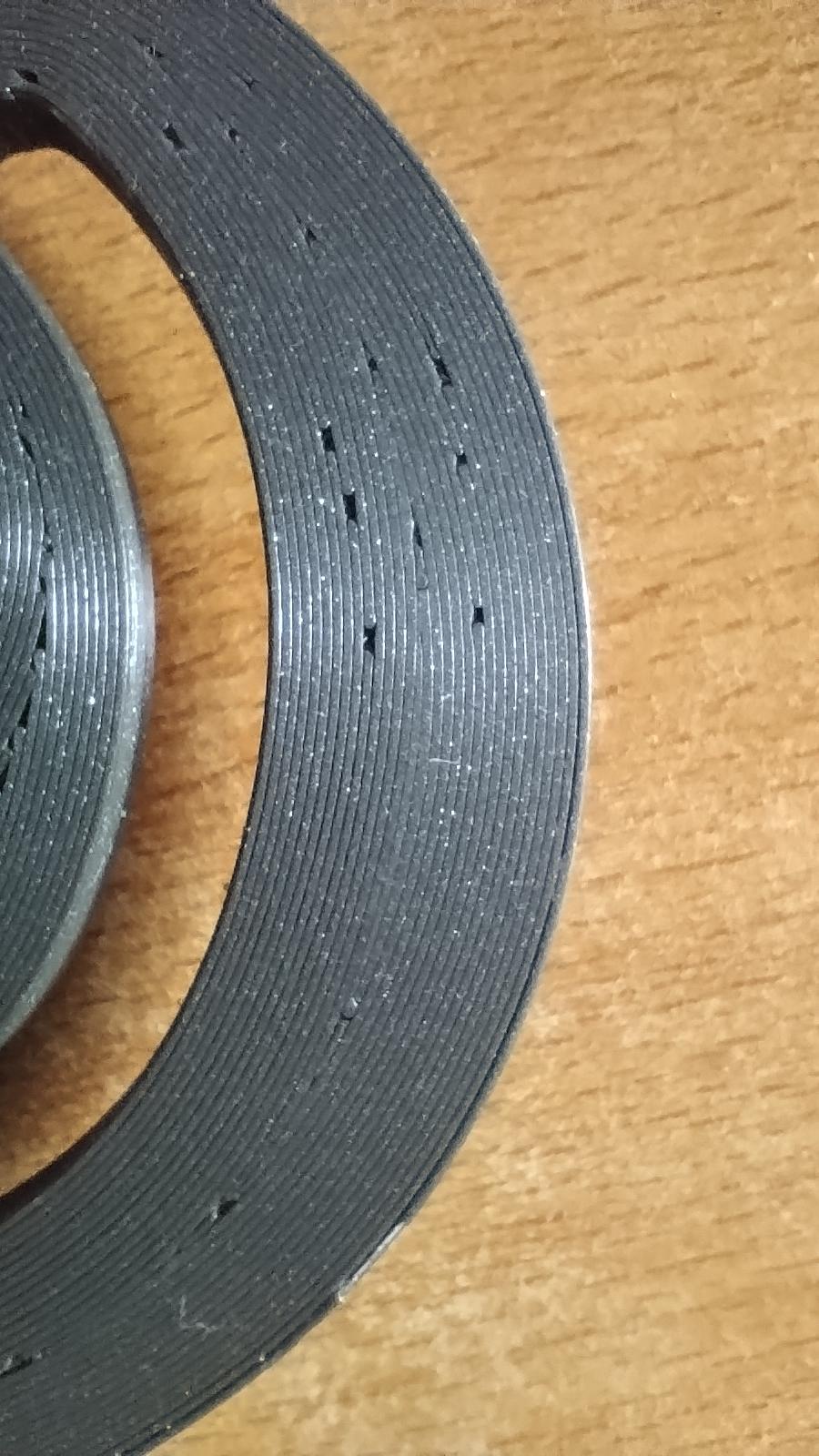
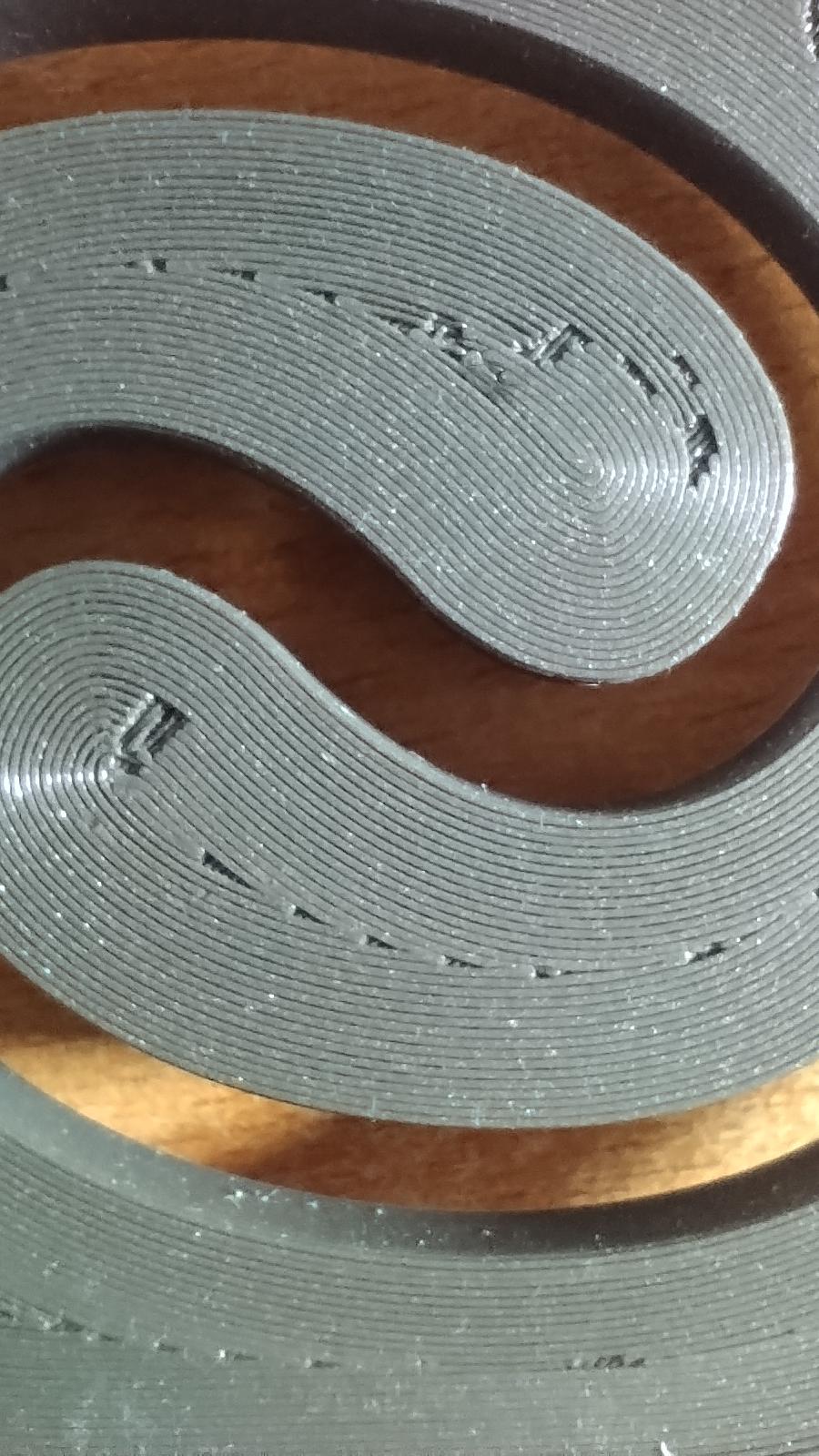
Has anyone got any ideas on what could be causing these gaps in the first layer of the print?
I am using a mini+ that I recently got in second hand and the print is in recycled PLA.
I use 215C for the first layer and 200C for the others.
And the bed (satin) at 50C.
The PLA is not from prusa and the manufacturer says the bed should be 40C max, but that didn't help with adhesion, so I use higher.

RE: Small Gaps in the first layer
Lower z ofdset a bit, so it squishes the filament more.
Then experiment with lowering retraction.
Also double check if the PTFE tube between the extruder and the print head is not worn out ( the hole in the tube should be round and nit oval).
See my GitHub and printables.com for some 3d stuff that you may like.

RE: Small Gaps in the first layer
Also, Try testing K factor. New MINI Input Shaper needs K factor correction. For PLA try K 0.11 for start, and tune more.