
damage next to the seam and on corners
The problem isn't with every print even if it's with the same filament.
I don't think it's because of the filament because I used prusament gentleman's grey.
Prusa help said that I needed to increase the temperature with 8°C but it didn't work.
They also said that I should make the seam position random but the problem isn't on the seam it is next ot it.
Now I have wasted a complete roll of prusament.
If someone can help please do. It would help me a lot.
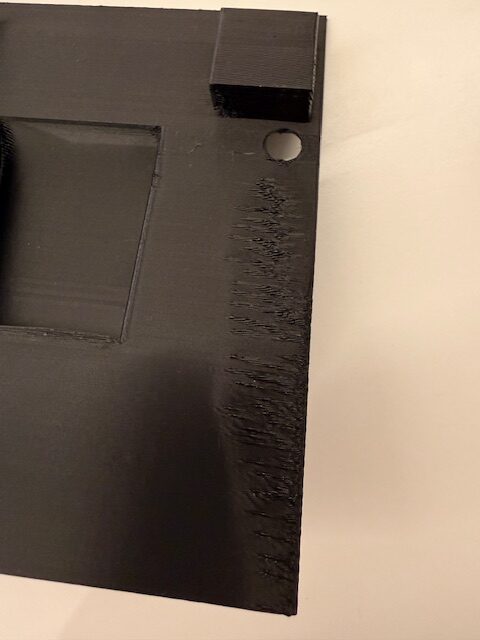
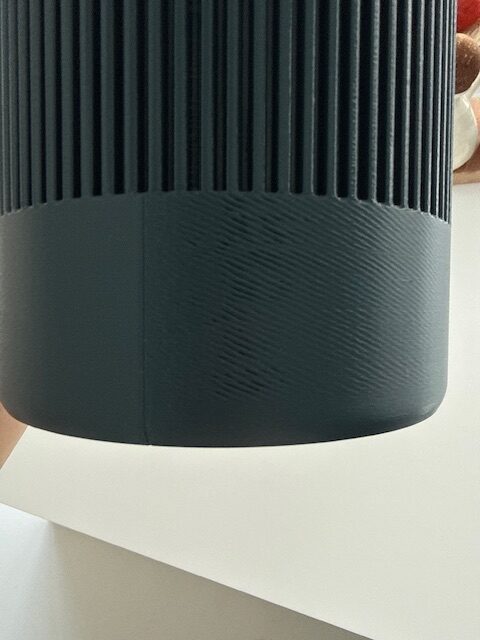
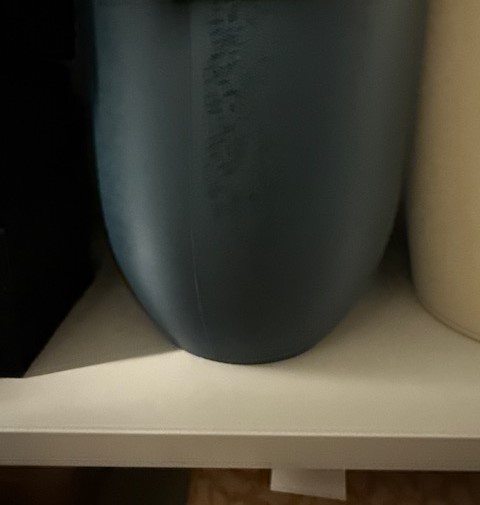
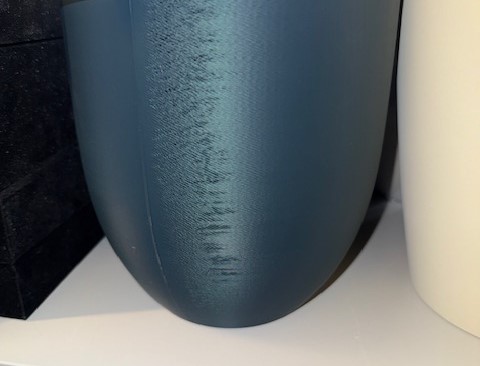
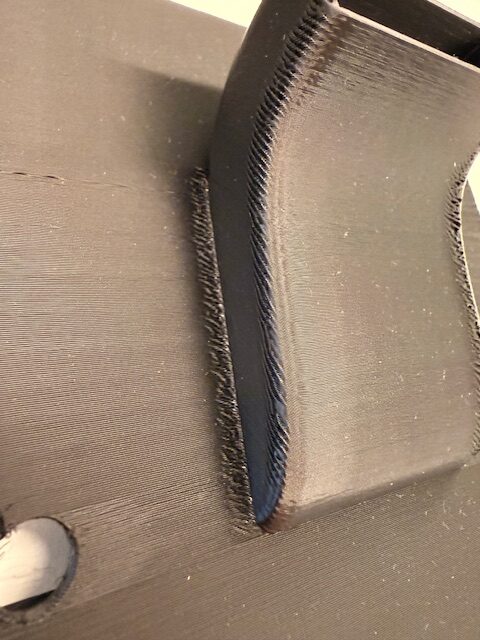
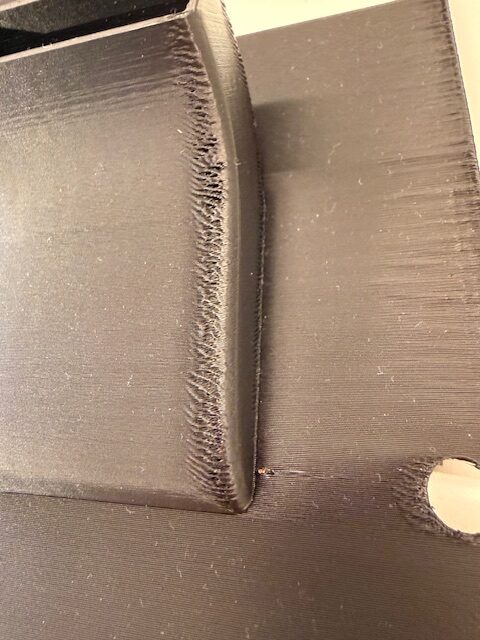
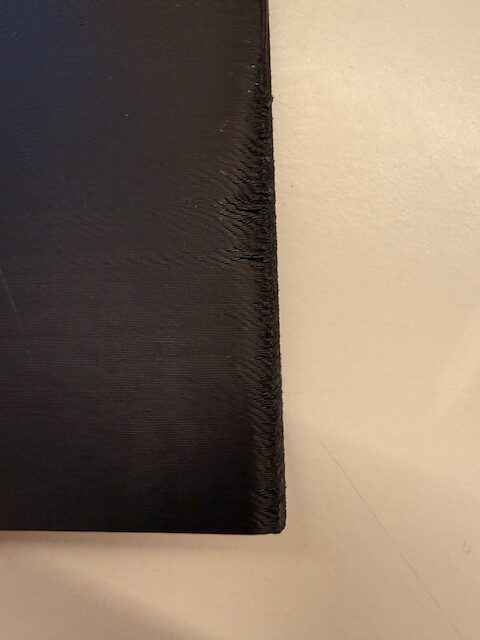

RE: damage next to the seam and on corners
- Perhaps post some of your current print settings and is this with pla or petg. Also is the images with the same model?
- What nozzle is this with brass 0.4 HF?
- You can maybe post the 3mf file

RE: damage next to the seam and on corners
This is an interessting one for me as well. I've got the same phenomenon on some prints. Always in the corners, close to seams. With different filaments, but not all prints. Not as excessive as on the pictures above, but the "feathering" (as I call it) next to the seams is bothering me as well.
RE: damage next to the seam and on corners
Hi,
I still had the issue today when printing a box. The corner where the seam was placed really didn't look good at all.


After that the only parameter I disabled was "Avoid crossing parameters" in Prusaslicer. The next box I printed (a three hour print), came out perfect. Another test print with a much smaller print also came out flawless.
For me disabling this setting has solved this problem I had for weeks. I wasn't aware of the consequences it had.
So, to whomever this information might be useful. I'd give it a try.
RE: damage next to the seam and on corners
I recently found the problem.
It was the nozzle that was worn out after I put a new one on and everything was perfect.