
Why is this machine so slow? Am I missing something?
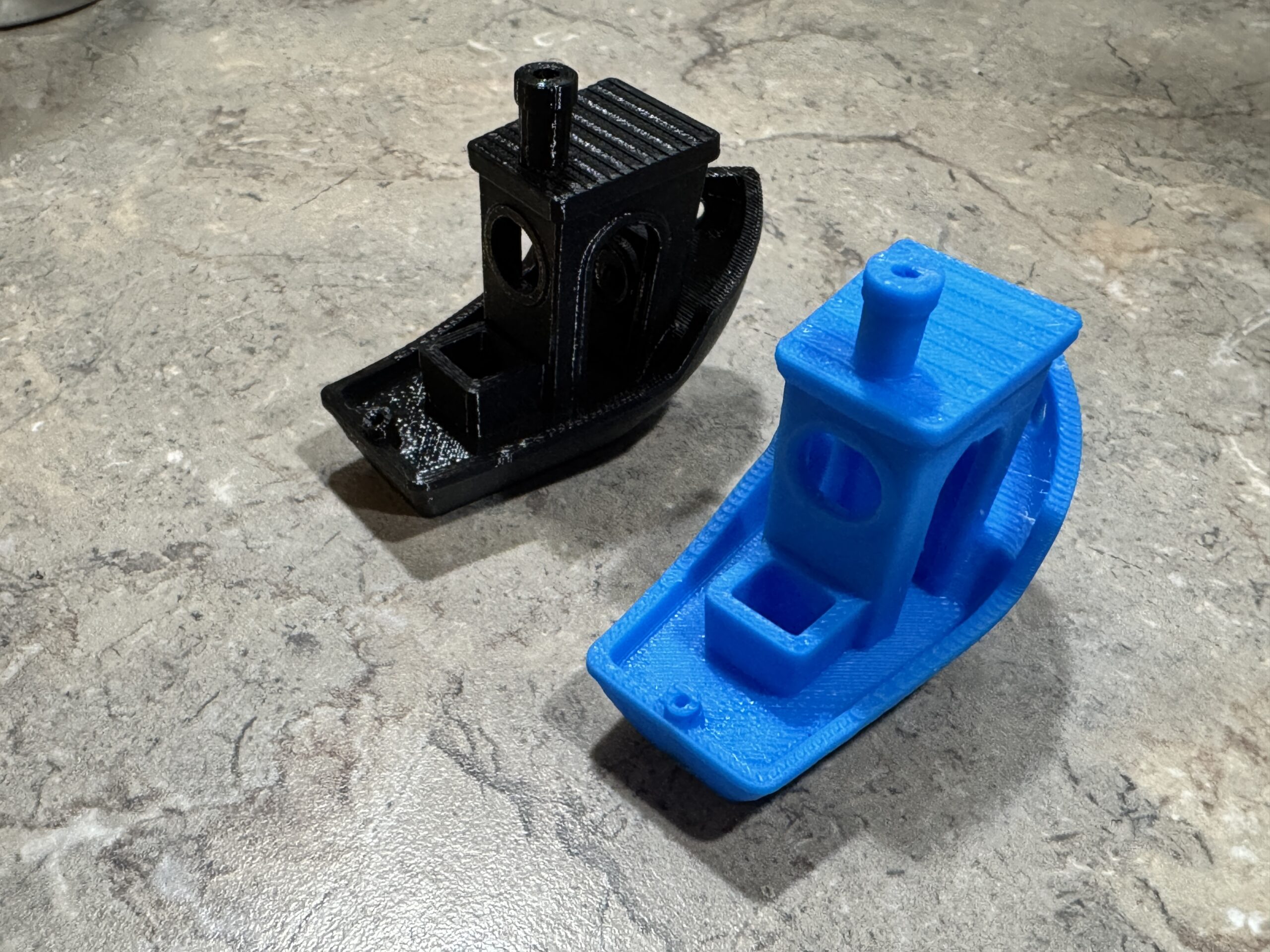
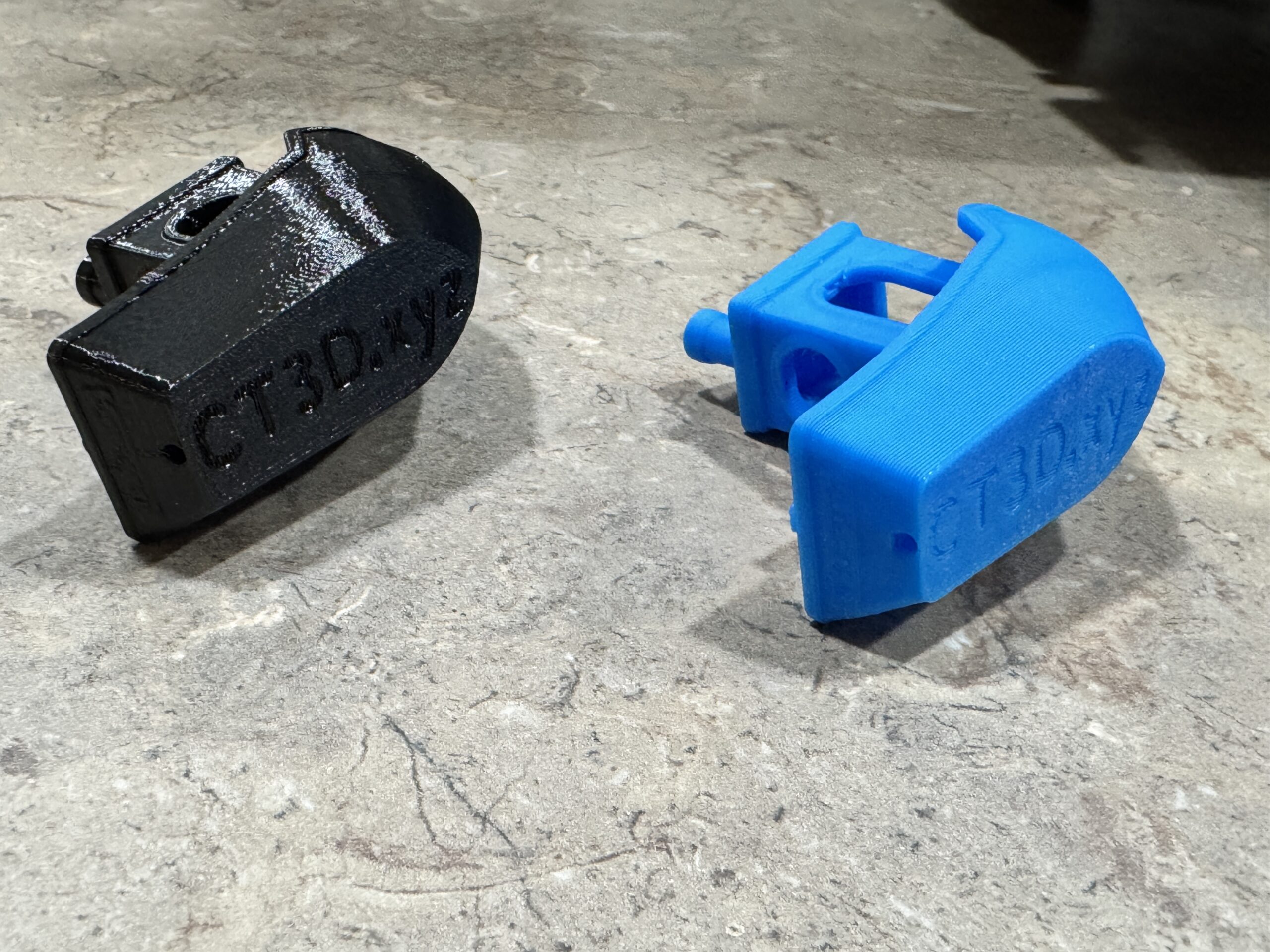
We bought a MK4S for Christmas because we liked the MK3S that we have and wanted an upgrade to speed things up. I haven’t had much time to mess with it but at work we just got a Elegoo Centauri Carbon 2 for prototyping, which I admittedly scoffed at, but I am in charge of running it so I had to set the machine up. Long story short, that machine absolutely hauls ass and is dead nuts perfect. For something that was less than $300, it kicks the shit out of my $1000 Prusa machine, at least on speed. I printed a Benchy on each machine with the same nozzle size and layer heights and they both came out beautiful. The problem is the black one came from the MK4S and took about a hour, while the blue one came from the Elegoo and it took about 14 minutes. What gives? Admittedly the blue is PLA and the black is Prusament PETG, but that shouldn’t make it take 4x longer. I don’t get it, and there is no IS profile for my machine so I can’t find how to enable that either. Any tips? Before anyone asks, I did search through the forum and could not find any definitive answer as to why this machine is so slow or there is no input shaper option. As advised by Prusa, I’m trying to get the machine absolutely dialed before we put the MMU3 on it. Thanks in advance for any help you can give me!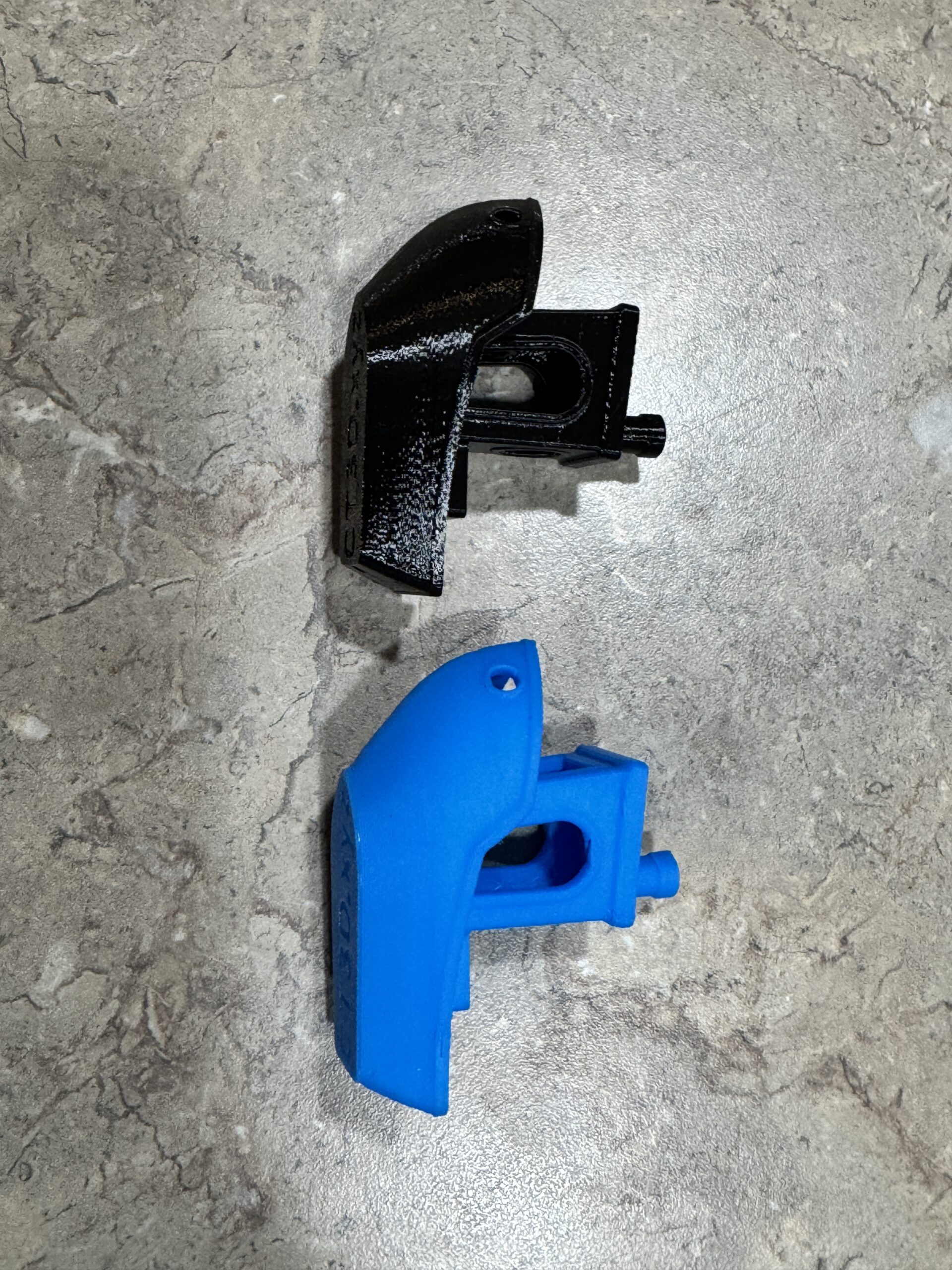

RE: Why is this machine so slow? Am I missing something?
We bought a MK4S for Christmas because we liked the MK3S that we have and wanted an upgrade to speed things up. I haven’t had much time to mess with it but at work we just got a Elegoo Centauri Carbon 2 for prototyping, which I admittedly scoffed at, but I am in charge of running it so I had to set the machine up. Long story short, that machine absolutely hauls ass and is dead nuts perfect.
Which profile did you use in PrusaSlicer?
I don’t get it, and there is no IS profile for my machine so I can’t find how to enable that either. Any tips?
Which printers did you add from the MK4S?
Do you have a 3MF project file for us so we can take a look at your test print?
Mods for Core One: Core One HT 450 degrees, Comfortable display , Very fast print start and Reducing noises
Mods for Prusa XL: Very fast print start
RE: Why is this machine so slow? Am I missing something?
Prusa said a while ago that they were happy with the IS profiles on so they removed the non-IS profiles. As all profiles were the same regarding IS there was no longer a need to specifically identify them so they removed the IS from the name.
Can't help with the rest though
there is no IS profile for my machine so I can’t find how to enable that either.

RE: Why is this machine so slow? Am I missing something?
Were both files sliced by you?
For the MK4S, there is a pre-sliced 14 minutes PLA Benchy on the USB drive, so about the same speed as the Elegoo.
This is absolutely dialled in to push the limits of the machine, while the standard profiles in PrusaSlicer are tuned to give reliably good results.
Might be the same for the CC2?
Also, a standard Benchy sliced with 0.20mm Speed profile gets me a time estimate of 37minutes in Prusaslicer for the MK4S, which is usually pretty accurate, so I don't know why it took an hour in your case
RE: Why is this machine so slow? Am I missing something?
We bought a MK4S for Christmas because we liked the MK3S that we have and wanted an upgrade to speed things up. I haven’t had much time to mess with it but at work we just got a Elegoo Centauri Carbon 2 for prototyping, which I admittedly scoffed at, but I am in charge of running it so I had to set the machine up. Long story short, that machine absolutely hauls ass and is dead nuts perfect.
Which profile did you use in PrusaSlicer?
I used Connect to pair the printer and it automatically selected for MK4S with HF ‘.40 nozzle. So when I hit the dropdown for printers, there is a green dot next to that one and it shows it available. If I choose the MK4 IS profiles I get a g code error for wrong printer.
I don’t get it, and there is no IS profile for my machine so I can’t find how to enable that either. Any tips?
Which printers did you add from the MK4S?
Do you have a 3MF project file for us so we can take a look at your test print?
I just used the standard Benchy that Prusa has on Printables.
RE: Why is this machine so slow? Am I missing something?
Were both files sliced by you?
Yes I sliced them in Prusa Slicer and Elegoo Slicer respectively.
For the MK4S, there is a pre-sliced 14 minutes PLA Benchy on the USB drive, so about the same speed as the Elegoo.
This is absolutely dialled in to push the limits of the machine, while the standard profiles in PrusaSlicer are tuned to give reliably good results.
Might be the same for the CC2?Definitely could be, but parts that we make in house are just as speedy and not from a website or anything.
Also, a standard Benchy sliced with 0.20mm Speed profile gets me a time estimate of 37minutes in Prusaslicer for the MK4S, which is usually pretty accurate, so I don't know why it took an hour in your case.
Ya me either, that’s what’s confusing. My MK3S is faster for a Benchy than my MK4S so I’m obviously missing something, I just can’t figure out what it is.
RE: Why is this machine so slow? Am I missing something?
What brought all this up is there is a 2 piece part that we make at work for tooling that the CC2 estimates a little over 4 hours total print time and I had to catch a flight back home so I said “fuck it, I’ll print it on my badass new MK4S at home!” Then I loaded it into Prusa and it was 1 day and 11 hours print time! So that’s when I knew I had something wrong, not just need to figure out what!
RE:
Basically, you can't compare the Elegoo with the MK4S. They have different drives for the Nextruder. One has the same system as the Core One, and the other moves the print bed (Y-axis).
I had a Bambu Lab X1C, which is very similar to the Elegoo. The Bambu Lab also printed the Benchy incredibly quickly with high print speeds and acceleration forces. I haven't measured it myself, but the MK4S's nextruder is definitely heavier than the Elegoo's.
Mods for Core One: Core One HT 450 degrees, Comfortable display , Very fast print start and Reducing noises
Mods for Prusa XL: Very fast print start

RE: Why is this machine so slow? Am I missing something?
If you upload the benchy 3mf file (zip it up first) you'll get help very quickly...
Prusa MK4 since Jan 2024, MK4S/MMU3 since Jan 2025, Printables: @MikeB_1505898
RE: Why is this machine so slow? Am I missing something?
Sorry for the delay, I was out of town for a hockey tournament for my son. I don't have a 3mf file for it, it's just this stl from Printables;
https://www.printables.com/model/3161-3d-benchy/files
I open it in PrusaSlicer, set it for my machine (Original Prusa MK4S HF0.4 nozzle), set it for 0.20mm SPEED, and slice it (no modifications). It's giving me a 48 minute print time. Does that seem right for this machine? We're ready to get the MMU3 setup now but I want to make sure this thing is dialed in first. Thanks in advance for all the help!
RE: Why is this machine so slow? Am I missing something?
Sorry for the delay, I was out of town for a hockey tournament for my son. I don't have a 3mf file for it, it's just this stl from Printables;
https://www.printables.com/model/3161-3d-benchy/files
I open it in PrusaSlicer, set it for my machine (Original Prusa MK4S HF0.4 nozzle), set it for 0.20mm SPEED, and slice it (no modifications). It's giving me a 48 minute print time. Does that seem right for this machine? We're ready to get the MMU3 setup now but I want to make sure this thing is dialed in first. Thanks in advance for all the help!
RE: Why is this machine so slow? Am I missing something?
Sorry for the delay, I was out of town for a hockey tournament for my son. I don't have a 3mf file for it, it's just this stl from Printables;
https://www.printables.com/model/3161-3d-benchy/files
I open it in PrusaSlicer, set it for my machine (Original Prusa MK4S HF0.4 nozzle), set it for 0.20mm SPEED, and slice it (no modifications). It's giving me a 48 minute print time. Does that seem right for this machine? We're ready to get the MMU3 setup now but I want to make sure this thing is dialed in first. Thanks in advance for all the help!
RE: Why is this machine so slow? Am I missing something?
Get to the point where the slice is showing the 48 minute print time. Then go to file menu, select "Save Project As", save the file, zip it and post here
RE: Why is this machine so slow? Am I missing something?
Ahhh, gotcha. Sorry. And sorry for the x3 post, I don't know how that happened but I can't seem to delete the 2 duplicates. Here's the file.
RE: Why is this machine so slow? Am I missing something?
You know what - I did the same thing and it came out at 38 minutes (normal mode) or 42 minutes (stealth mode). I look back at the benchy I printed at the beginning of 2024 when I first got my MK4, and it's 43 minutes. I think that's the speed... unless you tweak it (see "bonkers benchy")...
Prusa MK4 since Jan 2024, MK4S/MMU3 since Jan 2025, Printables: @MikeB_1505898
RE: Why is this machine so slow? Am I missing something?
Okay let me ask this. If I go into the "tune" menu during a print, there is an option to adjust print speed (it seems to default to 100%). Does anyone know exactly what that does? Does it just scale up travel and flow speeds across the board? Reason I ask is I tried to mess with it and dialed it all the way up to 200% and it didn't seem to change the print speed at all. I thought maybe it was a deal like I can keep cranking the speed up until it shows problems then back down slightly but maybe not.
RE: Why is this machine so slow? Am I missing something?
Make sure you push the button and wait for it to take effect: https://forum.prusa3d.com/forum/original-prusa-i3-mk3s-mk3-hardware-firmware-and-software-help/what-exactly-does-the-speed-option-in-the-tune-settings-do/
I've adjusted it upwards by 30% (so a print finished before bedtime) and it made a difference...
Okay let me ask this. If I go into the "tune" menu during a print, there is an option to adjust print speed (it seems to default to 100%). Does anyone know exactly what that does? Does it just scale up travel and flow speeds across the board? Reason I ask is I tried to mess with it and dialed it all the way up to 200% and it didn't seem to change the print speed at all. I thought maybe it was a deal like I can keep cranking the speed up until it shows problems then back down slightly but maybe not.
Prusa MK4 since Jan 2024, MK4S/MMU3 since Jan 2025, Printables: @MikeB_1505898