
Print quality issue between MK3S and MK3.5S - Overhang on model
Hi there,
Looking for some advice/help on what I could fix or tune in Prusa slicer to get a better quality finish on a part.
I've recently upgraded to the MK3.5S from a MK3S and overall the printer has been great - much faster speeds and amazing quality.
I'm having one particular issue though with a model in PETG where I had much less quality issues before when I printed on a MK3S
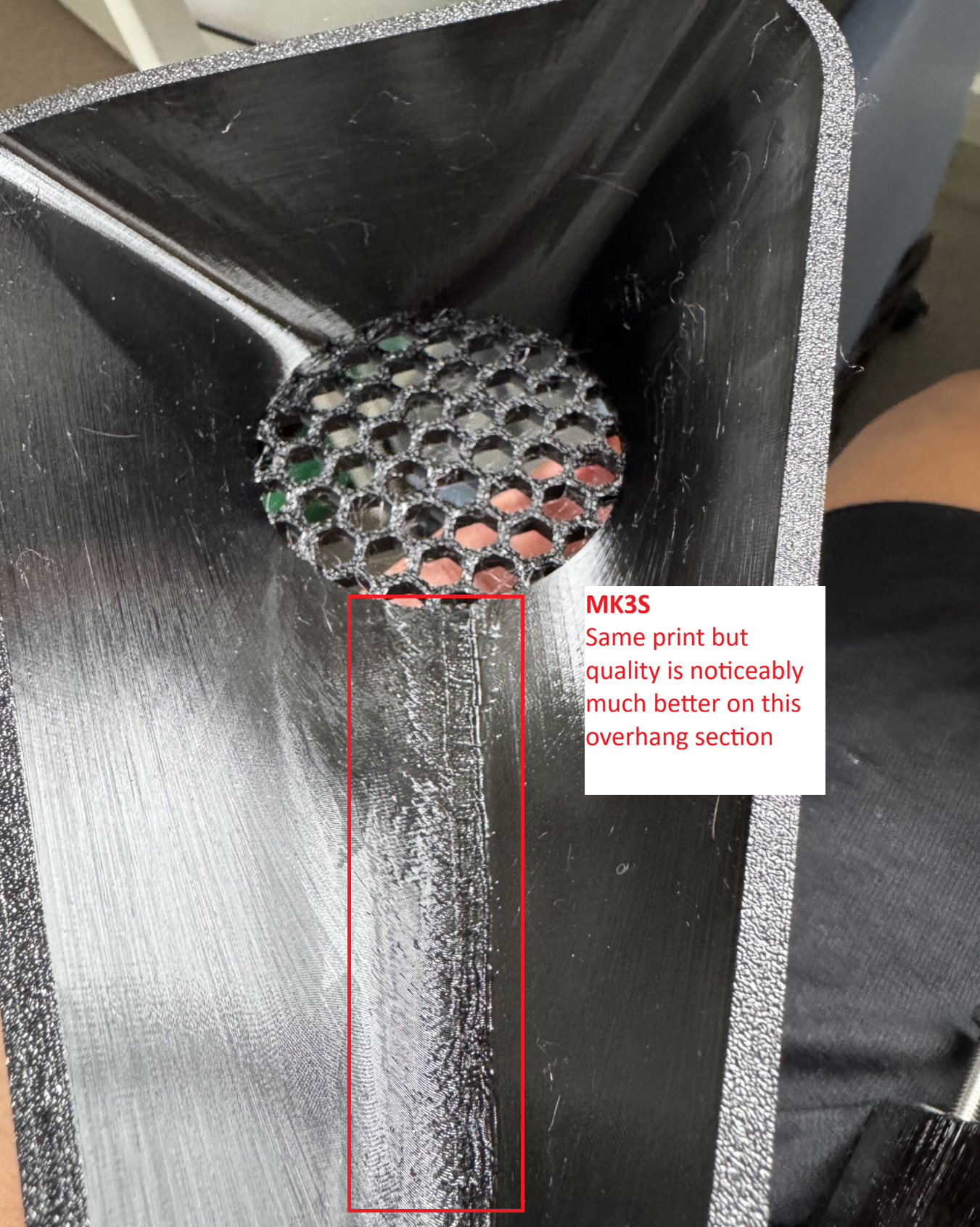

Top View
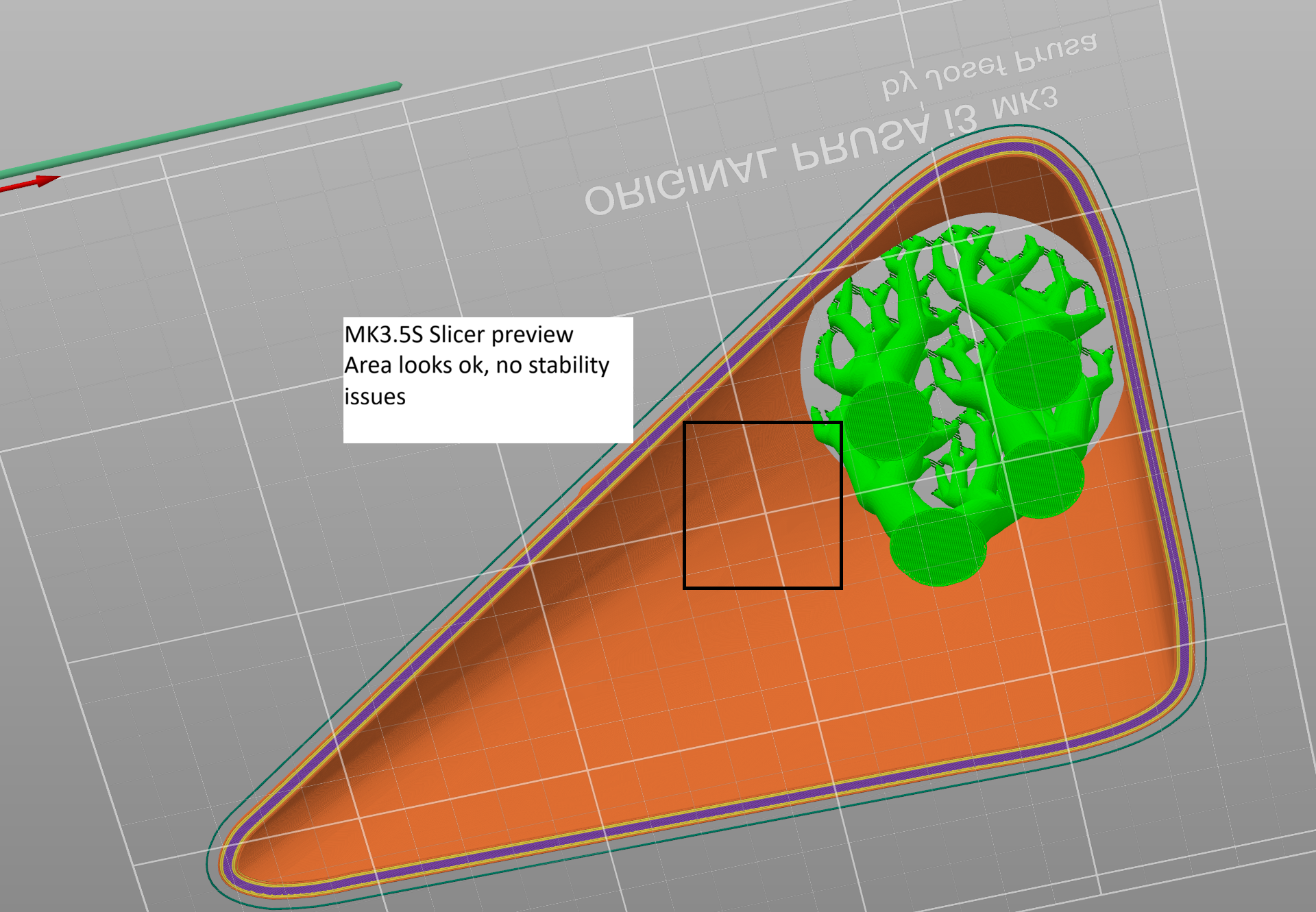
Slicer output for MK3.5S 0.10 speed detail profile.
In my model, I have a section which is a bit of an overhang/bridge. It is fairly steep but I managed to print it on the MK3S with organic supports in PETG without too bad a finish. If I try the same with my MK3.5S printer, I get horrible quality in that particular section - with or without supports.
Are there any settings I can tune to improve/fix this issue? I'm pretty basic and have only been using the stock profiles for each printer e.g. .10mm detail, with minor modifications on temperature for first layer and enabling organic supports. Using the same filament in the MK3.5S and MK3S, same nozzle, nothing physical has changed apart from the installation of the upgrade kit.
Pretty stumped, only thing I can think of is to print slower in that particular section.
Any advice would be great!

RE: Print quality issue between MK3S and MK3.5S - Overhang on model
Pretty stumped, only thing I can think of is to print slower in that particular section.
Yes, that makes sense. As you observed, the Mk3.5 printed quite a bit faster than the Mk3 so slowing down a bit gives the filament a chance to cool down and avoid sagging. You may always want to try taking the print temperature down a bit, say 5 degrees.
Formerly known on this forum as @fuchsr -- https://foxrun3d.com/