
What is this? Why is it Happening?

I keep having this issue with this filament, where there will be bumps or a raised surface when there is no fuzzy skin involved. Yes the filament was dried and is in a dry box all the way to the printer. Normally I would test filaments with my Prusa however since this filament will be used on the Bambu's we have, I'm testing it there. 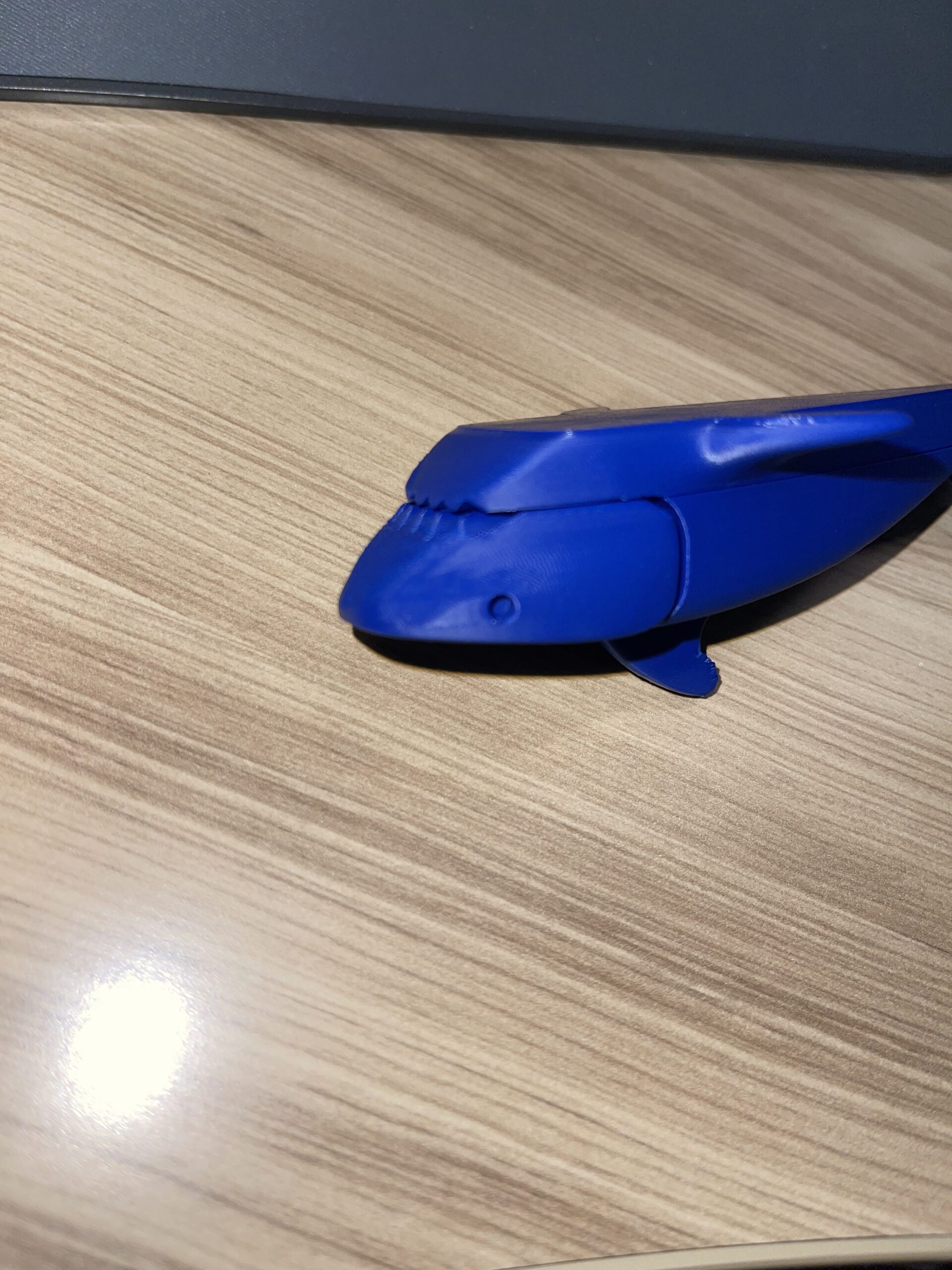
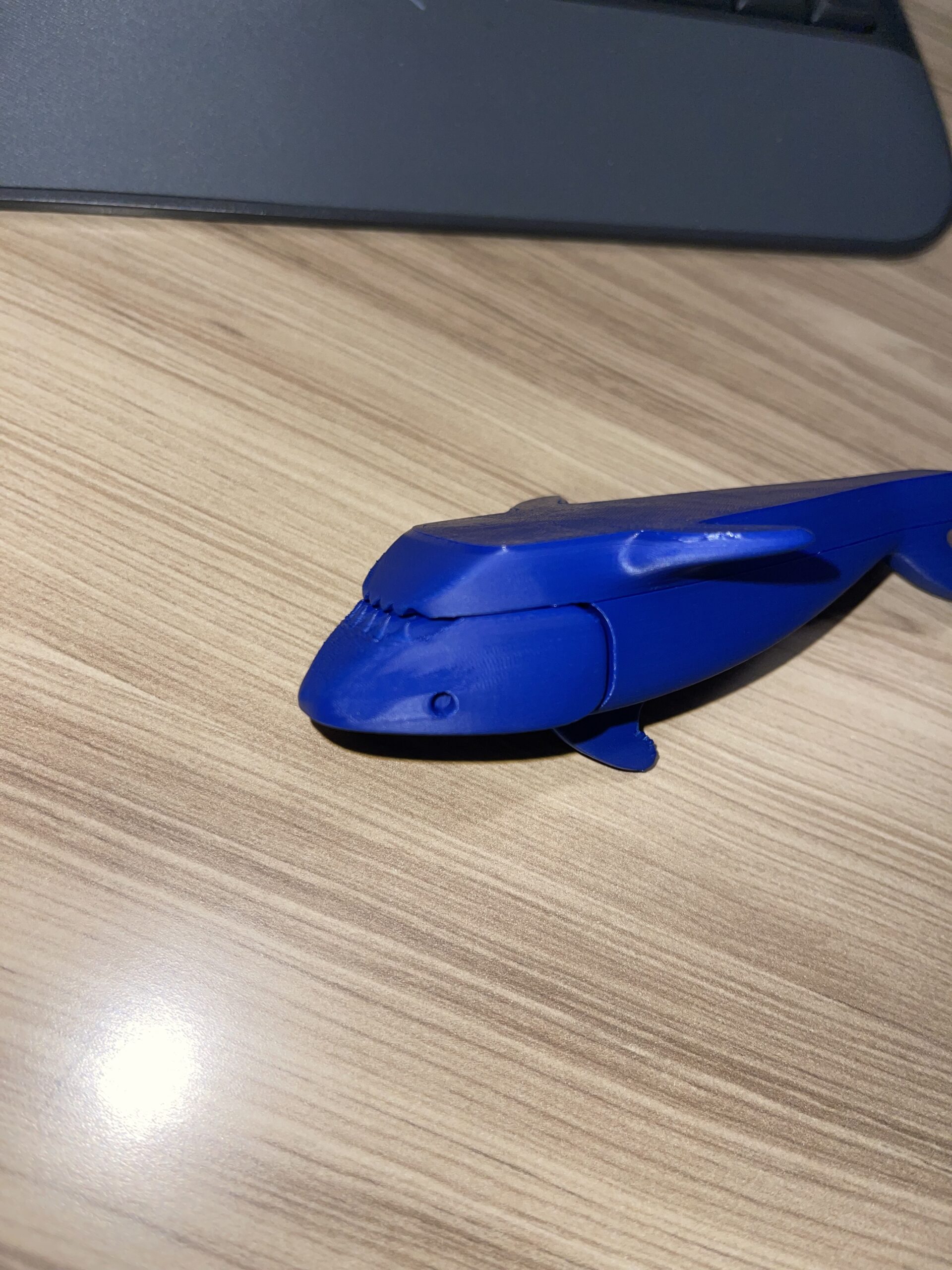
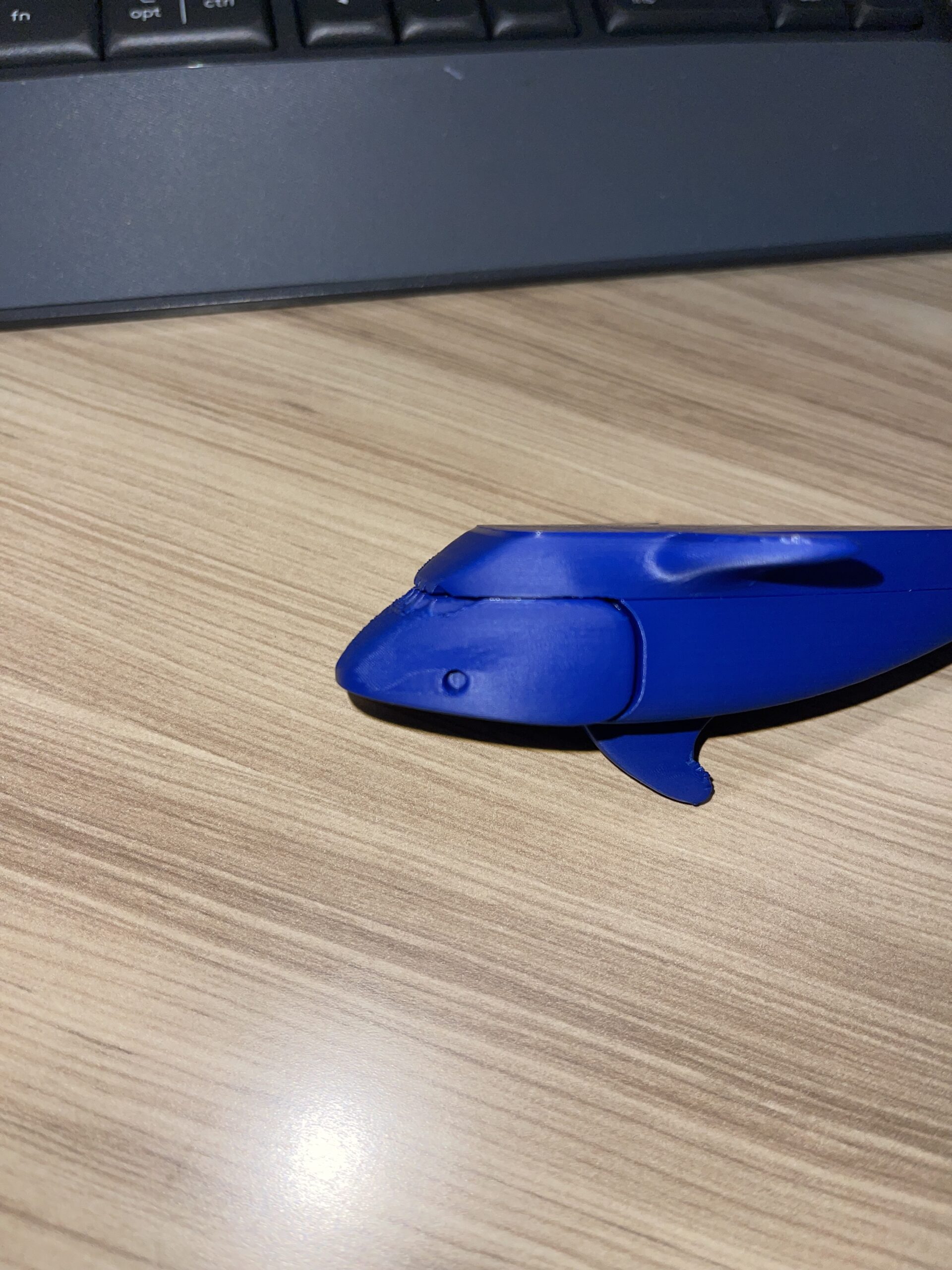
I've tried everything with this brand and nothing seems to remove this raised surface and their is seemingly no rhyme or reason for it to happen I've lowered the VAF from 1 to 0.325 and it helped but this raised surface is still here! The brand is American Filament and this is their American Blue PLA+. I have yet to see how my Prusa prints it.

RE: What is this? Why is it Happening?
Looking at the fact that the shark belly is flat and thus there was a print bed there, and the fact the first layers are shiny, it seems like you have too low temperature for that print speed.
Easy fix -icncrease temperature by 5C or more, maybe 10C.
Longer fix - look how the model was sliced, see the speed and temperature per layers that look good and adjust the temperature for higher layers or slow down the print speed.
See my GitHub and printables.com for some 3d stuff that you may like.
RE: What is this? Why is it Happening?
To add some more info, this happens regardless of temperature (the Shark was printed at 220-225 C and in three pieces the top the bottom and the fin.). I've also tried it on my Prusa and it also had the same issue. I have a print going right now on one of my Bambu's and so far it looks pretty good, I lowered the VAF (Velocity Adaptability Factor) more to 0.25. However, the VAF isn't a Prusaslicer setting I can change, so how would I transfer my settings over?
RE: What is this? Why is it Happening?
Just decrease overall print speed, you can just create a new filament profile from the existing one, change Filaments > Advanced > Max volumetric speed (check on the previously sliced preview what's the speed for the first layers and use that) and save as new profile.
Another option is to look at the cooling, because usually first layers do not have extra cooling to improve adhesion to the bed. Maybe that filament does not like excessive cooling?
See my GitHub and printables.com for some 3d stuff that you may like.