
Free Web Tool: View STLs in 1:1 real-world scale (Precision Calibration)
I wanted to share a small project I’ve been working on called 1013D. 1013d.pages.dev
The Problem: Designing in CAD is easy, but imagining the real-world size is hard. You know it’s "50mm," but you don't know how it feels in your hand until the 10-hour print is finished and you realize it’s too small.
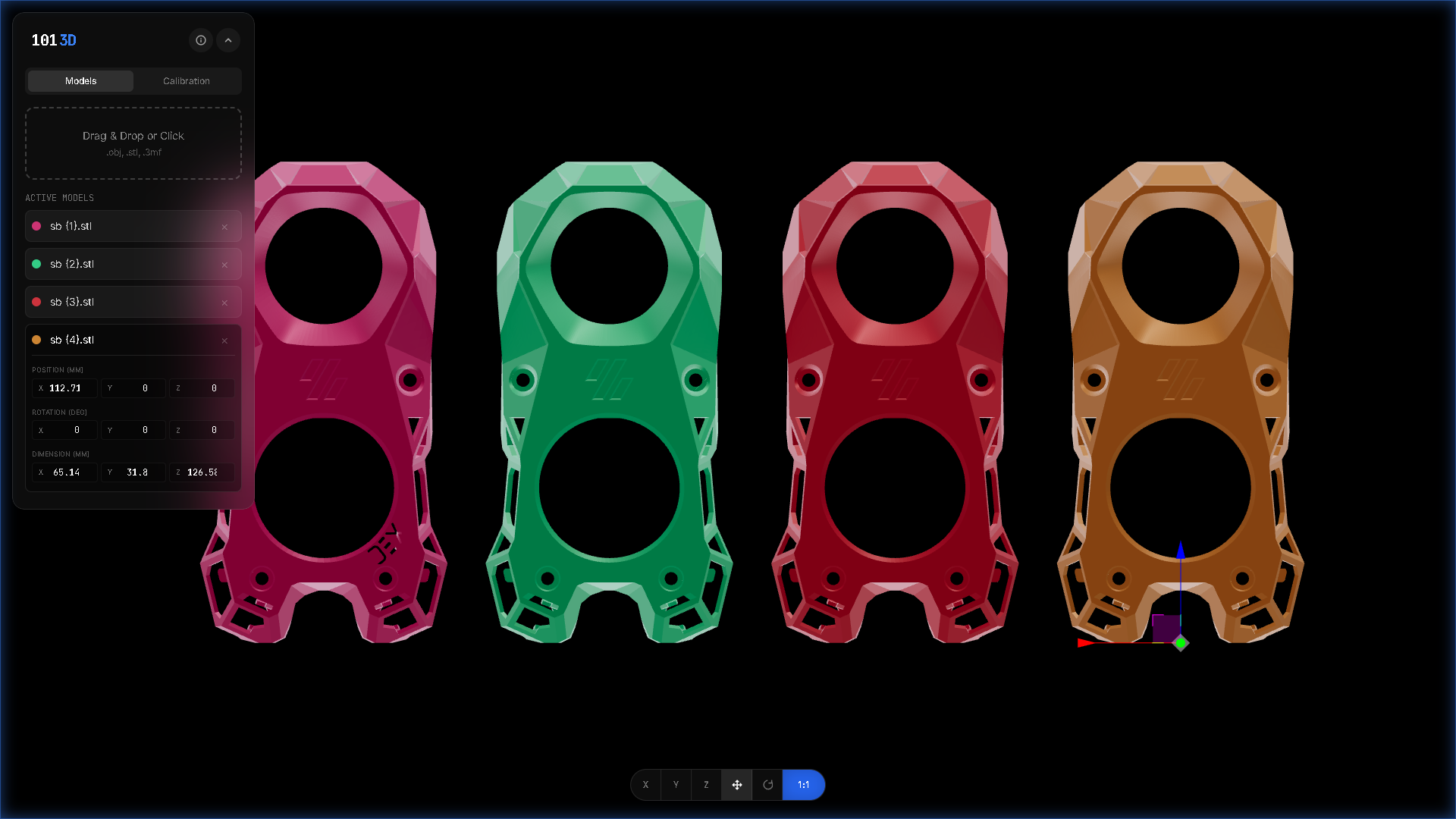
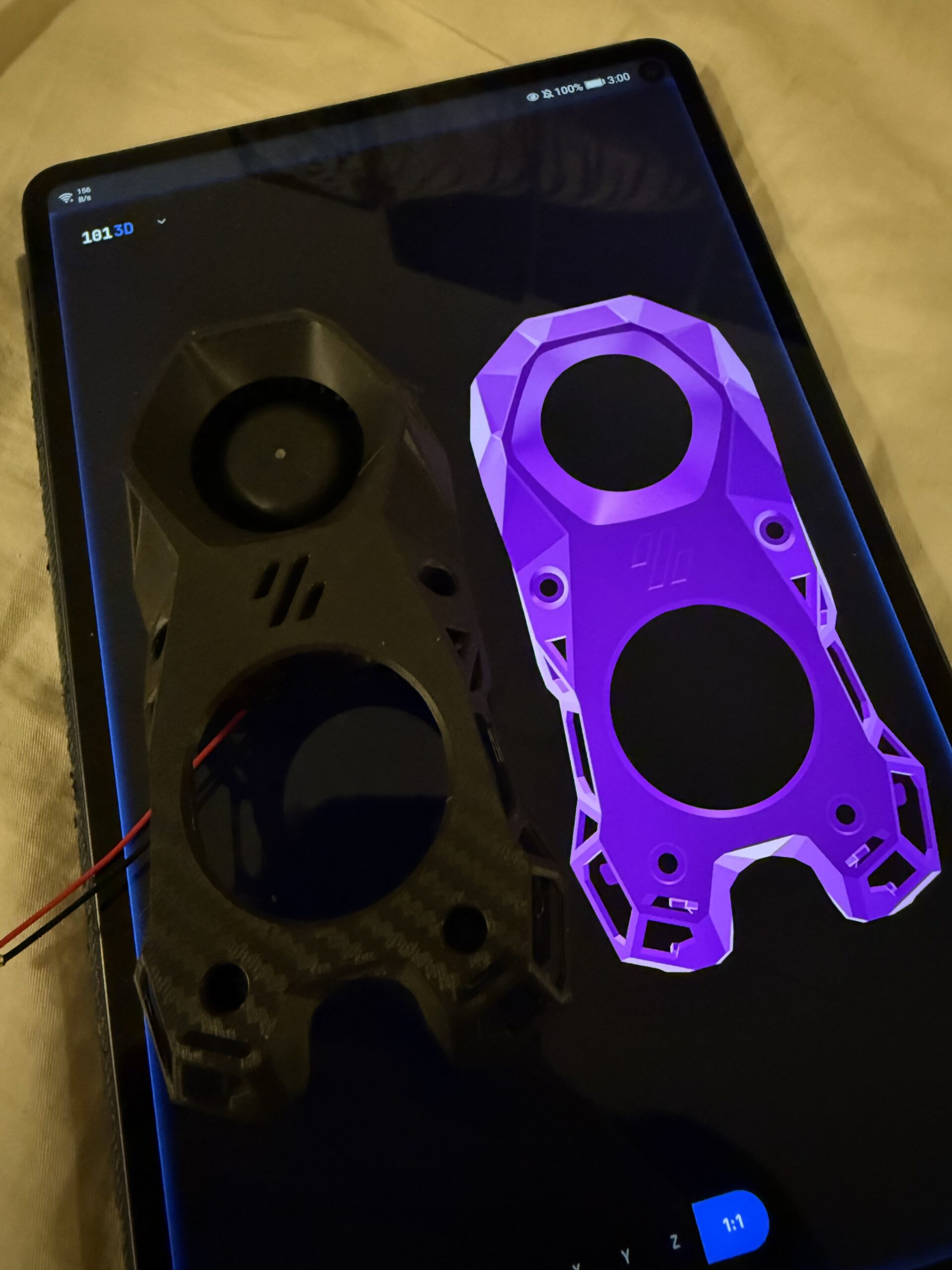
The Solution: 1013D gives you a "Physical Preview." By matching your monitor’s actual PPI, it renders your STL at the exact dimensions of the final print. If it looks huge on the screen, it’ll be huge on the build plate.
How to use it:
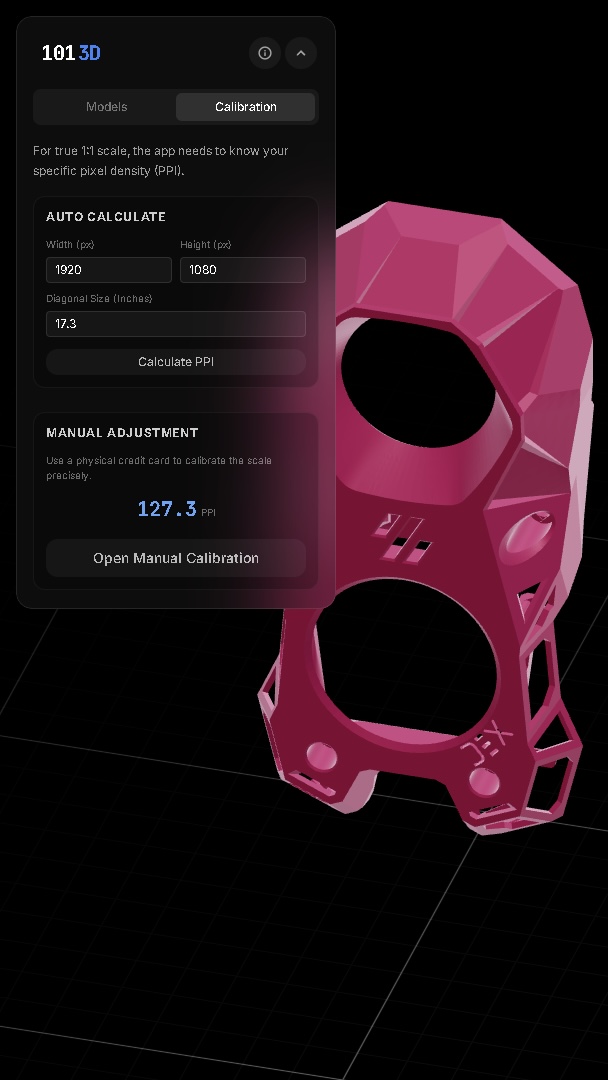
1. Calibrate: Tell the app your screen size or just hold a credit card up to the screen to match the scale.
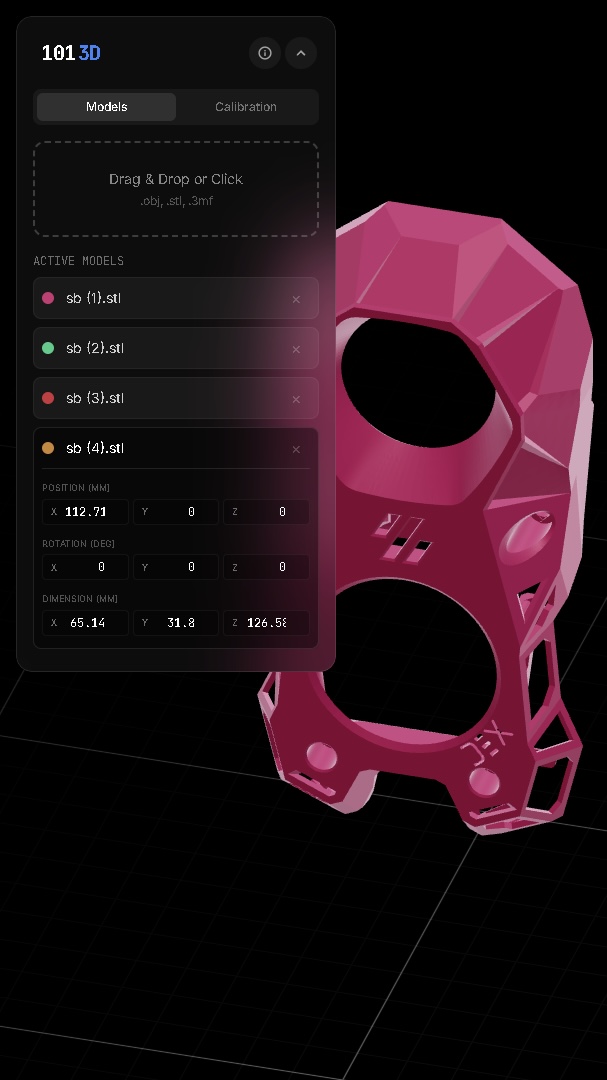
2. Drop your file: STL, OBJ, or 3MF.
3. Toggle 1:1: The camera locks to the physical scale. What you see is exactly what you get.

RE: Free Web Tool: View STLs in 1:1 real-world scale (Precision Calibration)
very nice
--------------------
Chuck H
3D Printer Review Blog
RE: Free Web Tool: View STLs in 1:1 real-world scale (Precision Calibration)
Thanks 🙏

A nice idea and I'm sure some people will find it useful but this is really a reminder to measure the requirement carefully before you start designing.
Cheerio,
RE: Free Web Tool: View STLs in 1:1 real-world scale (Precision Calibration)
It’s not about tolerances—that’s what CAD is for. This is about spatial intuition. It’s the same reason people use a "banana for scale" even when they know the dimensions; seeing the 1:1 physical presence is different from reading a number. This lets you see that "scale" instantly on your screen

RE: Free Web Tool: View STLs in 1:1 real-world scale (Precision Calibration)
It’s not about tolerances—that’s what CAD is for. This is about spatial intuition. It’s the same reason people use a "banana for scale" even when they know the dimensions; seeing the 1:1 physical presence is different from reading a number. This lets you see that "scale" instantly on your screen
I see that need -- I have certainly had those "oh shoot, this thing is small" moments, realizing that the finicky details I had designed just don't work or handle well at the physical scale...
But for an early reality check, I need that "1:1 scale" view right at the start of the design process. I.e. it should be integrated into the CAD program, Fusion in my case. Having to model the whole thing, then export it as an STL, then start another program to view it is just too cumbersome and too late in the process.
As a workaround, I just zoom out to approximately the right scale in Fusion. (Holding a ruler to the screen if need be -- don't tell anyone. 😉) That's typically good enough; I do not need the rendered size to be exactly right.
Yes, I see the reason and I'm sure some users will love it 'though I've never had difficulty working with scales.
Cheerio,

RE: Free Web Tool: View STLs in 1:1 real-world scale (Precision Calibration)
But for an early reality check, I need that "1:1 scale" view right at the start of the design process.
My thoughts too. To be clear, I applaud OP for building this tool, and I can see how it can be useful. But for me, it feels like closing the door after the horse has left the barn. The ideal would be to have an option in CAD software to "show real size", maybe after a calibration of the screen PPI. Never going to happen in Fusion though, they can't even make it possible to open multiple windows on multiple screens
Formerly known on this forum as @fuchsr -- https://foxrun3d.com/
RE: Free Web Tool: View STLs in 1:1 real-world scale (Precision Calibration)
Tested. ACER AC322QK monitor. Windows 11, Nvidia RTX 3070 TI Calibrated 32" 3840 x 2160 monitor. This is native resolution. 137dpi calculated. loaded a 165 x 15mm part. .stl in mm. At 1:1 it was about 170% of actual size. Used a U.S. credit card for calibration. Manually measured at 85.5m x 53.9 mm. 79 dpi. Screen measurement matched manual card measurement. Now it looks right. Loaded other mm based .stl files. They look good at 79.
Not just .stl. You would not believe how many times I had to hold a ruler up to any number of graphic files to figure out the size of an undimensioned part of the object. Zoom until dimensioned/known length matches the ruler. Then measure the undimensioned area. Or measure, calculate scale, measure and times by scale.
In the early days of CAD I had to write a routine to calculate drawing scale vs. actual size of the part. I know it can be a weird problem.
Project expansion... Pick start/end for length. Have user enter value and then calculate scale needed to display at 1:1 on screen. For .pdf, .jpg etc.
RE: Free Web Tool: View STLs in 1:1 real-world scale (Precision Calibration)
Thanks for the detailed breakdown. You’re exactly right—you were the first 'victim' of the Resolution Bug. Even though your monitor is natively 3840x2160, Windows 11 scaling (DPR) makes the browser report a 'logical' resolution that’s much lower. When you manually typed in the native 4K specs, it threw the PPI calculation way off.
I’m going to fix this in a future update by locking those resolution fields and having the script auto-detect the scaling (DPR) so users don't have to guess.
I really like your 'Expansion' idea for PDFs and JPGs. Will be adding more features in the future.

RE: Free Web Tool: View STLs in 1:1 real-world scale (Precision Calibration)
It is neat but I’m not sure it would fit into my workflow. I’ll sometimes do mockups with paper or cardboard then translate that into my sketches on FreeCAD. Basically though I have the measurements worked out before the STL hits the printer.

RE: Free Web Tool: View STLs in 1:1 real-world scale (Precision Calibration)
Excellent work! Maybe it's helpful.

RE: Free Web Tool: View STLs in 1:1 real-world scale (Precision Calibration)
Interesting tool, lot of people already expressed the same concerns I had, so just will add the missing obvious one:
Sometimes just printing important fragments as hollow shell is just way more useful than looking at the screens with images or paper prints - that's why we have 3d printers which gets faster and faster in the FDM process.
I often print just a model frame - for example instead of printing something fully, i chop it into few important bits to validate certain integration points, such as tube diameter - print a 2mm ring from it), outer shape - add a hollow box to it, limit to 5mm and you have a toroidal shape, and so on. Of course it has limitation but with proper adjustments you can get core dimensions printed within minutes.
See my GitHub and printables.com for some 3d stuff that you may like.
RE: Free Web Tool: View STLs in 1:1 real-world scale (Precision Calibration)
Interesting tool, lot of people already expressed the same concerns I had, so just will add the missing obvious one:
Sometimes just printing important fragments as hollow shell is just way more useful than looking at the screens with images or paper prints - that's why we have 3d printers which gets faster and faster in the FDM process.
I often print just a model frame - for example instead of printing something fully, i chop it into few important bits to validate certain integration points, such as tube diameter - print a 2mm ring from it), outer shape - add a hollow box to it, limit to 5mm and you have a toroidal shape, and so on. Of course it has limitation but with proper adjustments you can get core dimensions printed within minutes.
I also do that. I'll swap in an 0.8mm nozzle and print in vase mode to get a decent idea of fit.